Polymorphism in Java

HOME

In this tutorial, I’ll explain about Polymorphism in Java. It is one of the four concepts of OOPs. It is a concept where we can perform a single action in multiple ways. Poly means many and morphs means form. Polymorphism allows us to define one interface and have multiple implementations. An example of polymorphism is that there are different forms of communication like calls, SMS, picture messages, etc.

There are 2 types of polymorphism:-

  1. Method Overloading in Java – This is an example of compile time (or static polymorphism)
  2. Method Overriding in Java – This is an example of runtime time (or dynamic polymorphism)

Complie Time Polymorphism

It is also known as static polymorphism. Method Overloading is an example of static polymorphism. It is a feature that allows a class to have more than one method having the same name if their argument lists are different. Error if any occur, resolved during compile time.

Below is an example of static polymorphism.

public class Calculation {

	void sum(int a, int b) {
		System.out.println("Sum of 2 numbers :" + (a + b));
	}

	void sum(int x, int y, int z) {
		System.out.println("Sum of 3 numbers :" + (x + y + z));
	}

}
public class PolymorphismTest {

	public static void main(String[] args) {

		Calculation cal = new Calculation();
		cal.sum(10, 5);
		cal.sum(2, 6, 4);

	}
}

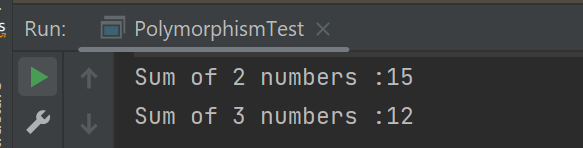
The output of the above program is

Dynamic Polymorphism

It is also known as Dynamic Method Dispatch. In this, the call to the overridden method happens at the runtime. This type of polymorphism is achieved by Method Overriding. Declaring a method in sub class that is already present in the parent class is known as method overriding. 

Below is an example of dynamic polymorphism

Parent Class

public class Bank {

	 //Overridden method
	public void getRateOfInterest() {

		System.out.println("getRateOfInterest() method of parent class");
		System.out.println("Interest Rate of Bank :" + 0);

	}
}

Child 1 Class

public class BOI extends Bank {

    // Overriding method
	public void getRateOfInterest() {

		System.out.println("getRateOfInterest() method of child 1 class");
		System.out.println("Interest Rate of BOI Bank :" + 4.1);

	}

}

Child 2 Class

public class BoFA extends Bank {

    // Overriding method
	public void getRateOfInterest() {

		System.out.println("getRateOfInterest() method of child 2 class");
		System.out.println("Interest Rate of BofA Bank :" + 3.2);

	}

}

Child 3 Class

public class SBI extends Bank {

	// Overriding method
	public void getRateOfInterest() {

		System.out.println("getRateOfInterest() method of child 3 class");
		System.out.println("Interest Rate of SBI Bank :" + 5.3);

	}
}

Test Class

public class StaticPolTest {

	public static void main(String[] args) {

		Bank bank1 = new Bank();
		bank1.getRateOfInterest();

		BOI bank2 = new BOI();
		bank2.getRateOfInterest();

		BofA bank3 = new BofA();
		bank3.getRateOfInterest();

		SBI bank4 = new SBI();
		bank4.getRateOfInterest();
	}

}

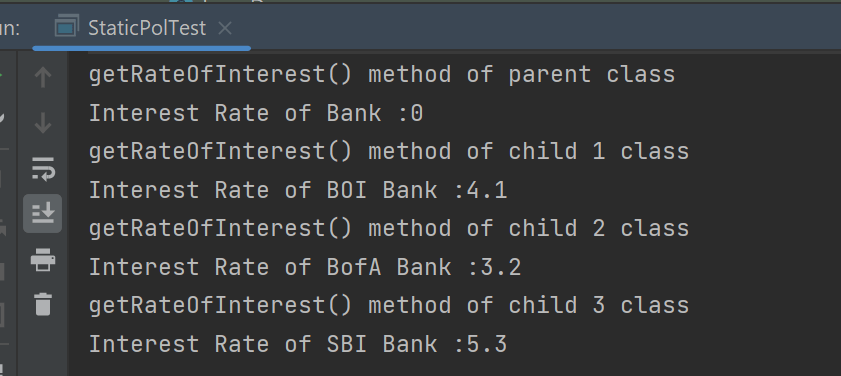
The output of the above program is

Points to note for Method Overriding:-

  1. The argument list of the overriding method (method of subclass) must match the overridden method (the method of parent class). The data types of the arguments and their sequence should exactly match.
  2. The access Modifier of the overriding method (method of a subclass) cannot be more restrictive than the overridden method of the parent class. 

Suppose, I have changed the access modifier of SBI class from public to protected and then run the StaticPolTest program. In that case, I’ll get a compile-time error.

getRateOfInterest() method of parent class
Interest Rate of Bank :0
getRateOfInterest() method of child 1 class
Interest Rate of BOI Bank :4.1
getRateOfInterest() method of child 2 class
Interest Rate of BofA Bank :3.2
Exception in thread "main" java.lang.Error: Unresolved compilation problem: 
	Cannot reduce the visibility of the inherited method from Bank

	at JavaDemo.Polymorphism.SBI.getRateOfInterest(SBI.java:6)
	at JavaDemo.Polymorphism.StaticPolTest.main(StaticPolTest.java:17)

Static Keyword – Static Variable and Static Method in Java

HOME

public class Student {

    int rollNo;
    String name;
    static String college = "Trinity"; // Static Variable

    Student(int r, String n) // Constructor
    {
        rollNo = r;
        name = n;
    }

    void displayInformation() {
        System.out.println("Roll_No: " + rollNo + ", Name: " + name + ", College: " + college);
    }

    public static void main(String[] args) {

        Student S1 = new Student(111, "Tom");
        Student S2 = new Student(222, "Terry");
        S1.displayInformation();
        S2.displayInformation();
    }
}

What is the Static Method

If any method is declared static, then it is called a static method. A static method belongs to the class not to the object of the class. 

A static method can be accessed without creating the object of the class.

The static method can access data members and can change their value of it.

public class Student {

    int rollNo;
    String name;
    static String college = "Trinity"; // Static Variable

    Student(int r, String n) // Constructor
    {
        rollNo = r;
        name = n;
    }

    static void change() {
        college = "CITM";
    }


    void displayInformation() {
        System.out.println("Roll_No: " + rollNo + ", Name: " + name + ", College: " + college);
    }

    public static void main(String[] args) {
        change();    // Calling Static method
        Student S1 = new Student(111, "Tom");
        Student S2 = new Student(222, "Terry");
        S1.displayInformation();
        S2.displayInformation();
    }

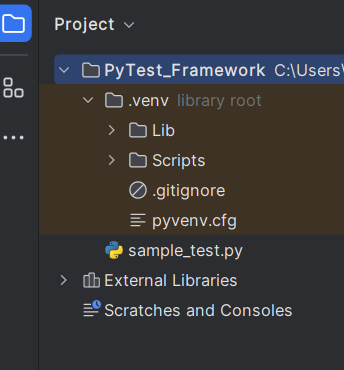
How to generate HTML Report in PyTest Framework

HOME

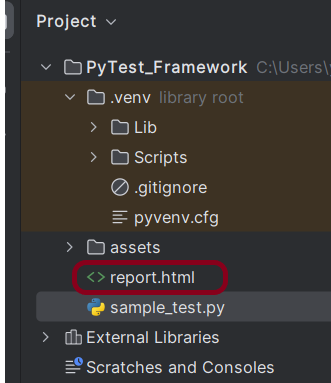
pip install -U pytest

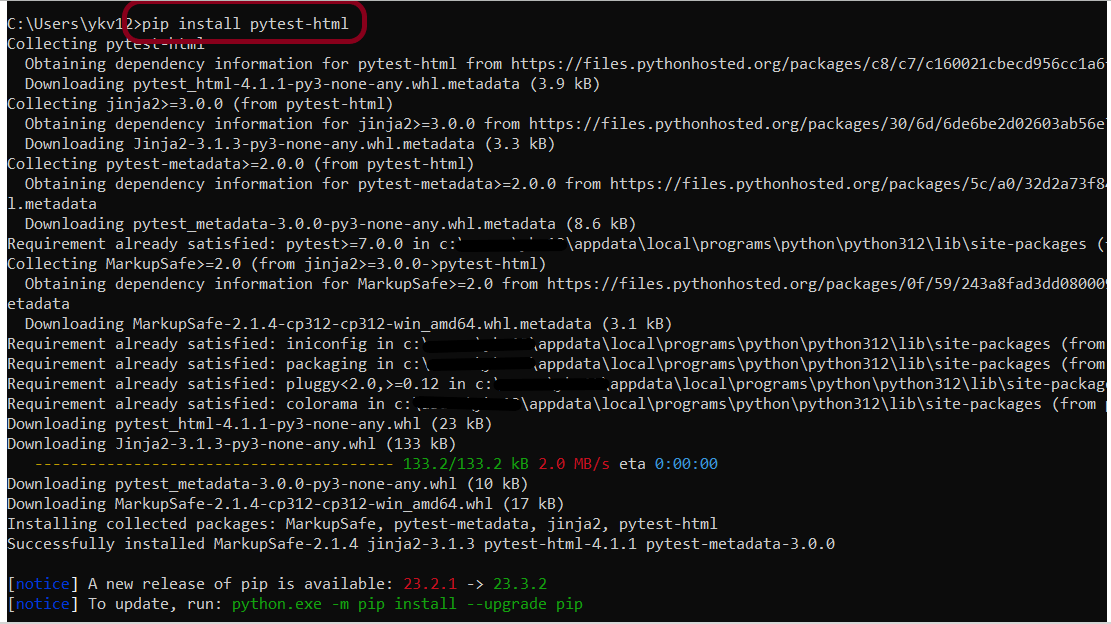
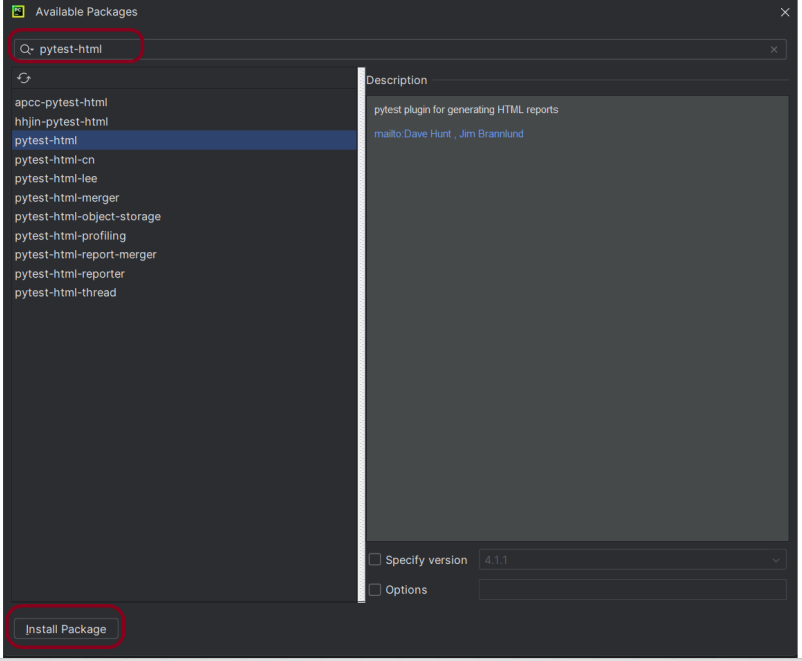
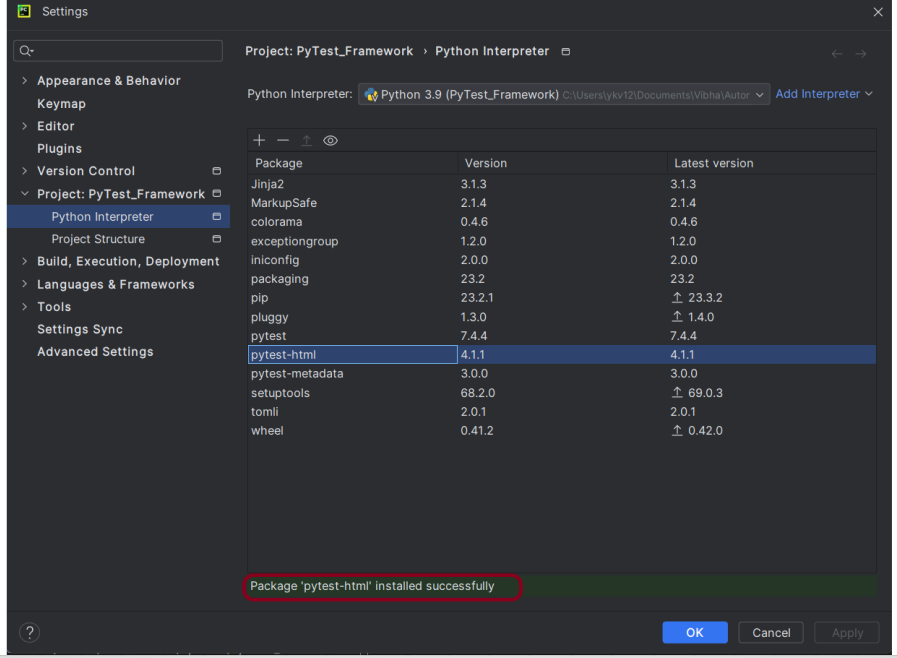
pip install pytest-html

import pytest


def test_addition():
    a = 6
    b = 5
    c = 11

    assert a + b == 11, "Sum is not 11"
    assert a + b == c, "Sum of a and b is not equal to c"


def test_subtraction():
    x = 15
    y = 4
    z = 10

    assert x - y == z, "Subtract y from x is equal to z"


def test_multiplication():
    a = 6
    b = 5
    c = 30

    assert a * b == c, "Product of 5 and 6 is not 30"


def test_division():
    a = 16
    b = 2
    c = 8

    assert a / b == c, "Division of 2 by 6 is not 3"

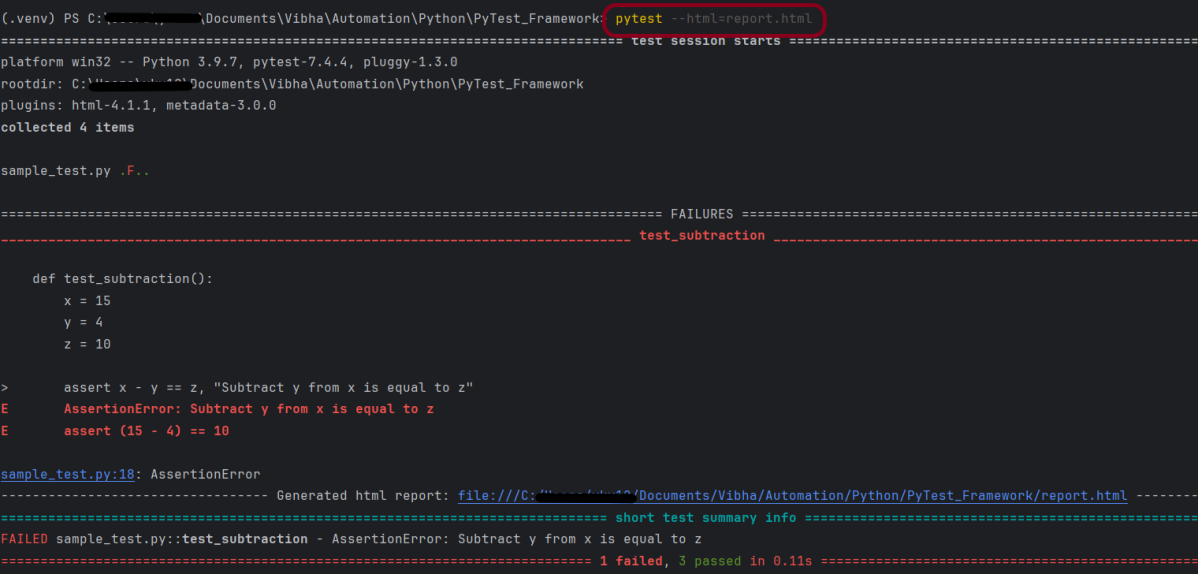
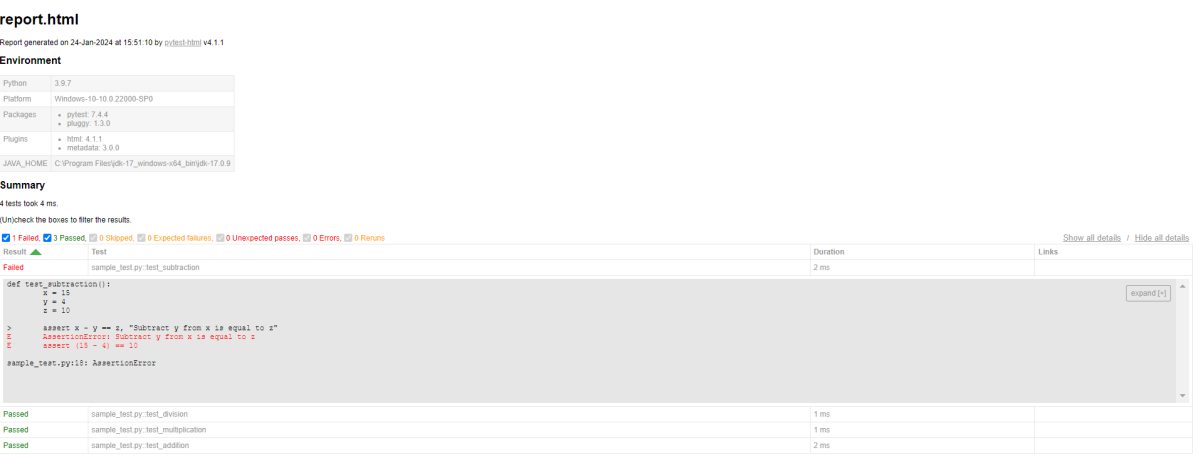
pytest --html=report.html

What is conftest.py in PyTest?

HOME

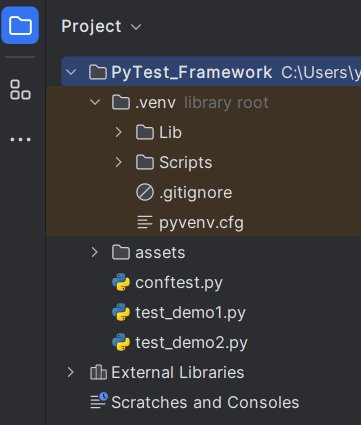
import pytest


@pytest.fixture
def shared_fixture():
    print("This will be executed before any test")

def test_fixture1(shared_fixture):
    print("This is the fixture main method1 for demo1 class")
    print("Good Morning")


def test_fixture2(shared_fixture):
    print("This is the fixture main method2 for demo1 class")
    print("Good AfterNoon")

def test_fixture(shared_fixture):
    print("This is the fixture main method for demo2 class")
    print("Good Evening")

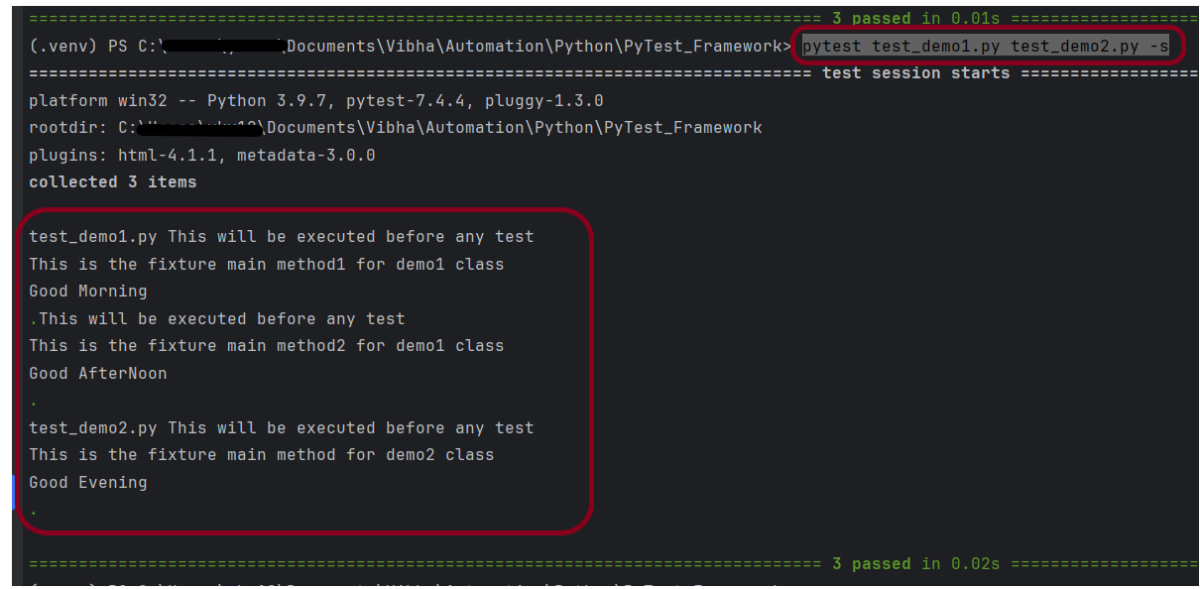
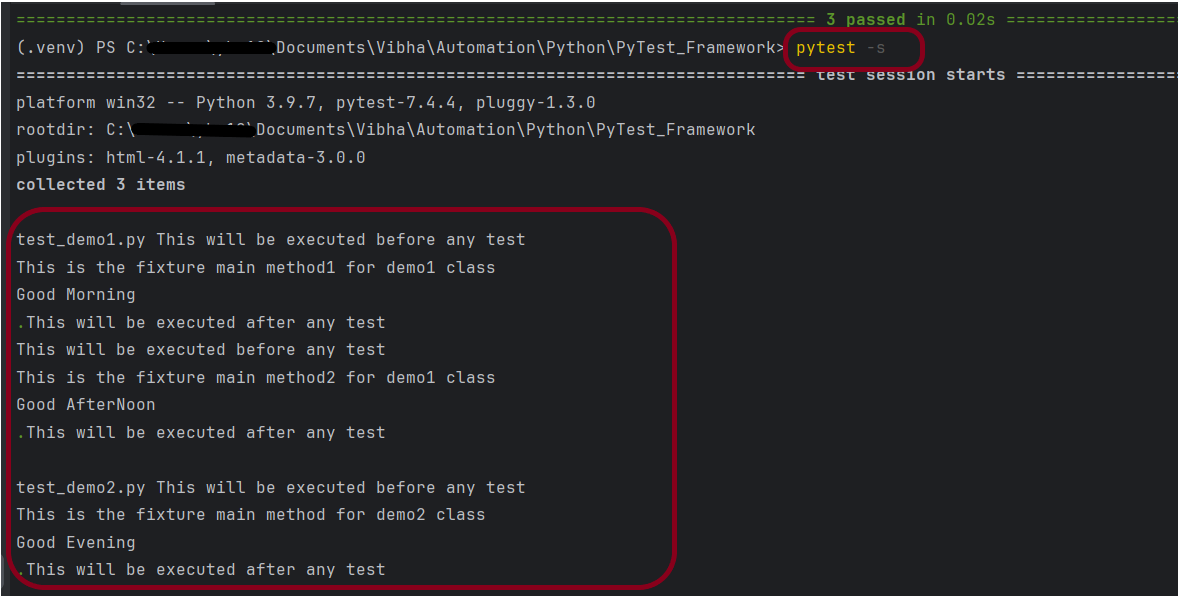
pytest test_demo1.py test_demo2.py -s

import pytest


@pytest.fixture
def shared_fixture():
    print("This will be executed before any test")
    yield
    print("This will be executed after any test")

import pytest


@pytest.mark.usefixtures("shared_fixture")
class TestExample1:

    def test_fixture1(self):
        print("This is the fixture main method1 for demo1 class")
        print("Good Morning")

    def test_fixture2(self):
        print("This is the fixture main method2 for demo1 class")
        print("Good AfterNoon")

import pytest


@pytest.mark.usefixtures("shared_fixture")
class TestExample2:

    def test_fixture(self):
        print("This is the fixture main method for demo2 class")
        print("Good Evening")

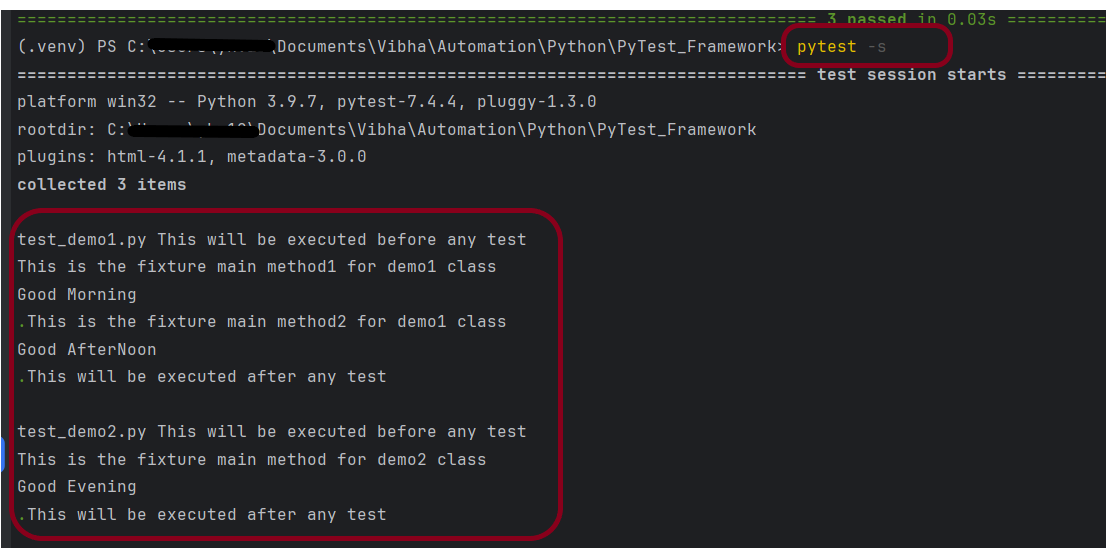
pytest -s

import pytest


@pytest.fixture(scope="class")
def shared_fixture():
    print("This will be executed before any test")
    yield
    print("This will be executed after any test")

What is Fixture in PyTest?

HOME

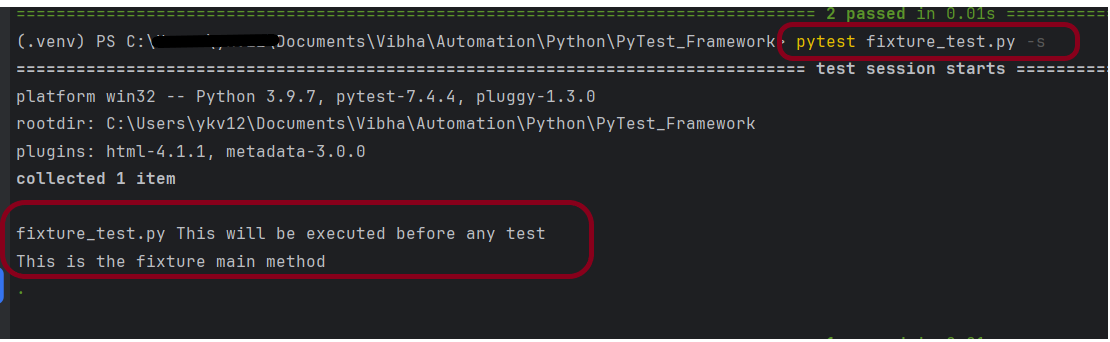
import pytest

@pytest.fixture()
def setup():
    print("This will be executed before any test")


def test_fixture(setup):
    print("This is the fixture main method")

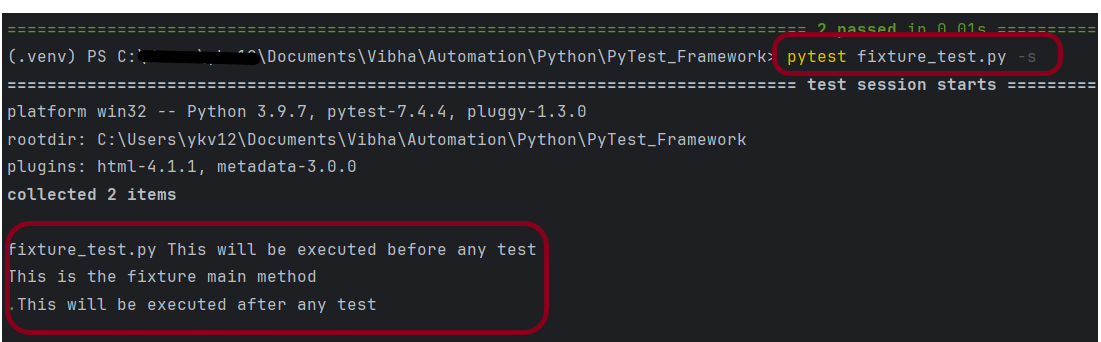
import pytest


@pytest.fixture()
def setup():
    print("This will be executed before any test")
    yield
    print("This will be executed after any test")


def test_fixture(setup):
    print("This is the fixture main method")

PyTest Framework

HOME

Configure Selenium with Python

HOME

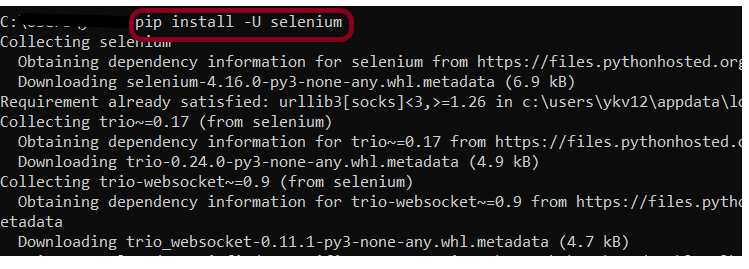
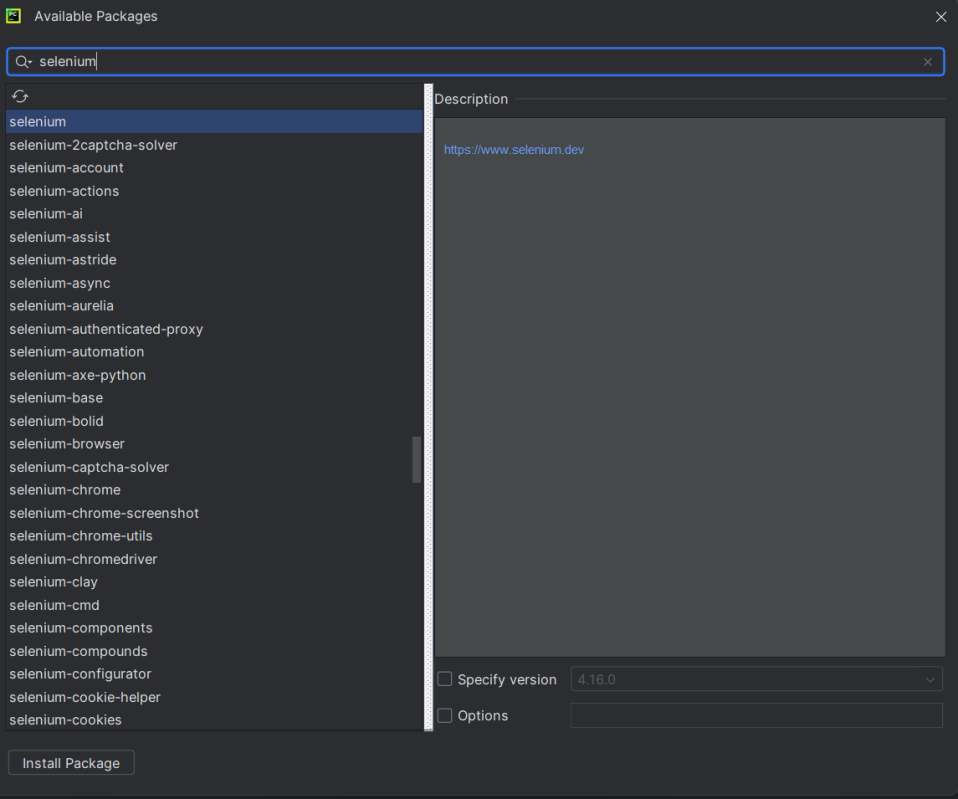
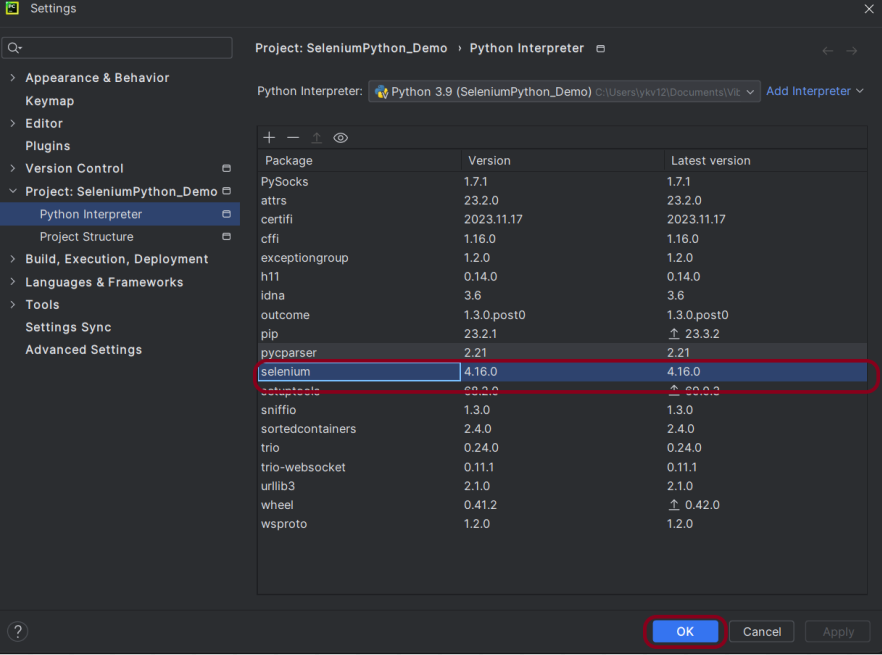
pip install -U selenium

from selenium import webdriver
from selenium.webdriver.common.by import By

driver = webdriver.Chrome()
driver.maximize_window()
driver.implicitly_wait(2)
driver.get("https://opensource-demo.orangehrmlive.com/")

driver.find_element(By.NAME, "username").send_keys("Admin")
driver.find_element(By.NAME, "password").send_keys("admin123")
driver.find_element(By.XPATH, "//*[@class='oxd-form']/div[3]/button").click()

homePageTitle = driver.find_element(By.XPATH,"//*[@class='oxd-topbar-header-breadcrumb']/h6").text
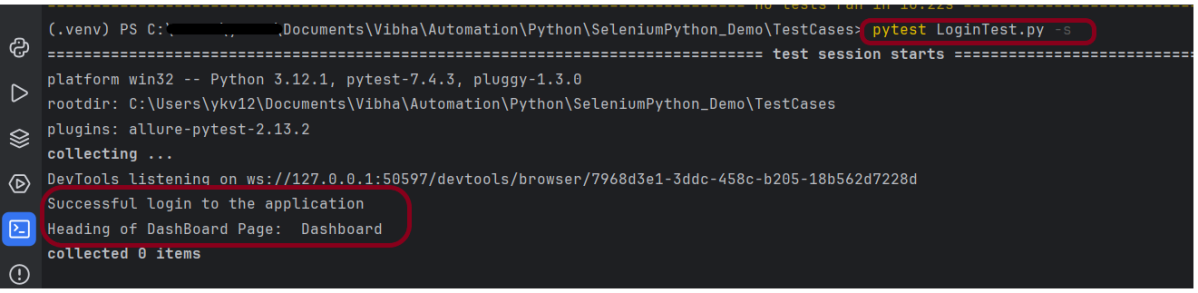
print("Heading of DashBoard Page: ", homePageTitle)
driver.quit()

from selenium import webdriver
from selenium.webdriver.common.by import By

driver = webdriver.Chrome()

driver.maximize_window()

driver.implicitly_wait(2)

driver.get("https://opensource-demo.orangehrmlive.com/")

driver.find_element(By.NAME, "username").send_keys("Admin")
driver.find_element(By.NAME, "password").send_keys("admin123")
driver.find_element(By.XPATH, "//*[@class='oxd-form']/div[3]/button").click()

homePageTitle = driver.find_element(By.XPATH,"//*[@class='oxd-topbar-header-breadcrumb']/h6").text
print("Heading of DashBoard Page: ", homePageTitle)

driver.quit()

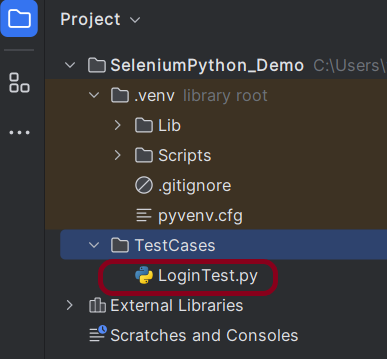
pytest LoginTest.py -s

What is PyTest Framework?

HOME

pip install pytest

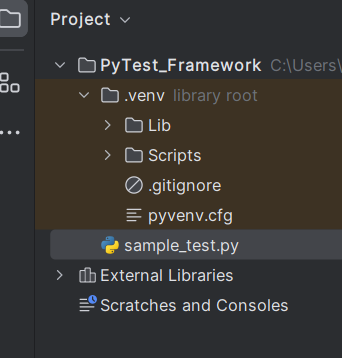
def test_addition():
    a = 6
    b = 5
    c = 11

    assert a + b == 11, "Sum is not 11"
    assert a + b == c, "Sum of a and b is not equal to c"


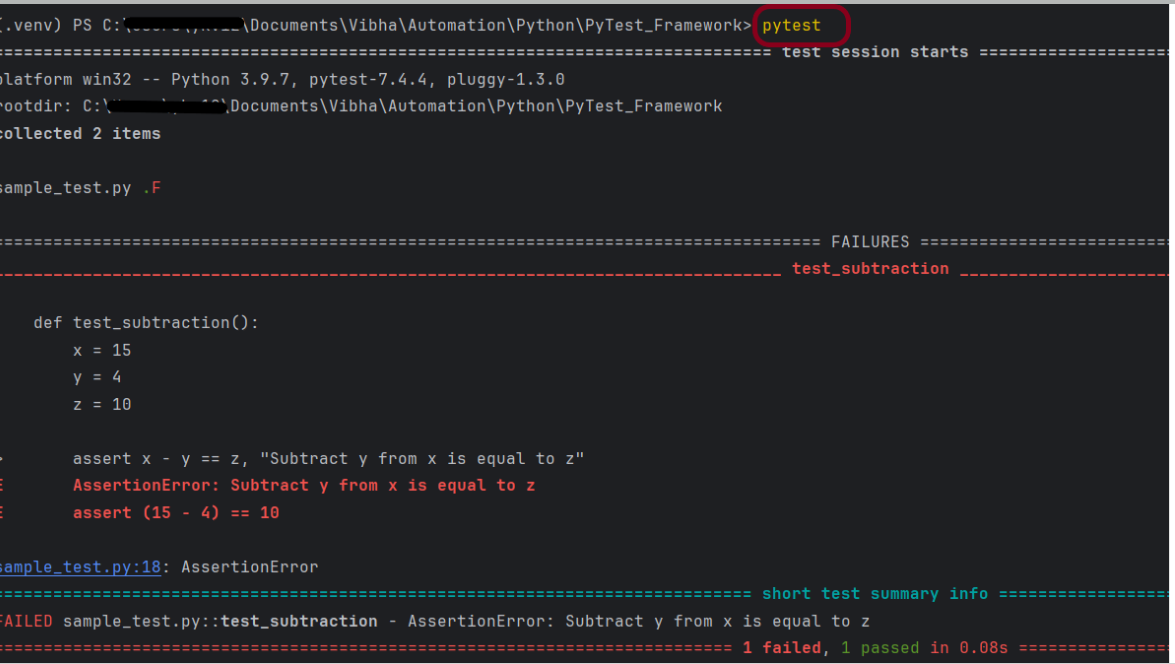
def test_subtraction():
    x = 15
    y = 4
    z = 18

    assert x - y == z, "Subtract y from x is equal to z"

pytest

test_sample - valid
sample_test - valid
sample_tests - invalid
testsample - invalid
sampletest - invalid

How to add environment details to Python Allure Report

HOME

os_platform = windows 11
os_release = 10.2
python_version = Python 3.12.1
environment = uat
release_no = 10
author = vibha singh

How to run Serenity BDD tests in Edge Browser

HOME

Serenity BDD has strong WebDriver integration and manages WebDriver instances. It is not needed to create or close the WebDriver instance of the Serenity Tests.

Serenity uses a library WebDriver Manager, which manages the driver for us. We don’t need to explicitly download and configure the WebDriver binaries for us.

webdriver {
  capabilities {
    browserName = "MicrosoftEdge"
    "ms:edgeOptions" {
      args = ["test-type", "ignore-certificate-errors", "headless",
        "incognito", "disable-infobars", "disable-gpu", "disable-default-apps", "disable-popup-blocking"]
    }
  }
}

edge {
    webdriver {
      capabilities {
        browserName = "MicrosoftEdge"
        "ms:edgeOptions" {
          args = ["start-maximized", "test-type", "ignore-certificate-errors",
            "incognito", "disable-infobars", "disable-gpu", "disable-default-apps", "disable-popup-blocking"]
        }
      }
    }
  }

@Managed annotation in Serenity will manage the WebDriver instance, including opening the appropriate driver at the start of each test, and shutting it down when the test is finished. @Managed provides an option for the user to select the WebDriver driver to the run the tests in it. The possible values are firefox, chrome, iexplorer, phantomjs, appium, safari, edge, and htmlunit. There are multiple ways to manage the WebDriver. One of the way is shown below:

In the below program, the tests are running on the Edge browser. The driver name is mentioned with @Managed annotation.

import net.serenitybdd.annotations.Managed;
import net.serenitybdd.annotations.Steps;
import net.serenitybdd.annotations.Title;
import net.serenitybdd.core.Serenity;
import net.serenitybdd.junit.runners.SerenityRunner;
import org.junit.Test;
import org.junit.runner.RunWith;
import org.openqa.selenium.WebDriver;

import static org.assertj.core.api.Assertions.assertThat;

@RunWith(SerenityRunner.class)
public class EdgeTests {

    private String userName;
    private String passWord;
    private String errorMessage;

    @Managed(driver = "edge")
    WebDriver driver;

    @Steps
    NavigateActions navigate;

    @Steps
    StepLoginPage loginPage;


    @Test
    @Title("Login to application with invalid credential generates error message")
    public void invalidCredentials() {

        // Given
        navigate.toTheHomePage();

        // When
        loginPage.inputUserName("Admin");
        loginPage.inputPassword("admin");
        loginPage.clickLogin();

        // Then
        Serenity.reportThat("Passing invalid credentials generates error message",
                () -> assertThat(assertThat(loginPage.errorMessage()).isEqualToIgnoringCase("Invalid Credentials")));

    }

}

NavigateActions

import net.serenitybdd.annotations.Step;
import net.serenitybdd.core.steps.UIInteractionSteps;

public class NavigateActions extends UIInteractionSteps {

    @Step
    public void toTheHomePage() {
        openPageNamed("loginForm");
    }
}

import net.serenitybdd.annotations.Step;
import net.serenitybdd.core.pages.PageObject;
import net.serenitybdd.core.pages.WebElementFacade;
import org.openqa.selenium.support.FindBy;

public class StepLoginPage extends PageObject {

    @FindBy(name = "username")
    WebElementFacade username;

    @FindBy(name = "password")
    WebElementFacade password;

    @FindBy(xpath = "//*[@id='app']/div[1]/div/div[1]/div/div[2]/div[2]/form/div[3]/button")
    WebElementFacade submitButton;

    @FindBy(xpath = "//*[@id='app']/div[1]/div/div[1]/div/div[2]/div[2]/div/div[1]/div[1]/p")
    WebElementFacade errorMessage;

    @FindBy(xpath = "//*[@id='app']/div[1]/div/div[1]/div/div[2]/div[2]/form/div[4]/p")
    WebElementFacade linkText;

    @Step("Enter Username")
    public void inputUserName(String userName) {
        username.sendKeys((userName));
    }

    @Step("Enter Password")
    public void inputPassword(String passWord) {
        password.sendKeys((passWord));
    }

    @Step("Click Submit Button")
    public void clickLogin() {
        submitButton.click();
    }

    @Step("Error Message on unsuccessful login")
    public String errorMessage() {
        String actualErrorMessage = errorMessage.getText();
        return actualErrorMessage;
    }

    @Step("Click Forget Password Link")
    public void clickForgetPasswordLink() {
        linkText.click();

        System.out.println("Clicked on Forgot Password Link");
    }

}

Congratulations!! We are able to run the Serenity tests using edge browser.