How to generate HTML Report in PyTest Framework

HOME

pip install -U pytest

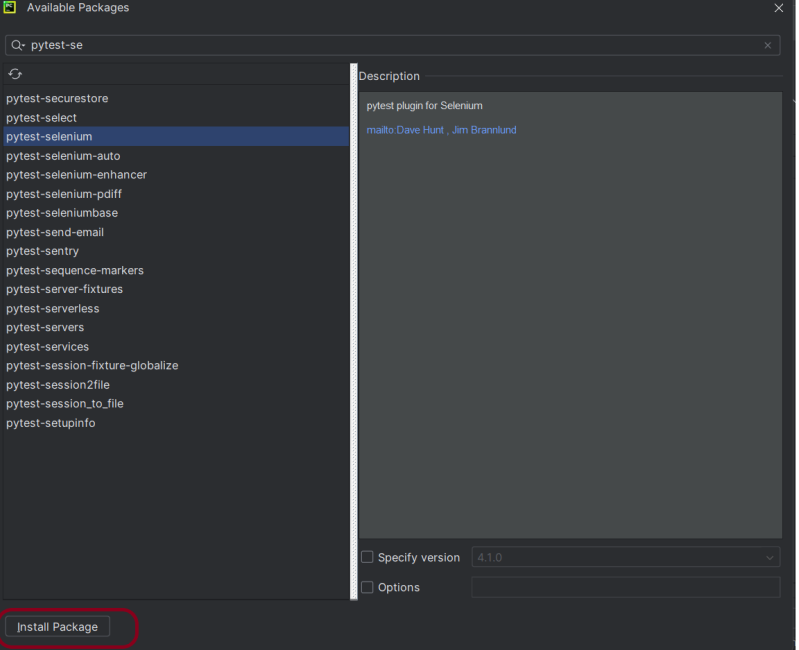
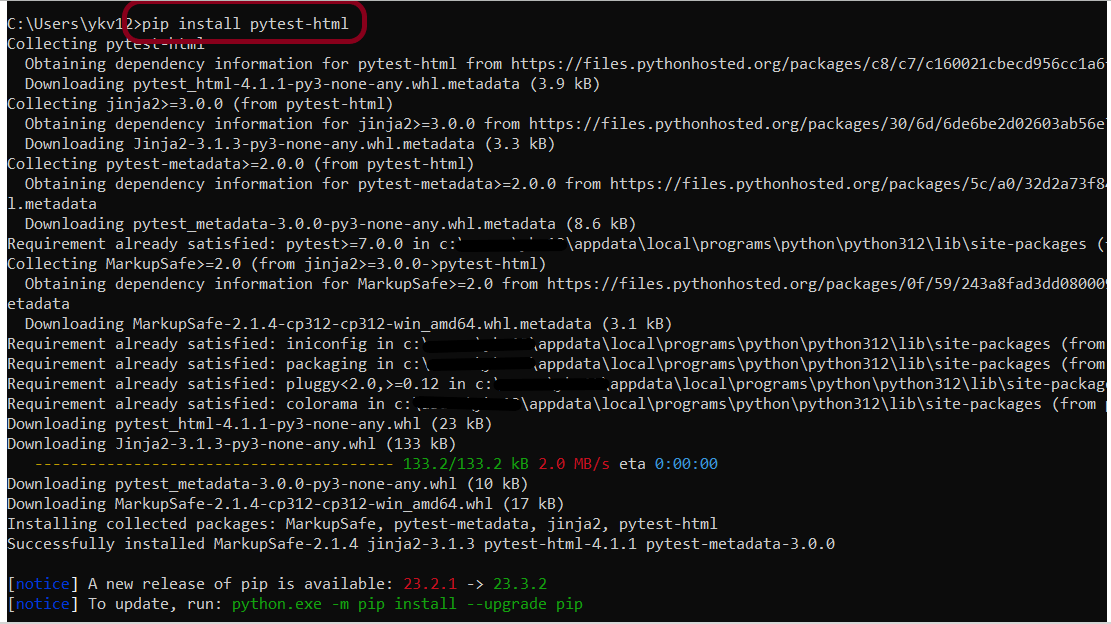
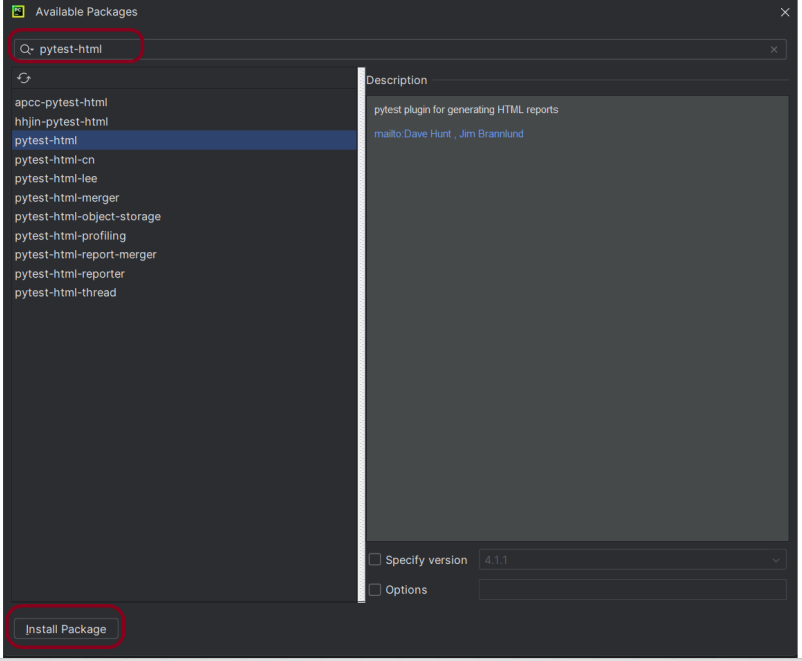
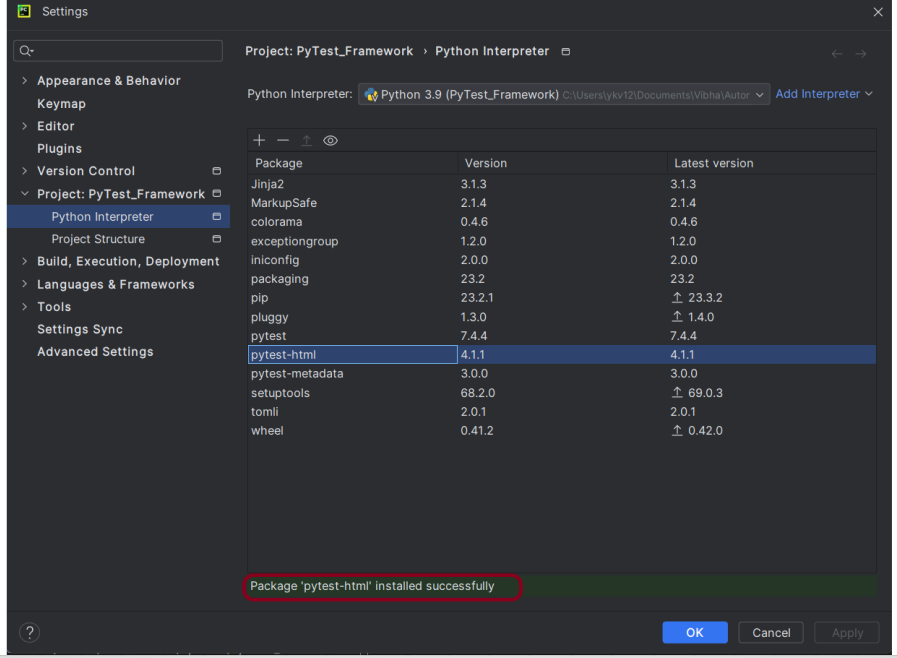
pip install pytest-html

import pytest


def test_addition():
    a = 6
    b = 5
    c = 11

    assert a + b == 11, "Sum is not 11"
    assert a + b == c, "Sum of a and b is not equal to c"


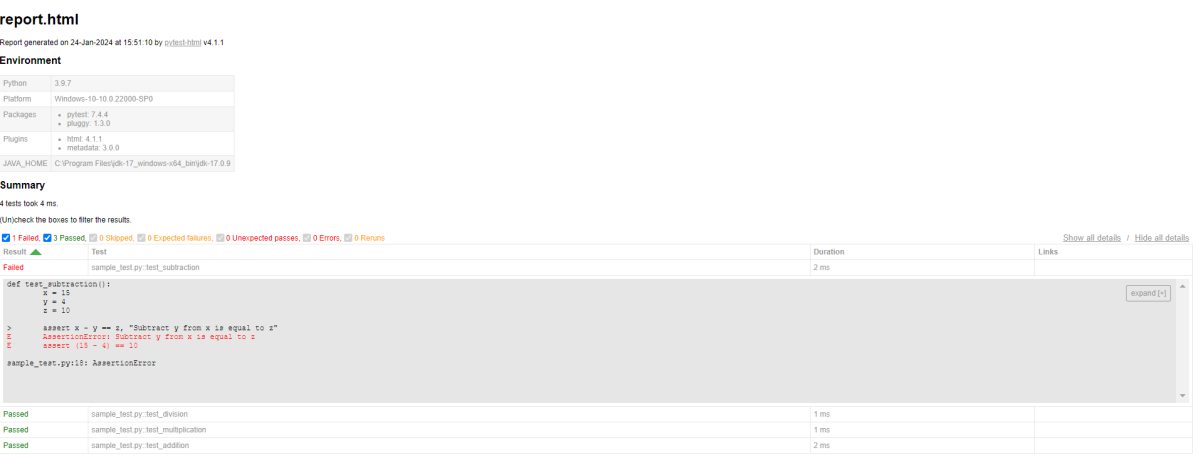
def test_subtraction():
    x = 15
    y = 4
    z = 10

    assert x - y == z, "Subtract y from x is equal to z"


def test_multiplication():
    a = 6
    b = 5
    c = 30

    assert a * b == c, "Product of 5 and 6 is not 30"


def test_division():
    a = 16
    b = 2
    c = 8

    assert a / b == c, "Division of 2 by 6 is not 3"

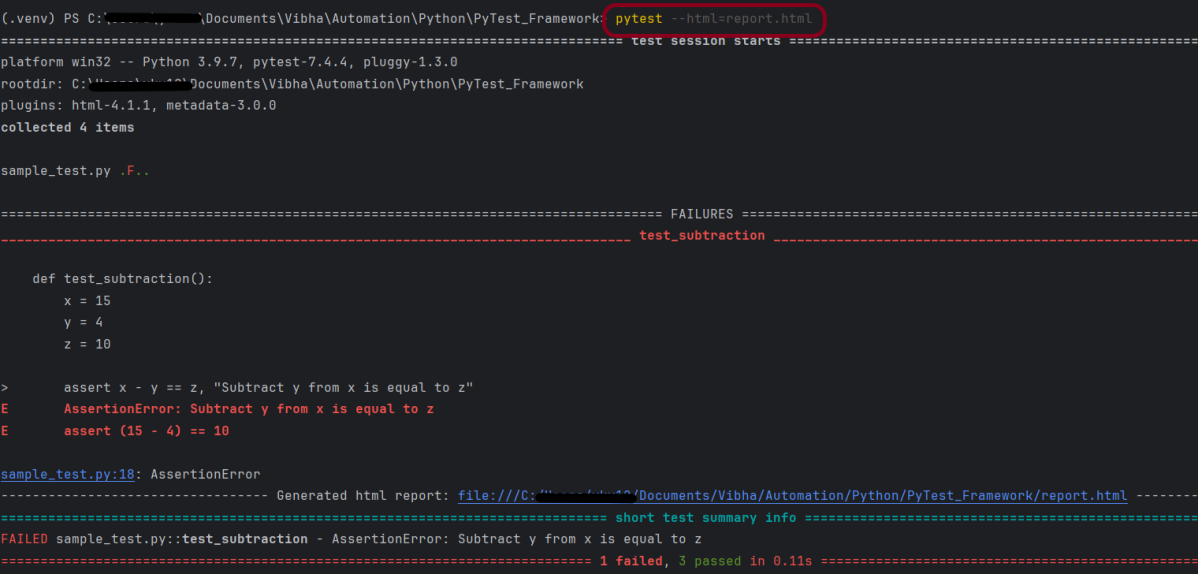
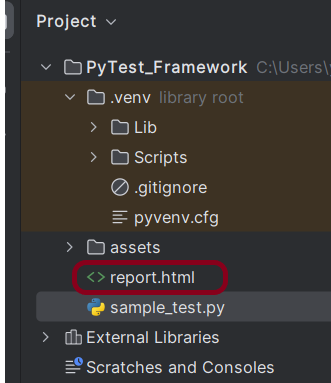
pytest --html=report.html

What is conftest.py in PyTest?

HOME

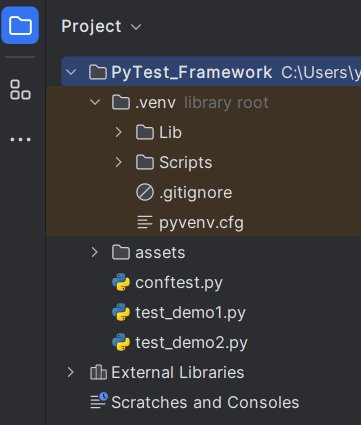
import pytest


@pytest.fixture
def shared_fixture():
    print("This will be executed before any test")

def test_fixture1(shared_fixture):
    print("This is the fixture main method1 for demo1 class")
    print("Good Morning")


def test_fixture2(shared_fixture):
    print("This is the fixture main method2 for demo1 class")
    print("Good AfterNoon")

def test_fixture(shared_fixture):
    print("This is the fixture main method for demo2 class")
    print("Good Evening")

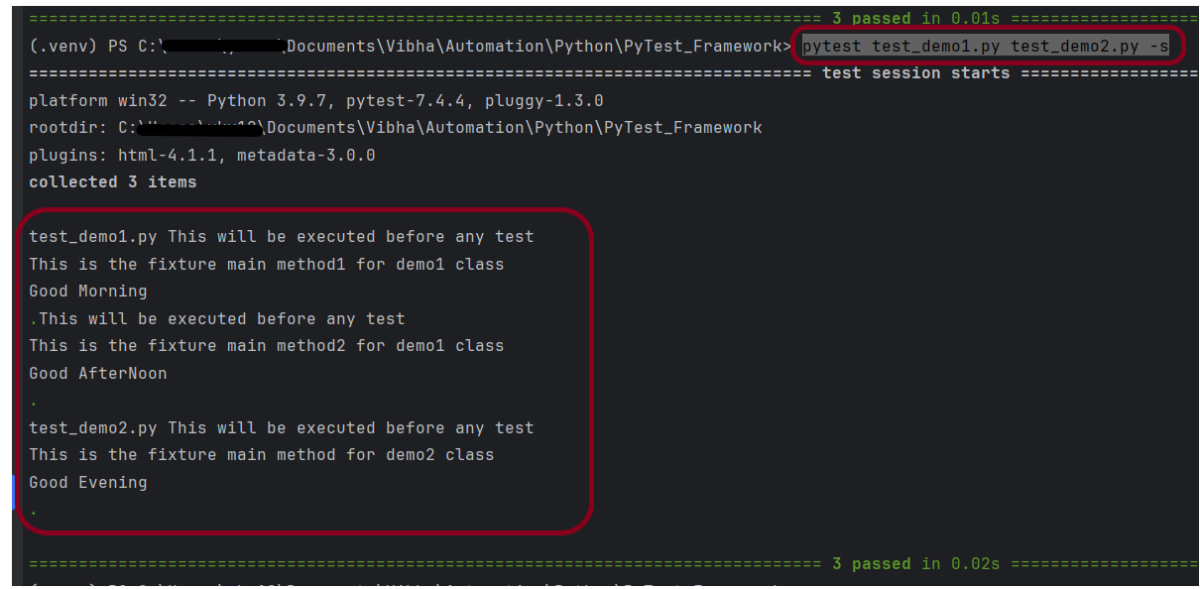
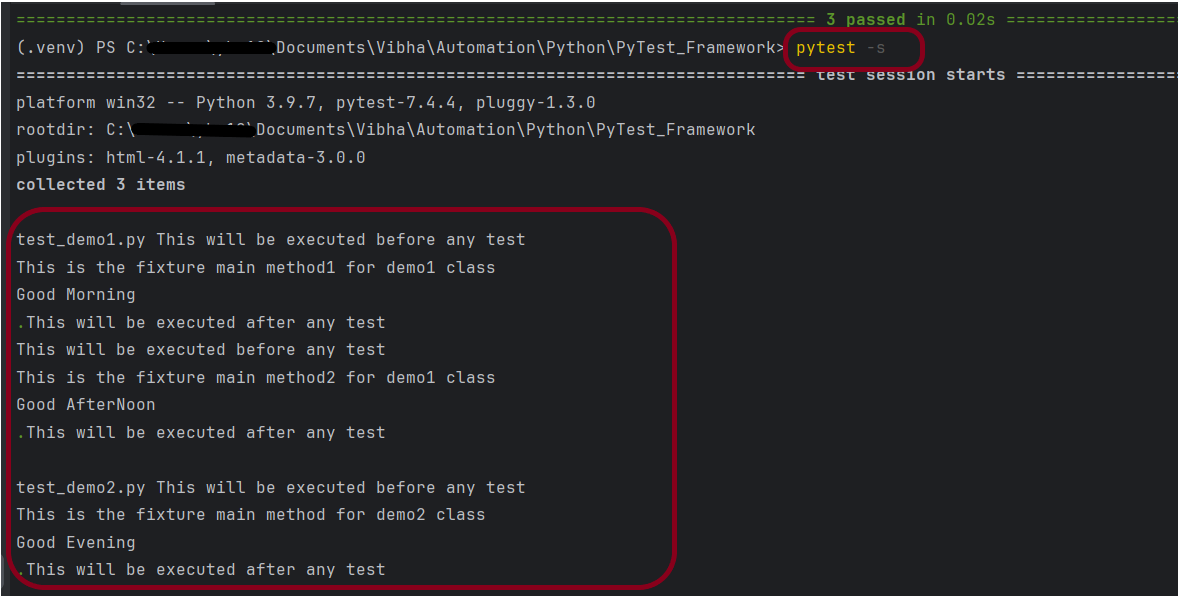
pytest test_demo1.py test_demo2.py -s

import pytest


@pytest.fixture
def shared_fixture():
    print("This will be executed before any test")
    yield
    print("This will be executed after any test")

import pytest


@pytest.mark.usefixtures("shared_fixture")
class TestExample1:

    def test_fixture1(self):
        print("This is the fixture main method1 for demo1 class")
        print("Good Morning")

    def test_fixture2(self):
        print("This is the fixture main method2 for demo1 class")
        print("Good AfterNoon")

import pytest


@pytest.mark.usefixtures("shared_fixture")
class TestExample2:

    def test_fixture(self):
        print("This is the fixture main method for demo2 class")
        print("Good Evening")

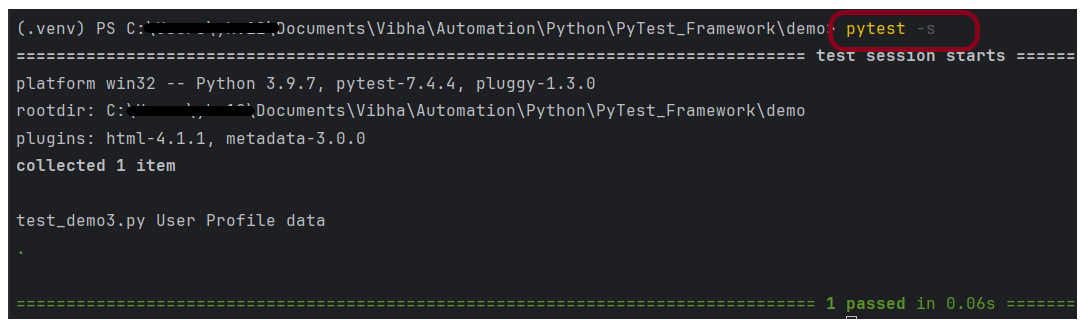
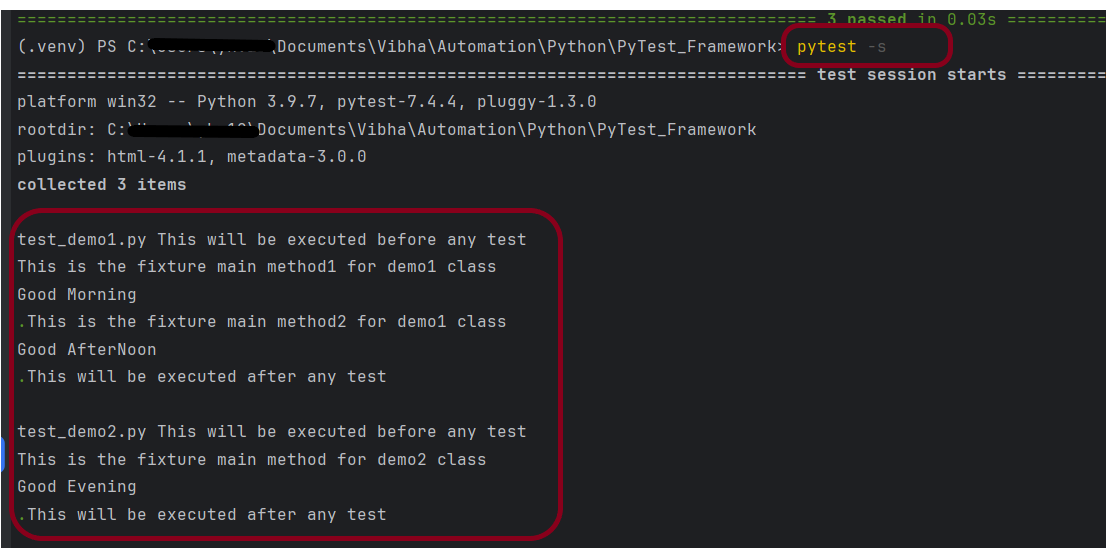
pytest -s

import pytest


@pytest.fixture(scope="class")
def shared_fixture():
    print("This will be executed before any test")
    yield
    print("This will be executed after any test")

What is Fixture in PyTest?

HOME

import pytest

@pytest.fixture()
def setup():
    print("This will be executed before any test")


def test_fixture(setup):
    print("This is the fixture main method")

import pytest


@pytest.fixture()
def setup():
    print("This will be executed before any test")
    yield
    print("This will be executed after any test")


def test_fixture(setup):
    print("This is the fixture main method")

PyTest Framework

HOME

Configure Selenium with Python

HOME

pip install -U selenium

from selenium import webdriver
from selenium.webdriver.common.by import By

driver = webdriver.Chrome()
driver.maximize_window()
driver.implicitly_wait(2)
driver.get("https://opensource-demo.orangehrmlive.com/")

driver.find_element(By.NAME, "username").send_keys("Admin")
driver.find_element(By.NAME, "password").send_keys("admin123")
driver.find_element(By.XPATH, "//*[@class='oxd-form']/div[3]/button").click()

homePageTitle = driver.find_element(By.XPATH,"//*[@class='oxd-topbar-header-breadcrumb']/h6").text
print("Heading of DashBoard Page: ", homePageTitle)
driver.quit()

from selenium import webdriver
from selenium.webdriver.common.by import By

driver = webdriver.Chrome()

driver.maximize_window()

driver.implicitly_wait(2)

driver.get("https://opensource-demo.orangehrmlive.com/")

driver.find_element(By.NAME, "username").send_keys("Admin")
driver.find_element(By.NAME, "password").send_keys("admin123")
driver.find_element(By.XPATH, "//*[@class='oxd-form']/div[3]/button").click()

homePageTitle = driver.find_element(By.XPATH,"//*[@class='oxd-topbar-header-breadcrumb']/h6").text
print("Heading of DashBoard Page: ", homePageTitle)

driver.quit()

pytest LoginTest.py -s

What is PyTest Framework?

HOME

pip install pytest

def test_addition():
    a = 6
    b = 5
    c = 11

    assert a + b == 11, "Sum is not 11"
    assert a + b == c, "Sum of a and b is not equal to c"


def test_subtraction():
    x = 15
    y = 4
    z = 18

    assert x - y == z, "Subtract y from x is equal to z"

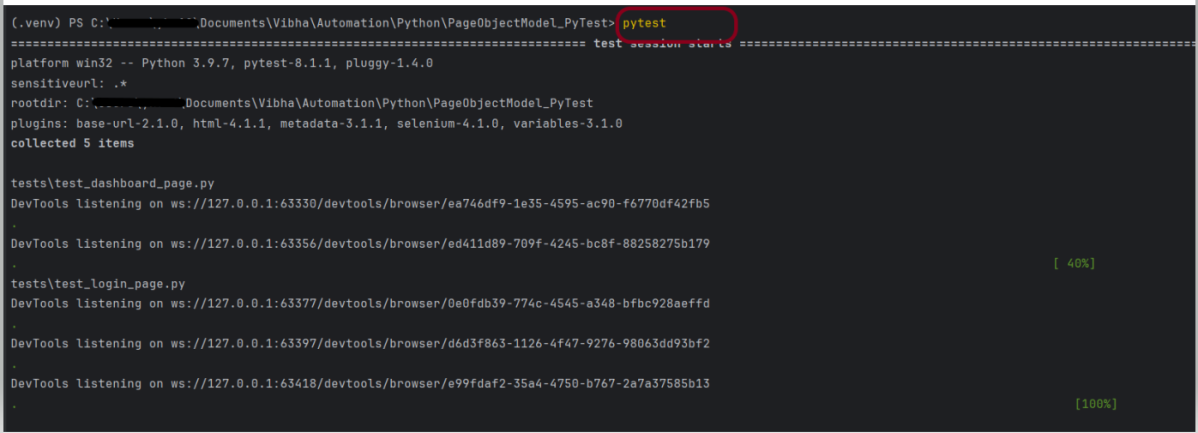
pytest

test_sample - valid
sample_test - valid
sample_tests - invalid
testsample - invalid
sampletest - invalid

How to add environment details to Python Allure Report

HOME

os_platform = windows 11
os_release = 10.2
python_version = Python 3.12.1
environment = uat
release_no = 10
author = vibha singh

How to run Serenity BDD tests in Edge Browser

HOME

Serenity BDD has strong WebDriver integration and manages WebDriver instances. It is not needed to create or close the WebDriver instance of the Serenity Tests.

Serenity uses a library WebDriver Manager, which manages the driver for us. We don’t need to explicitly download and configure the WebDriver binaries for us.

webdriver {
  capabilities {
    browserName = "MicrosoftEdge"
    "ms:edgeOptions" {
      args = ["test-type", "ignore-certificate-errors", "headless",
        "incognito", "disable-infobars", "disable-gpu", "disable-default-apps", "disable-popup-blocking"]
    }
  }
}

edge {
    webdriver {
      capabilities {
        browserName = "MicrosoftEdge"
        "ms:edgeOptions" {
          args = ["start-maximized", "test-type", "ignore-certificate-errors",
            "incognito", "disable-infobars", "disable-gpu", "disable-default-apps", "disable-popup-blocking"]
        }
      }
    }
  }

@Managed annotation in Serenity will manage the WebDriver instance, including opening the appropriate driver at the start of each test, and shutting it down when the test is finished. @Managed provides an option for the user to select the WebDriver driver to the run the tests in it. The possible values are firefox, chrome, iexplorer, phantomjs, appium, safari, edge, and htmlunit. There are multiple ways to manage the WebDriver. One of the way is shown below:

In the below program, the tests are running on the Edge browser. The driver name is mentioned with @Managed annotation.

import net.serenitybdd.annotations.Managed;
import net.serenitybdd.annotations.Steps;
import net.serenitybdd.annotations.Title;
import net.serenitybdd.core.Serenity;
import net.serenitybdd.junit.runners.SerenityRunner;
import org.junit.Test;
import org.junit.runner.RunWith;
import org.openqa.selenium.WebDriver;

import static org.assertj.core.api.Assertions.assertThat;

@RunWith(SerenityRunner.class)
public class EdgeTests {

    private String userName;
    private String passWord;
    private String errorMessage;

    @Managed(driver = "edge")
    WebDriver driver;

    @Steps
    NavigateActions navigate;

    @Steps
    StepLoginPage loginPage;


    @Test
    @Title("Login to application with invalid credential generates error message")
    public void invalidCredentials() {

        // Given
        navigate.toTheHomePage();

        // When
        loginPage.inputUserName("Admin");
        loginPage.inputPassword("admin");
        loginPage.clickLogin();

        // Then
        Serenity.reportThat("Passing invalid credentials generates error message",
                () -> assertThat(assertThat(loginPage.errorMessage()).isEqualToIgnoringCase("Invalid Credentials")));

    }

}

NavigateActions

import net.serenitybdd.annotations.Step;
import net.serenitybdd.core.steps.UIInteractionSteps;

public class NavigateActions extends UIInteractionSteps {

    @Step
    public void toTheHomePage() {
        openPageNamed("loginForm");
    }
}

import net.serenitybdd.annotations.Step;
import net.serenitybdd.core.pages.PageObject;
import net.serenitybdd.core.pages.WebElementFacade;
import org.openqa.selenium.support.FindBy;

public class StepLoginPage extends PageObject {

    @FindBy(name = "username")
    WebElementFacade username;

    @FindBy(name = "password")
    WebElementFacade password;

    @FindBy(xpath = "//*[@id='app']/div[1]/div/div[1]/div/div[2]/div[2]/form/div[3]/button")
    WebElementFacade submitButton;

    @FindBy(xpath = "//*[@id='app']/div[1]/div/div[1]/div/div[2]/div[2]/div/div[1]/div[1]/p")
    WebElementFacade errorMessage;

    @FindBy(xpath = "//*[@id='app']/div[1]/div/div[1]/div/div[2]/div[2]/form/div[4]/p")
    WebElementFacade linkText;

    @Step("Enter Username")
    public void inputUserName(String userName) {
        username.sendKeys((userName));
    }

    @Step("Enter Password")
    public void inputPassword(String passWord) {
        password.sendKeys((passWord));
    }

    @Step("Click Submit Button")
    public void clickLogin() {
        submitButton.click();
    }

    @Step("Error Message on unsuccessful login")
    public String errorMessage() {
        String actualErrorMessage = errorMessage.getText();
        return actualErrorMessage;
    }

    @Step("Click Forget Password Link")
    public void clickForgetPasswordLink() {
        linkText.click();

        System.out.println("Clicked on Forgot Password Link");
    }

}

Congratulations!! We are able to run the Serenity tests using edge browser.

How to create Python Allure Report for Rest API

HOME

pip install -U requests

pip install -U pytest

pip install allure-pytest

import allure
import requests

ENDPOINT = 'https://reqres.in/api/users'


@allure.description("This tests validates that the response returns status code 201")
@allure.severity(allure.severity_level.BLOCKER)
@allure.label("Owner", "Vibha Singh")
def test_create_user():
    request_body = {
        "name": "Vibha",
        "Job": "CEO"
    }

    response = requests.post(ENDPOINT, request_body)
    response_body = response.json()
    print("Request :", request_body)
    print("Response :", response_body)
    assert response.status_code == 201


@allure.description("This tests validates that the id in the response")
@allure.severity(allure.severity_level.NORMAL)
@allure.label("Owner", "Vibha Singh")
def test_response():
    request_body = {
        "name": "Vibha",
        "Job": "CEO"
    }

    response = requests.post(ENDPOINT, request_body)
    assert response.status_code == 201
    response_body = response.json()
    print("Request :", request_body)
    print("Response :", response_body)

    id = response_body["id"]
    if "id" in response_body:
        print("Value of id :", id)
    else:
        print("id not found")


@allure.description("This tests validates that the header in the response")
@allure.severity(allure.severity_level.NORMAL)
@allure.label("Owner", "Vibha Singh")
def test_header_in_request():
    request_body = {
        "name": "Vibha",
        "Job": "CEO"
    }

    headers = {'Content-Type': 'application/json; charset=utf-8'}
    response = requests.post(ENDPOINT, request_body, headers)
    print("Request :", request_body)
    print("Response :", response.json())
    print("Headers :", response.headers)
    assert response.headers["Content-Type"] == "application/json; charset=utf-8"


@allure.description("This tests validates that the name in the response - FAIL")
@allure.severity(allure.severity_level.NORMAL)
@allure.label("Owner", "Vibha Singh")
def test_verify_name():
    request_body = {
        "name": "Vibha",
        "Job": "CEO"
    }

    header = {"Content-Type":  "application/json; charset=utf-8"}
    response = requests.post(ENDPOINT, request_body, header)
    response_body = response.json()
    print("Response :", response_body)
    print("Request Header :", response.request.headers)
    assert response_body["name"] == "Test"

pytest --alluredir=<path to report directory> test.py

pytest --alluredir=C:\Users\Documents\Vibha\Automation\Python\AllureReport_Python\AllureReport Requests.py

allure serve <path to report directory>
allure serve C:\User\Documents\Vibha\Automation\Python\AllureReport_Python\AllureReport

How to pass authorization token in header in Rest assured?

HOME

 <dependencies>

       <!-- Rest Assured Dependency -->
      <dependency>
         <groupId>io.rest-assured</groupId>
        <artifactId>rest-assured</artifactId>
        <version>5.4.0</version>
        <scope>test</scope>
      </dependency>

        <!-- TestNG Dependency-->
      <dependency>
          <groupId>org.testng</groupId>
         <artifactId>testng</artifactId>
         <version>7.8.0</version>
         <scope>test</scope>
       </dependency>

</dependencies>

import io.restassured.http.ContentType;
import io.restassured.response.Response;
import org.testng.Assert;
import org.testng.annotations.Test;
import static io.restassured.RestAssured.given;

public class BasicAuth_Demo {


    @Test
    public void createUser() {
        Response response = given()
                .auth()
                .preemptive()
                .header("Authorization", "Token")
                .header("Accept", "application/json")
                .contentType(ContentType.JSON)
                .body(validRequest)
                .when()
                .post("http://localhost:8080/users")
                .then()
                .extract()
                .response();

        int statusCode = response.getStatusCode();

        Assert.assertEquals(statusCode,200);
    }
}

package org.example;

import io.restassured.http.ContentType;
import io.restassured.response.Response;
import org.junit.Before;
import org.junit.Test;

import static io.restassured.RestAssured.given;
import static org.hamcrest.MatcherAssert.assertThat;
import static org.hamcrest.Matchers.equalTo;

public class BasicAuth_Demo {

    private static final String BASE_URL = "https://httpbin.org/basic-auth/user/pass";
    private static final String TOKEN = "Basic dXNlcjpwYXNz";

    @Before
    public void setup() {
        given().baseUri(BASE_URL);
    }

    @Test
    public void validateToken() {

        Response response = given()
                .header("Accept", "application/json")
                .header("Authorization",TOKEN)
                .contentType(ContentType.JSON)
                .when()
                .get("https://httpbin.org/basic-auth/user/pass")
                .then()
                .log().all()
                .extract()
                .response();

        assertThat(response.getStatusCode(),equalTo(200));

    }

}