Serenity Testing on Different Browsers

HOME

mvn clean verify -Denvironment=chrome
environments {
  chrome {
    webdriver {
      driver = chrome
      autodownload = true
      capabilities {
        browserName = "chrome"
        acceptInsecureCerts = true
        "goog:chromeOptions" {
          args = ["test-type", "ignore-certificate-errors", "headless", "--window-size=1000,800"
            "incognito", "disable-infobars", "disable-gpu", "disable-default-apps", "disable-popup-blocking"]
        }
      }
    }
  }
  edge {
    webdriver {
      capabilities {
        browserName = "MicrosoftEdge"
        "ms:edgeOptions" {
          args = ["test-type", "ignore-certificate-errors", "headless",
            "incognito", "disable-infobars", "disable-gpu", "disable-default-apps", "disable-popup-blocking"]
        }
      }
    }
  }
  firefox {
    webdriver {
      capabilities {
        browserName = "firefox"
        pageLoadStrategy = "normal"
        acceptInsecureCerts = true
        unhandledPromptBehavior = "dismiss"
        strictFileInteractability = true

        "moz:firefoxOptions" {
          args = ["-headless"],
          prefs {
            "javascript.options.showInConsole": false
          },
          log {"level": "info"},
        }
      }
    }
  }
}

mvn clean verify -Denvironment="chrome"

mvn clean verify -Denvironment="firefox"

mvn clean verify -Denvironment="edge"

How to handle token expiration and automatic refreshing of tokens in REST Assured?

HOME

<dependencies>
 
       <!-- Rest Assured Dependency -->
      <dependency>
         <groupId>io.rest-assured</groupId>
        <artifactId>rest-assured</artifactId>
        <version>5.4.0</version>
        <scope>test</scope>
      </dependency>

      <!-- JSON path Dependency -->
      <dependency>
         <groupId>io.rest-assured</groupId>
         <artifactId>json-path</artifactId>
         <version>5.4.0</version>
         <scope>test</scope>
      </dependency>
 
        <!-- TestNG Dependency-->
      <dependency>
          <groupId>org.testng</groupId>
         <artifactId>testng</artifactId>
         <version>7.8.0</version>
         <scope>test</scope>
       </dependency>
 
</dependencies>

import io.restassured.RestAssured;
import io.restassured.response.Response;

import java.time.Instant;

public class TokenGeneration {

    private static String accessToken;
    private static Instant tokenExpiryTime;
    Response response;
    int expiresIn;

    // Method to obtain initial token
    public static String getAccessToken() {
        if (accessToken == null || isTokenExpired()) {
            refreshAccessToken();
        }
        return accessToken;
    }

    // Method to check if the token is expired
    private static boolean isTokenExpired() {
        return tokenExpiryTime == null || Instant.now().isAfter(tokenExpiryTime);
    }

    // Method to refresh token
    private static void refreshAccessToken() {
            response = RestAssured.given()
            .contentType("application/x-www-form-urlencoded")
            .formParam("grant_type", "client_credentials")
            .formParam("client_id", "your-client-id")
            .formParam("client_secret", "your-client-secret")
            .post("https://your-auth-server.com/oauth/token");

        accessToken = response.jsonPath().getString("access_token");
        expiresIn = response.jsonPath().getInt("expires_in");
        tokenExpiryTime = Instant.now().plusSeconds(expiresIn);

        System.out.println("Access Token: " + accessToken);
        System.out.println("Token Expiry Time: " + tokenExpiryTime);
    }
}

tokenExpiryTime == null || Instant.now().isAfter(tokenExpiryTime);
tokenExpiryTime = Instant.now().plusSeconds(expiresIn);
import static io.restassured.RestAssured.given;
import org.testng.annotations.Test;

public class ApiTest {

        String token = TokenGeneration.getAccessToken();
        Response response;

       @Test
       public getResponse() {
         response = given()
                .auth().oauth2(token)
                .when()
                .get("https://example.com/protected/resource")
                .then()
                .statusCode(200)
                .extract().response();

        System.out.println("Response: " + response.asString());
    }
}

private static final long TOKEN_EXPIRY_BUFFER_SECONDS = 60;  // 1 minute buffer
    
private static boolean isTokenExpired() {
        return tokenExpiryTime == null || Instant.now().isAfter(tokenExpiryTime.minusSeconds(TOKEN_EXPIRY_BUFFER_SECONDS));
 }

TestNG Multiple Choice Answers

HOME


<!DOCTYPE suite SYSTEM "https://testng.org/testng-1.0.dtd" >
<suite name="SampleSuite">
    <test name="SampleTest">
        <classes>
            <class name="com.example.MyTestClass" />
        </classes>
    </test>
</suite>


25 Useful TestNG Multiple-Choice Questions | Self-Test Your Knowledge

HOME

Answer


Answer


Answer


Answer


Answer


Answer


Answer


Answer


Answer


Answer


Answer


Answer


Answer


Answer


Answer


Answer


Answer


Answer


Answer


Answer


Answer


Answer


Answer


Answer


Answer

How to test ToolTip in Selenium

HOME

 WebElement elementWithTooltip = driver.findElement(By.id("toolTipButton"));

Actions actions = new Actions(driver);
actions.moveToElement(elementWithTooltip).perform();

WebDriverWait wait = new WebDriverWait(driver, Duration.ofSeconds(5));
WebElement tooltip = wait.until(ExpectedConditions.visibilityOfElementLocated(By.xpath("//*[contains(text(),'You hovered over the Button')]")));
  if (expectedTooltipText.equals(actualTooltipText)) {
            System.out.println("Tooltip text is correct!");
        } else {
            System.out.println("Tooltip text is incorrect!");
 }

package com.example;

import org.openqa.selenium.By;
import org.openqa.selenium.WebDriver;
import org.openqa.selenium.WebElement;
import org.openqa.selenium.chrome.ChromeDriver;
import org.openqa.selenium.chrome.ChromeOptions;
import org.openqa.selenium.interactions.Actions;
import org.openqa.selenium.support.ui.ExpectedConditions;
import org.openqa.selenium.support.ui.WebDriverWait;

import java.time.Duration;

public class TooltipTest_Demo {

    static WebDriver driver;
    static String expectedTooltipText = "You hovered over the Button";
    static String actualTooltipText;

    public static void main(String[] args) {

        ChromeOptions options = new ChromeOptions();
        driver = new ChromeDriver(options);
        driver.manage().window().maximize();

        driver.get("https://demoqa.com/tool-tips");

        // Locate the element with the tooltip
        WebElement elementWithTooltip = driver.findElement(By.id("toolTipButton"));

        // Perform hover action using Actions class
        Actions actions = new Actions(driver);
        actions.moveToElement(elementWithTooltip).perform();

        // Wait for the tooltip to be visible
        WebDriverWait wait = new WebDriverWait(driver, Duration.ofSeconds(5));
        WebElement tooltip = wait.until(ExpectedConditions.visibilityOfElementLocated(By.xpath("//*[contains(text(),'You hovered over the Button')]")));

        // Check the tooltip text
        actualTooltipText = tooltip.getText();
        System.out.println("Actual Tooltip Text: " + actualTooltipText);

        if (expectedTooltipText.equals(actualTooltipText)) {
            System.out.println("Tooltip text is correct!");
        } else {
            System.out.println("Tooltip text is incorrect!");
        }

        driver.quit();
    }

}

Fluent Wait in Serenity

HOME

In the previous tutorials, I explained the Implicit Wait in Serenity and Explicit Wait in Serenity. This tutorial will explain the Fluent Wait in Serenity.

What is Fluent Wait?

Fluent waits provide more flexibility, allowing us to specify polling intervals and ignore specific exceptions during the wait time.  Fluent Wait not only lets you specify the maximum amount of time to wait for a condition but also allows you to define the frequency with which the condition is checked and to ignore specific exceptions during the wait time.

Below is the example of Fluent wait.

import net.serenitybdd.annotations.DefaultUrl;
import net.serenitybdd.annotations.Managed;
import net.serenitybdd.core.annotations.findby.FindBy;
import net.serenitybdd.core.pages.PageObject;
import net.serenitybdd.core.pages.WebElementFacade;
import net.serenitybdd.junit.runners.SerenityRunner;
import org.junit.Test;
import org.junit.runner.RunWith;
import org.openqa.selenium.ElementNotInteractableException;
import org.openqa.selenium.WebDriver;
import org.openqa.selenium.WebElement;
import org.openqa.selenium.support.ui.FluentWait;

import java.time.Duration;
import java.util.function.Function;

@RunWith(SerenityRunner.class)
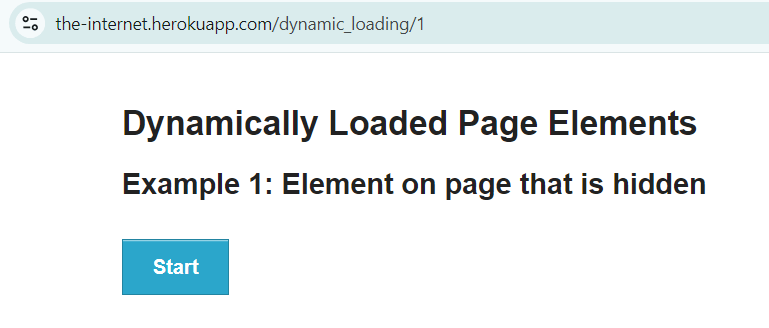
@DefaultUrl("http://the-internet.herokuapp.com/dynamic_loading/1")
public class FluentWait_Demo extends PageObject {

    @Managed
    WebDriver driver;

    @FindBy(xpath = "//*[@id='start']/button")
    WebElementFacade startButton;


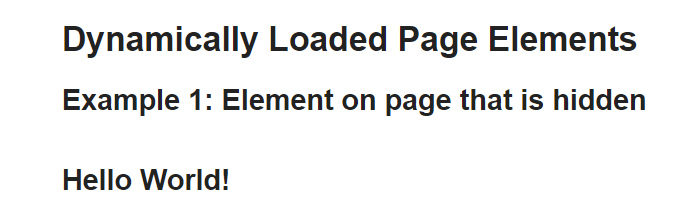
    @FindBy(xpath = "//*[@id='finish']/h4")
    WebElementFacade pageText;

    @Test
    public void fluentWaitDemo() throws InterruptedException {

        open();
        startButton.click();
        waitForElementWithFluentWait(pageText);

    }

    public void waitForElementWithFluentWait(WebElement pageText) {
        FluentWait wait = new FluentWait<>(getDriver())
                .withTimeout(Duration.ofSeconds(10))
                .pollingEvery(Duration.ofSeconds(2))
                .ignoring(ElementNotInteractableException.class);

        wait.until((Function<WebDriver, Boolean>)
                driver -> pageText.isDisplayed());

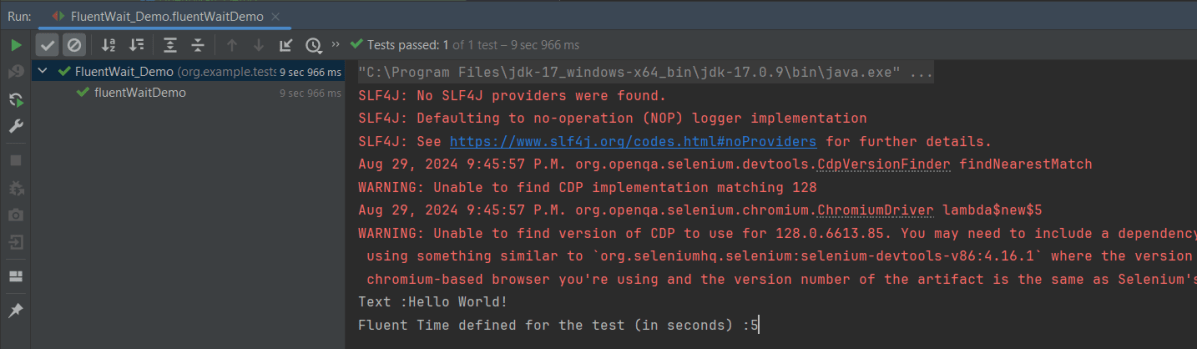
        System.out.println("Text :" + pageText.getText());
        System.out.println("Fluent Time defined for the test (in seconds) :" + getWaitForTimeout().toSeconds());
    }
}

public void waitForElementWithFluentWait(WebElement pageText) {
        FluentWait wait = new FluentWait<>(getDriver())
                .withTimeout(Duration.ofSeconds(10))
                .pollingEvery(Duration.ofSeconds(2))
                .ignoring(ElementNotInteractableException.class);

       wait.until(driver -> pageText.isDisplayed());

        System.out.println("Text :" + pageText.getText());
        System.out.println("Fluent Time defined for the test (in seconds) :" + getWaitForTimeout().toSeconds());
    }

We are done! Congratulations on making it through this tutorial and hope you found it useful! Happy Learning!!

How to Write Data to Excel File in Java using Apache POI

HOME

This tutorial describes the steps to write data in Excel file in Java.

I’m using Apache POI to write data to the excel file. To download and install Apache POI, refer here.

In the previous tutorial, I have explained How to read data from Excel in Java.

Dependency:

If you are using maven, then you need to add below dependency in pom.xml.

<dependency>
    <groupId>org.apache.poi</groupId>
    <artifactId>poi</artifactId>
    <version>5.3.0</version>
</dependency>
 
<dependency>
    <groupId>org.apache.poi</groupId>
    <artifactId>poi-ooxml</artifactId>
    <version>5.3.0</version>
</dependency>

Here are few classes which you need to aware of.

  • WorkbookThis is high level class for representing excel workbook.
  • SheetThis is high level class for representing excel sheet.
  • RowThis is high level class for representing excel row. It has methods which are related to row.
  • CellThis is high level class for representing individual excel cell. It has methods which are related to cell for example : getDataType().

The basic steps for writing data into an excel file using Apache POI API are given below:

Step 1 – Create a blank workbook.

XSSFWorkbook wb = new XSSFWorkbook();

Step 2 Import XSSFWorkbook from package.

import org.apache.poi.xssf.usermodel.XSSFWorkbook;

Step 3 Create a sheet and pass name of the sheet.

XSSFSheet sheet = workbook.createSheet("Write_TestData");

Step 4 Import XSSFSheet from package.

import org.apache.poi.xssf.usermodel.XSSFSheet;
ArrayList<Object[]> data = new ArrayList<Object[]>();
		data.add(new String[] { "Name", "Id", "Salary" });
		data.add(new Object[] { "Jim", "001A", 10000 });
		data.add(new Object[] { "Jack", "1001B", 40000 });
		data.add(new Object[] { "Tim", "2001C", 20000 });
		data.add(new Object[] { "Gina", "1004S", 30000 });

Step 6 – Create a Row. A spreadsheet consists of rows and cells. It has a grid layout.

 XSSFRow row = sheet.createRow(rownum++);

Step 7 – Import XSSFRow from package

import org.apache.poi.xssf.usermodel.XSSFRow;

Step 8 Create cells in a row. A row is a collection of cells. When you enter data in the sheet, it is always stored in the cell.

 XSSFCell cell = row.createCell(cellnum++);

Step 9 – Import XSSFCell from package.

 XSSFCell cell = row.createCell(cellnum++);
	int rownum = 0;
		for (Object[] employeeDetails : data) {

			// Create Row
			XSSFRow row = sheet.createRow(rownum++);

			int cellnum = 0;
			for (Object obj : employeeDetails) {

				// Create cell
				XSSFCell cell = row.createCell(cellnum++);

				// Set value to cell
				if (obj instanceof String)
					cell.setCellValue((String) obj);
				else if (obj instanceof Double)
					cell.setCellValue((Double) obj);
				else if (obj instanceof Integer)
					cell.setCellValue((Integer) obj);
			}
		}

Step 11 – Open a FileOutputStream to a new file named “EmployeeDetails.xlsx”. Write data to an OutputStream. Use the below code to write output stream.

FileOutputStream out = new FileOutputStream(new File("EmployeeDetails.xlsx"));
workbook.write(out);

Step 12 – Close the output stream.

out.close();

Below is the sample code for writing the data in an excel in Java.

import java.io.File;
import java.io.FileOutputStream;
import java.io.IOException;
import java.util.ArrayList;

import org.apache.poi.xssf.usermodel.XSSFCell;
import org.apache.poi.xssf.usermodel.XSSFRow;
import org.apache.poi.xssf.usermodel.XSSFSheet;
import org.apache.poi.xssf.usermodel.XSSFWorkbook;

public class ReadWriteExcelFile {

	public static void main(String[] args) throws IOException {

		// create blank workbook
		XSSFWorkbook workbook = new XSSFWorkbook();

		// Create a blank sheet
		XSSFSheet sheet = workbook.createSheet("Write_TestData");

		ArrayList<Object[]> data = new ArrayList<Object[]>();
		data.add(new String[] { "Name", "Id", "Salary" });
		data.add(new Object[] { "Jim", "001A", 10000 });
		data.add(new Object[] { "Jack", "1001B", 40000 });
		data.add(new Object[] { "Tim", "2001C", 20000 });
		data.add(new Object[] { "Gina", "1004S", 30000 });

		// Iterate over data and write to sheet
		int rownum = 0;
		for (Object[] employeeDetails : data) {

			// Create Row
			XSSFRow row = sheet.createRow(rownum++);

			int cellnum = 0;
			for (Object obj : employeeDetails) {

				// Create cell
				XSSFCell cell = row.createCell(cellnum++);

				// Set value to cell
				if (obj instanceof String)
					cell.setCellValue((String) obj);
				else if (obj instanceof Double)
					cell.setCellValue((Double) obj);
				else if (obj instanceof Integer)
					cell.setCellValue((Integer) obj);
			}
		}
		try {

			// Write the workbook in file system
			FileOutputStream out = new FileOutputStream(new File("EmployeeDetails.xlsx"));
			workbook.write(out);
			out.close();
			System.out.println("EmployeeDetails.xlsx has been created successfully");
		} catch (Exception e) {
			e.printStackTrace();
		} finally {
			workbook.close();
		}
	}

}

That’s it! We have written data in Excel.

Congratulations on making it through this tutorial and hope you found it useful! Happy Learning!! Cheers!!

Java Excel Tutorial: Creating Excel with Formulas Using Apache POI

HOME

In the previous tutorial, I have explained How to update data in existing excel in Java. In this Java Excel tutorial, I will explain how to create an Excel with formula in a Java program. Excel is very excellent in calculating formulas. The Apache POI library provides excellent support for working with formulas in Excel.

I’m using Apache POI to write data to the excel file. To download and install Apache POI, refer here.

If you are using maven, then you need to add below dependency in pom.xml.

<!-- https://mvnrepository.com/artifact/org.apache.poi/poi -->
<dependency>
    <groupId>org.apache.poi</groupId>
    <artifactId>poi</artifactId>
    <version>5.3.0</version>
</dependency>
  
<!-- https://mvnrepository.com/artifact/org.apache.poi/poi-ooxml -->
<dependency>
    <groupId>org.apache.poi</groupId>
    <artifactId>poi-ooxml</artifactId>
    <version>5.3.0</version>
</dependency>

To know about various Interfaces and Classes in Excel, please refer this link.

Implementation Steps

Step 1 – Create a blank workbook.

XSSFWorkbook workbook = new XSSFWorkbook();

Step 2 Import XSSFWorkbook from package.

import org.apache.poi.xssf.usermodel.XSSFWorkbook;

Step 3 Create a sheet and pass name of the sheet.

XSSFSheet sheet = workbook.createSheet("Calculate Salary");

Step 4 Import XSSFSheet from package.

import org.apache.poi.xssf.usermodel.XSSFSheet;

Step 5 Create a Row. A spreadsheet consists of rows and cells. It has a grid layout. I have created object called Header of XSSFRow.

XSSFRow header = sheet.createRow(0);

Step 6 Below syntax create new cells within the row at index 0 and set a string value for the cell.

header.createCell(0).setCellValue("Employee_Name");

Step 7 Below syntax creates a cell at index 4 and sets formula for cell.

dataRow.createCell(4).setCellFormula("B2+C2+D2");

Step 8 The following line of code sets formula for the cell at the row #1 and column #5 (remember index is 0-based):

In case the column (Cell) does not exist (but the row does), use the following code.

XSSFRow dataRow = sheet.createRow(1);
dataRow.createCell(5).setCellFormula("SUM(B2:C2)");
try {

			// Write the workbook in file system
			FileOutputStream out = new FileOutputStream(new File("Salary_Slip.xlsx"));
			workbook.write(out);
			out.close();
			System.out.println("Excel written successfully.");

		} catch (IOException e) {
			e.printStackTrace();

		}

In the above line, note that you should make sure that the cell at position (1, 5) does exist, otherwise you get a NullPointerException.

Let us see a program where I have created a cell which contains the formula.

import org.apache.poi.xssf.usermodel.XSSFRow;
import org.apache.poi.xssf.usermodel.XSSFSheet;
import org.apache.poi.xssf.usermodel.XSSFWorkbook;

import java.io.File;
import java.io.FileOutputStream;
import java.io.IOException;

public class FormulaExcelDemo {
    
    public static void main(String[] args) {

        // Create object of XSSFWorkbook class
        XSSFWorkbook workbook = new XSSFWorkbook();

        // Create object of XSSFSheet class
        XSSFSheet sheet = workbook.createSheet("Calculate Salary");

        // Create Header row using XSSFRow class
        XSSFRow header = sheet.createRow(0);
        header.createCell(0).setCellValue("Employee_Name");
        header.createCell(1).setCellValue("Base_Salary");
        header.createCell(2).setCellValue("Variable_Pay");
        header.createCell(3).setCellValue("Other_Benefits");
        header.createCell(4).setCellValue("Total Salary");
        header.createCell(5).setCellValue("Base_Variable Salary");

        XSSFRow dataRow = sheet.createRow(1);
        dataRow.createCell(0).setCellValue("George");
        dataRow.createCell(1).setCellValue(5000);
        dataRow.createCell(2).setCellValue(650);
        dataRow.createCell(3).setCellValue(1200);

        // Set formula
        dataRow.createCell(4).setCellFormula("B2+C2+D2");
        dataRow.createCell(5).setCellFormula("SUM(B2:C2)");

        try {

            // Write the workbook in file system
            FileOutputStream out = new FileOutputStream(new File("Salary_Slip.xlsx"));
            workbook.write(out);
            out.close();
            System.out.println("Excel written successfully.");

        } catch (IOException e) {
            e.printStackTrace();

        }
    }
}

That’s it! Well Done! Cheers!!

Congratulations on making it through this tutorial and hope you found it useful! Happy Learning!!

Deleting Directories in Java: Complete Tutorial

HOME

package org.example;

import java.io.File;

public class DeleteDirectoryDemo {

    public static void main(String[] args) {

        String directoryPath = "C:\\Users\\Vibha\\Desktop\\Test";

        //Create a file object for the directory
        File directory = new File(directoryPath);

        if(directory.exists()&& directory.isDirectory()) {
            boolean successful = deleteDirectory(directory);
            if (successful) {
                System.out.println("Directory deleted :" + directoryPath);
            } else {
                System.out.println("Failed to delete Directory :" + directoryPath);
            }
        } else {
            System.out.println("Directory does not exists :" + directoryPath);

            }
        }

        private static boolean deleteDirectory(File directory) {
            File[] allContents = directory.listFiles();

            if (allContents != null) {
                for (File file : allContents) {
                    deleteDirectory(file);
                    System.out.println("File deleted :" + file);
                }
            }
            return directory.delete();
        }
    }

  if(directory.exists()&& directory.isDirectory())
File[] allContents = directory.listFiles();
 for (File file : allContents) {
                    deleteDirectory(file);
                    System.out.println("File deleted :" + file);
                }
            }
directory.delete();

REST Assured: Validating HTTP Response Status Code, Line, Body, Headers, Content Type

HOME

 <dependency>
            <groupId>io.rest-assured</groupId>
            <artifactId>rest-assured</artifactId>
            <version>5.5.0</version>
            <scope>test</scope>
</dependency>

@Test
    public void verifyStatusCode() {

        String BaseURL = "https://dummy.restapiexample.com/api";

        // GIVEN
       Response response =  given()

                // WHEN
                .when()
                .get("https://reqres.in/api/users/2")

                // THEN
                .then()
               .extract().response();

       int actualStatusCode = response.getStatusCode();
       System.out.println("Status Code : " + actualStatusCode);

        Assert.assertEquals(200, actualStatusCode);

    }

 @Test
    public void verifyStatusLine() {

        // GIVEN
        Response response =  given()

                // WHEN
                .when()
                .get("https://reqres.in/api/users/2")

                // THEN
                .then()
                .extract().response();

        String actualStatusLine = response.getStatusLine();
        System.out.println("Status Line : " + actualStatusLine);

        Assert.assertEquals("HTTP/1.1 200 OK", actualStatusLine);

    }

  @Test
    public void verifyResponseBody() {

        // GIVEN
        Response response =  given()

                // WHEN
                .when()
                .get("https://reqres.in/api/users/2")

                // THEN
                .then()
                .extract().response();

        String actualResponseBody = response.getBody().asString();
        System.out.println("Response Body : " + actualResponseBody);

        JsonPath jsonPath = response.jsonPath();
        String actualResponse_Id = jsonPath.getString("data.id");
        System.out.println("Response Id : " + actualResponse_Id);

        Assert.assertEquals("2", actualResponse_Id);

    }

@Test
    public void verifyResponseHeader() {

        // GIVEN
        Response response =  given()

                // WHEN
                .when()
                .get("https://reqres.in/api/users/2")

                // THEN
                .then()
                .extract().response();

        Headers allHeaders = response.getHeaders();
        System.out.println("All Headers : " + allHeaders);

       for(Header header: allHeaders){
           System.out.println(header.getName() +  ":" + header.getValue());
       }

       Assert.assertTrue(allHeaders.getValue("Content-Encoding").contains("gzip"));

    }

 @Test
    public void verifyContentType() {

        // GIVEN
        Response response =  given()

                // WHEN
                .when()
                .get("https://reqres.in/api/users/2")

                // THEN
                .then()
                .extract().response();

        String actualContentType = response.getContentType();
        System.out.println("Actual ContentType : " + actualContentType);

         Assert.assertEquals("application/json; charset=utf-8", actualContentType);

    }