Highlighting Elements in Selenium Java

HOME

package Web;

import org.openqa.selenium.By;
import org.openqa.selenium.JavascriptExecutor;
import org.openqa.selenium.WebDriver;
import org.openqa.selenium.WebElement;
import org.openqa.selenium.chrome.ChromeDriver;
import org.openqa.selenium.chrome.ChromeOptions;

import java.time.Duration;

public class HighlightText_Example {

    public static void main(String args[]) {

        ChromeOptions chromeOptions = new ChromeOptions();
        WebDriver driver = new ChromeDriver(chromeOptions);
        driver.manage().timeouts().implicitlyWait(Duration.ofSeconds(10));
        driver.manage().window().maximize();

        try {
            driver.get("https://www.selenium.dev/");

            // identify the element
            WebElement element = driver.findElement(By.xpath("//*[@id='main_navbar']/ul/li[7]/div/a"));

            // Optionally, we wait to observe the element before changing the color
            Thread.sleep(1000);

            // Set the background color to yellow and the border to red
            JavascriptExecutor js = (JavascriptExecutor) driver;
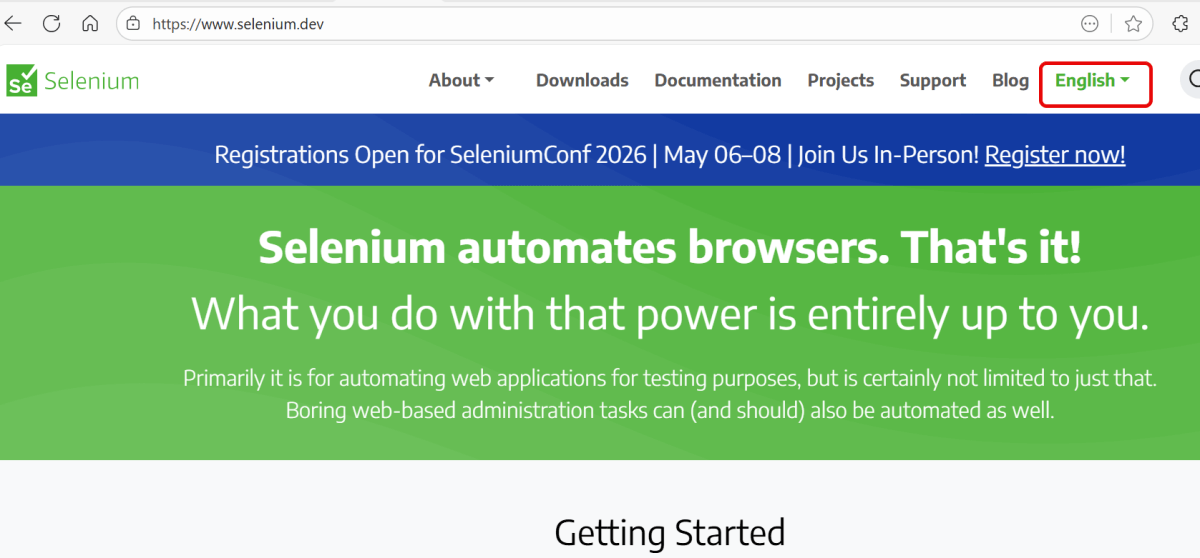
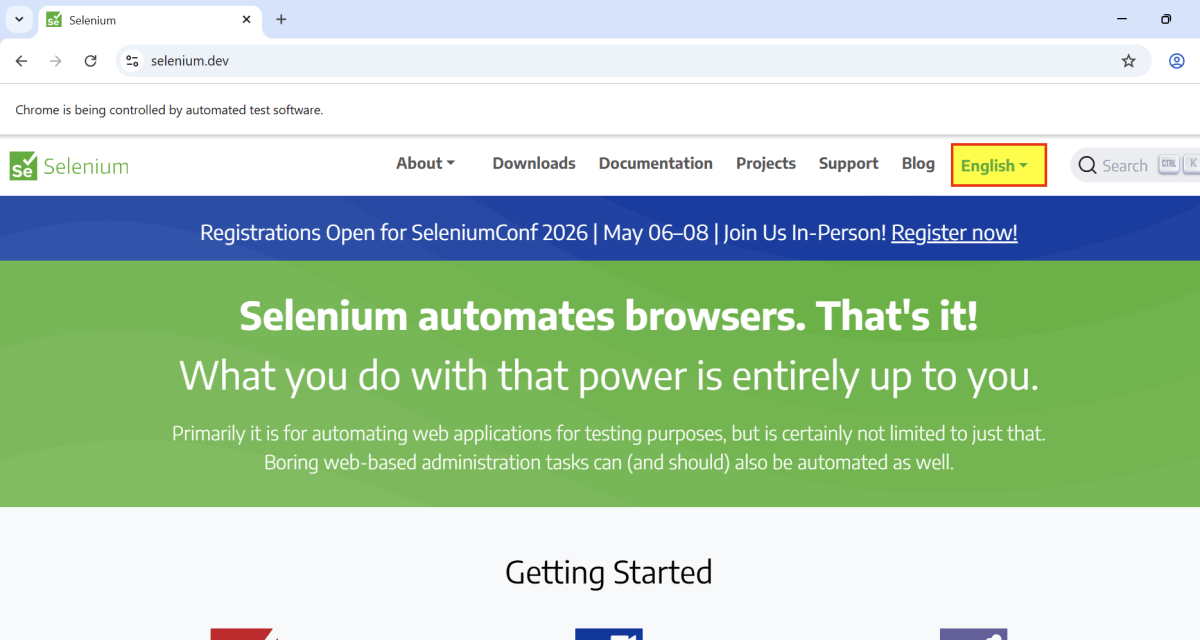
            js.executeScript("arguments[0].style.backgroundColor = 'yellow'; arguments[0].style.border = '3px solid red';", element);

            // Optionally, we can wait to observe the highlight effect
            Thread.sleep(2000);
            System.out.println("Text is highlighted");

        } catch (InterruptedException e) {
            e.printStackTrace();
        } finally{
            // Closing browser
            driver.quit();
        }
    }
}

ChromeOptions chromeOptions = new ChromeOptions();
WebDriver driver = new ChromeDriver(chromeOptions);
driver.manage().timeouts().implicitlyWait(Duration.ofSeconds(10));
driver.manage().window().maximize();
driver.get("https://www.selenium.dev/");
WebElement element = driver.findElement(By.xpath("//*[@id='main_navbar']/ul/li[7]/div/a"));
  // Set the background color to yellow and the border to red
 JavascriptExecutor js = (JavascriptExecutor) driver;
js.executeScript("arguments[0].style.backgroundColor = 'yellow'; arguments[0].style.border = '3px solid red';", element);
 Thread.sleep(2000);
// Close the browser
driver.quit();

Retrieve Font Properties with Selenium in Java

HOME

import org.openqa.selenium.By;
import org.openqa.selenium.WebDriver;
import org.openqa.selenium.WebElement;
import org.openqa.selenium.chrome.ChromeDriver;
import org.openqa.selenium.chrome.ChromeOptions;
import java.io.IOException;
import java.time.Duration;

public class Font_Example {

    public static void main(String args[]) throws IOException {

        ChromeOptions chromeOptions = new ChromeOptions();
        WebDriver driver = new ChromeDriver(chromeOptions);
        driver.manage().timeouts().implicitlyWait(Duration.ofSeconds(5));
        driver.manage().window().maximize();

        try {
            // Navigate to Url
            driver.get("https://www.selenium.dev/");

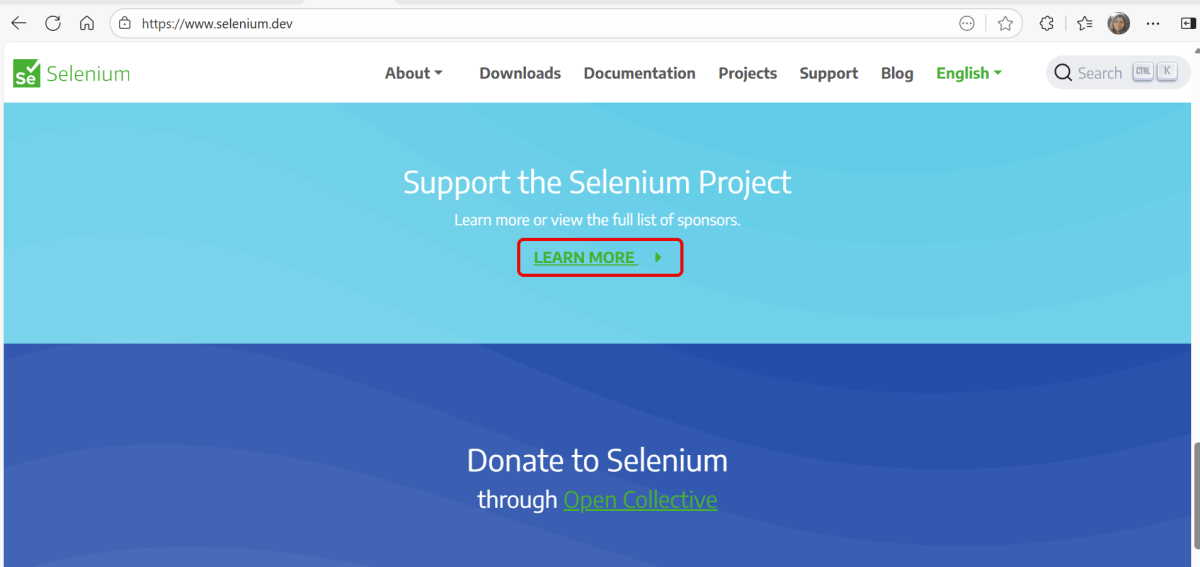
            WebElement element = driver.findElement(By.xpath("//*[@class='selenium-button-container']/a"));

            // Retrieve the font color
            String fontFamily  = element.getCssValue("font-family");
            System.out.println("fontFamily  : " + fontFamily );

            // Retrieve the font size
            String fontSize = element.getCssValue("font-size");
            System.out.println("fontSize : " + fontSize);

            // Retrieve the font weight
            String fontWeight = element.getCssValue("font-weight");
            System.out.println("fontWeight : " + fontWeight);

            // Retrieve the font style
            String fontStyle  = element.getCssValue("font-style");
            System.out.println("fontStyle : " + fontStyle);

            // Retrieve the font variation
            String fontVariant  = element.getCssValue("font-variant");
            System.out.println("fontVariant : " + fontVariant);

            // Retrieve the line height
            String lineHeight  = element.getCssValue("line-height");
            System.out.println("lineHeight : " + lineHeight);

            // Retrieve the letter spacing
            String letterSpacing  = element.getCssValue("letter-spacing");
            System.out.println("letterSpacing : " + letterSpacing);

            // Retrieve the text transform
            String textTransform  = element.getCssValue("text-transform");
            System.out.println("textTransform : " + textTransform);

            // Retrieve the text decoration
            String textDecoration  = element.getCssValue("text-decoration");
            System.out.println("textDecoration : " + textDecoration);

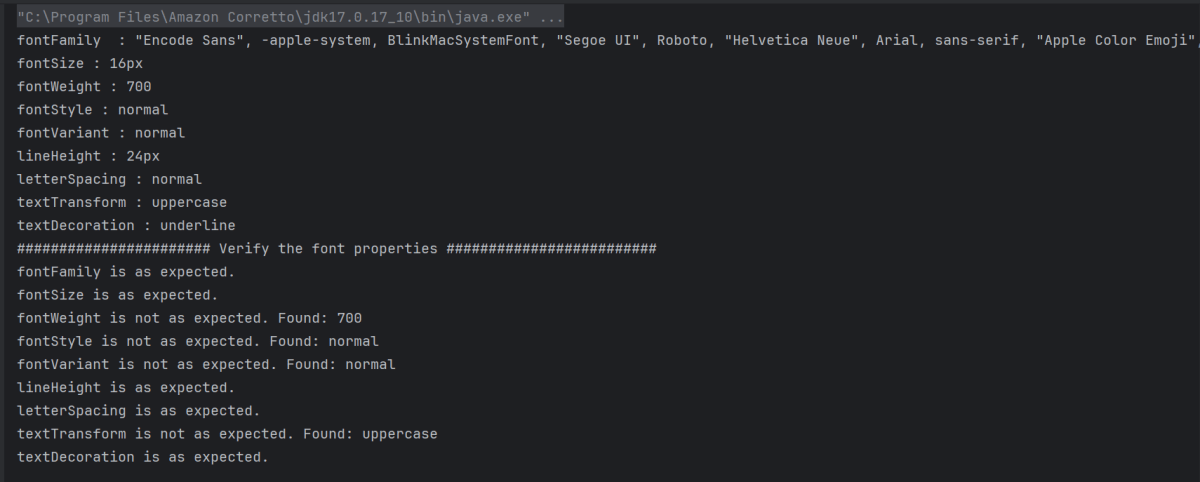
            System.out.println("####################### Verify the font properties #########################");

            // Verify the font family
            if (fontFamily.contains("Arial")) {
                System.out.println("fontFamily is as expected.");
            } else {
                System.out.println("fontFamily is not as expected. Found: " + fontFamily);
            }

            // Verify the font size
            if (fontSize.equals("16px")) {
                System.out.println("fontSize is as expected.");
            } else {
                System.out.println("fontSize is not as expected. Found: " + fontSize);
            }

            // Verify the font weight
            if (fontWeight.equals("500")) {
                System.out.println("fontWeight is as expected.");
            } else {
                System.out.println("fontWeight is not as expected. Found: " + fontWeight);
            }

            // Verify the font style
            if (fontStyle.equals("italic")) {
                System.out.println("fontStyle is as expected.");
            } else {
                System.out.println("fontStyle is not as expected. Found: " + fontStyle);
            }

            // Verify the font variant
            if (fontVariant.equals("small-caps")) {
                System.out.println("fontVariant is as expected.");
            } else {
                System.out.println("fontVariant is not as expected. Found: " + fontVariant);
            }

            // Verify the line height
            if (lineHeight.equals("24px")) {
                System.out.println("lineHeight is as expected.");
            } else {
                System.out.println("lineHeight is not as expected. Found: " + lineHeight);
            }

            // Verify the letter Spacing
            if (letterSpacing.equals("normal")) {
                System.out.println("letterSpacing is as expected.");
            } else {
                System.out.println("letterSpacing is not as expected. Found: " + letterSpacing);
            }

            // Verify the text Transform
            if (textTransform.equals("lowercase")) {
                System.out.println("textTransform is as expected.");
            } else {
                System.out.println("textTransform is not as expected. Found: " + textTransform);
            }

            // Verify the text Decoration
            if (textDecoration.equals("underline")) {
                System.out.println("textDecoration is as expected.");
            } else {
                System.out.println("textDecoration is not as expected. Found: " + textDecoration);
            }

        } finally {
            // Close the browser
            driver.quit();
        }
    }
}

ChromeOptions chromeOptions = new ChromeOptions();
WebDriver driver = new ChromeDriver(chromeOptions);
driver.manage().timeouts().implicitlyWait(Duration.ofSeconds(5));
driver.manage().window().maximize();
driver.get("https://www.selenium.dev/");
WebElement element = driver.findElement(By.xpath("//*[@class='selenium-button-container']/a"));
  1. text-transform – Modifies the capitalization of text. (e.g. uppercase, lowercase, capitalize)
// Retrieve the font color
String fontFamily  = element.getCssValue("font-family");
System.out.println("fontFamily  : " + fontFamily );

// Retrieve the font size
String fontSize = element.getCssValue("font-size");
System.out.println("fontSize : " + fontSize);

// Retrieve the font weight
String fontWeight = element.getCssValue("font-weight");
System.out.println("fontWeight : " + fontWeight);

// Retrieve the font style
String fontStyle  = element.getCssValue("font-style");
System.out.println("fontStyle : " + fontStyle);

// Retrieve the font variation
String fontVariant  = element.getCssValue("font-variant");
System.out.println("fontVariant : " + fontVariant);

// Retrieve the line height
String lineHeight  = element.getCssValue("line-height");
System.out.println("lineHeight : " + lineHeight);

// Retrieve the letter spacing
String letterSpacing  = element.getCssValue("letter-spacing");
System.out.println("letterSpacing : " + letterSpacing);

// Retrieve the text transform
String textTransform  = element.getCssValue("text-transform");
System.out.println("textTransform : " + textTransform);

// Retrieve the text decoration
String textDecoration  = element.getCssValue("text-decoration");
System.out.println("textDecoration : " + textDecoration);
// Verify the font family
if (fontFamily.contains("Arial")) {
    System.out.println("fontFamily is as expected.");
} else {
    System.out.println("fontFamily is not as expected. Found: " + fontFamily);
}

// Verify the font size
if (fontSize.equals("16px")) {
    System.out.println("fontSize is as expected.");
} else {
    System.out.println("fontSize is not as expected. Found: " + fontSize);
}

// Verify the font weight
if (fontWeight.equals("500")) {
    System.out.println("fontWeight is as expected.");
} else {
    System.out.println("fontWeight is not as expected. Found: " + fontWeight);
}

// Verify the font style
if (fontStyle.equals("italic")) {
    System.out.println("fontStyle is as expected.");
} else {
    System.out.println("fontStyle is not as expected. Found: " + fontStyle);
}

// Verify the font variant
if (fontVariant.equals("small-caps")) {
    System.out.println("fontVariant is as expected.");
} else {
    System.out.println("fontVariant is not as expected. Found: " + fontVariant);
}

// Verify the line height
if (lineHeight.equals("24px")) {
    System.out.println("lineHeight is as expected.");
} else {
    System.out.println("lineHeight is not as expected. Found: " + lineHeight);
}

// Verify the letter Spacing
if (letterSpacing.equals("normal")) {
    System.out.println("letterSpacing is as expected.");
} else {
    System.out.println("letterSpacing is not as expected. Found: " + letterSpacing);
}

// Verify the text Transform
if (textTransform.equals("lowercase")) {
    System.out.println("textTransform is as expected.");
} else {
    System.out.println("textTransform is not as expected. Found: " + textTransform);
}

// Verify the text Decoration
if (textDecoration.equals("underline")) {
    System.out.println("textDecoration is as expected.");
} else {
    System.out.println("textDecoration is not as expected. Found: " + textDecoration);
}
// Close the browser
driver.quit();

How to Retrieve Text and Background Colors with Selenium in Java

HOME

org.openqa.selenium.support.Color.

import org.openqa.selenium.By;
import org.openqa.selenium.WebDriver;
import org.openqa.selenium.WebElement;
import org.openqa.selenium.chrome.ChromeDriver;
import org.openqa.selenium.chrome.ChromeOptions;
import org.openqa.selenium.support.Color;
import java.io.IOException;
import java.time.Duration;

public class Color_Example {

    public static void main(String args[]) throws IOException {

        String expectedColor = "#ffffff"; // White color in HEX

        ChromeOptions chromeOptions = new ChromeOptions();
        WebDriver driver = new ChromeDriver(chromeOptions);
        driver.manage().timeouts().implicitlyWait(Duration.ofSeconds(10));
        driver.manage().window().maximize();

        try {
            // Navigate to Url
            driver.get("https://www.selenium.dev/");

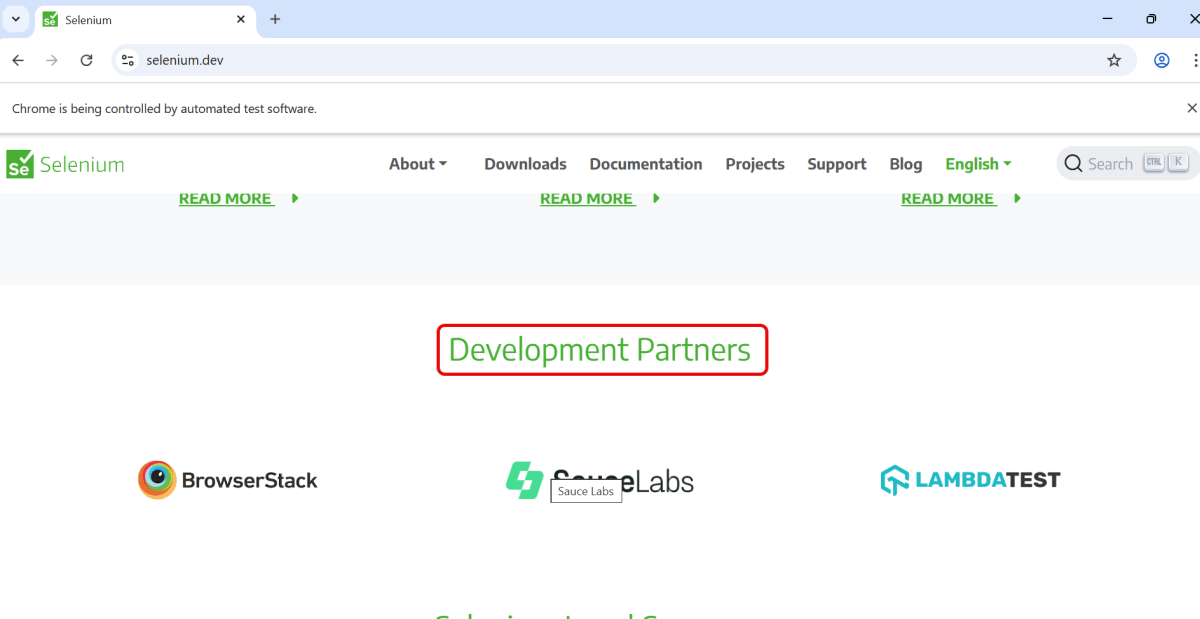
            WebElement element = driver.findElement(By.id("dev-partners"));

            // Retrieve the font color CSS property as RGBA
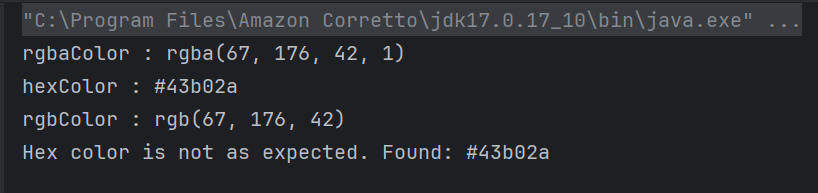
            String rgbaColor = element.getCssValue("color");
            System.out.println("rgbaColor : " + rgbaColor);

            // Convert the RGBA color to hex using the Color class
            String hexColor = Color.fromString(rgbaColor).asHex();
            System.out.println("hexColor : " + hexColor);

            // Convert the RGBA color to RGB using the Color class
            String rgbColor = Color.fromString(rgbaColor).asRgb();
            System.out.println("rgbColor : " + rgbColor);

            // Verify the color (example: verifying against expected #ffffff color)
            if (hexColor.equals(expectedColor)) {
                System.out.println("Hex color is as expected.");
            } else {
                System.out.println("Hex color is not as expected. Found: " + hexColor);
            }

        } finally {
            // Close the browser
            driver.quit();
        }
    }
}

 String expectedColor = "#ffffff"; // White color in HEX
ChromeOptions chromeOptions = new ChromeOptions();
WebDriver driver = new ChromeDriver(chromeOptions);
driver.manage().timeouts().implicitlyWait(Duration.ofSeconds(10));
driver.manage().window().maximize();
driver.get("https://www.selenium.dev/");
WebElement element = driver.findElement(By.id("dev-partners"));

// Retrieve the font color CSS property as RGBA
String rgbaColor = element.getCssValue("color");
System.out.println("rgbaColor : " + rgbaColor);
 // Convert the RGBA color to hex using the Color class
String hexColor = Color.fromString(rgbaColor).asHex();
System.out.println("hexColor : " + hexColor);

// Convert the RGBA color to RGB using the Color class
String rgbColor = Color.fromString(rgbaColor).asRgb();
System.out.println("rgbColor : " + rgbColor);
 // Verify the color (example: verifying against expected #ffffff color)
 if (hexColor.equals(expectedColor)) {
          System.out.println("Hex color is as expected.");
} else {
          System.out.println("Hex color is not as expected. Found: " + hexColor);
}
// Close the browser
driver.quit();

getCssValue("background-color")

import org.openqa.selenium.By;
import org.openqa.selenium.WebDriver;
import org.openqa.selenium.WebElement;
import org.openqa.selenium.chrome.ChromeDriver;
import org.openqa.selenium.chrome.ChromeOptions;
import org.openqa.selenium.support.Color;

import java.io.IOException;
import java.time.Duration;

public class BackgroundColor_Example {

    public static void main(String args[]) throws IOException {

        ChromeOptions chromeOptions = new ChromeOptions();
        WebDriver driver = new ChromeDriver(chromeOptions);
        driver.manage().timeouts().implicitlyWait(Duration.ofSeconds(10));
        driver.manage().window().maximize();

        try {
            // Navigate to Url
            driver.get("https://www.selenium.dev/");

            WebElement element = driver.findElement(By.id("dev-partners"));

            // Retrieve the background color CSS property
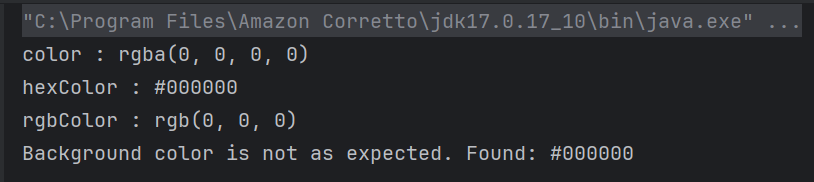
            String bgColorValue = element.getCssValue("background-color");
            System.out.println("color : " + bgColorValue);

            // Convert the background color to HEX format
            String hexColor = Color.fromString(bgColorValue).asHex();
            System.out.println("hexColor : " + hexColor);

            // Convert the background color to RGB format
            String rgbColor = Color.fromString(bgColorValue).asRgb();
            System.out.println("rgbColor : " + rgbColor);

            // Verify the color (example: verifying against expected #43b02a color)
            String expectedColor = "#43b02a"; // Green color in HEX
            if (hexColor.equals(expectedColor)) {
                System.out.println("Background color is as expected.");
            } else {
                System.out.println("Background color is not as expected. Found: " + hexColor);
            }
        } finally {
            // Close the browser
            driver.quit();
        }
    }
}

Advance Selenium Multiple Choice Questions – MCQ2

HOME


WebDriver driver = new ChromeDriver();
driver.get("https://www.example.com");
WebElement element = driver.findElement(By.id("submitButton"));
element.click();

WebDriver driver = new ChromeDriver();
driver.get("https://www.example.com");
List<WebElement> links = driver.findElements(By.tagName("a"));
System.out.println("Number of links: " + links.size());

WebDriverWait wait = new WebDriverWait(driver, 10);
WebElement element = wait.until(ExpectedConditions.visibilityOfElementLocated(By.id("elementId")));

driver.switchTo().___.accept();

WebElement dropdown = driver.findElement(By.id("dropdown"));
Select select = new Select(dropdown);
select.___("Option 1");

Actions actions = new Actions(driver);
WebElement element = driver.findElement(By.id("elementId"));
actions.contextClick(element).perform();

File screenshot = ((TakesScreenshot) driver).getScreenshotAs(OutputType.FILE);
FileUtils.copyFile(screenshot, new File("path/to/screenshot.png"));

driver.switchTo().___("frameNameOrId");

WebElement inputField = driver.findElement(By.id("inputField"));
inputField.sendKeys("test data");
inputField.sendKeys(Keys.TAB);

driver.manage().timeouts().implicitlyWait(20, TimeUnit.SECONDS);

WebElement table = driver.findElement(By.id("tableId"));
List<WebElement> rows = table.findElements(By.tagName("tr"));
WebElement firstCell = rows.get(0).findElements(By.tagName("td")).get(0);
System.out.println(firstCell.getText());

driver.manage().___();

Cookie cookie = new Cookie("name", "value");
driver.manage().___(cookie);

Select dropdown = new Select(driver.findElement(By.id("dropdownId")));
List<WebElement> options = dropdown.___();


try {
    WebElement element = driver.findElement(By.id("submit"));
    element.click();
} catch (NoSuchElementException e) {
    System.out.println("Element not found.");
}


How to test HTML5 validation messages with Selenium

HOME

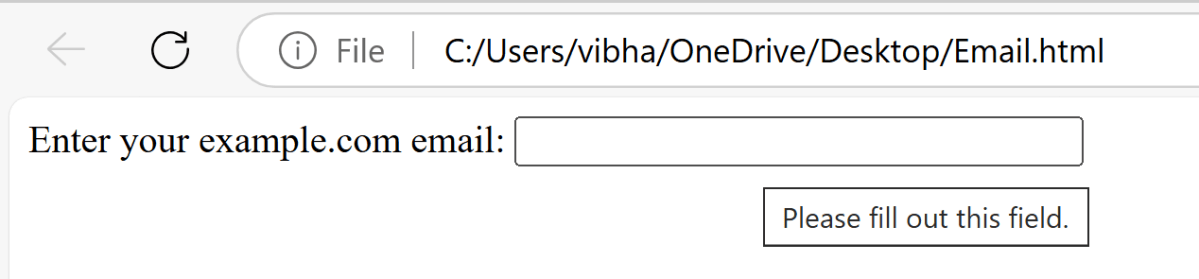
<label for="email">Enter your example.com email:</label>

<input type="email" id="email" pattern=".+@example\.com" size="30" required />

ChromeOptions options = new ChromeOptions();
WebDriver driver = new ChromeDriver(options);
driver.manage().timeouts().implicitlyWait(Duration.ofSeconds(5));
String filePath = "file:///C:/Users/vibha/OneDrive/Desktop/Email.html";
driver.get(filePath);

driver.manage().window().maximize();

WebElement email = driver.findElement(By.id("email"));
email.sendKeys("");
String validationMessage = email.getAttribute("validationMessage");
 String expectedMessage = "Please fill out this field.";
    if (validationMessage.equals(expectedMessage)) {
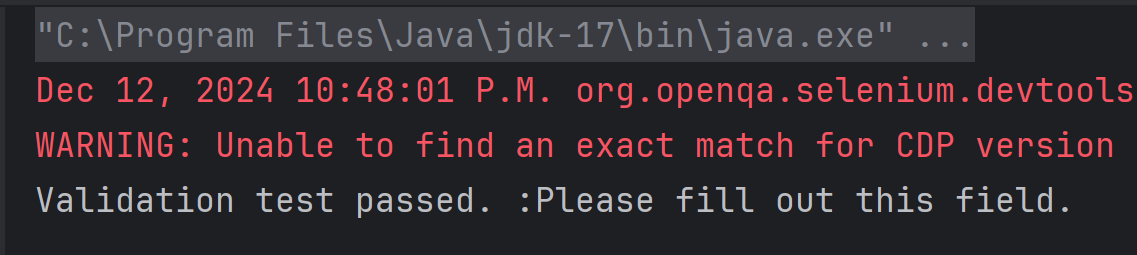
        System.out.println("Validation test passed. :" + validationMessage);
    } else {
        System.out.println("Validation test failed. Expected: '" + expectedMessage + "' but got: '" + validationMessage + "'");
    }

driver.quit();
package com.example.Sample;

import org.openqa.selenium.By;
import org.openqa.selenium.WebDriver;
import org.openqa.selenium.WebElement;
import org.openqa.selenium.chrome.ChromeDriver;
import org.openqa.selenium.chrome.ChromeOptions;
import org.openqa.selenium.support.ui.ExpectedConditions;
import org.openqa.selenium.support.ui.WebDriverWait;

import java.time.Duration;
import java.util.List;

public class HTML5Validation {

    public static void main(String[] args)  {

        // Setup the webdriver
        ChromeOptions options = new ChromeOptions();
        WebDriver driver = new ChromeDriver(options);

        // Put an Implicit wait and launch URL
        driver.manage().timeouts().implicitlyWait(Duration.ofSeconds(5));
        String filePath = "file:///C:/Users/vibha/OneDrive/Desktop/Email.html";
        driver.get(filePath);

        //maximize browser
        driver.manage().window().maximize();

        //Blank field
        WebElement email = driver.findElement(By.id("email"));
        email.sendKeys("");
        String validationMessage = email.getAttribute("validationMessage");

        // Expected validation message 
        String expectedMessage = "Please fill out this field.";
        if (validationMessage.equals(expectedMessage)) {
            System.out.println("Validation test passed. :" + validationMessage);
        } else {
            System.out.println("Validation test failed. Expected: '" + expectedMessage + "' but got: '" + validationMessage + "'");
        }

         // Close the browser
         driver.quit();
    }

}

Advance Selenium Multiple Choice Questions – MCQ1

HOME

Answer


Answer


Answer


Answer


Answer


Answer


Answer


Answer


Answer


a)  driver.waitForElement()

b)  new WebDriverWait().until(ExpectedConditions.elementToBeClickable())

c)  Thread.sleep()

d)  new WebDriverWait().until(ExpectedConditions.visibilityOfElementLocated())

Answer


a)  Actions.doubleClick(element)

b)  WebElement.contextClick()

c)  Actions.moveToElement(element).click()

d)  Actions.contextClick(element)

Answer


a)  driver.takeScreenshot()

b)  ((TakesScreenshot) driver).getScreenshotAs(OutputType.FILE)

c)  driver.getScreenshot()

d)  driver.captureScreen()

Answer


Answer


Answer


Answer


Answer


Answer


Answer


Answer


Answer


Answer


Answer


Answer


Answer

====================================================================

Advance Selenium Multiple Choice Answers – MCQ1

HOME


Selenium cannot handle security testing on its own. However, it can assist in certain aspects of security testing when integrated with specialized security tools.


How to test HTML ordered list in Selenium

HOME

<ol>
<html>

<head>
    <title>Numbered List Example</title>
</head>

<body>
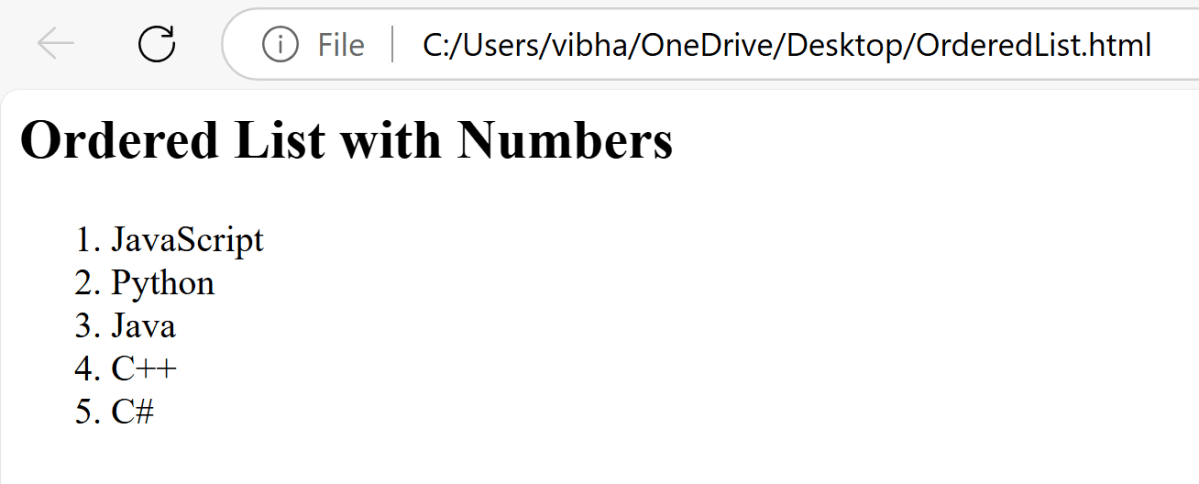
    <h2>Ordered List with Numbers</h2>
    <ol>
        <li>JavaScript</li>
        <li>Python</li>
        <li>Java</li>
        <li>C++</li>
        <li>C#</li>
    </ol>
</body>

</html>

package com.example;

import org.openqa.selenium.Alert;
import org.openqa.selenium.By;
import org.openqa.selenium.WebDriver;
import org.openqa.selenium.WebElement;
import org.openqa.selenium.chrome.ChromeDriver;
import org.openqa.selenium.chrome.ChromeOptions;

import java.time.Duration;
import java.util.List;

public class OrderedList {

    public static void main(String[] args) {

        // Setup the webdriver
        ChromeOptions options = new ChromeOptions();
        WebDriver driver = new ChromeDriver(options);

        // Put an Implicit wait and launch URL
        driver.manage().timeouts().implicitlyWait(Duration.ofSeconds(5));

        //Start Browser
        String filePath = "file:///C:/Users/vibha/OneDrive/Desktop/OrderedList.html";
        driver.get(filePath);

        //maximize browser
        driver.manage().window().maximize();

        //Locate the ordered list using its tag name
        WebElement orderedList = driver.findElement(By.tagName(("ol")));

        //Fetch all the list items
        List<WebElement> listItems = orderedList.findElements(By.tagName("li"));

        //Iterate through the list and print the contents
        for (int i = 0; i < listItems.size(); i++) {
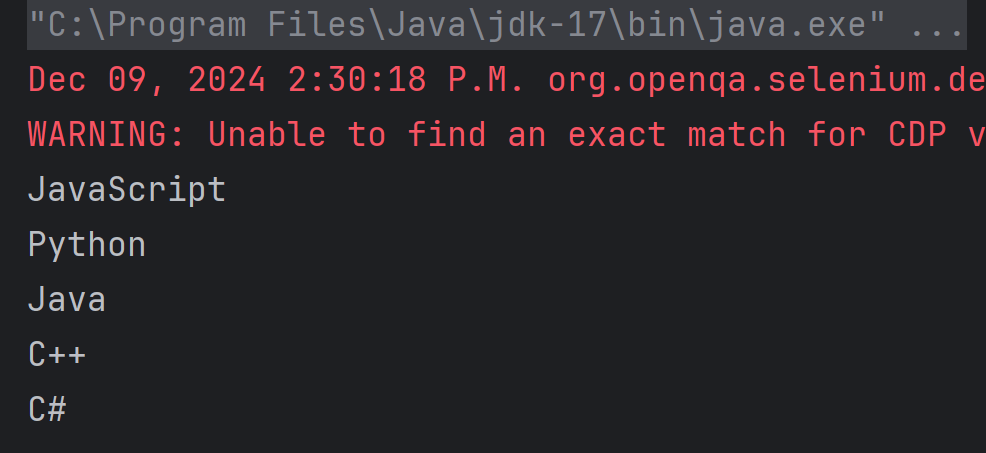
            System.out.println(listItems.get(i).getText());
        }

        //Close the main window
        driver.quit();
    }

}

// Setup the webdriver
ChromeOptions options = new ChromeOptions();
WebDriver driver = new ChromeDriver(options);
driver.manage().timeouts().implicitlyWait(Duration.ofSeconds(5));
String filePath = "file:///C:/Users/vibha/OneDrive/Desktop/OrderedList.html";
driver.get(filePath);
driver.manage().window().maximize();
 WebElement orderedList = driver.findElement(By.tagName(("ol")));
 List<WebElement> listItems = orderedList.findElements(By.tagName("li"));
for (int i = 0; i < listItems.size(); i++) {
            System.out.println(listItems.get(i).getText());
 }

driver.quit();

Download PDF in Firefox with Selenium Java

HOME

 String downloadFilepath = System.getProperty("user.dir") + File.separator + "downloads";
FirefoxOptions options = new FirefoxOptions();
options.addPreference("browser.download.folderList", 2);
options.addPreference("browser.download.dir", downloadFilepath);
options.addPreference("browser.helperApps.neverAsk.saveToDisk", "application/pdf");
options.addPreference("browser.download.folderList", 2);
options.addPreference("browser.download.dir", downloadFilepath);
options.addPreference("browser.helperApps.neverAsk.saveToDisk", "application/pdf");
WebDriver driver = new FirefoxDriver(options);
driver.manage().window().maximize();
driver.get("https://freetestdata.com/document-files/pdf/");
WebElement downloadLink = new WebDriverWait(driver, Duration.ofSeconds(10))
              .until(ExpectedConditions.elementToBeClickable(By.xpath("//*[@class=\"elementor-button-text\"]")));
downloadLink.click();
 File downloadedFile = new File(downloadFilepath + "/Free_Test_Data_100KB_PDF.pdf");
        if (downloadedFile.exists()) {
            System.out.println("File is downloaded!");
        } else {
            System.out.println("File is not downloaded.");
      }
driver.quit();
package com.example;

import org.openqa.selenium.By;
import org.openqa.selenium.WebDriver;
import org.openqa.selenium.WebElement;
import org.openqa.selenium.firefox.FirefoxDriver;
import org.openqa.selenium.firefox.FirefoxOptions;
import org.openqa.selenium.support.ui.ExpectedConditions;
import org.openqa.selenium.support.ui.WebDriverWait;

import java.io.File;
import java.time.Duration;

public class FirefoxDownload_PDF {

    public static void main(String[] args)  {

        // Setup download directory
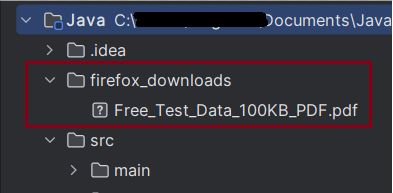
        String downloadFilepath = System.getProperty("user.dir") + File.separator + "firefox_downloads";

        // FirefoxOptions configuration
        FirefoxOptions options = new FirefoxOptions();
        options.addPreference("browser.download.folderList", 2);
        options.addPreference("browser.download.dir", downloadFilepath);
        options.addPreference("browser.helperApps.neverAsk.saveToDisk", "application/pdf");

        // Initialize Firefox WebDriver and configure browser window
        WebDriver driver = new FirefoxDriver(options);
        driver.manage().window().maximize();
        driver.get("https://freetestdata.com/document-files/pdf/");

        // Locate the download link/button and click and wait for the download to complete
        WebElement downloadLink = new WebDriverWait(driver, Duration.ofSeconds(10))
                .until(ExpectedConditions.elementToBeClickable(By.xpath("//*[@class=\"elementor-button-text\"]")));
        downloadLink.click();

        // Verify if the PDF file exists
        File downloadedFile = new File(downloadFilepath + "/Free_Test_Data_100KB_PDF.pdf");
        if (downloadedFile.exists()) {
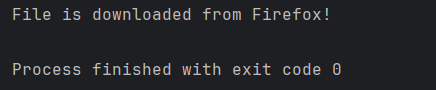
            System.out.println("File is downloaded from Firefox!");
        } else {
            System.out.println("File is not downloaded.");
        }

        // Cleanup: close the browser
        driver.quit();
    }
}

Merge PDF Files in Selenium with Java

HOME

  <dependency>
      <groupId>org.seleniumhq.selenium</groupId>
      <artifactId>selenium-java</artifactId>
      <version>4.24.0</version>
    </dependency>

    <dependency>
      <groupId>commons-io</groupId>
      <artifactId>commons-io</artifactId>
      <version>2.16.1</version>
    </dependency>

    <dependency>
      <groupId>org.apache.pdfbox</groupId>
      <artifactId>pdfbox</artifactId>
      <version>3.0.3</version>
    </dependency>

 String downloadFilepath = System.getProperty("user.dir") + File.separator + "downloads";

        ChromeOptions options = new ChromeOptions();
        Map<String, Object> prefs = new HashMap<>();
        prefs.put("plugins.always_open_pdf_externally", true);
        prefs.put("download.default_directory", downloadFilepath);
        options.setExperimentalOption("prefs", prefs);

        WebDriver driver = new ChromeDriver(options);
        driver.manage().window().maximize();
        driver.get("https://freetestdata.com/document-files/pdf/");

// Download first PDF
    WebElement downloadLink1 = driver.findElement(By.xpath("//*[@class='elementor-button-text']"));
    downloadLink1.click();

//Wait for first PDF download to complete
   File downloadedFile1 = new File(downloadFilepath + "/Free_Test_Data_100KB_PDF.pdf");    
   WebDriverWait wait1 = new WebDriverWait(driver, Duration.ofSeconds(30));
   wait1.until((ExpectedCondition<Boolean>) wd -> downloadedFile1.exists());
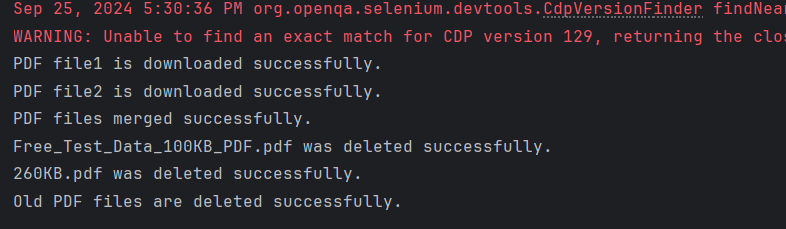
    System.out.println("PDF file1 is downloaded successfully.");

// Download second PDF
    WebElement downloadLink2 = driver.findElement(By.xpath("//*[@id=\"post-81\"]/div/div/section[3]/div/div[1]/div/section[2]/div/div[2]/div/div/div/div/a/span/span"));
    downloadLink2.click();

//Wait for first PDF download to complete
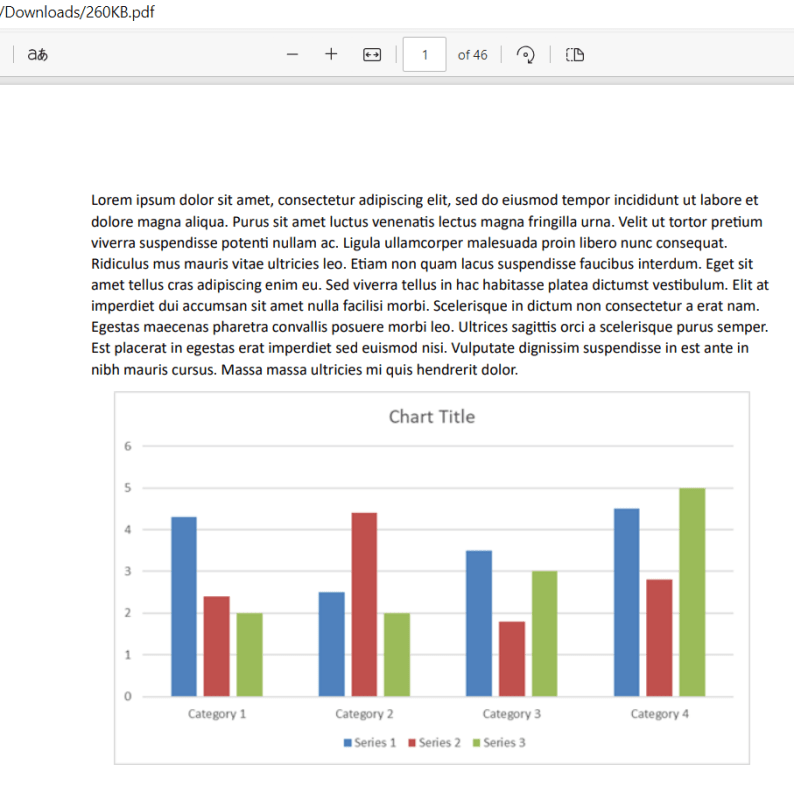
    File downloadedFile2 = new File(downloadFilepath + "/260KB.pdf");
   WebDriverWait wait2 = new WebDriverWait(driver, Duration.ofSeconds(30));
    wait2.until((ExpectedCondition<Boolean>) wd -> downloadedFile2.exists());
    System.out.println("PDF file2 is downloaded successfully.");
 public static void mergePDFFiles(String pdf1Path, String pdf2Path, String mergedPdfPath) throws IOException {
        PDFMergerUtility pdfMerger = new PDFMergerUtility();

        pdfMerger.addSource(new File(pdf1Path));
        pdfMerger.addSource(new File(pdf2Path));
        pdfMerger.setDestinationFileName(mergedPdfPath);

        // Merge PDFs
        pdfMerger.mergeDocuments(null);

    }
PDFMergerUtility pdfMerger = new PDFMergerUtility();
pdfMerger.addSource(new File(pdf1Path));
pdfMerger.addSource(new File(pdf2Path));
 pdfMerger.setDestinationFileName(mergedPdfPath);
pdfMerger.mergeDocuments(null);

public static void deleteOldPDFFiles(File... files) {
        for (File file : files) {
            if (file.exists()) {
                if (file.delete()) {
                    System.out.println(file.getName() + " was deleted successfully.");
                } else {
                    System.out.println("Failed to delete " + file.getName() + ".");
                }
            }
        }
    }
driver.quit();
package com.example;

import org.apache.pdfbox.Loader;
import org.apache.pdfbox.multipdf.PDFMergerUtility;
import org.apache.pdfbox.pdmodel.PDDocument;
import org.openqa.selenium.By;
import org.openqa.selenium.WebDriver;
import org.openqa.selenium.WebElement;
import org.openqa.selenium.chrome.ChromeDriver;
import org.openqa.selenium.chrome.ChromeOptions;
import org.openqa.selenium.support.ui.ExpectedCondition;
import org.openqa.selenium.support.ui.WebDriverWait;
import java.io.File;
import java.io.IOException;
import java.time.Duration;
import java.util.HashMap;
import java.util.Map;

public class PDFMerge_Demo {

    public static void main(String[] args) throws InterruptedException, IOException {

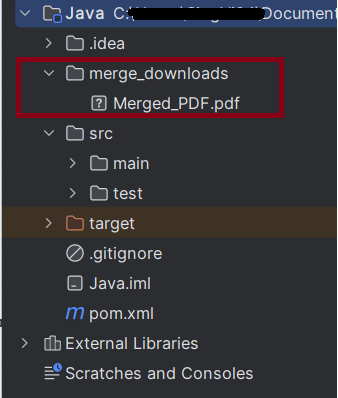
        String downloadFilepath = System.getProperty("user.dir") + File.separator + "merge_downloads";

        ChromeOptions options = new ChromeOptions();
        Map<String, Object> prefs = new HashMap<>();
        prefs.put("plugins.always_open_pdf_externally", true);
        prefs.put("download.default_directory", downloadFilepath);
        options.setExperimentalOption("prefs", prefs);

        WebDriver driver = new ChromeDriver(options);
        driver.manage().window().maximize();
        driver.get("https://freetestdata.com/document-files/pdf/");

        // Download first PDF
        WebElement downloadLink1 = driver.findElement(By.xpath("//*[@class='elementor-button-text']"));
        downloadLink1.click();

        //Wait for first PDF download to complete
        File downloadedFile1 = new File(downloadFilepath + "/Free_Test_Data_100KB_PDF.pdf");
        WebDriverWait wait1 = new WebDriverWait(driver, Duration.ofSeconds(30));
        wait1.until((ExpectedCondition<Boolean>) wd -> downloadedFile1.exists());
        System.out.println("PDF file1 is downloaded successfully.");

        // Download second PDF
        WebElement downloadLink2 = driver.findElement(By.xpath("//*[@id=\"post-81\"]/div/div/section[3]/div/div[1]/div/section[2]/div/div[2]/div/div/div/div/a/span/span"));
        downloadLink2.click();

        //Wait for first PDF download to complete
        File downloadedFile2 = new File(downloadFilepath + "/260KB.pdf");
        WebDriverWait wait2 = new WebDriverWait(driver, Duration.ofSeconds(30));
        wait2.until((ExpectedCondition<Boolean>) wd -> downloadedFile2.exists());
        System.out.println("PDF file2 is downloaded successfully.");

        String pdf1Path = downloadedFile1.getAbsolutePath();
        String pdf2Path = downloadedFile2.getAbsolutePath();

        //Check if PDF files exists
        if (downloadedFile1.exists() && downloadedFile2.exists()) {

            // Merge the PDF files
            mergePDFFiles(pdf1Path, pdf2Path, downloadFilepath + "/Merged_PDF.pdf");

            // Print success message
            System.out.println("PDF files merged successfully.");

            // Delete old PDFs
            deleteOldPDFFiles(downloadedFile1, downloadedFile2);

            // Print success message
            System.out.println("Old PDF files are deleted successfully.");
        } else {
            System.out.println("One or both of the PDF files are missing.");
        }

        // Close the browser
        driver.quit();

    }

    public static void mergePDFFiles(String pdf1Path, String pdf2Path, String mergedPdfPath) throws IOException {
        PDFMergerUtility pdfMerger = new PDFMergerUtility();

        pdfMerger.addSource(new File(pdf1Path));
        pdfMerger.addSource(new File(pdf2Path));
        pdfMerger.setDestinationFileName(mergedPdfPath);

        // Merge PDFs
        pdfMerger.mergeDocuments(null);

    }

    public static void deleteOldPDFFiles(File... files) {
        for (File file : files) {
            if (file.exists()) {
                if (file.delete()) {
                    System.out.println(file.getName() + " was deleted successfully.");
                } else {
                    System.out.println("Failed to delete " + file.getName() + ".");
                }
            }
        }
    }

}