Last Updated On
This tutorial explains the steps to create a GitHub Action for the Rest API tests built in Python and execute the tests in that workflow.
Table of Contents
Why GitHub?
GitHub Actions are automated tasks, or workflows, that you can set up in your repository to build, test, package, release, and deploy any project on GitHub. With GitHub Actions, you can orchestrate any workflow, based on nearly any event, while GitHub manages the execution, provides rich feedback, and secures every step along the way.
Why should you care? Well, imagine merging your code into the main branch, only to realize later that it broke your build. With GitHub Actions, you can automate your unit tests to run on every push or pull request, thereby catching bugs before they creep into your production code. This means less time debugging and more time developing!
Implementation Steps
Step 1 – Create GitHub Actions and Workflows
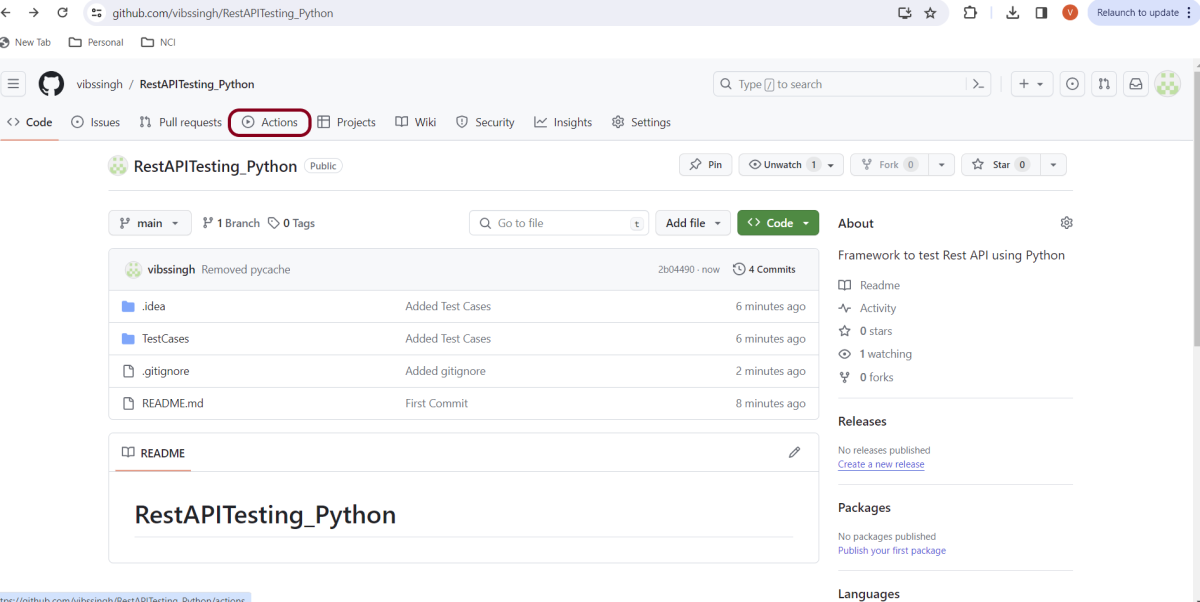
I have a repository available in GitHub – RestAPITesting_Python as shown in the below image. Go to the “Actions” tab. Click on the “Actions” tab.
Step 2 – Select the type of Actions
You will see that GitHub recommends Actions depending on the project. In our case, it is recommending actions suitable for a Python project. I have selected the “Python application” option.

Step 3 – Generation of Sample pipeline
If you choose an existing option, it will automatically generate a .yaml for the project as shown below.
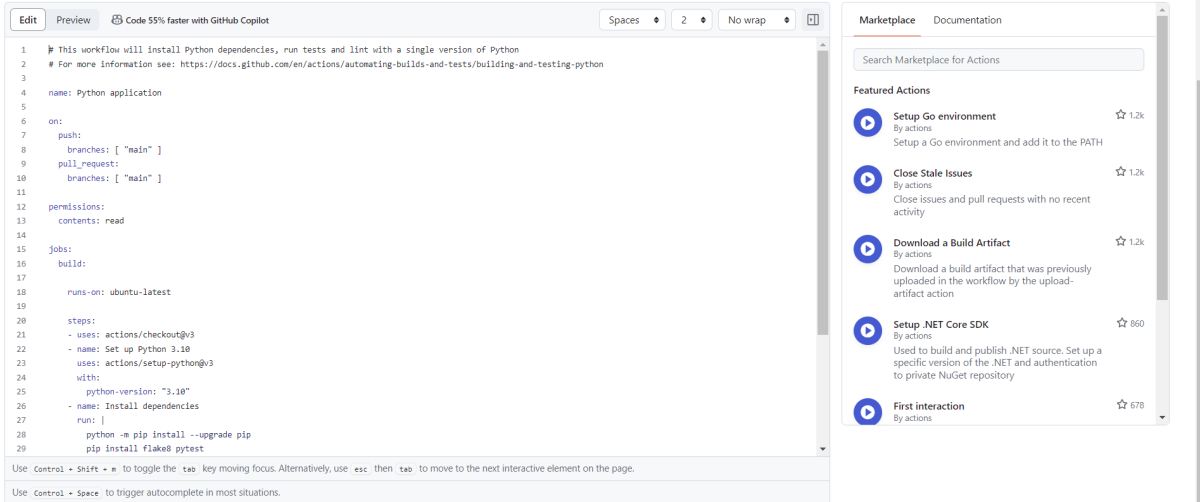
We will replace the current workflow with the following yml file as shown below:
# This workflow will install Python dependencies, run tests and lint with a single version of Python
# For more information see: https://docs.github.com/en/actions/automating-builds-and-tests/building-and-testing-python

name: Python application

on:
  push:
    branches: [ "main" ]
  pull_request:
    branches: [ "main" ]

permissions:
  contents: read

jobs:
  build:

    runs-on: ubuntu-latest

    steps:
    - uses: actions/checkout@v3
    - name: Set up Python 3.12.1
      uses: actions/setup-python@v3
      with:
        python-version: "3.12.1"

    - name: Install dependencies
      run: |
        python -m pip install --upgrade pip
        pip install pytest
        pip install requests

    - name: Test with pytest
      run: |
        cd TestCases
        pytest  --verbose --capture=no
Step 4 – Commit the changes
After the changes, hit the “Start Commit” button.

This will give the option to add a description for the commit. It will also enable the user to commit either to the main branch or commit to any other branch that exists in the project. Click on the “Commit new file” button to set up the workflow file.
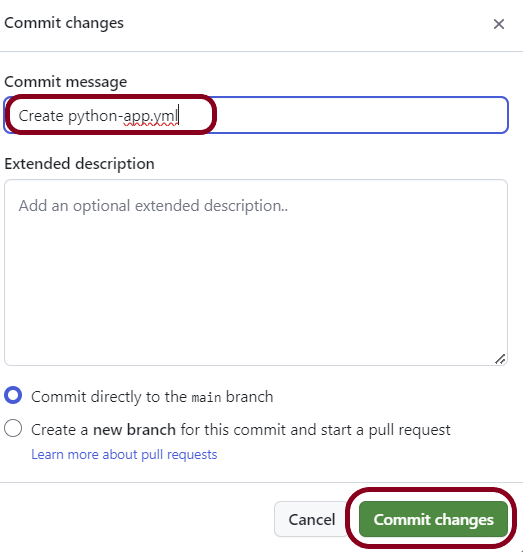
It will create a python-app.yml file as shown below in the project.

Step 5 – Verify that the workflow is running
Next, head over to the “Actions” tab, and you will see your YAML workflow file present under the tab. The yellow sign represents that the job is in the queue.
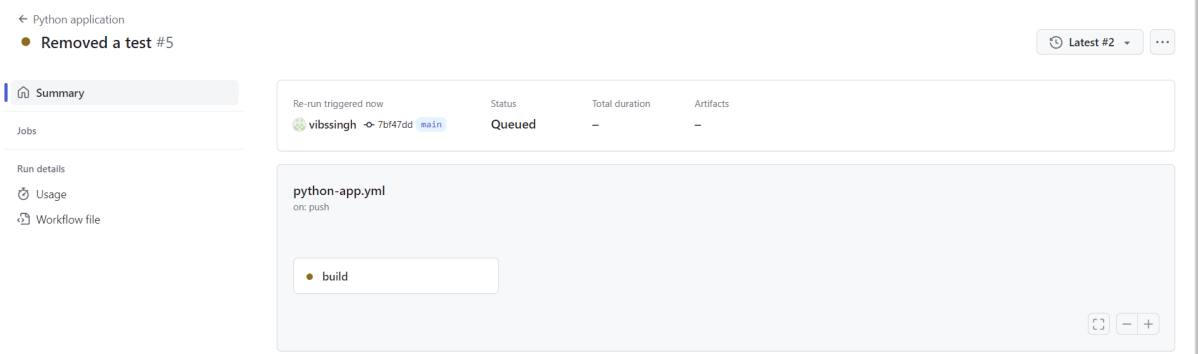
In Progress – When the job starts building and running, you will see the status change from “Queued” to “in progress”.
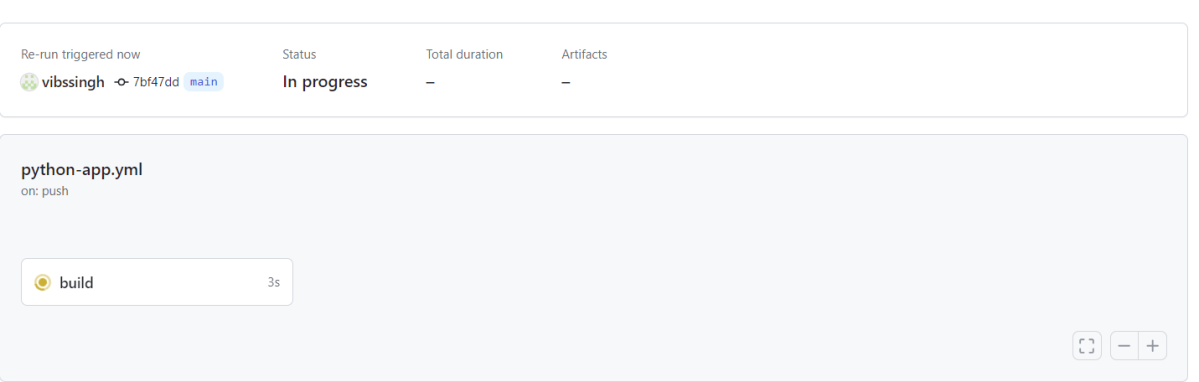
Passed – If the build is successful, you will see a green tick mark.

Step 6 – Verify the execution status
Below is the execution log.
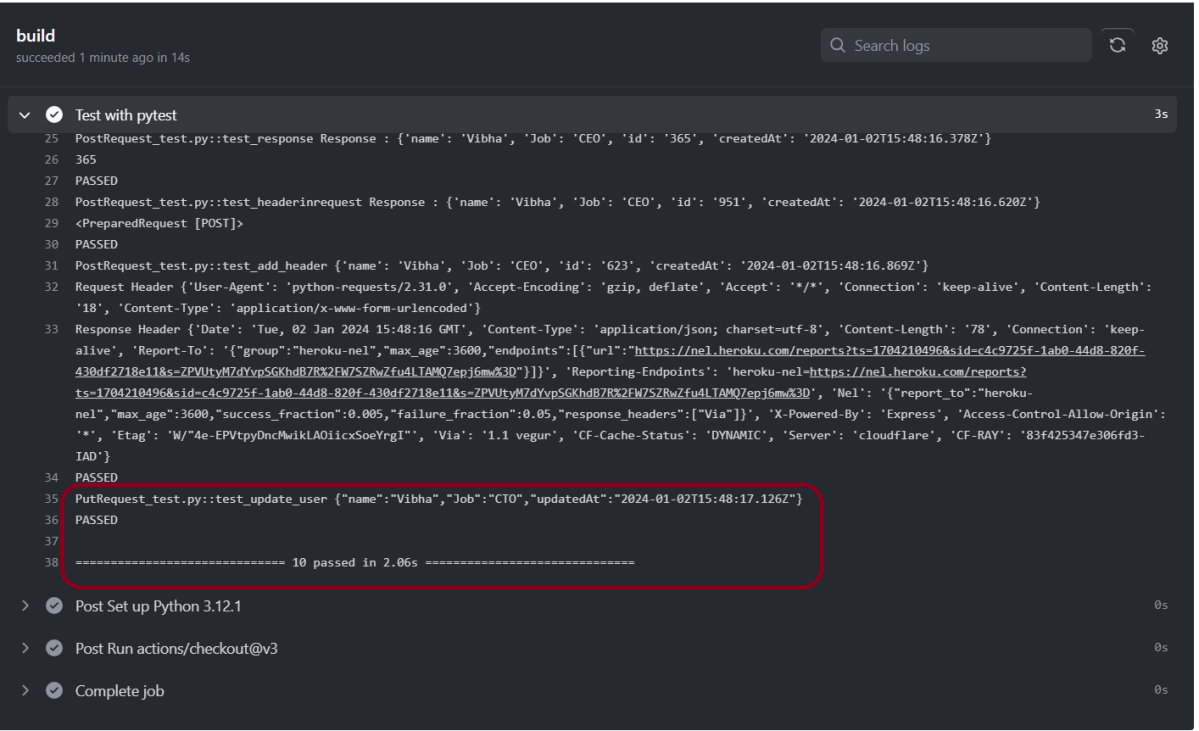
Click on the workflow and the below screen is displayed. It shows the status of the run of the workflow, the total time taken to run the workflow, and the name of the .yml file.
Below shows all the steps of the workflow.

The complete code can be found here on GitHub – vibssingh/RestAPITesting_Python.
Congratulations! We just created our CI workflow for running our Rest API test cases for Python.



 QA Automation Expert