How to create Cucumber Report after rerun of failed tests

Last Updated On

HOME

import io.cucumber.testng.AbstractTestNGCucumberTests;
import io.cucumber.testng.CucumberOptions;

@CucumberOptions(features = "src/test/resources/features/LoginPage.feature",
        glue = "com.example.definitions",
        plugin = {
                "pretty",
                "html:target/cucumber-reports/cucumber-report.html",
                "json:target/cucumber-reports/cucumber-report.json",
                "rerun:target/rerun.txt" // Saves paths of failed scenarios
        }
)
public class RunnerTests extends AbstractTestNGCucumberTests {
}

import io.cucumber.testng.AbstractTestNGCucumberTests;
import io.cucumber.testng.CucumberOptions;

@CucumberOptions(tags = "",
        features = "@target/rerun.txt",
        glue = "com.example.definitions",
        plugin =  {
                "pretty",
                "html:target/cucumber-reports/cucumber-rerun-report.html",
                "json:target/cucumber-reports/cucumber-rerun-report.json"
        }
)

public class RunnerTestsFailed extends AbstractTestNGCucumberTests {
}

<?xml version="1.0" encoding="UTF-8"?>
<!DOCTYPE suite SYSTEM "https://testng.org/testng-1.0.dtd">
<suite name="Suite">
    <test  name="Cucumber with TestNG Test">
        <classes>
            <class name="com.example.runner.RunnerTests"/>
            <class name="com.example.runner.RunnerTestsFailed"/>
        </classes>
    </test> <!-- Test -->
</suite> <!-- Suite -->

<project xmlns="http://maven.apache.org/POM/4.0.0" xmlns:xsi="http://www.w3.org/2001/XMLSchema-instance"
  xsi:schemaLocation="http://maven.apache.org/POM/4.0.0 http://maven.apache.org/xsd/maven-4.0.0.xsd">
  <modelVersion>4.0.0</modelVersion>

  <groupId>com.example</groupId>
  <artifactId>POM_Cucumber_TestNG_Demo</artifactId>
  <version>1.0-SNAPSHOT</version>
  <packaging>jar</packaging>

  <name>POM_Cucumber_TestNG_Demo</name>
  <url>http://maven.apache.org</url>

  <properties>
    <project.build.sourceEncoding>UTF-8</project.build.sourceEncoding>
    <cucumber.version>7.18.1</cucumber.version>
    <selenium.version>4.25.0</selenium.version>
    <testng.version>7.10.2</testng.version>
    <apache.common.version>2.4</apache.common.version>
    <maven.compiler.plugin.version>3.13.0</maven.compiler.plugin.version>
    <maven.surefire.plugin.version>3.3.1</maven.surefire.plugin.version>
    <maven.compiler.source.version>17</maven.compiler.source.version>
    <maven.compiler.target.version>17</maven.compiler.target.version>
    <maven.cucumber.reporting.version>5.8.2</maven.cucumber.reporting.version>
  </properties>

  <dependencies>

    <dependency>
      <groupId>io.cucumber</groupId>
      <artifactId>cucumber-java</artifactId>
      <version>${cucumber.version}</version>
    </dependency>

    <dependency>
      <groupId>io.cucumber</groupId>
      <artifactId>cucumber-testng</artifactId>
      <version>${cucumber.version}</version>
      <scope>test</scope>
    </dependency>

    <!-- Selenium -->
    <dependency>
      <groupId>org.seleniumhq.selenium</groupId>
      <artifactId>selenium-java</artifactId>
      <version>${selenium.version}</version>
    </dependency>

    <!-- TestNG -->
    <dependency>
      <groupId>org.testng</groupId>
      <artifactId>testng</artifactId>
      <version>${testng.version}</version>
      <scope>test</scope>
    </dependency>

    <!-- Cucumber Reporting -->
    <dependency>
      <groupId>net.masterthought</groupId>
      <artifactId>cucumber-reporting</artifactId>
      <version>${maven.cucumber.reporting.version}</version>
    </dependency>

  </dependencies>

  <build>
    <plugins>
      <plugin>
        <groupId>org.apache.maven.plugins</groupId>
        <artifactId>maven-compiler-plugin</artifactId>
        <version>${maven.compiler.plugin.version}</version>
        <configuration>
          <source>${maven.compiler.source.version}</source>
          <target>${maven.compiler.target.version}</target>
        </configuration>
      </plugin>
      
        <plugin>
        <groupId>org.apache.maven.plugins</groupId>
        <artifactId>maven-surefire-plugin</artifactId>
        <version>${maven.surefire.plugin.version}</version>
        <configuration>
          <testFailureIgnore>true</testFailureIgnore>
          <suiteXmlFiles>
            <suiteXmlFile>testng.xml</suiteXmlFile>
          </suiteXmlFiles>
        </configuration>
      </plugin>

      <plugin>
        <groupId>net.masterthought</groupId>
        <artifactId>maven-cucumber-reporting</artifactId>
        <version>${maven.cucumber.reporting.version}</version>

        <executions>
          <execution>
            <id>generate-cucumber-report</id>
            <phase>verify</phase>
            <goals>
              <goal>generate</goal>
            </goals>
            <configuration>
              <projectName>Cucumber Reporting Example</projectName>
              <outputDirectory>target/cucumber-html-reports</outputDirectory>
              <inputDirectory>target</inputDirectory>
              <jsonFiles>
                <!-- Include both main and rerun JSON reports -->
                <param>target/cucumber-reports/cucumber-report.json</param>
                <param>target/cucumber-reports/cucumber-rerun-report.json</param>
                <param>**/*.json</param>
              </jsonFiles>
            </configuration>
          </execution>
        </executions>
      </plugin>

    </plugins>
  </build>
</project>

mvn clean verify

Download PDF in Firefox with Selenium Java

HOME

 String downloadFilepath = System.getProperty("user.dir") + File.separator + "downloads";
FirefoxOptions options = new FirefoxOptions();
options.addPreference("browser.download.folderList", 2);
options.addPreference("browser.download.dir", downloadFilepath);
options.addPreference("browser.helperApps.neverAsk.saveToDisk", "application/pdf");
options.addPreference("browser.download.folderList", 2);
options.addPreference("browser.download.dir", downloadFilepath);
options.addPreference("browser.helperApps.neverAsk.saveToDisk", "application/pdf");
WebDriver driver = new FirefoxDriver(options);
driver.manage().window().maximize();
driver.get("https://freetestdata.com/document-files/pdf/");
WebElement downloadLink = new WebDriverWait(driver, Duration.ofSeconds(10))
              .until(ExpectedConditions.elementToBeClickable(By.xpath("//*[@class=\"elementor-button-text\"]")));
downloadLink.click();
 File downloadedFile = new File(downloadFilepath + "/Free_Test_Data_100KB_PDF.pdf");
        if (downloadedFile.exists()) {
            System.out.println("File is downloaded!");
        } else {
            System.out.println("File is not downloaded.");
      }
driver.quit();
package com.example;

import org.openqa.selenium.By;
import org.openqa.selenium.WebDriver;
import org.openqa.selenium.WebElement;
import org.openqa.selenium.firefox.FirefoxDriver;
import org.openqa.selenium.firefox.FirefoxOptions;
import org.openqa.selenium.support.ui.ExpectedConditions;
import org.openqa.selenium.support.ui.WebDriverWait;

import java.io.File;
import java.time.Duration;

public class FirefoxDownload_PDF {

    public static void main(String[] args)  {

        // Setup download directory
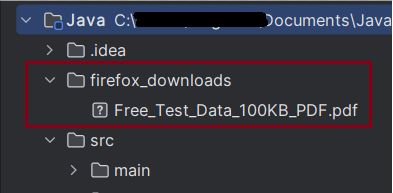
        String downloadFilepath = System.getProperty("user.dir") + File.separator + "firefox_downloads";

        // FirefoxOptions configuration
        FirefoxOptions options = new FirefoxOptions();
        options.addPreference("browser.download.folderList", 2);
        options.addPreference("browser.download.dir", downloadFilepath);
        options.addPreference("browser.helperApps.neverAsk.saveToDisk", "application/pdf");

        // Initialize Firefox WebDriver and configure browser window
        WebDriver driver = new FirefoxDriver(options);
        driver.manage().window().maximize();
        driver.get("https://freetestdata.com/document-files/pdf/");

        // Locate the download link/button and click and wait for the download to complete
        WebElement downloadLink = new WebDriverWait(driver, Duration.ofSeconds(10))
                .until(ExpectedConditions.elementToBeClickable(By.xpath("//*[@class=\"elementor-button-text\"]")));
        downloadLink.click();

        // Verify if the PDF file exists
        File downloadedFile = new File(downloadFilepath + "/Free_Test_Data_100KB_PDF.pdf");
        if (downloadedFile.exists()) {
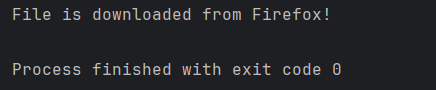
            System.out.println("File is downloaded from Firefox!");
        } else {
            System.out.println("File is not downloaded.");
        }

        // Cleanup: close the browser
        driver.quit();
    }
}

Merge PDF Files in Selenium with Java

HOME

  <dependency>
      <groupId>org.seleniumhq.selenium</groupId>
      <artifactId>selenium-java</artifactId>
      <version>4.24.0</version>
    </dependency>

    <dependency>
      <groupId>commons-io</groupId>
      <artifactId>commons-io</artifactId>
      <version>2.16.1</version>
    </dependency>

    <dependency>
      <groupId>org.apache.pdfbox</groupId>
      <artifactId>pdfbox</artifactId>
      <version>3.0.3</version>
    </dependency>

 String downloadFilepath = System.getProperty("user.dir") + File.separator + "downloads";

        ChromeOptions options = new ChromeOptions();
        Map<String, Object> prefs = new HashMap<>();
        prefs.put("plugins.always_open_pdf_externally", true);
        prefs.put("download.default_directory", downloadFilepath);
        options.setExperimentalOption("prefs", prefs);

        WebDriver driver = new ChromeDriver(options);
        driver.manage().window().maximize();
        driver.get("https://freetestdata.com/document-files/pdf/");

// Download first PDF
    WebElement downloadLink1 = driver.findElement(By.xpath("//*[@class='elementor-button-text']"));
    downloadLink1.click();

//Wait for first PDF download to complete
   File downloadedFile1 = new File(downloadFilepath + "/Free_Test_Data_100KB_PDF.pdf");    
   WebDriverWait wait1 = new WebDriverWait(driver, Duration.ofSeconds(30));
   wait1.until((ExpectedCondition<Boolean>) wd -> downloadedFile1.exists());
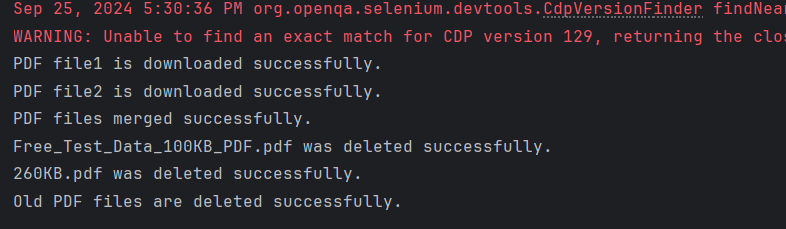
    System.out.println("PDF file1 is downloaded successfully.");

// Download second PDF
    WebElement downloadLink2 = driver.findElement(By.xpath("//*[@id=\"post-81\"]/div/div/section[3]/div/div[1]/div/section[2]/div/div[2]/div/div/div/div/a/span/span"));
    downloadLink2.click();

//Wait for first PDF download to complete
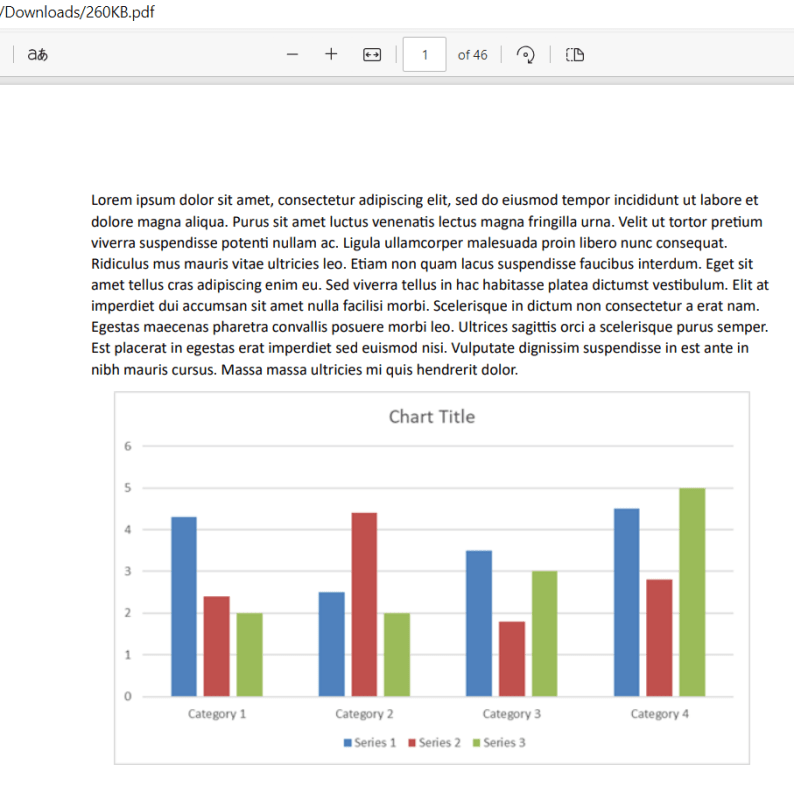
    File downloadedFile2 = new File(downloadFilepath + "/260KB.pdf");
   WebDriverWait wait2 = new WebDriverWait(driver, Duration.ofSeconds(30));
    wait2.until((ExpectedCondition<Boolean>) wd -> downloadedFile2.exists());
    System.out.println("PDF file2 is downloaded successfully.");
 public static void mergePDFFiles(String pdf1Path, String pdf2Path, String mergedPdfPath) throws IOException {
        PDFMergerUtility pdfMerger = new PDFMergerUtility();

        pdfMerger.addSource(new File(pdf1Path));
        pdfMerger.addSource(new File(pdf2Path));
        pdfMerger.setDestinationFileName(mergedPdfPath);

        // Merge PDFs
        pdfMerger.mergeDocuments(null);

    }
PDFMergerUtility pdfMerger = new PDFMergerUtility();
pdfMerger.addSource(new File(pdf1Path));
pdfMerger.addSource(new File(pdf2Path));
 pdfMerger.setDestinationFileName(mergedPdfPath);
pdfMerger.mergeDocuments(null);

public static void deleteOldPDFFiles(File... files) {
        for (File file : files) {
            if (file.exists()) {
                if (file.delete()) {
                    System.out.println(file.getName() + " was deleted successfully.");
                } else {
                    System.out.println("Failed to delete " + file.getName() + ".");
                }
            }
        }
    }
driver.quit();
package com.example;

import org.apache.pdfbox.Loader;
import org.apache.pdfbox.multipdf.PDFMergerUtility;
import org.apache.pdfbox.pdmodel.PDDocument;
import org.openqa.selenium.By;
import org.openqa.selenium.WebDriver;
import org.openqa.selenium.WebElement;
import org.openqa.selenium.chrome.ChromeDriver;
import org.openqa.selenium.chrome.ChromeOptions;
import org.openqa.selenium.support.ui.ExpectedCondition;
import org.openqa.selenium.support.ui.WebDriverWait;
import java.io.File;
import java.io.IOException;
import java.time.Duration;
import java.util.HashMap;
import java.util.Map;

public class PDFMerge_Demo {

    public static void main(String[] args) throws InterruptedException, IOException {

        String downloadFilepath = System.getProperty("user.dir") + File.separator + "merge_downloads";

        ChromeOptions options = new ChromeOptions();
        Map<String, Object> prefs = new HashMap<>();
        prefs.put("plugins.always_open_pdf_externally", true);
        prefs.put("download.default_directory", downloadFilepath);
        options.setExperimentalOption("prefs", prefs);

        WebDriver driver = new ChromeDriver(options);
        driver.manage().window().maximize();
        driver.get("https://freetestdata.com/document-files/pdf/");

        // Download first PDF
        WebElement downloadLink1 = driver.findElement(By.xpath("//*[@class='elementor-button-text']"));
        downloadLink1.click();

        //Wait for first PDF download to complete
        File downloadedFile1 = new File(downloadFilepath + "/Free_Test_Data_100KB_PDF.pdf");
        WebDriverWait wait1 = new WebDriverWait(driver, Duration.ofSeconds(30));
        wait1.until((ExpectedCondition<Boolean>) wd -> downloadedFile1.exists());
        System.out.println("PDF file1 is downloaded successfully.");

        // Download second PDF
        WebElement downloadLink2 = driver.findElement(By.xpath("//*[@id=\"post-81\"]/div/div/section[3]/div/div[1]/div/section[2]/div/div[2]/div/div/div/div/a/span/span"));
        downloadLink2.click();

        //Wait for first PDF download to complete
        File downloadedFile2 = new File(downloadFilepath + "/260KB.pdf");
        WebDriverWait wait2 = new WebDriverWait(driver, Duration.ofSeconds(30));
        wait2.until((ExpectedCondition<Boolean>) wd -> downloadedFile2.exists());
        System.out.println("PDF file2 is downloaded successfully.");

        String pdf1Path = downloadedFile1.getAbsolutePath();
        String pdf2Path = downloadedFile2.getAbsolutePath();

        //Check if PDF files exists
        if (downloadedFile1.exists() && downloadedFile2.exists()) {

            // Merge the PDF files
            mergePDFFiles(pdf1Path, pdf2Path, downloadFilepath + "/Merged_PDF.pdf");

            // Print success message
            System.out.println("PDF files merged successfully.");

            // Delete old PDFs
            deleteOldPDFFiles(downloadedFile1, downloadedFile2);

            // Print success message
            System.out.println("Old PDF files are deleted successfully.");
        } else {
            System.out.println("One or both of the PDF files are missing.");
        }

        // Close the browser
        driver.quit();

    }

    public static void mergePDFFiles(String pdf1Path, String pdf2Path, String mergedPdfPath) throws IOException {
        PDFMergerUtility pdfMerger = new PDFMergerUtility();

        pdfMerger.addSource(new File(pdf1Path));
        pdfMerger.addSource(new File(pdf2Path));
        pdfMerger.setDestinationFileName(mergedPdfPath);

        // Merge PDFs
        pdfMerger.mergeDocuments(null);

    }

    public static void deleteOldPDFFiles(File... files) {
        for (File file : files) {
            if (file.exists()) {
                if (file.delete()) {
                    System.out.println(file.getName() + " was deleted successfully.");
                } else {
                    System.out.println("Failed to delete " + file.getName() + ".");
                }
            }
        }
    }

}

Download PDF in Edge with Selenium Java

HOME

<dependency>
    <groupId>org.seleniumhq.selenium</groupId>
    <artifactId>selenium-java</artifactId>
    <version>4.25.0</version>
</dependency>

 String downloadFilepath = System.getProperty("user.dir") + File.separator + "downloads";
EdgeOptions options = new EdgeOptions();
Map<String, Object> prefs = new HashMap<>();
prefs.put("download.default_directory", downloadFilepath);
prefs.put("download.prompt_for_download", false);
prefs.put("download.default_directory", downloadFilepath);
prefs.put("download.prompt_for_download", false);
WebDriver driver = new EdgeDriver(options);
driver.manage().window().maximize();
driver.get("https://freetestdata.com/document-files/pdf/");
WebElement downloadLink = driver.findElement(By.xpath("//*[@class="elementor-button-text"]"));
downloadLink.click();
Thread.sleep(5000); 
 File downloadedFile = new File(downloadFilepath + "/Free_Test_Data_100KB_PDF.pdf");
        if (downloadedFile.exists()) {
            System.out.println("File is downloaded!");
        } else {
            System.out.println("File is not downloaded.");
      }
driver.quit();
package com.example;

import org.openqa.selenium.By;
import org.openqa.selenium.WebDriver;
import org.openqa.selenium.WebElement;
import org.openqa.selenium.edge.EdgeDriver;
import org.openqa.selenium.edge.EdgeOptions;
import org.openqa.selenium.firefox.FirefoxDriver;
import org.openqa.selenium.firefox.FirefoxOptions;

import java.io.File;
import java.util.HashMap;
import java.util.Map;

public class EdgeDownload_PDF {

    public static void main(String[] args) throws InterruptedException {


        String downloadFilepath = System.getProperty("user.dir") + File.separator + "downloads";

        EdgeOptions options = new EdgeOptions();
        Map<String, Object> prefs = new HashMap<>();
        prefs.put("download.default_directory", downloadFilepath);
        prefs.put("download.prompt_for_download", false);

        WebDriver driver = new EdgeDriver(options);
        driver.manage().window().maximize();
        driver.get("https://freetestdata.com/document-files/pdf/");

        // Locate and click the download link or button if necessary
         WebElement downloadLink = driver.findElement(By.xpath("//*[@class=\"elementor-button-text\"]"));
        downloadLink.click();

        // Wait for the download to complete
        try {
            Thread.sleep(5000);
        } catch (InterruptedException e) {
            e.printStackTrace();
        }

        // Check if the file exists
        File downloadedFile = new File(downloadFilepath + "/Free_Test_Data_100KB_PDF.pdf");
        if (downloadedFile.exists()) {
            System.out.println("File is downloaded from Edge!");
        } else {
            System.out.println("File is not downloaded.");
        }

        driver.quit();
    }

}

How to capture Screenshot of specific element in Selenium

HOME

<dependency>
      <groupId>org.seleniumhq.selenium</groupId>
      <artifactId>selenium-java</artifactId>
      <version>4.24.0</version>
    </dependency>

    <dependency>
      <groupId>commons-io</groupId>
      <artifactId>commons-io</artifactId>
      <version>2.16.1</version>
</dependency>

FirefoxOptions options = new FirefoxOptions();
WebDriver driver = new FirefoxDriver(options);
driver.manage().window().maximize();
driver.get("https://www.selenium.dev/");
WebElement logo = driver.findElement(By.xpath("//div[@class='row']/div"));

 File source = logo.getScreenshotAs(OutputType.FILE);

In order to capture screenshot and store it in a particular location, there is a method called “getScreenshotAs“, where OutputType defines the output type for a screenshot.

4. Specify the location to save the screenshot

 File screenshotLocation = new File("src//test/resources//screenshot/specific_element_screenshot.png");

 FileUtils.copyFile(source, screenshotLocation);
driver.quit();

Let’s see the complete program

package com.example;

import org.openqa.selenium.*;
import org.openqa.selenium.firefox.FirefoxDriver;
import org.openqa.selenium.firefox.FirefoxOptions;
import org.apache.commons.io.FileUtils;
import java.io.File;

public class ScreenShot_Demo {

    public static void main(String[] args) {

        FirefoxOptions options = new FirefoxOptions();
        WebDriver driver = new FirefoxDriver(options);
        driver.manage().window().maximize();
        driver.get("https://www.selenium.dev/");

        // Locate the specific element
        WebElement logo = driver.findElement(By.xpath("//div[@class='row']/div"));

        // Take the screenshot of the element
        File source = logo.getScreenshotAs(OutputType.FILE);

        // Specify the location to save the screenshot
        File screenshotLocation = new File("src//test/resources//screenshot/element_screenshot.png");

        try {
            // Save the screenshot to the specified location
            FileUtils.copyFile(source, screenshotLocation);
            System.out.println("Screenshot saved to: " + screenshotLocation.getAbsolutePath());
        } catch (Exception e) {
            System.out.println(e.getMessage());
        }

        System.out.println("The Screenshot is taken and saved under Screenshots folder");
        driver.quit();
    }

}

A folder with name screenshot is created inside src/test/resources directory and the screenshot is placed in that folder as you can see the image below

The Screenshot looks like something below

How to Write in PDF with Selenium and Java

HOME

  <dependency>
      <groupId>org.seleniumhq.selenium</groupId>
      <artifactId>selenium-java</artifactId>
      <version>4.24.0</version>
    </dependency>

    <dependency>
      <groupId>commons-io</groupId>
      <artifactId>commons-io</artifactId>
      <version>2.16.1</version>
    </dependency>

    <dependency>
      <groupId>org.apache.pdfbox</groupId>
      <artifactId>pdfbox</artifactId>
      <version>3.0.3</version>
    </dependency>

String downloadFilepath = System.getProperty("user.dir") + File.separator + "downloads";

ChromeOptions options = new ChromeOptions();
Map<String, Object> prefs = new HashMap<>();
prefs.put("plugins.always_open_pdf_externally", true);
prefs.put("download.default_directory", downloadFilepath);
options.setExperimentalOption("prefs", prefs);

WebDriver driver = new ChromeDriver(options);
driver.manage().window().maximize();
driver.get("https://freetestdata.com/document-files/pdf/");

  // Download first PDF
   WebElement downloadLink = driver.findElement(By.xpath("//*[@class='elementor-button-text']"));
   downloadLink.click();

  //Wait for PDF download to complete
  File downloadedFile = new File(downloadFilepath + "/Free_Test_Data_100KB_PDF.pdf");
  WebDriverWait wait = new WebDriverWait(driver, Duration.ofSeconds(30));
  wait.until((ExpectedCondition<Boolean>) wd -> downloadedFile.exists());
  System.out.println("PDF File is downloaded successfully.");

PDPageContentStream contentStream = new PDPageContentStream(doc, page, PDPageContentStream.AppendMode.APPEND, true);  
contentStream.beginText();  
//Setting the font to the Content stream
PDFont pdfFont=  new PDType1Font(TIMES_BOLD_ITALIC);
contentStream.setFont(pdfFont, 20);
//Setting the position for the line
contentStream.newLineAtOffset(40, 450);
//Adding text in the form of string
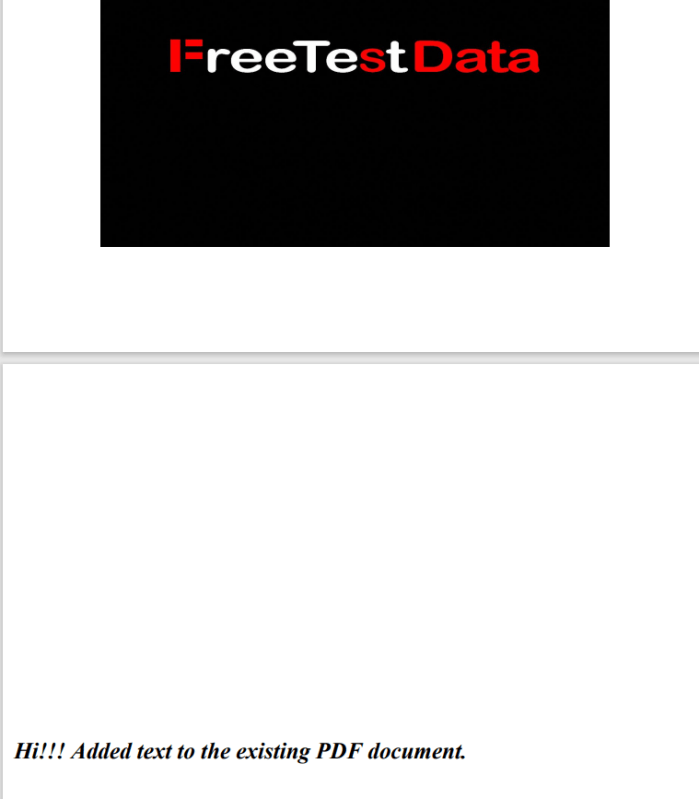
String text = "Hi!!! Added text to the existing PDF document.";
contentStream.showText(text);
contentStream.endText(); 
//Closing the content stream
contentStream.close();
//Saving the document
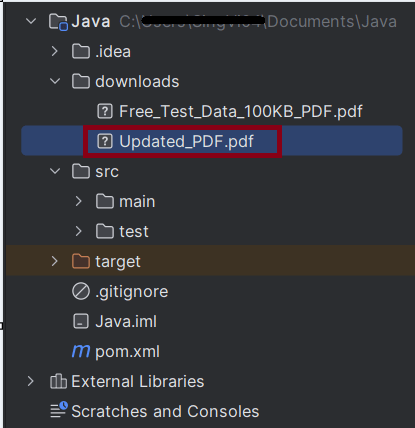
doc.save(new File("downloads/Updated_PDF.pdf"));
//Closing the document
doc.close();

package com.example;

import org.apache.pdfbox.Loader;
import org.apache.pdfbox.pdmodel.PDDocument;
import org.apache.pdfbox.pdmodel.PDPage;
import org.apache.pdfbox.pdmodel.PDPageContentStream;
import org.apache.pdfbox.pdmodel.font.PDFont;
import org.apache.pdfbox.pdmodel.font.PDType1Font;
import org.openqa.selenium.By;
import org.openqa.selenium.WebDriver;
import org.openqa.selenium.WebElement;
import org.openqa.selenium.chrome.ChromeDriver;
import org.openqa.selenium.chrome.ChromeOptions;
import org.openqa.selenium.support.ui.ExpectedCondition;
import org.openqa.selenium.support.ui.WebDriverWait;

import java.io.File;
import java.io.IOException;
import java.time.Duration;
import java.util.HashMap;
import java.util.Map;

import static org.apache.pdfbox.pdmodel.font.Standard14Fonts.FontName.TIMES_BOLD_ITALIC;

public class WritePDF_Chrome_Demo {

    public static void main(String[] args) throws InterruptedException, IOException {

        String downloadFilepath = System.getProperty("user.dir") + File.separator + "downloads";

        ChromeOptions options = new ChromeOptions();
        Map<String, Object> prefs = new HashMap<>();
        prefs.put("plugins.always_open_pdf_externally", true);
        prefs.put("download.default_directory", downloadFilepath);
        options.setExperimentalOption("prefs", prefs);

        WebDriver driver = new ChromeDriver(options);
        driver.manage().window().maximize();
        driver.get("https://freetestdata.com/document-files/pdf/");

        // Download first PDF
        WebElement downloadLink = driver.findElement(By.xpath("//*[@class='elementor-button-text']"));
        downloadLink.click();

        //Wait for PDF download to complete
        File downloadedFile = new File(downloadFilepath + "/Free_Test_Data_100KB_PDF.pdf");
        WebDriverWait wait = new WebDriverWait(driver, Duration.ofSeconds(30));
        wait.until((ExpectedCondition<Boolean>) wd -> downloadedFile.exists());
        System.out.println("PDF File is downloaded successfully.");

        driver.quit();

        //Retrieving the pages of the document
        PDDocument doc = Loader.loadPDF(downloadedFile);
        PDPage page = doc.getPage(2);
        PDPageContentStream contentStream = getPdPageContentStream(doc, page);
        System.out.println("New Text Content is added in the PDF Document.");

        //Closing the content stream
        contentStream.close();

        //Saving the document
        doc.save(new File("downloads/Updated_PDF.pdf"));

        //Closing the document
        doc.close();
    }

    private static PDPageContentStream getPdPageContentStream(PDDocument doc, PDPage page) throws IOException {

        PDPageContentStream contentStream = new PDPageContentStream(doc, page, PDPageContentStream.AppendMode.APPEND, true);

        //Begin the Content stream
        contentStream.beginText();

        //Setting the font to the Content stream
        PDFont pdfFont=  new PDType1Font(TIMES_BOLD_ITALIC);
        contentStream.setFont(pdfFont, 20);

        //Setting the position for the line
        contentStream.newLineAtOffset(10, 450);

        String text = "Hi!!! Added text to the existing PDF document.";

        //Adding text in the form of string
        contentStream.showText(text);

        //Ending the content stream
        contentStream.endText();

        return contentStream;
    }

}

Read PDF Files with Selenium in Java

HOME

  <dependency>
      <groupId>org.seleniumhq.selenium</groupId>
      <artifactId>selenium-java</artifactId>
      <version>4.24.0</version>
    </dependency>

    <dependency>
      <groupId>commons-io</groupId>
      <artifactId>commons-io</artifactId>
      <version>2.16.1</version>
    </dependency>

    <dependency>
      <groupId>org.apache.pdfbox</groupId>
      <artifactId>pdfbox</artifactId>
      <version>3.0.3</version>
    </dependency>

 String downloadFilepath = System.getProperty("user.dir") + File.separator + "downloads";

        ChromeOptions options = new ChromeOptions();
        Map<String, Object> prefs = new HashMap<>();
        prefs.put("plugins.always_open_pdf_externally", true);
        prefs.put("download.default_directory", downloadFilepath);
        options.setExperimentalOption("prefs", prefs);

        WebDriver driver = new ChromeDriver(options);
        driver.manage().window().maximize();
        driver.get("https://freetestdata.com/document-files/pdf/");

        // Locate and click the download link or button if necessary
        WebElement downloadLink = driver.findElement(By.xpath("//*[@class=\"elementor-button-text\"]"));
        downloadLink.click();

        //Wait for download to complete
        File downloadedFile = new File(downloadFilepath + "/Free_Test_Data_100KB_PDF.pdf");
        WebDriverWait wait = new WebDriverWait(driver, Duration.ofSeconds(30));
        wait.until((ExpectedCondition<Boolean>) wd -> downloadedFile.exists());

        // Check if the file exists
        if (downloadedFile.exists()) {
            System.out.println("File is downloaded!");
        } else {
            System.out.println("File is not downloaded.");
        }

File file = new File("Path of Document");   
PDDocument doc = Loader.loadPDF(file);   
PDFTextStripper pdfStripper = new PDFTextStripper();  
String text = pdfStripper.getText(doc);  

import org.apache.pdfbox.Loader;
import org.apache.pdfbox.pdmodel.PDDocument;
import org.apache.pdfbox.text.PDFTextStripper;
import org.openqa.selenium.By;
import org.openqa.selenium.WebDriver;
import org.openqa.selenium.WebElement;
import org.openqa.selenium.chrome.ChromeDriver;
import org.openqa.selenium.chrome.ChromeOptions;
import org.openqa.selenium.support.ui.ExpectedCondition;
import org.openqa.selenium.support.ui.WebDriverWait;

import java.io.File;
import java.io.IOException;
import java.time.Duration;
import java.util.HashMap;
import java.util.Map;

public class ReadPDF_Chrome_Demo {

    public static void main(String[] args) throws InterruptedException {

        String downloadFilepath = System.getProperty("user.dir") + File.separator + "chrome_downloads";

        ChromeOptions options = new ChromeOptions();
        Map<String, Object> prefs = new HashMap<>();
        prefs.put("plugins.always_open_pdf_externally", true);
        prefs.put("download.default_directory", downloadFilepath);
        options.setExperimentalOption("prefs", prefs);

        WebDriver driver = new ChromeDriver(options);
        driver.manage().window().maximize();
        driver.get("https://freetestdata.com/document-files/pdf/");

        // Locate the download link/button and click and wait for the download to complete
        WebElement downloadLink = driver.findElement(By.xpath("//*[@class='elementor-button-text']"));
        downloadLink.click();

        //Wait for download to complete
        File downloadedFile = new File(downloadFilepath + "/Free_Test_Data_100KB_PDF.pdf");
        WebDriverWait wait = new WebDriverWait(driver, Duration.ofSeconds(30));
        wait.until((ExpectedCondition<Boolean>) wd -> downloadedFile.exists());
        
        // Check if the file exists
        if (downloadedFile.exists()) {
            System.out.println("File is downloaded!");
        } else {
            System.out.println("File is not downloaded.");
        }

        driver.quit();

        // Read the downloaded PDF using PDFBox
        PDDocument document = null;
        try {
            document = Loader.loadPDF(downloadedFile);
            PDFTextStripper pdfStripper = new PDFTextStripper();
            String text = pdfStripper.getText(document);
            document.close();

            // Print the PDF text content
            System.out.println("Text in PDF: ");
            System.out.println(text);
        } catch (IOException e) {
            System.err.println("An error occurred while loading or reading the PDF file: " + e.getMessage());
            e.printStackTrace();
        }

    }

}

### Summary

Selenium Multiple Choice Answers – MCQ2

HOME

Selenium Multiple Choice Questions – MCQ2


Download PDF in Chrome with Selenium Java

HOME

 String downloadFilepath = System.getProperty("user.dir") + File.separator + "downloads";
ChromeOptions options = new ChromeOptions();
Map<String, Object> prefs = new HashMap<>();
prefs.put("plugins.always_open_pdf_externally", true);
prefs.put("download.default_directory", downloadFilepath);
options.setExperimentalOption("prefs", prefs);
prefs.put("plugins.always_open_pdf_externally", true) 
prefs.put("download.default_directory", System.getProperty("user.dir") + File.separator + "downloads");
options.setExperimentalOption("prefs", prefs);
WebDriver driver = new ChromeDriver(options);
driver.manage().window().maximize();
driver.get("https://freetestdata.com/document-files/pdf/");
WebElement downloadLink = driver.findElement(By.xpath("//*[@class=\"elementor-button-text\"]"));
downloadLink.click();
Thread.sleep(5000); 
 File downloadedFile = new File(downloadFilepath + "/Free_Test_Data_100KB_PDF.pdf");
        if (downloadedFile.exists()) {
            System.out.println("File is downloaded!");
        } else {
            System.out.println("File is not downloaded.");
      }
driver.quit();
import org.openqa.selenium.By;
import org.openqa.selenium.WebDriver;
import org.openqa.selenium.WebElement;
import org.openqa.selenium.chrome.ChromeDriver;
import org.openqa.selenium.chrome.ChromeOptions;

import java.io.File;
import java.util.HashMap;
import java.util.Map;

public class DownloadPDF_Chrome_Demo {

    public static void main(String[] args) throws InterruptedException {

        String downloadFilepath = System.getProperty("user.dir") + File.separator + "downloads";

        ChromeOptions options = new ChromeOptions();
        Map<String, Object> prefs = new HashMap<>();
        prefs.put("plugins.always_open_pdf_externally", true);
        prefs.put("download.default_directory", downloadFilepath);
        options.setExperimentalOption("prefs", prefs);

        WebDriver driver = new ChromeDriver(options);
        driver.manage().window().maximize();
        driver.get("https://freetestdata.com/document-files/pdf/");

        // Locate and click the download link or button if necessary
        WebElement downloadLink = driver.findElement(By.xpath("//*[@class=\"elementor-button-text\"]"));
        downloadLink.click();

        // Wait for the download to complete
        Thread.sleep(5000); 
        
        // Check if the file exists
        File downloadedFile = new File(downloadFilepath + "/Free_Test_Data_100KB_PDF.pdf");
        if (downloadedFile.exists()) {
            System.out.println("File is downloaded!");
        } else {
            System.out.println("File is not downloaded.");
        }

        driver.quit();
    }
}

How to Switch Between Frames in Selenium WebDriver

HOME

Switching between frames in Selenium can be necessary when dealing with web pages that use iframes. The methods to switch between frames allow you to interact with elements within those frames

1) Switching by Name or ID

If the frame or iframe has an id or name attribute, we can switch the frames using name or ID. If the name or ID is not unique on the page, then the first one found will be switched to.

//switch To IFrame using name or id
driver.findElement(By.name("iframe1-name"));

//Switch to the frame
driver.switchTo().frame(iframe);

2) Switching by WebElement

We can find the frame using any selector and switch to it.

WebElement frameElement = driver.findElement(By.id("frameId"));
driver.switchTo().frame(frameElement);

3) Switching by Index

Switching between the frames can be done by Index also.

//switch To IFrame using index
driver.switchTo().frame(0);
//leave frame
driver.switchTo().defaultContent();

Let us explain frame switchching with an example:-

1) Launch new Browser and open https://demoqa.com/frames
2) Switch iFrame using any of locator strategy
3) Switch back to main content
4) Switch iFrame using index
5) Close the window

The program for the above scenario is shown below:

package com.example;

import org.openqa.selenium.By;
import org.openqa.selenium.WebDriver;
import org.openqa.selenium.WebElement;
import org.openqa.selenium.chrome.ChromeDriver;
import org.openqa.selenium.chrome.ChromeOptions;


public class iFrame_Demo {

    public static void main(String[] args) {

        ChromeOptions options = new ChromeOptions();
        WebDriver driver = new ChromeDriver(options);
        driver.manage().window().maximize();
        driver.get("https://demoqa.com/frames");

        //Switch iFrame using any of locator strategy
        WebElement iframeElement = driver.findElement(By.id("frame1"));
        driver.switchTo().frame(iframeElement);
        String Frame_1 = driver.findElement(By.id("sampleHeading")).getText();
        System.out.println("Switch by locator:" + Frame_1);

        //Switch back to the main window
        driver.switchTo().defaultContent();
        String mainPage = driver.findElement(By.xpath("//*[@id='framesWrapper']/h1")).getText();
        System.out.println("Back to Main page :" + mainPage);

        //Switch iFrame using index
         driver.switchTo().frame(1);
        String Frame_2 = driver.findElement(By.id("sampleHeading")).getText();
        System.out.println("Switch by Index :" + Frame_2);

        //quit the browser
        driver.quit();
    }
}

    Congratulations. We have learnt about window switching in Selenium. I hope you find this tutorial helpful. Happy Learning!!