How to read XML using Java DOM Parser

HOME

An XML file contains data between the tags. This makes it complex to read compared to other file formats like docx and txt. There are two types of parsers which parse an XML file:

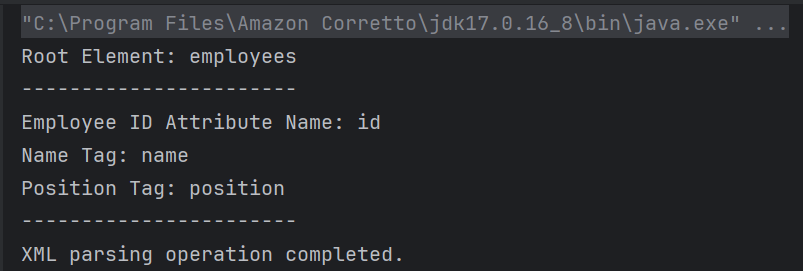
How to retrieve tag name from XML?

<?xml version="1.0"?>
<employees>
    <employee id="1">
        <name>John William</name>
        <position>Software Engineer</position>
    </employee>
    <employee id="2">
        <name>Jane Smith</name>
        <position>Project Manager</position>
    </employee>
    <employee id="3">
        <name>Lilly Smith</name>
        <position>Product Owner</position>
    </employee>
</employees>

package XML.DOM;

import org.w3c.dom.Document;
import org.w3c.dom.Element;
import org.w3c.dom.NodeList;
import org.xml.sax.SAXException;

import javax.xml.parsers.DocumentBuilder;
import javax.xml.parsers.DocumentBuilderFactory;
import javax.xml.parsers.ParserConfigurationException;
import java.io.File;
import java.io.IOException;

public class XMLParserTagNameExample {

    public static void main(String[] args) {
        try {
            // Create a DocumentBuilderFactory
            DocumentBuilderFactory factory = DocumentBuilderFactory.newInstance();

            // Obtain a DocumentBuilder from the factory
            DocumentBuilder builder = factory.newDocumentBuilder();

            // Parse the XML file into a Document
            Document document = builder.parse(new File("src/test/resources/Payloads/SimpleXML.xml"));

            // Normalize XML structure
            document.getDocumentElement().normalize();

            // Get the root element
            Element root = document.getDocumentElement();
            System.out.println("Root Element: " + root.getNodeName());
            System.out.println("-----------------------");

            // Retrieve the first employee element for extracting tag names
            NodeList nodeList = document.getElementsByTagName("employee");
            if (nodeList.getLength() > 0) {
                // If there is at least one employee, use it to print the element and attribute names
                Element employee = (Element) nodeList.item(0);

                    // Print the tag names
                    System.out.println("Employee ID Attribute Name: id");
                    System.out.println("Name Tag: " + employee.getElementsByTagName("name").item(0).getNodeName());
                    System.out.println("Position Tag: " + employee.getElementsByTagName("position").item(0).getNodeName());
                    System.out.println("-----------------------");
            }
        } catch (ParserConfigurationException e) {
            System.out.println("Parser configuration error occurred: " + e.getMessage());
        } catch (SAXException e) {
            System.out.println("SAX parsing error occurred: " + e.getMessage());
        } catch (IOException e) {
            System.out.println("IO error when loading XML file: " + e.getMessage());
        } finally {
            System.out.println("XML parsing operation completed.");
        }
    }
}

DocumentBuilderFactory factory = DocumentBuilderFactory.newInstance();
DocumentBuilder builder = factory.newDocumentBuilder();
 Document document = builder.parse(new File("src/test/resources/Payloads/SimpleXML.xml"));
document.getDocumentElement().normalize();
Element root = document.getDocumentElement();
System.out.println("Root Element: " + root.getNodeName());
System.out.println("-----------------------");
NodeList nodeList = document.getElementsByTagName("employee");
            if (nodeList.getLength() > 0) {
                // If there is at least one employee, use it to print the element and attribute names
                Element employee = (Element) nodeList.item(0);

                    // Print the tag names
                    System.out.println("Employee ID Attribute Name: id");
                    System.out.println("Name Tag: " + employee.getElementsByTagName("name").item(0).getNodeName());
                    System.out.println("Position Tag: " + employee.getElementsByTagName("position").item(0).getNodeName());
                    System.out.println("-----------------------");
            }
        }

catch (ParserConfigurationException e) {
            System.out.println("Parser configuration error occurred: " + e.getMessage());
        } catch (SAXException e) {
            System.out.println("SAX parsing error occurred: " + e.getMessage());
        } catch (IOException e) {
            System.out.println("IO error when loading XML file: " + e.getMessage());
        } finally {
            System.out.println("XML parsing operation completed.");
        }

package XML.DOM;

import javax.xml.parsers.DocumentBuilder;
import javax.xml.parsers.DocumentBuilderFactory;
import javax.xml.parsers.ParserConfigurationException;

import org.w3c.dom.Document;
import org.w3c.dom.Element;
import org.w3c.dom.Node;
import org.w3c.dom.NodeList;
import org.xml.sax.SAXException;

import java.io.File;
import java.io.IOException;

public class SimpleXMLParserExample {

    public static void main(String[] args) {
        try {
            // Create a DocumentBuilderFactory
            DocumentBuilderFactory factory = DocumentBuilderFactory.newInstance();

            // Obtain a DocumentBuilder from the factory
            DocumentBuilder builder = factory.newDocumentBuilder();

            // Parse the XML file into a Document
            Document document = builder.parse(new File("src/test/resources/Payloads/SimpleXML.xml"));

            // Normalize XML structure
            document.getDocumentElement().normalize();

            // Get the root element
            Element root = document.getDocumentElement();
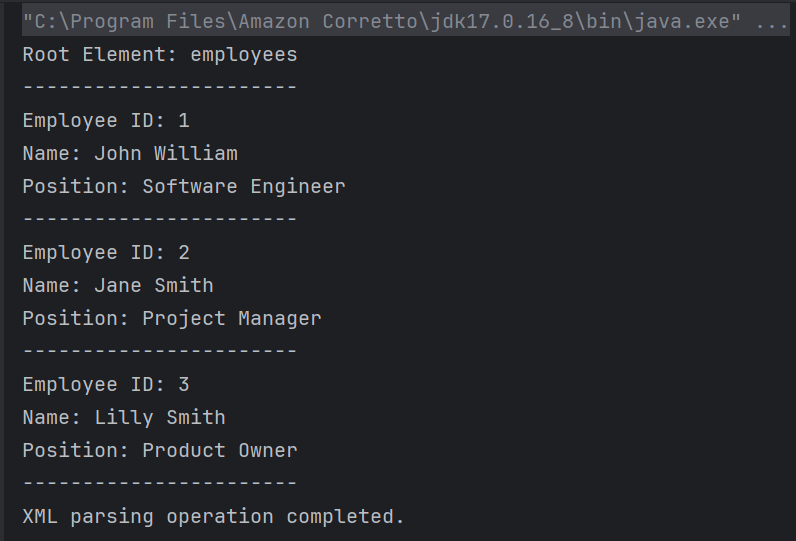
            System.out.println("Root Element: " + root.getNodeName());
            System.out.println("-----------------------");

            // Retrieve all employee nodes
            NodeList nodeList = document.getElementsByTagName("employee");

            // Iterate over the employee nodes
            for (int i = 0; i < nodeList.getLength(); i++) {
                Node node = nodeList.item(i);

                if (node.getNodeType() == Node.ELEMENT_NODE) {
                    Element employee = (Element) node;

                    // Get the attribute and text content
                    String id = employee.getAttribute("id");
                    String name = employee.getElementsByTagName("name").item(0).getTextContent();
                    String position = employee.getElementsByTagName("position").item(0).getTextContent();

                    System.out.println("Employee ID: " + id);
                    System.out.println("Name: " + name);
                    System.out.println("Position: " + position);
                    System.out.println("-----------------------");
                }
            }
        } catch (ParserConfigurationException e) {
            System.out.println("Parser configuration error occurred: " + e.getMessage());
        } catch (SAXException e) {
            System.out.println("SAX parsing error occurred: " + e.getMessage());
        } catch (IOException e) {
            System.out.println("IO error when loading XML file: " + e.getMessage());
        } finally {
            System.out.println("XML parsing operation completed.");
        }
    }
}
NodeList nodeList = document.getElementsByTagName("employee");
 for (int i = 0; i < nodeList.getLength(); i++) {
                Node node = nodeList.item(i);

                if (node.getNodeType() == Node.ELEMENT_NODE) {
                    Element employee = (Element) node;

                    // Get the attribute and text content
                    String id = employee.getAttribute("id");
                    String name = employee.getElementsByTagName("name").item(0).getTextContent();
                    String position = employee.getElementsByTagName("position").item(0).getTextContent();

                    System.out.println("Employee ID: " + id);
                    System.out.println("Name: " + name);
                    System.out.println("Position: " + position);
                    System.out.println("-----------------------");
                }
            }
        }

We are done! Congratulations on making it through this tutorial and hope you found it useful! Happy Learning!!


Java – Multiple Choice Questions and Answers – Arrays

HOME


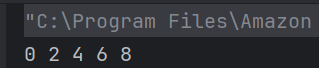
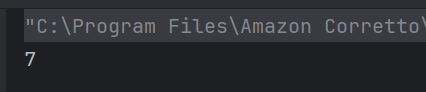
class array_output 
    {
        public static void main(String args[]) 
        {
            int array_variable [] = new int[10];
	        for (int i = 0; i < 10; ++i) 
            {
                array_variable[i] = i;
                System.out.print(array_variable[i] + " ");
                i++;
            }
        } 
   }


public class array_output {

    public static void main(String args[])
    {
        char array_variable [] = new char[10];
        for (int i = 0; i < 10; ++i)
        {
            array_variable[i] = 'i';
            System.out.print(array_variable[i] + "");
        }
    }
}

public class array_output {
    public static void main(String args[])
    {
        double num[] = {5.5, 10.1, 11, 12.8, 56.9, 2.5};
        double result;
        result = 0;
        for (int i = 0; i < 6; ++i)
            result = result + num[i];
            System.out.print(result/6);

    }
}


public class Test {
    public static void main(String[] args) {
        String[] arr = {"Java", "Python", "C++"};
       System.out.println(arr[1]);
    }
}


public class Test {
    public static void main(String[] args) {
       int[] arr = new int[5];
      System.out.println(arr[1]);
    }
}

public class array_output {
    public static void main(String args[])
    {
        int[] arr = {1, 2, 3, 4};
        System.out.println(arr.length);
    }
}


public class array_output {
    public static void main(String args[])
    {
        int[] arr = {2, 4, 6, 8};
        System.out.println(arr[arr.length]);
    }
}

public class array_output {
    public static void main(String args[]) {
        int[] arr = {1, 2, 3, 4, 5};
        for (int i = 0; i < arr.length; i++) {
            arr[i] = arr[i] * 2;
        }
        System.out.println(arr[2]);
    }
}

public class array_output {
    
    public static void main(String args[]) {
        int[] arr = {10, 20, 30, 40};
        System.out.println(arr[1] + arr[2]);
    }
}


Java – Multiple Choice Questions and Answers – Strings

HOME


class Test
    {
        public static void main(String args[]) 
        {
            int array_variable [] = new int[10];
	        for (int i = 0; i < 10; ++i) 
            {
                array_variable[i] = i;
                System.out.print(array_variable[i] + " ");
                i++;
            }
        } 
   }


public class Test {
    
    public static void main(String args[]) {
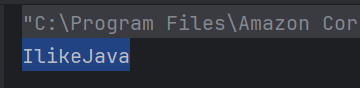
        String obj = "I" + "like" + "Java";
        System.out.println(obj);
    }
}

public class Test {
    
    public static void main(String args[]) {
        String obj = "I LIKE JAVA";
        System.out.println(obj.charAt(3));
    }
}

public class Test {

    public static void main(String args[]) {
        String obj = "I LIKE JAVA";
        System.out.println(obj.length());
    }
}

public class Test {

    public static void main(String args[]) {
        String obj = "hello";
        String obj1 = "world";
        String obj2 = obj;
        obj2 = " world";
        System.out.println(obj + " " + obj2);
    }
}

public class Test {

    public static void main(String args[]) {
        String obj = "hello";
        String obj1 = "world";
        String obj2 = "hello";
        System.out.println(obj.equals(obj1) + " " + obj.equals(obj2));
    }
}

public class Test {

    public static void main(String args[]) {
        System.out.println("Hello World".indexOf('W'));
    }
}


public class Test {

    public static void main(String args[]) {
        System.out.println("Java".compareTo("Java"));
    }
}

public class Test {

    public static void main(String args[]) {
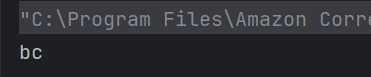
        System.out.println("abc".substring(1, 3));
    }
}


public class Test {

    public static void main(String args[]) {
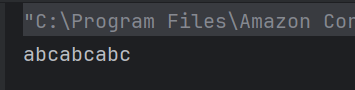
        System.out.println("abc".repeat(3));
    }
}

public class Test {

    public static void main(String args[]) {
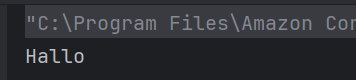
        System.out.println("Hello".replace('e', 'a'));
    }
}

public class Test {

    public static void main(String args[]) {
        String s1 = new String("Hello");
        String s2 = new String("Hello");
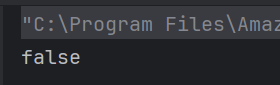
        System.out.println(s1 == s2);
    }
}


Java – Multiple Choice Questions and Answers – Inheritance & Polymorphism

HOME


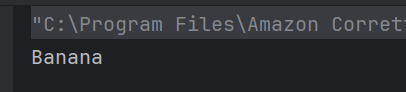
 class Apple {
       public void print() { System.out.println("Apple"); }
   }
   class Banana extends Apple {
       public void print() { System.out.println("Banana"); }
   }
   public class Test {
       public static void main(String[] args) {
           Apple  apple = new Banana();
           apple.print();
       }
   }


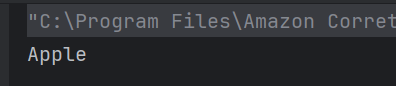
 class Apple {
       public void print() { System.out.println("Apple"); }
   }
   class Banana extends Apple {
       public void print() { System.out.println("Banana"); }
   }
   public class Test {
       public static void main(String[] args) {
           Apple  apple = new Apple();
           apple.print();
       }
   }

class A {
    A(int x) { }
}

class B extends A {
    B(int x) {
        System.out.println("Constructor B");
    }
}

public class Test {
    public static void main(String[] args) {
        B obj = new B(10);
    }
}

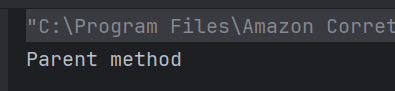
class Parent {
    void method() {
        System.out.println("Parent method");
    }
}

class Child extends Parent {
}

public class Test {
    public static void main(String[] args) {
        Child obj = new Child();
        obj.method();
    }
}


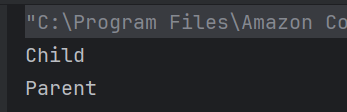
  class Parent {
    public void print() {
        System.out.println("Parent");
    }
}

class Child extends Parent {
    public void print() {
        System.out.println("Child");
        super.print();
    }
}

public class Main {
    public static void main(String[] args) {
        Child child = new Child();
        child.print();
    }
}

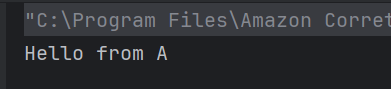
package pack1;
public class A {
    public void display() {
        System.out.println("Hello from A");
    }
}

package pack2;
import pack1.A;
public class B {
    public static void main(String args[]) {
        A obj = new A();
        obj.display();
    }
}


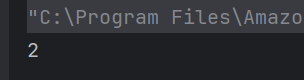
class A 
    {
        int i;
        void display() 
        {
            System.out.println(i);
        }
    }    

    class B extends A 
    {
        int j;
        void display() 
        {
            System.out.println(j);
        }
    }    
    
   class Test
    {
        public static void main(String args[])
        {
            B obj = new B();
            obj.i=1;
            obj.j=2;   
            obj.display();     
        }
   }

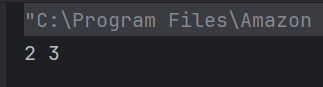
 class A 
    {
        int i;
    }    

    class B extends A 
    {
        int j;
        void display() 
        {
            super.i = j + 1;
            System.out.println(j + " " + i);
        }
    }    

    class Test 
    {
        public static void main(String args[])
        {
            B obj = new B();
            obj.i=1;
            obj.j=2;   
            obj.display();     
        }
   }


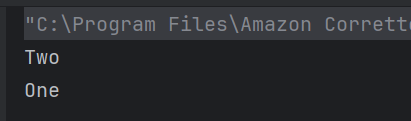
public class Parent {
    void m1(String x) {
        System.out.println("One");
    }
}

public class Derived extends Parent{
    public void m1(String x) {
        System.out.println("Two");
        super.m1(null);
    }
}

public class Test {
    public static void main(String[] args){
        Parent obj = new Derived();
        obj.m1(null);
    }
}

public class Test{

    void m1(String x){
        System.out.println("One");
    }
    
    protected void m1(String x, String y){
        System.out.println("Two");
    }
    
    public static void main(String[] args){
        Test obj = new Test();
        obj.m1("ABC");
        obj.m1("PQR", "XYZ");
    }
}

public class PolymorphismDemoClass {
    void add(int x, int y){
        System.out.println("1. Addition is: " +(x+y));
    }
    
   void add(int y, int x){
        System.out.println("2. Addition is: " +(x+y));
    }
    
   public static void main(String[] args){
        PolymorphismDemoClass obj = new PolymorphismDemoClass();
        obj.add(20, 30);
    }
}


Java – Multiple Choice Questions and Answers – Exception Handling

HOME


public class QAAutomation {
    
     public static void main(String[] args) {
        try {
            System.out.println("Inside try");
            throw new RuntimeException("Error");
        } finally {
            System.out.println("Inside finally");
        }
    }
}

 public class QAAutomation {
    
    static void method() throws Exception {
        throw new Exception("Error occurred");
    }

    public static void main(String[] args) {
        method();
    }
}


 class CustomException extends Exception {
    public CustomException(String message) {
        super(message);
    }
}

public class Test {
    public static void main(String[] args) {
        try {
            throw new CustomException("Custom error occurred");
        } catch (CustomException e) {
            System.out.println(e.getMessage());
        }
    }
}

public class Test {
    
    public static void main(String args[]) {
        try {
            int a, b;
            b = 0;
            a = 5 / b;
            System.out.print("A");
        } catch (ArithmeticException e) {
            System.out.print("B");
        } finally {
            System.out.print("C");
        }
    }
}

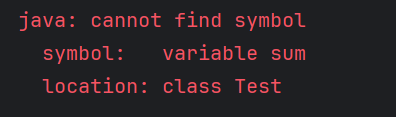
public class Test {
    public static void main(String args[])
    {
        try
        {
            int i, sum;
            sum = 10;
            for (i = -1; i < 3 ;++i)
                sum = (sum / i);
        }
        catch(ArithmeticException e)
        {
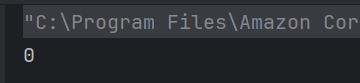
            System.out.print("0");
        }
        System.out.print(sum);
    }
}


public class Test{
    public static void main(String[] args) {
        try {
            System.exit(0);
        } finally {
            System.out.println("Finally executed");
        }
    }
}


  public class Test {
         public static void main(String[] args) {
             String str = null;
             try {
                 System.out.println(str.length());
             } catch (NullPointerException e) {
                 System.out.println("Caught a NullPointerException");
             }
         }
     }

import java.io.File;
import java.io.FileReader;
import java.io.IOException;

public class Test {
    public static void readFile() throws IOException {
        File file = new File("example.txt");
        FileReader reader = new FileReader(file);
        reader.close();
    }

    public static void main(String[] args) {
        try {
            readFile();
        } catch (IOException e) {
            System.out.println("IOException handled");
        }
    }
}


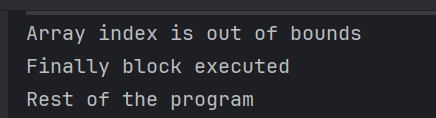
public class Test {
    
    public static void main(String[] args) {

        try {
            int[] numbers = {1, 2, 3};
            System.out.println(numbers[3]);
            int division = 10 / 0;
        } catch (ArrayIndexOutOfBoundsException e) {
            System.out.println("Array index is out of bounds");
        } catch (ArithmeticException e) {
            System.out.println("Cannot divide by zero");
        } finally {
            System.out.println("Finally block executed");
        }
        System.out.println("Rest of the program");
    }
}

public class Test {
    public static void main(String args[])
    {
        try
        {
            System.out.print("Hello" + " " + 1 / 0);
        }
        catch(ArithmeticException e)
        {
            System.out.print("World");
        }
    }
}


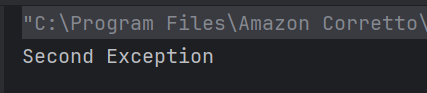
public class Test {

    public static void main(String[] args) {
        try {
            throw new Exception("First Exception");
        } catch (Exception e) {
            try {
                throw new Exception("Second Exception");
            } catch (Exception ex) {
                System.out.println(ex.getMessage());
            }
        }
    }
}

public class Test {
    public static void main(String[] args) {
        try {
            throw new Error("Fatal error");
        } catch (Exception e) {
            System.out.println("Exception");
        } catch (Error e) {
            System.out.println("Error");
        }
    }
}

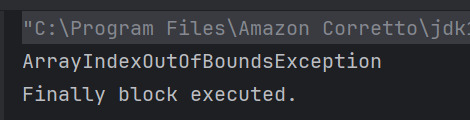
public class Test {
    public static void main(String[] args) {
        try {
            int[] array = new int[5];
            System.out.println(array[5]);
        } catch (ArrayIndexOutOfBoundsException e) {
            System.out.println("ArrayIndexOutOfBoundsException");
        } finally {
            System.out.println("Finally block executed.");
        }
    }
}

public class Test {
    public static void main(String[] args) {
        try {
            throw new NullPointerException();
        } catch (RuntimeException e) {
            System.out.println("RuntimeException");
        } catch (Exception e) {
            System.out.println("Exception");
        }
    }
}


Java – Multiple Choice Questions and Answers – Method, Overloading, Overriding

HOME


class box 
    {
        int width;
        int height;
        int length;
        int volume;
        void volume(int height, int length, int width) 
        {
             volume = width*height*length;
        } 
    }    
    class Prameterized_method
    {
        public static void main(String args[])
        {
            box obj = new box();
            obj.height = 1;
            obj.length = 5;
            obj.width = 5;
            obj.volume(3,2,1);
            System.out.println(obj.volume);        
        } 
     }

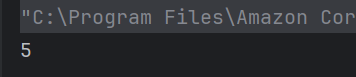
 class equality 
    {
        int x;
        int y;
        boolean isequal()
        {
            return(x == y);  
        } 
    }    
    class Output 
    {
        public static void main(String args[])
        {
            equality obj = new equality();
            obj.x = 5;
            obj.y = 5;
            System.out.println(obj.isequal());
        } 
    }


 class overload 
    {
        int x;
 	int y;
        void add(int a) 
        {
            x =  a + 1;
        }
        void add(int a, int b)
        {
            x =  a + 2;
        }        
    }    
    class Overload_methods 
    {
        public static void main(String args[])
        {
            overload obj = new overload();   
            int a = 0;
            obj.add(6);
            System.out.println(obj.x);     
        }
   }

class overload 
    {
        int x;
 	    int y;
        
       void add(int a)
        {
            x =  a + 1;
        }
        void add(int a , int b)
        {
            x =  a + 2;
        }        
    }    
    class Overload_methods 
    {
        public static void main(String args[])
        {
            overload obj = new overload();   
            int a = 0;
            obj.add(6, 7);
            System.out.println(obj.x);     
        }
    }

class overload 
   {
        int x;
 	    double y;
        void add(int a , int b) 
        {
            x = a + b;
        }
        void add(double c , double d)
        {
            y = c + d;
        }
        overload() 
        {
            this.x = 0;
            this.y = 0;
        }        
    }    
    class Overload_methods 
    {
        public static void main(String args[])
        {
            overload obj = new overload();   
            int a = 2;
            double b = 3.2;
            obj.add(a, a);
            obj.add(b, b);
            System.out.println(obj.x + " " + obj.y);     
        }
   }


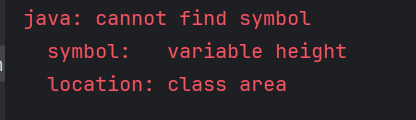
class area 
    {
        int width;
        int length;
        int volume;
        area() 
        {
           width=5;
           length=6;
        }
        void volume() 
        {
             volume = width*length*height;
        } 
    }    
    class cons_method 
    {
        public static void main(String args[])
        {
            area obj = new area();
            obj.volume();
            System.out.println(obj.volume);        
        } 
    }


 class test 
    {
        int a;
        int b;
        test(int i, int j) 
        {
            a = i;
            b = j;
        }
        void meth(test o) 
        {
            o.a *= 2;
            o.b /= 2;
        }          
    }    
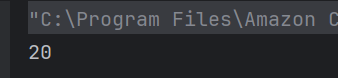
    class Output 
    {
        public static void main(String args[])
        {
            test obj = new test(10 , 20);
            obj.meth(obj);
            System.out.println(obj.a + " " + obj.b);        
        } 
    }

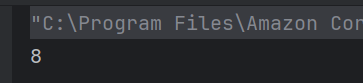
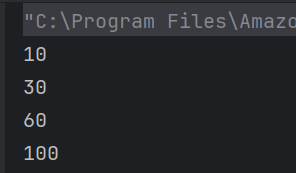
class Output {
    public static int sum(int... x) {
        int total = 0; 
        for (int num : x) { 
            total += num;
        }
        return total;
    }

    public static void main(String args[]) {
        System.out.println(sum(10));             
        System.out.println(sum(10, 20));         
        System.out.println(sum(10, 20, 30));     
        System.out.println(sum(10, 20, 30, 40)); 
    }
}

a) only sum(10)
b) only sum(10,20)
c) only sum(10) & sum(10,20)
d) all of the mentioned


class Test
{
 public void m1 (int i,float f)
 {
  System.out.println(" int float method");
 }
 
 public void m1(float f,int i)
  {
  System.out.println("float int method");
  }
 
  public static void main(String[]args)
  {
    Test test =new Test();
       test.m1(20,20);
   }
}

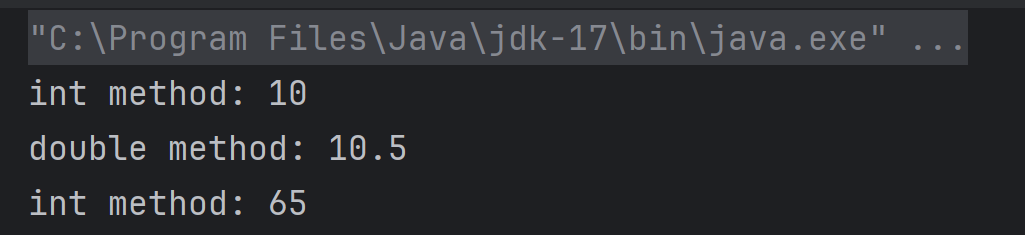
class Test {
    void show(int a) {
        System.out.println("int method: " + a);
    }

    void show(double a) {
        System.out.println("double method: " + a);
    }

    public static void main(String[] args) {
        Test obj = new Test();
        obj.show(10);      // Line 1
        obj.show(10.5);    // Line 2
        obj.show('A');     // Line 3
    }
}


class Derived  
{ 
    public void getDetails() 
    { 
        System.out.printf("Derived class "); 
    } 
} 
  
public class Test extends Derived 
{ 
    public void getDetails() 
    { 
        System.out.printf("Test class "); 
        super.getDetails(); 
    } 
    public static void main(String[] args) 
    { 
        Derived obj = new Test(); 
        obj.getDetails(); 
    } 
}

import java.io.IOException;

class Derived {
    public void getDetails() throws IOException { // Line 4
        System.out.println("Derived class");
    }
}

public class Test extends Derived {
    public void getDetails() throws Exception { // Line 10
        System.out.println("Test class");
    }

    public static void main(String[] args) throws IOException { // Line 14
        Derived obj = new Test();
        obj.getDetails();
    }
}

class Derived 
{
    protected final void getDetails()
    {
        System.out.println("Derived class");
    }
}

public class Test extends Derived
{
    protected final void getDetails()
    {
        System.out.println("Test class");
    }
    public static void main(String[] args)
    {
        Derived obj = new Derived();
        obj.getDetails();
    }
}

public class Test
{
    public int getData(String temp) throws IOException
    {
        return 0;
    }
    public int getData(String temp) throws Exception
    {
        return 1;
    }
    public static void main(String[] args)
    {
        Test obj = new Test();
        System.out.println(obj.getData("Happy"));    
    }
}


Java – Multiple Choice Questions and Answers – Basic Java

HOME


class increment {
        public static void main(String args[]) 
        {        
             int g = 3;
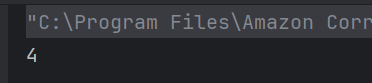
             System.out.print(++g * 8);
        } 
    }

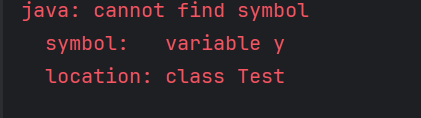
class variable_scope 
    {
        public static void main(String args[]) 
        {
            int x;
            x = 5;
            {
	        int y = 6;
	        System.out.print(x + " " + y);
            }
            System.out.println(x + " " + y);
        } 
    }


public class Test {
    public static void main(String[] args) {
        int x = 5;
        System.out.println(x++);
    }
}

public class Test {
    public static void main(String[] args) {
        String s1 = "Java";
        String s2 = new String("Java");
        System.out.println(s1 == s2);
    }
}

public class Test {
    public static void main(String[] args) {
        System.out.println(10 + 20 + "30");
    }
}


public class Test {
    public static void main(String[] args) {
        int a = 10;
        int b = 20;
        System.out.println(a > b ? a : b);
    }
}


public class Test {
    public static void main(String[] args) {
        int a = 10;
        int b = 5;
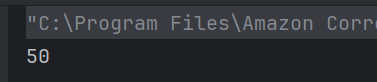
        System.out.println(a + b * 2);
    }
}

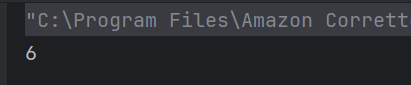
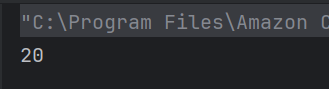
int x = 10;
int y = 3;
System.out.println(x / y);

int a = 5;
System.out.println(a++); 
System.out.println(a);

int x = 4;
System.out.println((x > 3) || (x < 2));


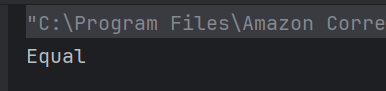
public class Test {
    public static void main(String[] args) {
        int x = 5;
        if (x < 5)
            System.out.println("Less");
        else if (x == 5)
            System.out.println("Equal");
        else
            System.out.println("More");
    }
}

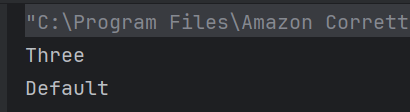
public class Test {
    public static void main(String[] args) {
        int num = 2;
        switch(num + 1) {
            case 1: System.out.println("One");
            case 2: System.out.println("Two");
            case 3: System.out.println("Three");
            default: System.out.println("Default");
        }
    }
}

public class Test {
    public static void main(String[] args) {
        int i = 1;
        while (i <= 3) {
            System.out.print(i + " ");
            i++;
        }
    }
}

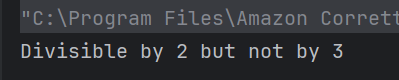
public class Test {
    public static void main(String[] args) {
        int x = 4;
        if (x % 2 == 0)
            if (x % 3 == 0)
                System.out.println("Divisible by 6");
            else
                System.out.println("Divisible by 2 but not by 3");
    }
}


SpringBoot – Multiple Choice Questions and Answers – MCQ1

HOME


@Bean 
public MyService myService() {     
  return new MyServiceImpl(); 
}


@RestController
public class ArticleController {
    @GetMapping("/articles")
    public List<Article> getAllArticles() {
        return articleService.findAll();
    }
}

@Value("${my.api.key}")
private String apiKey;

@Bean
@Scope("prototype")
public Article article() {
    return new Article();
}


@Profile("dev")
@Bean
public DataSource dataSource() {
    return new H2DataSource();
}


@Scheduled(fixedRate = 2000)
public void reportCurrentTime() {
    System.out.println("Current time: " + new Date());
}


Mastering CSV File Handling in Java with OpenCSV

HOME

<dependency>
            <groupId>com.opencsv</groupId>
            <artifactId>opencsv</artifactId>
            <version>5.10</version>
</dependency>

// https://mvnrepository.com/artifact/com.opencsv/opencsv
implementation group: 'com.opencsv', name: 'opencsv', version: '5.10'

  FileReader fileReader = new FileReader(filePath);
CSVReader csvReader = new CSVReader(fileReader);
List<String[]> records = csvReader.readAll();
  for (String[] record : records) {
                for (String field : record) {
                    System.out.print(field + " ");
                }
                System.out.println();
         }

package org.example;

import com.opencsv.CSVReader;
import com.opencsv.exceptions.CsvException;

import java.io.FileReader;
import java.io.IOException;
import java.util.List;

public class CSVReader_Demo {

    public static void main(String[] args) {

        String filePath = "C:\\Users\\Documents\\csv_test.csv";

        try {

            FileReader fileReader = new FileReader(filePath);
            CSVReader csvReader = new CSVReader(fileReader);
            List<String[]> records = csvReader.readAll();
            for (String[] record : records) {
                for (String field : record) {
                    System.out.print(field + " ");
                }
                System.out.println();
            }
        } catch (IOException | CsvException e) {
            System.err.println("Error reading CSV file: " + e.getMessage());
        }
    }
}

CSVReader csvReader = new CSVReaderBuilder(fileReader)
                    .withSkipLines(1)
                    .build();

package org.example;

import com.opencsv.CSVReader;
import com.opencsv.CSVReaderBuilder;
import com.opencsv.exceptions.CsvException;

import java.io.FileReader;
import java.io.IOException;
import java.util.List;

public class CSVReader_LineSkip_Demo {

    public static void main(String[] args) {

        String filePath = "C:\\Users\\Documents\\csv_test.csv";

        try {
            FileReader fileReader = new FileReader(filePath);
            CSVReader csvReader = new CSVReaderBuilder(fileReader)
                    .withSkipLines(1)
                    .build();

            List<String[]> records = csvReader.readAll();
            for (String[] record : records) {
                for (String field : record) {
                    System.out.print(field + " ");
                }
                System.out.println();
            }
        } catch (IOException | CsvException e) {
            System.err.println("Error reading CSV file: " + e.getMessage());
        }
    }
}

CSVParser csvParser = new CSVParserBuilder().withSeparator(',').build();
CSVReader csvReader = new CSVReaderBuilder(fileReader).withCSVParser(csvParser).build();
package org.example;

import com.opencsv.CSVParser;
import com.opencsv.CSVParserBuilder;
import com.opencsv.CSVReader;
import com.opencsv.CSVReaderBuilder;
import com.opencsv.exceptions.CsvException;

import java.io.FileReader;
import java.io.IOException;
import java.util.List;

public class CSVReader_Seperator_Demo {

    public static void main(String[] args) {

        String filePath = "C:\\Users\\Documents\\csv_test.csv";

        try {
            FileReader fileReader = new FileReader(filePath);
            CSVParser csvParser = new CSVParserBuilder().withSeparator(',').build();
            CSVReader csvReader = new CSVReaderBuilder(fileReader).withCSVParser(csvParser).build();

            List<String[]> records = csvReader.readAll();
            for (String[] record : records) {
                for (String field : record) {
                    System.out.print(field + " ");
                }
                System.out.println();
            }
        } catch (IOException | CsvException e) {
            System.err.println("Error reading CSV file: " + e.getMessage());
        }
    }
}

Step-by-Step HTML Parsing with Jsoup Examples

HOME

Table of Contents

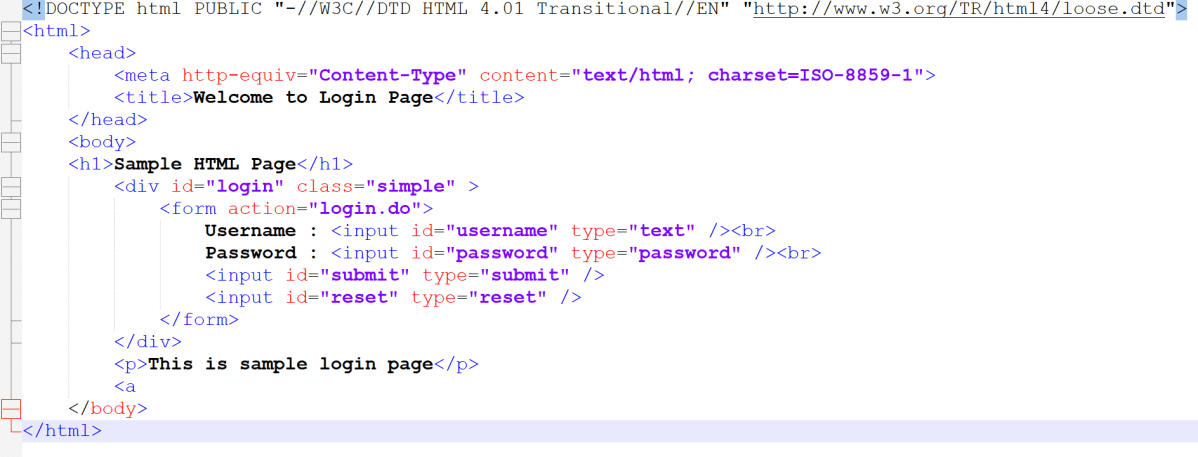
<!DOCTYPE html>
<html>
<head>
    <title>Login Page</title>
</head>
<body>
    <h1>Welcome to My Website</h1>
    <p>This is a paragraph of text.</p>
    <a href="https://qaautomation.expert">Visit QA Automation Expert</a>
</body>
</html>

<dependency>
    <groupId>org.jsoup</groupId>
    <artifactId>jsoup</artifactId>
    <version>1.19.1</version>
</dependency>

// https://mvnrepository.com/artifact/org.jsoup/jsoup
implementation("org.jsoup:jsoup:1.19.1")

package com.example;

import org.jsoup.Jsoup;
import org.jsoup.nodes.Document;

import java.io.File;
import java.io.IOException;

public class Read_HTMLString {

    public static void main(String[] args) {

        String htmlString = "<html><head><title>HTML Scrapping</title></head>"
                + "<body>This page is demo HTML Page. This page is used for web scrapping.</body></html>";
        Document document = Jsoup.parse(htmlString);
        System.out.println("Title : " + document.title());
        System.out.println("Body: " + document.body().text());
    }

String htmlString = "<html><head><title>HTML Scrapping</title></head>"
                + "<body>This page is demo HTML Page. This page is used for web scrapping.</body></html>";

Document document = Jsoup.parse(htmlString);
System.out.println("Title : " + document.title());
System.out.println("Body: " + document.body().text());

package com.example;

import org.jsoup.Jsoup;
import org.jsoup.nodes.Document;

import java.io.File;
import java.io.IOException;

public class Read_HTMLFile {

    public static void main(String args[]) {
        Document document = null;
        try {
            document = Jsoup.parse(new File("C:\\Users\\vibha\\OneDrive\\Desktop\\Login.html"), "ISO-8859-1");
        } catch (IOException e) {
            e.printStackTrace();
        }

        String title = document.title();
        String divClass = document.getElementById("login").className();

        System.out.println("Jsoup can also parse HTML file directly");
        System.out.println("Title : " + title);
        System.out.println("Class of div tag : " + divClass);
        System.out.println("Heading: " + document.select("h1").text());
        System.out.println("Paragraph: " + document.select("p").text());
    }
}

document = Jsoup.parse(new File("C:\\Users\\vibha\\OneDrive\\Desktop\\Login.html"), "ISO-8859-1");
String divClass = document.getElementById("login").className();
System.out.println("Heading: " + document.select("h1").text());

package com.example;

import org.jsoup.Jsoup;
import org.jsoup.nodes.Document;
import org.jsoup.nodes.Element;
import org.jsoup.select.Elements;

import java.io.File;
import java.io.IOException;

public class Read_URL {

    public static void main(String[] args) throws IOException {
        String url = "http://qaautomation.expert";
        Document document = Jsoup.connect(url).get();
        System.out.println("Title: " + document.title());

        Elements links = document.select("a[href]"); // Select all <a> tags with href attribute
        for (Element link : links) {
            System.out.println("Link: " + link.attr("href"));
            System.out.println("Text: " + link.text());
        }
    }

}

 Document document = Jsoup.connect(url).get();
System.out.println("Title: " + document.title());
Elements links = document.select("a[href]");