In this tutorial, we will create a HTML Report in PyTest Framework. pytest-html is a plugin for pytest that generates a HTML report for test results.
Prerequisite:
- Python is installed on the machine
- PIP is installed on the machine
- PyCharm or other Python Editor is installed on the machine
If you need help in installing Python, please refer to this tutorial – How to Install Python on Windows 11.
If you need help in installing PyCharms, please refer to this tutorial – How to install PyCharms on Windows 11.
Implementation Steps
Step 1 – Install pytest
pip install -U pytest
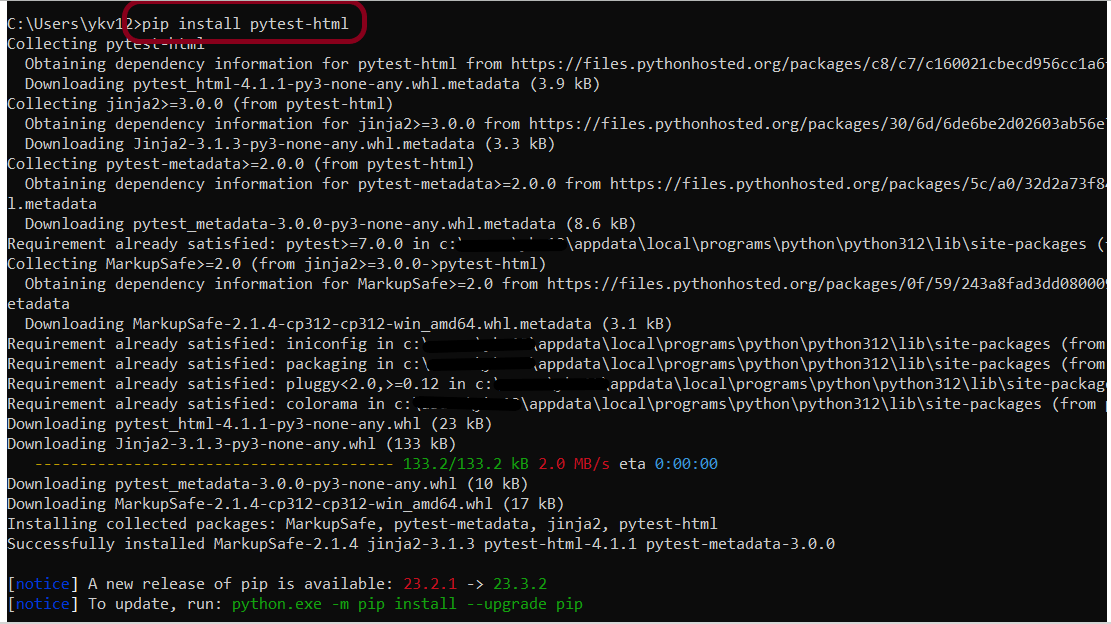
Step 2 – Install pytest-html
pip install pytest-html
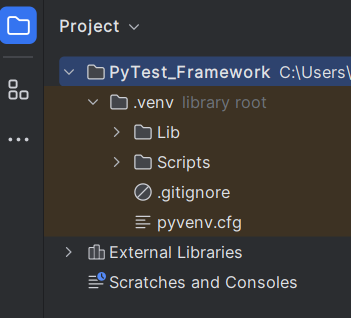
Step 3 – Create a new project folder and open it in PyCharm.
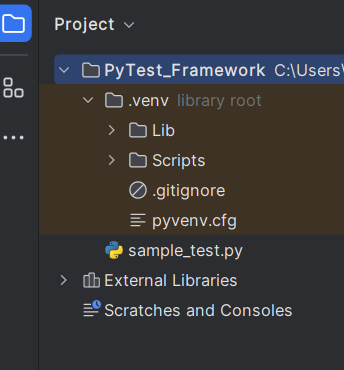
Step 4 – Go to the project folder and create a new python file – sample_test.py.
Step 5 – Add pytest-html package to the PyCharms
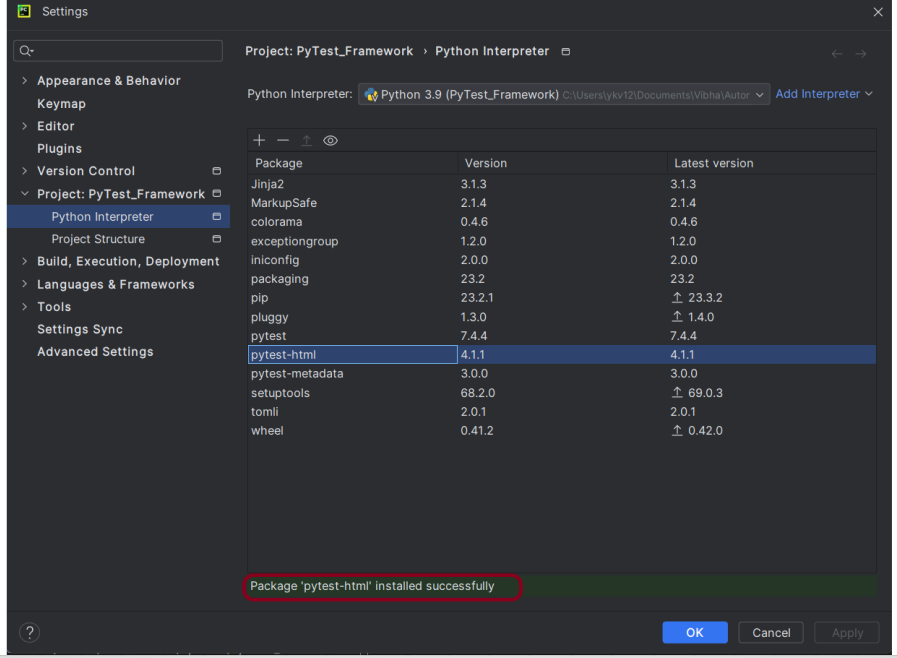
Go to File->Settings ->Project: PyTest_Framework->Python Interpreter.
Click on the “+” sign and enter allure-r in the search bar. It will show a list of packages. Select the “pytest-html” package and click on the “Install Package”.
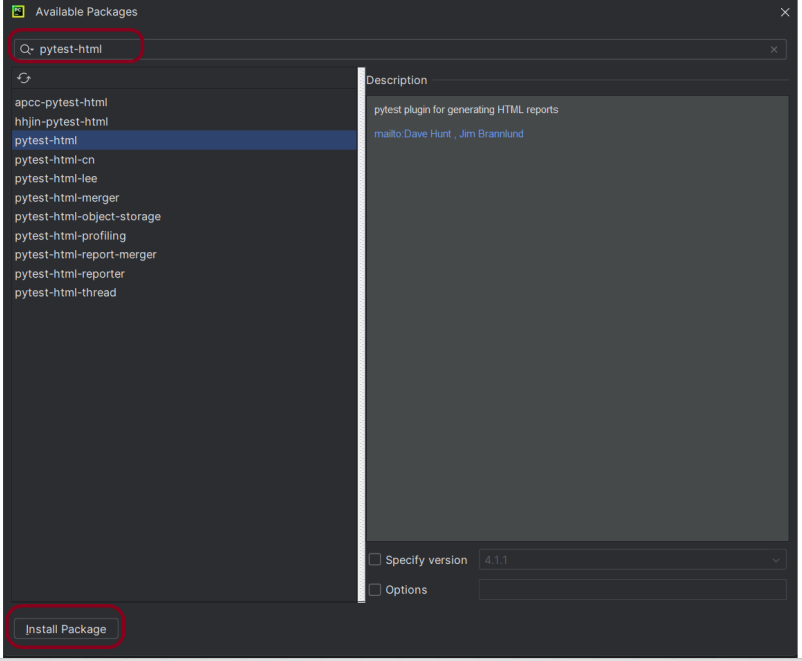
Once the package is installed, we will see the message that the package is installed successfully.
Step 6 – Create the test.
import pytest


def test_addition():
    a = 6
    b = 5
    c = 11

    assert a + b == 11, "Sum is not 11"
    assert a + b == c, "Sum of a and b is not equal to c"


def test_subtraction():
    x = 15
    y = 4
    z = 10

    assert x - y == z, "Subtract y from x is equal to z"


def test_multiplication():
    a = 6
    b = 5
    c = 30

    assert a * b == c, "Product of 5 and 6 is not 30"


def test_division():
    a = 16
    b = 2
    c = 8

    assert a / b == c, "Division of 2 by 6 is not 3"
Step 7 – To run this test, use the below command:
pytest --html=report.html
The output of the above execution is
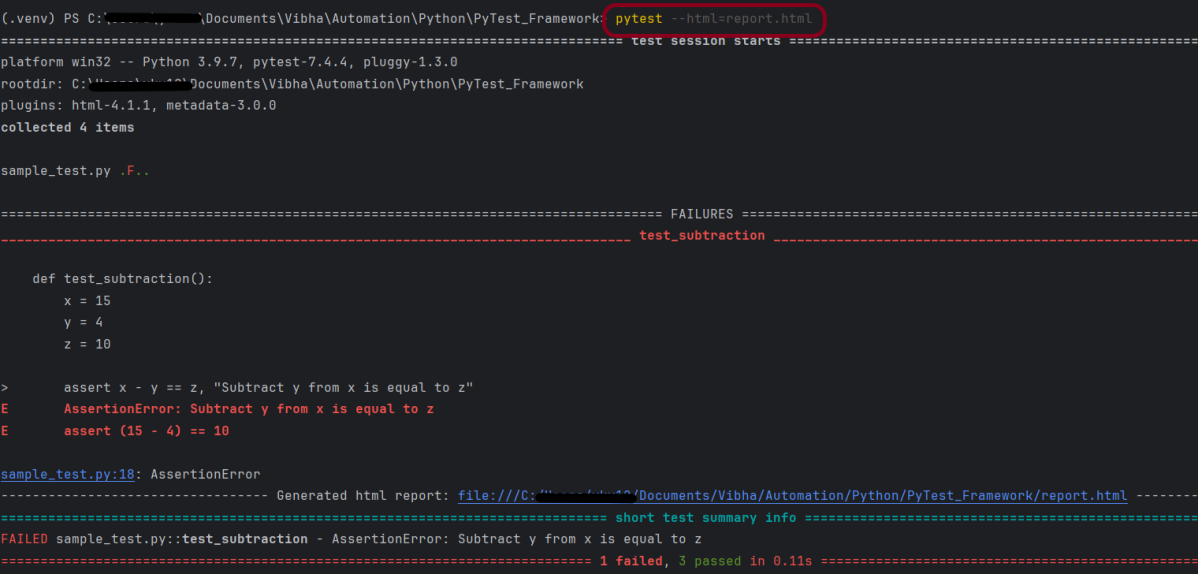
The report.html report will be generated in the root directory.
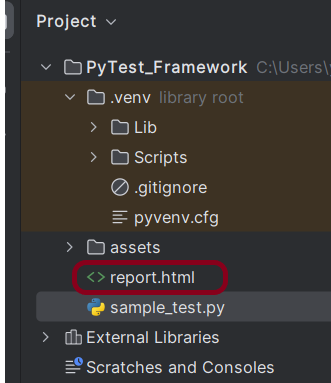
Step 8 – Generating HTML report
Right-click and open with Web Browser.
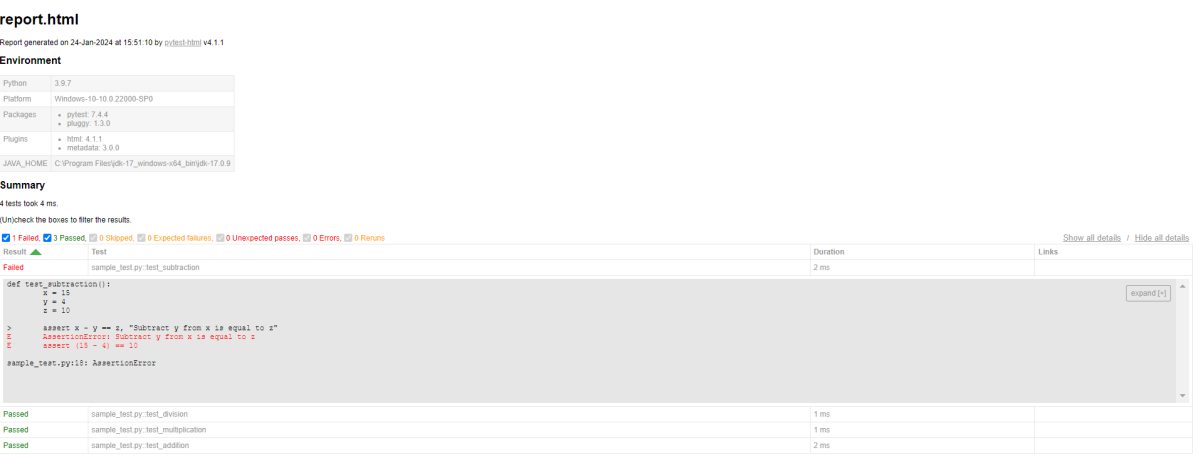
That’s it! Congratulations on making it through this tutorial and hope you found it useful! Happy Learning!!
 QA Automation Expert