How to Use Pytest for REST API Testing

HOME

pip install -U pytest
pip install pytest requests

import pytest
import requests

BASE_URL = "https://reqres.in/api"

def test_get_endpoint():
       response = requests.get(f"{BASE_URL}/users/2")
       assert response.status_code == 200
       assert response.json()["data"]["email"]   == "janet.weaver@reqres.in"
       assert response.json()["data"]["id"] == 2
       assert response.json()["data"]["first_name"] == "Janet"
       assert response.json()["data"]["last_name"] == "Weaver"

def test_post_endpoint():
       payload = {"name": "Vibha", "job": "CTO"}
       headers = {"x-api-key": "reqres-free-v1"}

       response = requests.post(f"{BASE_URL}/users", headers=headers, json=payload)

       print(response.status_code)
       print(response.text) 
       assert response.status_code == 201
       assert response.json()["name"] == "Vibha"

BASE_URL = "https://reqres.in/api"
response = requests.get(f"{BASE_URL}/users/2")
assert response.status_code == 200
assert response.json()["data"]["email"]   == "janet.weaver@reqres.in"
assert response.json()["data"]["id"] == 2
assert response.json()["data"]["first_name"] == "Janet"
assert response.json()["data"]["last_name"] == "Weaver"

payload = {"name": "Vibha", "job": "CTO"}
headers = {"x-api-key": "reqres-free-v1"}
response = requests.post(f"{BASE_URL}/users", headers=headers, json=payload)
print(response.status_code)
print(response.text) 
assert response.status_code == 201
assert response.json()["name"] == "Vibha"
pytest test_api.py

pytest test_api.py --html=report.html

Appending Data to Excel with Python using openpyxl

HOME

pip install openpyxl

workbook = load_workbook("C:\\Users\\Vibha\\Automation\\SearchInBing.xlsx")

sheet = workbook.active

new_data =[
    ["Scrum Master", "5-10 Years", "35K"],
    ["Consultatnt", "8-12 Years", "37K"]
]

last_row = sheet.max_row + 1

for i, row in enumerate(new_data, start=last_row):
    for j, value in enumerate(row, start=1):
        sheet.cell(row=i, column=j, value=value)

workbook.save("C:\\Users\\Vibha\\Automation\\SearchInBing.xlsx")

from openpyxl.reader.excel import load_workbook
from openpyxl.styles import Font


#Load the workbook
workbook = load_workbook("C:\\Users\\ykv12\\Documents\\Vibha\\Automation\\SearchInBing.xlsx")

sheet = workbook.active

#Sample data
new_data =[
    ["Scrum Master", "5-10 Years", "35K"],
    ["Consultatnt", "8-12 Years", "37K"]
]

#Append the new data to the sheet
last_row = sheet.max_row + 1
for i, row in enumerate(new_data, start=last_row):
    for j, value in enumerate(row, start=1):
        sheet.cell(row=i, column=j, value=value)

#Save the workbook
workbook.save("C:\\Users\\ykv12\\Documents\\Vibha\\Automation\\SearchInBing.xlsx")

print("Data is appended in the Excel file successfully")

Create and Format Excel Files with Python Openpyxl – Tutorial

HOME

pip install openpyxl

workbook = Workbook()
sheet = workbook.active

sheet.title ="Sample Sheet"

data =[
    ["Name", "Designation", "EmployeeId"],
    ["Tom", "BA", 11001],
    ["Trina", "PO", 11002],
    ["Will", "Dev", 11003]
]

for row in data:
    sheet.append(row)
workbook.save("C:\\Users\\Vibha\\Automation\\WriteExcel.xlsx")
from openpyxl.workbook import Workbook

#Create a new workbook
workbook = Workbook()
sheet = workbook.active

#Rename the sheet
sheet.title ="Sample Sheet"

#Sample data
data =[
    ["Name", "Designation", "EmployeeId"],
    ["Tom", "BA", 11001],
    ["Trina", "PO", 11002],
    ["Will", "Dev", 11003]
]

#Write data to the sheet
for row in data:
    sheet.append(row)

#Save the workbook
workbook.save("C:\\Users\\Documents\\Vibha\\Automation\\WriteExcel.xlsx")
print("Data is written the Excel file successfully")

from openpyxl.styles import Font
from openpyxl.workbook import Workbook

#Create a new workbook
workbook = Workbook()
sheet = workbook.active

#Rename the sheet
sheet.title ="Sample Sheet"

#Sample data
headers =  ["Name", "Designation", "EmployeeId"]
rows =[
    ["Tom", "BA", 11001],
    ["Trina", "PO", 11002],
    ["Will", "Dev", 11003]
]

#Write headers with bold font
for col_num, header in enumerate(headers, start=1):
    cell = sheet.cell(row=1, column=col_num, value=header)
    cell.font = Font(bold=True)


#Write rows
for row_num, row_data in enumerate(rows, start=2):
    for col_num, cell_value in enumerate(row_data, start=1):
       sheet.cell(row=row_num, column=col_num, value=cell_value)

#Save the workbook
workbook.save("C:\\Users\\Documents\\Vibha\\Automation\\FormattedExcel.xlsx")
print("Data is written the Excel file successfully")

Reading Excel Data in Python using openpyxl

HOME

pip install openpyxl

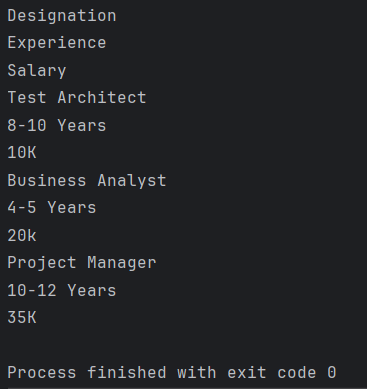
workbook = load_workbook("C:\\Users\\Vibha\\Automation\\SearchInBing.xlsx")

sheet = workbook.active

for row in sheet.iter_rows(min_row=1, max_row=sheet.max_row, min_col=1, max_col=sheet.max_column):
    for cell in row:
        print(cell.value)

from openpyxl import load_workbook
from tabulate import tabulate

#Load the workbook
workbook = load_workbook("C:\\Users\\Vibha\\Automation\\SearchInBing.xlsx")

#Select the active worksheet
sheet = workbook.active

#Iterate over rows and columns
for row in sheet.iter_rows(min_row=1, max_row=sheet.max_row, min_col=1, max_col=sheet.max_column):
    for cell in row:
        print(cell.value)

from openpyxl import load_workbook
from tabulate import tabulate

#Load the workbook
workbook = load_workbook("C:\\Users\\Vibha\\Automation\\SearchInBing.xlsx")

#Select the active worksheet
sheet = workbook.active

#Display data in a structured format
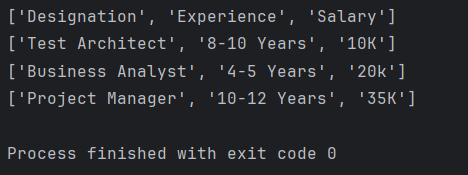
for row in sheet.iter_rows(min_row=1, max_row=sheet.max_row, min_col=1, max_col=sheet.max_column):
    row_data =[]
    for cell in row:
        row_data.append((cell.value))
    print(row_data)

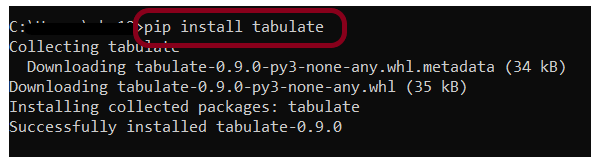
pip install tabulate

from openpyxl import load_workbook
from tabulate import tabulate

#Load the workbook
workbook = load_workbook("C:\\Users\\Vibha\\Automation\\SearchInBing.xlsx")

#Select the active worksheet
sheet = workbook.active

#Display data in a tabular format
data =[]
for row in sheet.iter_rows(values_only = True):
    data.append(list(row))

print(tabulate(data, headers='firstrow', tablefmt='grid'))

Status Code, Line, Body, and Header Verification in Python Requests

HOME

pip install -U requests
pip install -U pytest

import requests


def test_get_statuscode():

    # Define the API endpoint
    url = "https://reqres.in/api/users/2"

    # Make a GET request to the API endpoint
    response = requests.get(url)

    # Retrieve status code
    status_code = response.status_code

    # Display the results
    print("Status Code:", status_code)
    assert status_code == 200

pytest ResponseStatusCode_test.py -s

import requests


def test_get_statuscode():

    # Define the API endpoint
    url = "https://reqres.in/api/users/200000"

    # Make a GET request to the API endpoint
    response = requests.get(url)

    # Retrieve status code
    status_code = response.status_code

    # Display the results
    if status_code == 200:
        print("Request is successful")
    elif status_code == 401:
        print("Unauthorized Request")
    elif status_code == 404:
        print("Resource not found")
    elif status_code == 500:
        print("Server Error")
    elif status_code == 503:
        print("Service Unavailable")
    else:
        print("Status Code:", status_code)

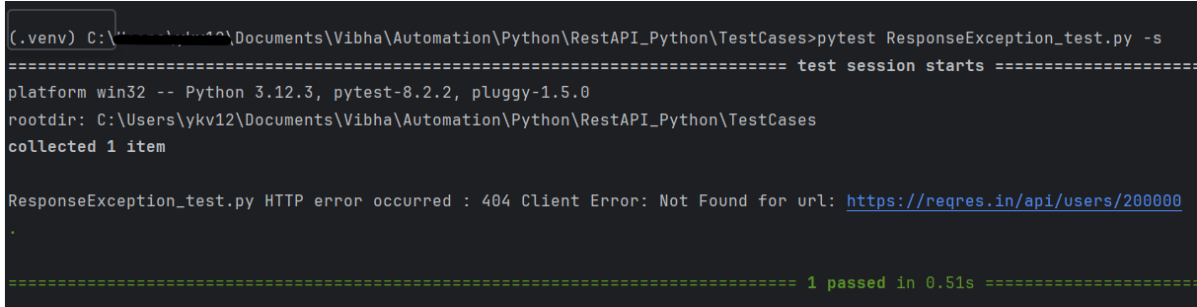
import requests


def test_get_statuscode():

    # Define the API endpoint
    url = "https://reqres.in/api/users/200000"

    # Make a GET request to the API endpoint
    response = requests.get(url)

    # Retrieve status code
    status_code = response.status_code

    # Display the results
    try:
        response.raise_for_status()
        print("Request is successful")
    except requests.exceptions.HTTPError as http_err:
        print(f"HTTP error occurred : {http_err}")
    except Exception as err:
        print(f"Other error occurred: {err}")

import requests


def test_get_statusline():

    # Define the API endpoint
    url = "https://reqres.in/api/users/2"

    # Make a GET request to the API endpoint
    response = requests.get(url)

    # Retrieve status line (in this example, requests library does not provide status line directly, so we can construct it)
    status_line = f"{response.status_code} {response.reason}"

    # Display the results
    print("Status Line:", status_line)
    assert status_line == "200 OK"

import requests


def test_get_responsebody():

    # Define the API endpoint
    url = "https://reqres.in/api/users/2"

    # Make a GET request to the API endpoint
    response = requests.get(url)

    # Retrieve response content
    content = response.content

    # Display the results
    print("Response Content:", content)

import requests


def test_get_headers():

    # Define the API endpoint
    url = "https://reqres.in/api/users/2"

    # Make a GET request to the API endpoint
    response = requests.get(url)

    # Retrieve content type
    content_type = response.headers['Content-Type']

    # Display the results
    print("Content Type:", content_type)
    assert content_type == "application/json; charset=utf-8"


How to handle HTTP Query Parameters in Python

HOME

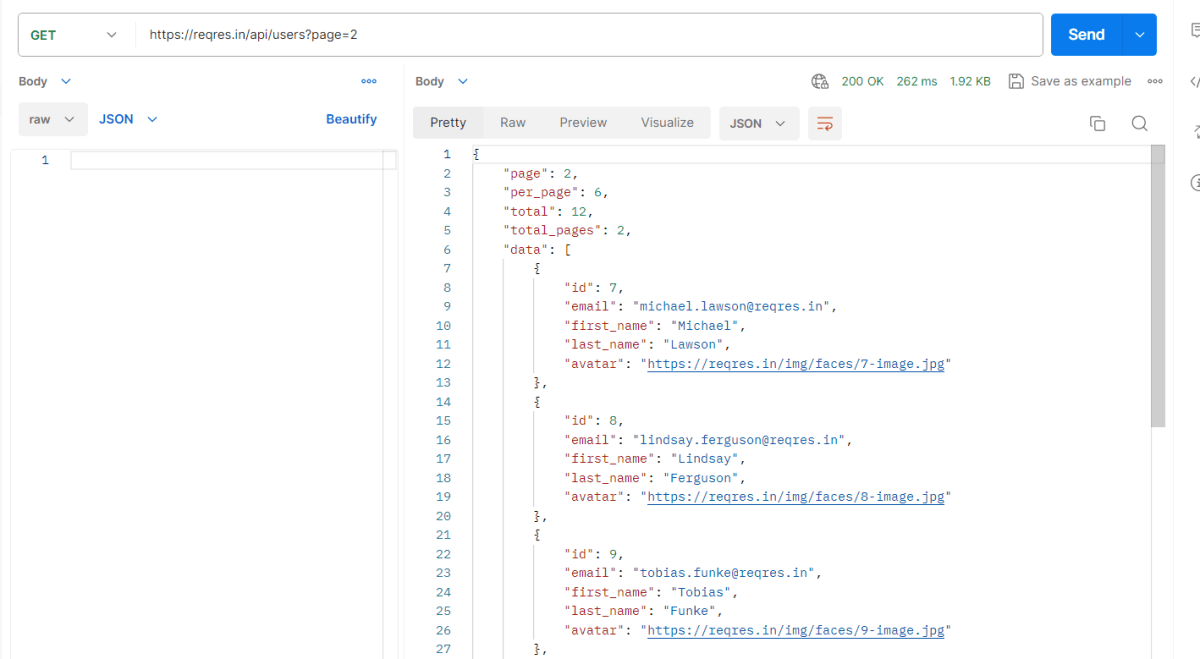
https://reqres.in/api/users?page=2

import requests

ENDPOINT = 'https://reqres.in/api/users/'


def test_verify_header():
    params = {
        'pages': 2
    }

    response = requests.get(ENDPOINT, params)
    print(response.json())

    print("Response Header", response.headers)

    #Assert status code
    assert response.status_code == 200

    # Assert Response Body
    response_body = response.json()
    assert response_body["per_page"] == 6

    assert response_body["data"][0]["id"] == 1

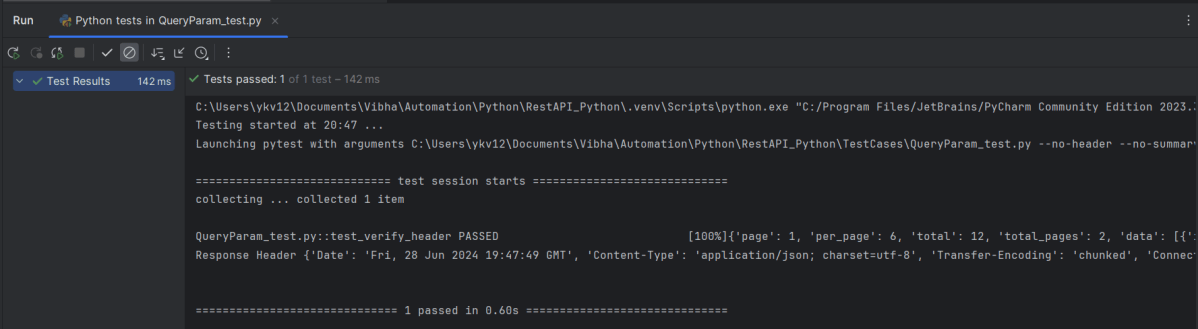
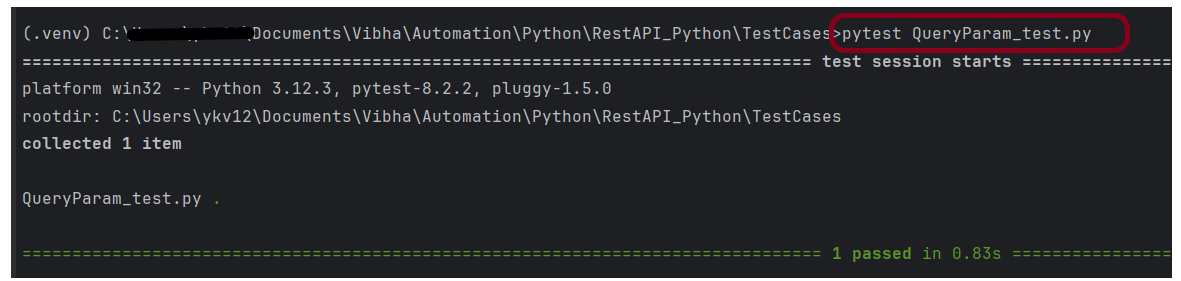
pytest QueryParam_test.py

How to generate HTML Report in PyTest Framework

HOME

pip install -U pytest

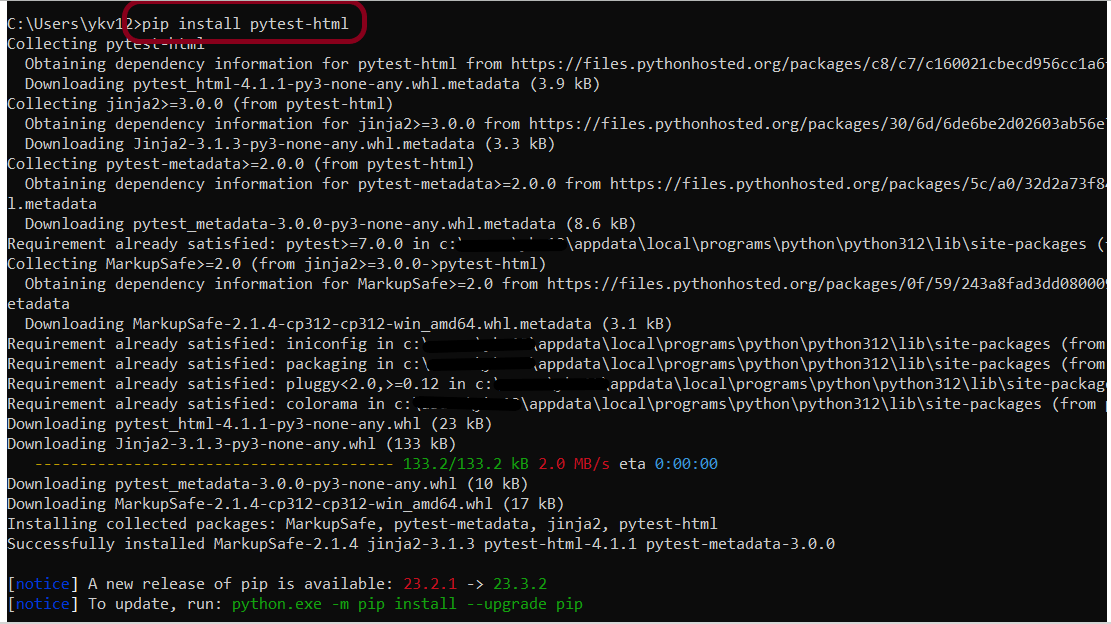
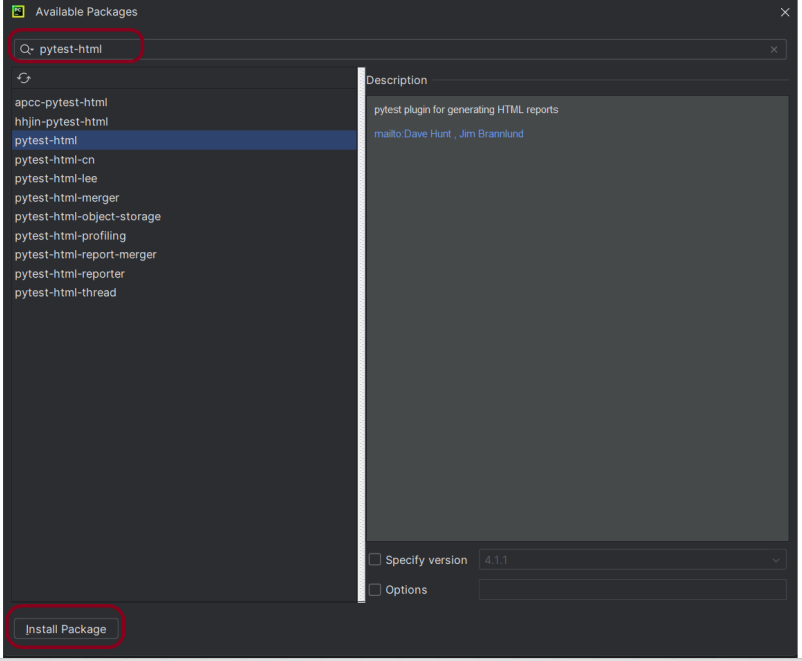
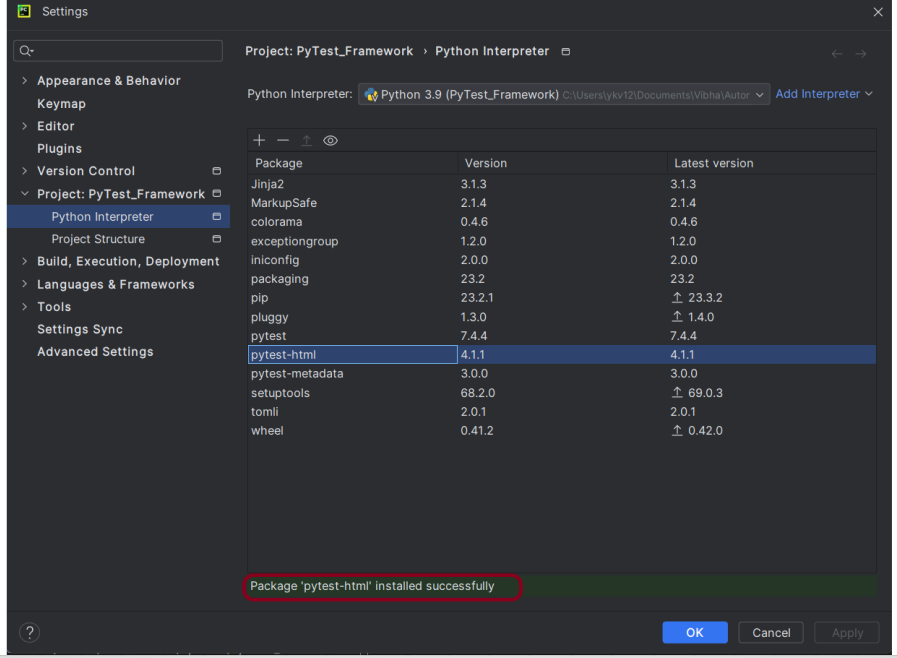
pip install pytest-html

import pytest


def test_addition():
    a = 6
    b = 5
    c = 11

    assert a + b == 11, "Sum is not 11"
    assert a + b == c, "Sum of a and b is not equal to c"


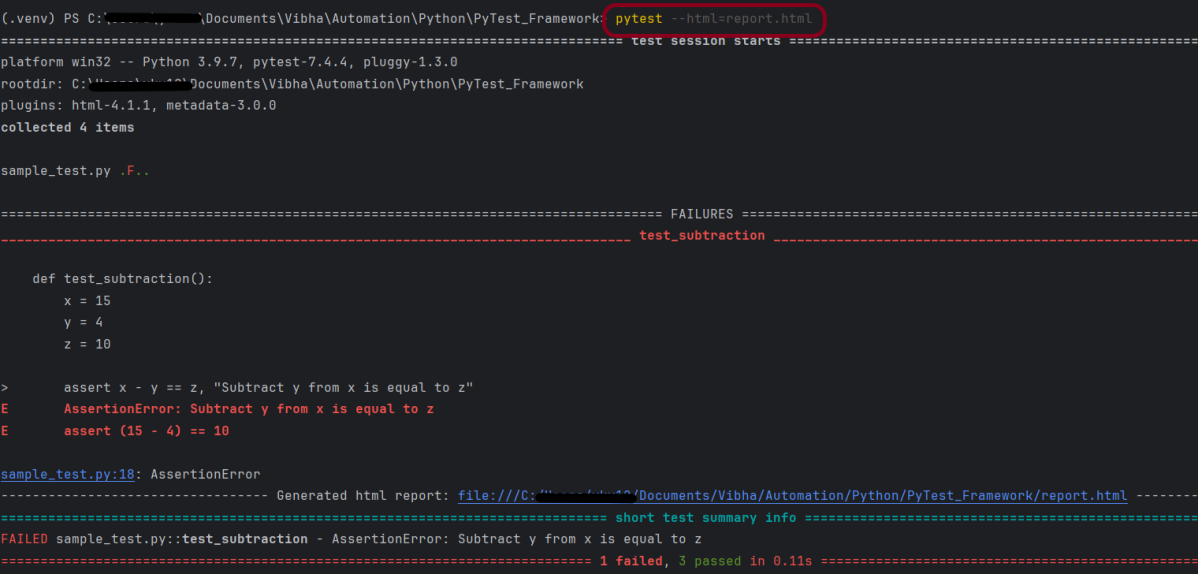
def test_subtraction():
    x = 15
    y = 4
    z = 10

    assert x - y == z, "Subtract y from x is equal to z"


def test_multiplication():
    a = 6
    b = 5
    c = 30

    assert a * b == c, "Product of 5 and 6 is not 30"


def test_division():
    a = 16
    b = 2
    c = 8

    assert a / b == c, "Division of 2 by 6 is not 3"

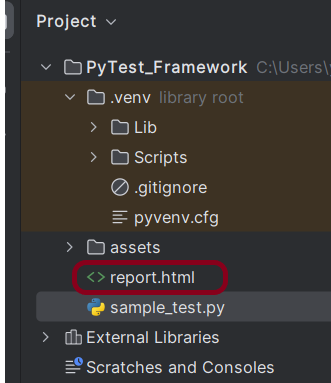
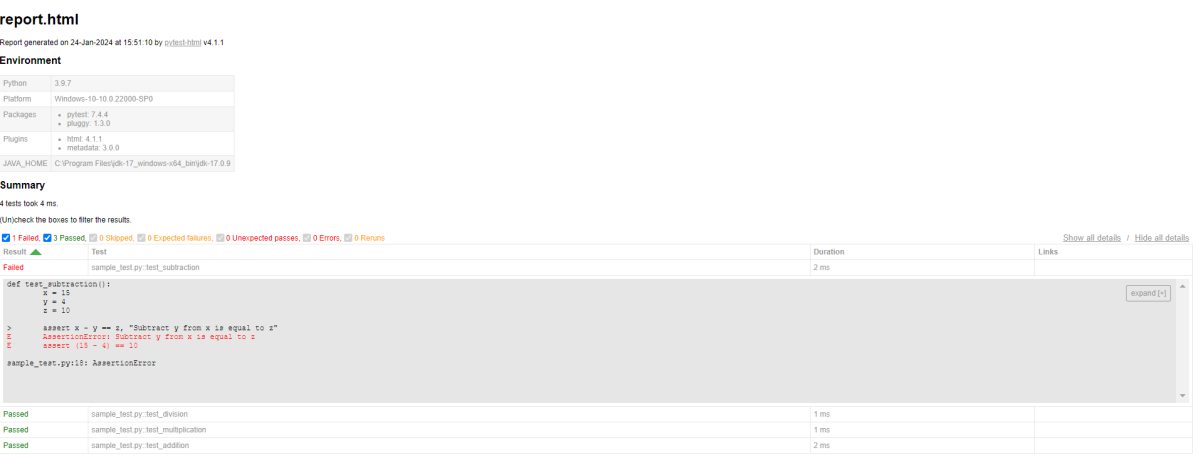
pytest --html=report.html

Configure Selenium with Python

HOME

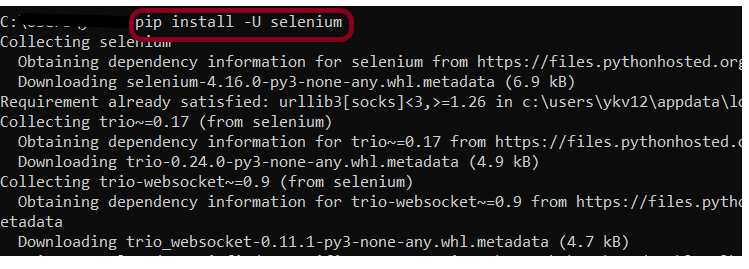
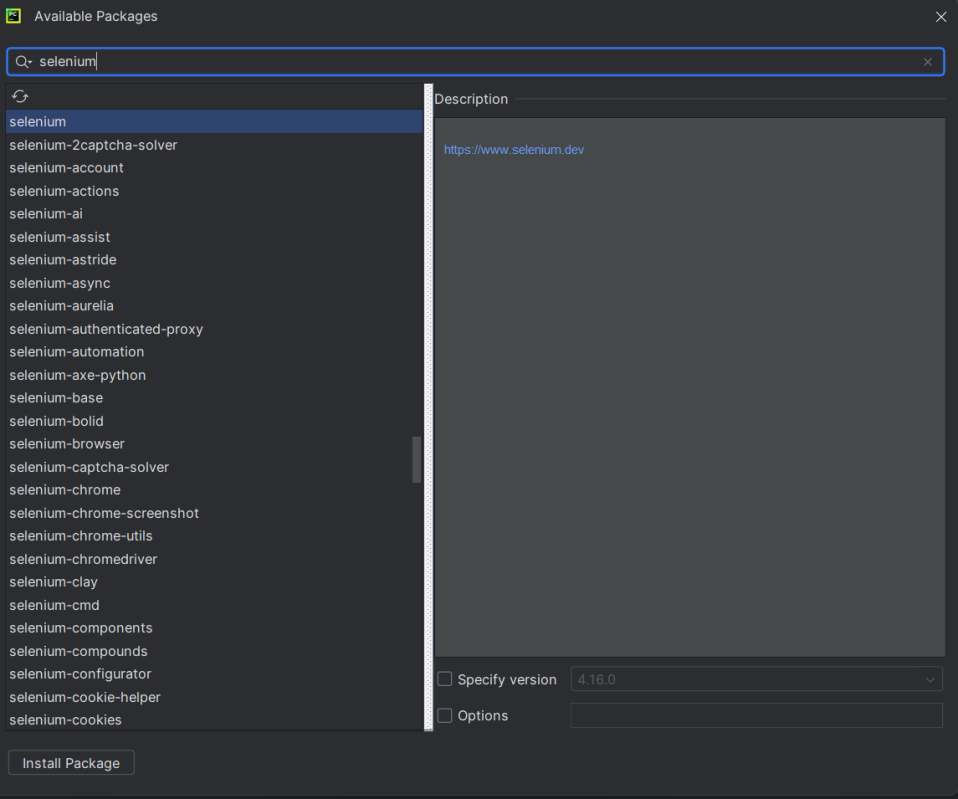
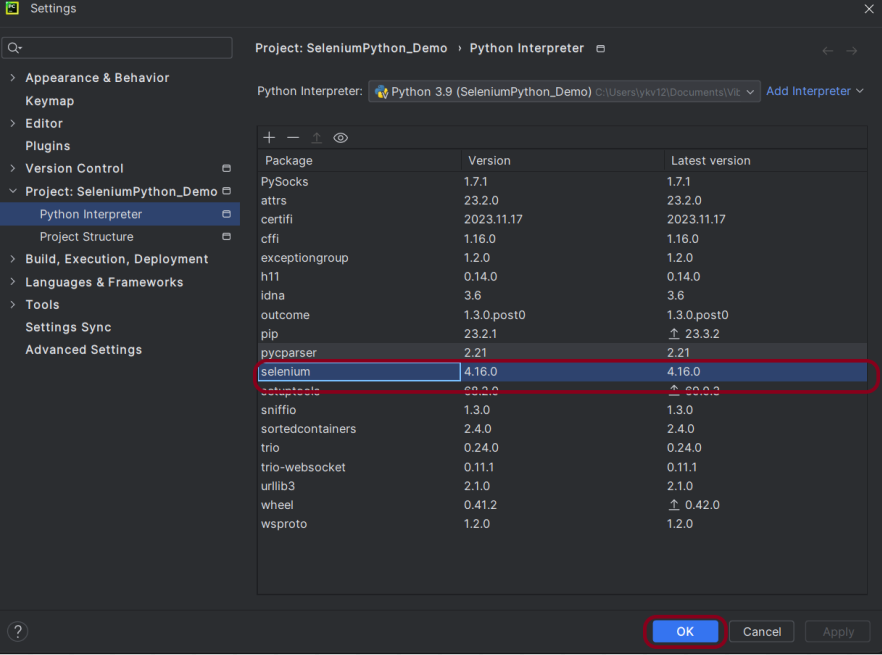
pip install -U selenium

from selenium import webdriver
from selenium.webdriver.common.by import By

driver = webdriver.Chrome()
driver.maximize_window()
driver.implicitly_wait(2)
driver.get("https://opensource-demo.orangehrmlive.com/")

driver.find_element(By.NAME, "username").send_keys("Admin")
driver.find_element(By.NAME, "password").send_keys("admin123")
driver.find_element(By.XPATH, "//*[@class='oxd-form']/div[3]/button").click()

homePageTitle = driver.find_element(By.XPATH,"//*[@class='oxd-topbar-header-breadcrumb']/h6").text
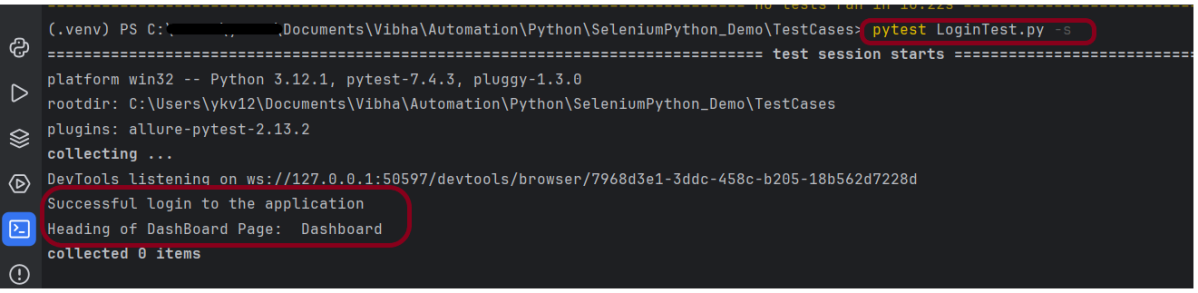
print("Heading of DashBoard Page: ", homePageTitle)
driver.quit()

from selenium import webdriver
from selenium.webdriver.common.by import By

driver = webdriver.Chrome()

driver.maximize_window()

driver.implicitly_wait(2)

driver.get("https://opensource-demo.orangehrmlive.com/")

driver.find_element(By.NAME, "username").send_keys("Admin")
driver.find_element(By.NAME, "password").send_keys("admin123")
driver.find_element(By.XPATH, "//*[@class='oxd-form']/div[3]/button").click()

homePageTitle = driver.find_element(By.XPATH,"//*[@class='oxd-topbar-header-breadcrumb']/h6").text
print("Heading of DashBoard Page: ", homePageTitle)

driver.quit()

pytest LoginTest.py -s

How to add environment details to Python Allure Report

HOME

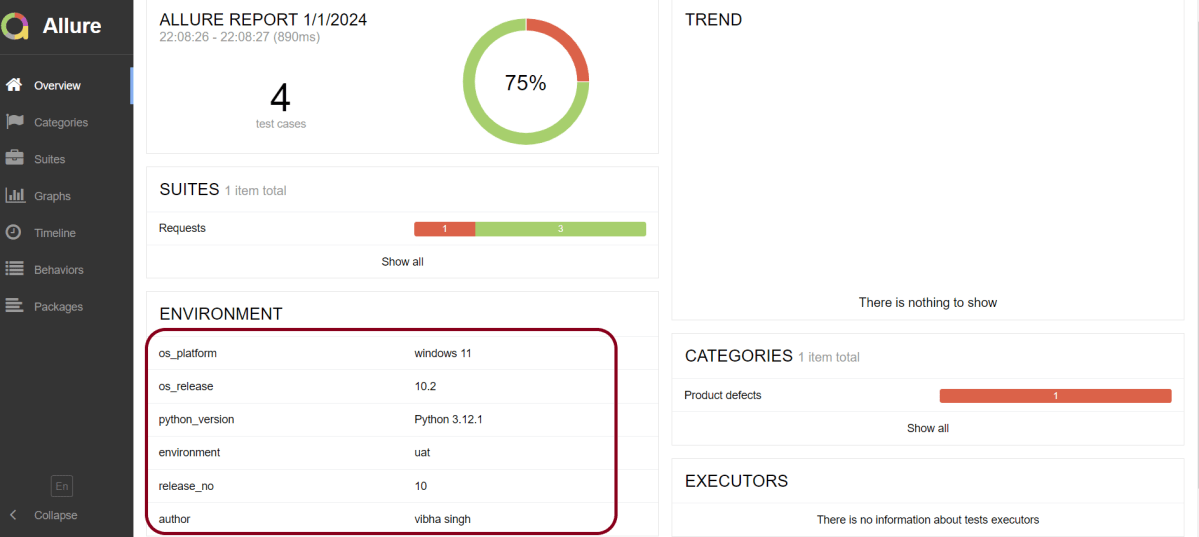
os_platform = windows 11
os_release = 10.2
python_version = Python 3.12.1
environment = uat
release_no = 10
author = vibha singh

How to create Python Allure Report for Rest API

HOME

pip install -U requests

pip install -U pytest

pip install allure-pytest

import allure
import requests

ENDPOINT = 'https://reqres.in/api/users'


@allure.description("This tests validates that the response returns status code 201")
@allure.severity(allure.severity_level.BLOCKER)
@allure.label("Owner", "Vibha Singh")
def test_create_user():
    request_body = {
        "name": "Vibha",
        "Job": "CEO"
    }

    response = requests.post(ENDPOINT, request_body)
    response_body = response.json()
    print("Request :", request_body)
    print("Response :", response_body)
    assert response.status_code == 201


@allure.description("This tests validates that the id in the response")
@allure.severity(allure.severity_level.NORMAL)
@allure.label("Owner", "Vibha Singh")
def test_response():
    request_body = {
        "name": "Vibha",
        "Job": "CEO"
    }

    response = requests.post(ENDPOINT, request_body)
    assert response.status_code == 201
    response_body = response.json()
    print("Request :", request_body)
    print("Response :", response_body)

    id = response_body["id"]
    if "id" in response_body:
        print("Value of id :", id)
    else:
        print("id not found")


@allure.description("This tests validates that the header in the response")
@allure.severity(allure.severity_level.NORMAL)
@allure.label("Owner", "Vibha Singh")
def test_header_in_request():
    request_body = {
        "name": "Vibha",
        "Job": "CEO"
    }

    headers = {'Content-Type': 'application/json; charset=utf-8'}
    response = requests.post(ENDPOINT, request_body, headers)
    print("Request :", request_body)
    print("Response :", response.json())
    print("Headers :", response.headers)
    assert response.headers["Content-Type"] == "application/json; charset=utf-8"


@allure.description("This tests validates that the name in the response - FAIL")
@allure.severity(allure.severity_level.NORMAL)
@allure.label("Owner", "Vibha Singh")
def test_verify_name():
    request_body = {
        "name": "Vibha",
        "Job": "CEO"
    }

    header = {"Content-Type":  "application/json; charset=utf-8"}
    response = requests.post(ENDPOINT, request_body, header)
    response_body = response.json()
    print("Response :", response_body)
    print("Request Header :", response.request.headers)
    assert response_body["name"] == "Test"

pytest --alluredir=<path to report directory> test.py

pytest --alluredir=C:\Users\Documents\Vibha\Automation\Python\AllureReport_Python\AllureReport Requests.py

allure serve <path to report directory>
allure serve C:\User\Documents\Vibha\Automation\Python\AllureReport_Python\AllureReport