Last Updated On
Running only the last failed tests in Playwright can be a useful strategy. It helps in quickly debugging failures. This approach ensures that intermittent issues are resolved.
System Requirements:
- Node.js version 18 or higher
- npm (comes with Node.js)
- Windows 10+, macOS 12+, or Ubuntu 20.04+
- At least 2GB free disk space for browser binaries
- Visual Studio for Code is already installed.
- Playwright is already installed
Visual Studio for Code must be installed. If it is not already installed, please refer to this tutorial – How to Install Visual Studio Code on Windows.
If Playwright is not already installed, please refer to this tutorial – How to install Playwright in Windows?
Here’s how you can achieve this using Playwright:
1. Using Playwright’s Command Line Options:
Playwright provides a way to run tests from the last failed test file using the `–rerun` command-line option. This option is particularly useful in large test suites to focus specifically on the problematic tests.
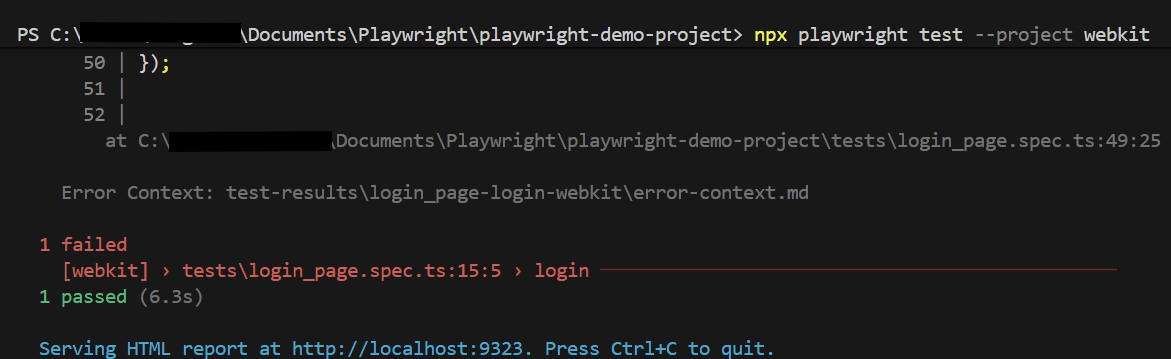
First, execute your regular test suite. For example:
npx playwright test --project webkit

Below are the tests used in this example.
import { test, expect } from '@playwright/test';

test('has title', async ({ page, browserName }) => {
  await page.goto('https://opensource-demo.orangehrmlive.com/');

  console.log(`Running test on browser: ${browserName}`);  // Print the browser name

  await page.waitForTimeout(3000); // Wait for 3 seconds

  // Expect a title "to contain" a substring.
  await expect(page).toHaveTitle(/OrangeHRM/);
});


test('login', async ({ page, browserName }) => {

  const username = 'Admin';
  const password = 'admin123'

  await page.goto('https://opensource-demo.orangehrmlive.com/');

  console.log(`Running test on browser: ${browserName}`);  // Print the browser name

  // Fill in the username
   await page.fill('input[name="username"]', username);

   // Print the username
  console.log(`Logging in with username: ${username}`);

  // Fill in the password
    await page.fill('input[name="password"]', password);

  // Print the password
  console.log(`Logging in with password: ${password}`);

  // Click the login button - Use XPath to locate and click the login button
  const loginButton = page.locator('//button[@type="submit" and contains(@class, "orangehrm-login-button")]');
  await loginButton.click();

  // Check if the page contains text Dashboard - Locate the element using XPath
  const dashboardElement = await page.locator('//h6[contains(@class, "oxd-topbar-header-breadcrumb-module")]');

  // Get the text content from the element
  const dashboardText = await dashboardElement.textContent();

  // Print the text
  console.log(`Dashboard text: ${dashboardText}`);

  expect(dashboardText).toContain('Dashboard1');
});
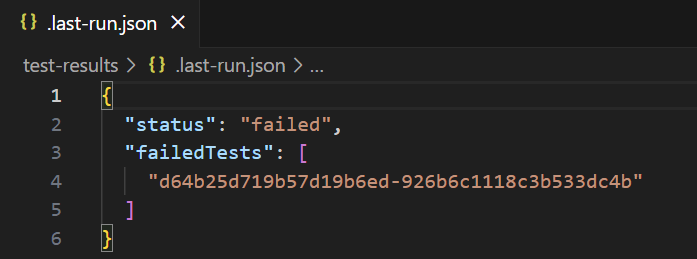
Go to the funnel shape icon called “Testing” or “Test Explorer View”. The failed test detail is mentioned in error-context.md file.
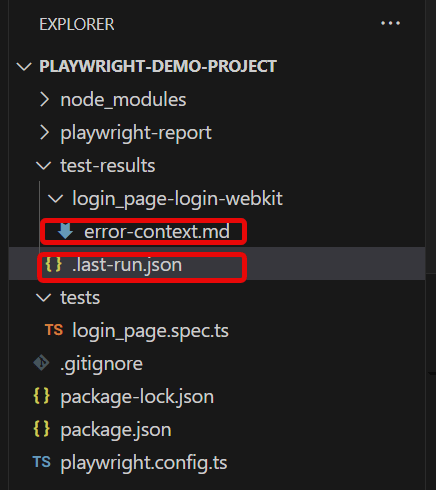
The output of the above program is
When the tests complete, the failed tests are noted in a file. You can run the last failed tests using the command:
npx playwright test --last-failed
It specifically targets the tests that did not pass in the last test run and executes them again. This is useful for quickly rechecking and fixing issues in tests without having to run the entire test suite again.
The output of the above program is
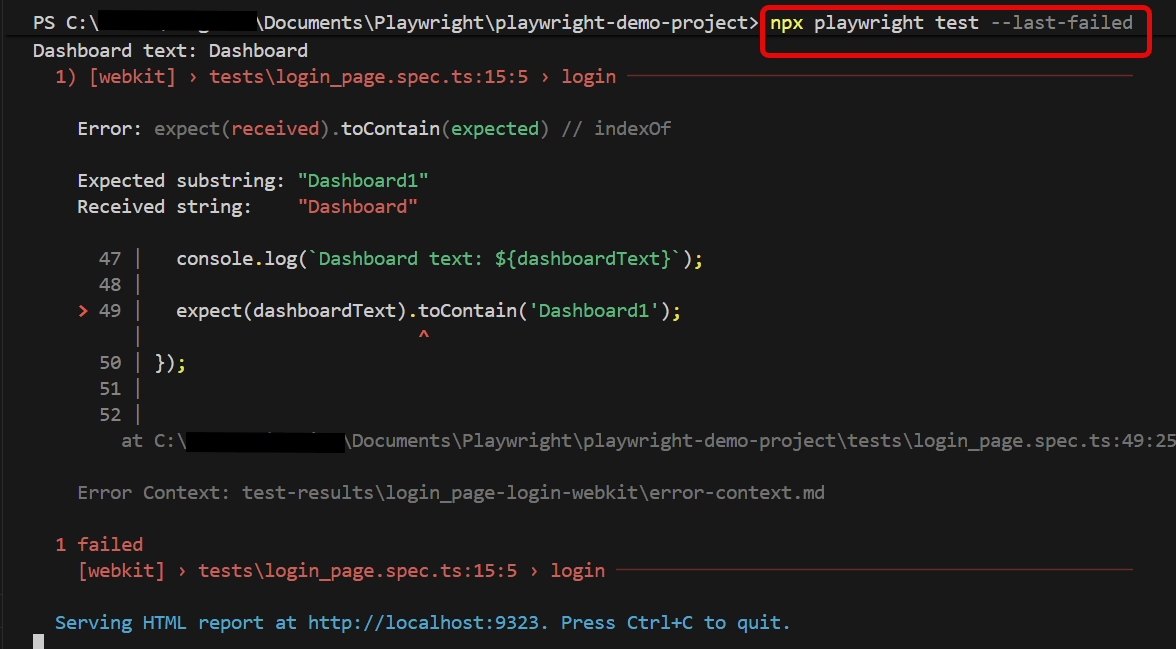
Below is the report generated and it shows that only 1 test is executed.
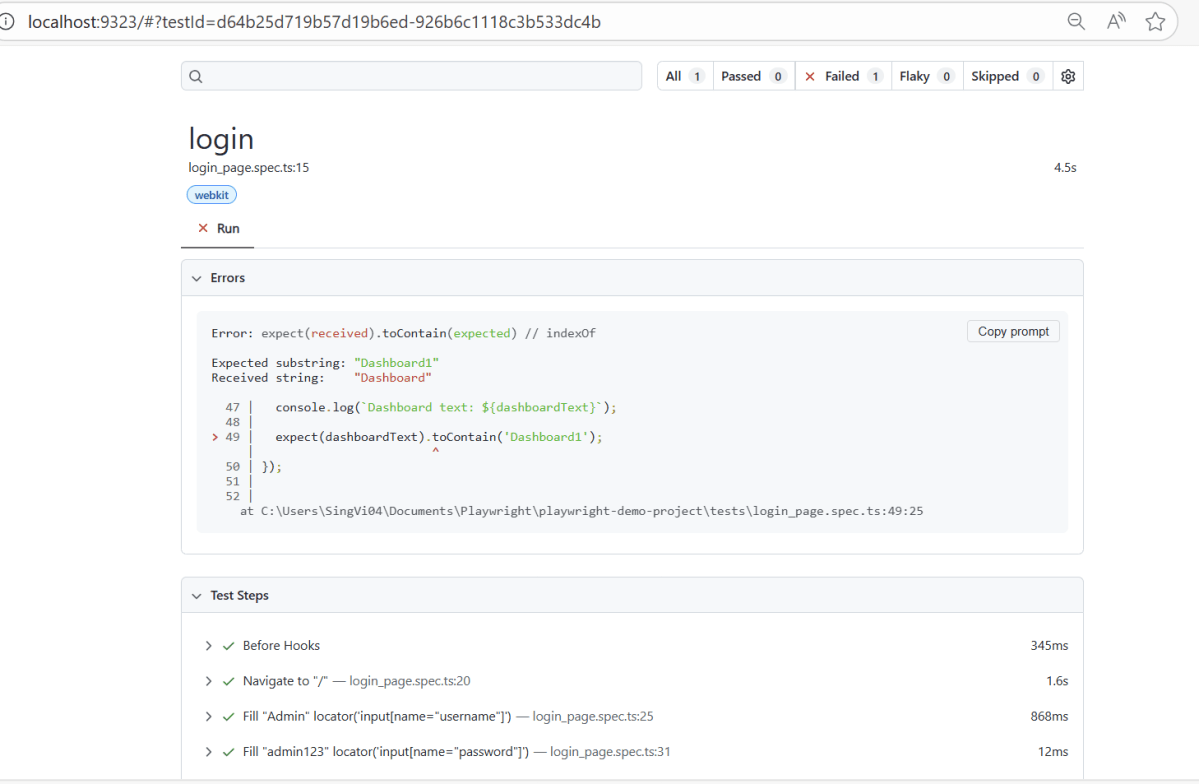
To know more about Playwright UI mode, please refer to this website – https://playwright.dev/docs.
 QA Automation Expert