What is the ordered list?
HTML Ordered List is created by the HTML <ol> tag, to display elements in an ordered form, either numerical or alphabetical. Within the <ol> tag, list items <li> are used to define the items in sequential order.
This attribute is used to specify the start value of the list.
<ol>
<html>

<head>
    <title>Numbered List Example</title>
</head>

<body>
    <h2>Ordered List with Numbers</h2>
    <ol>
        <li>JavaScript</li>
        <li>Python</li>
        <li>Java</li>
        <li>C++</li>
        <li>C#</li>
    </ol>
</body>

</html>
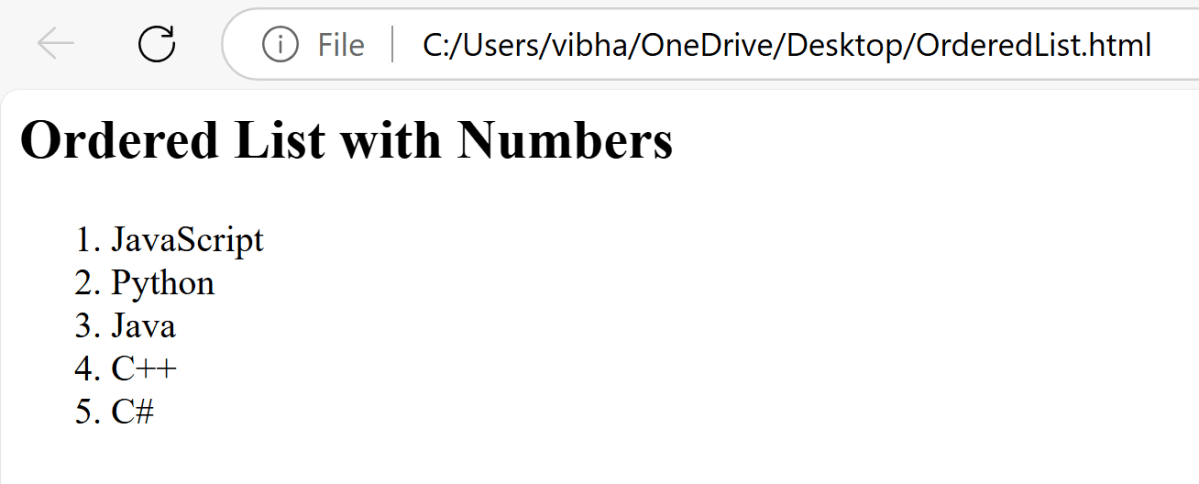
Below is the program to print all the elements present in the ordered list in Selenium.
package com.example;

import org.openqa.selenium.Alert;
import org.openqa.selenium.By;
import org.openqa.selenium.WebDriver;
import org.openqa.selenium.WebElement;
import org.openqa.selenium.chrome.ChromeDriver;
import org.openqa.selenium.chrome.ChromeOptions;

import java.time.Duration;
import java.util.List;

public class OrderedList {

    public static void main(String[] args) {

        // Setup the webdriver
        ChromeOptions options = new ChromeOptions();
        WebDriver driver = new ChromeDriver(options);

        // Put an Implicit wait and launch URL
        driver.manage().timeouts().implicitlyWait(Duration.ofSeconds(5));

        //Start Browser
        String filePath = "file:///C:/Users/vibha/OneDrive/Desktop/OrderedList.html";
        driver.get(filePath);

        //maximize browser
        driver.manage().window().maximize();

        //Locate the ordered list using its tag name
        WebElement orderedList = driver.findElement(By.tagName(("ol")));

        //Fetch all the list items
        List<WebElement> listItems = orderedList.findElements(By.tagName("li"));

        //Iterate through the list and print the contents
        for (int i = 0; i < listItems.size(); i++) {
            System.out.println(listItems.get(i).getText());
        }

        //Close the main window
        driver.quit();
    }

}
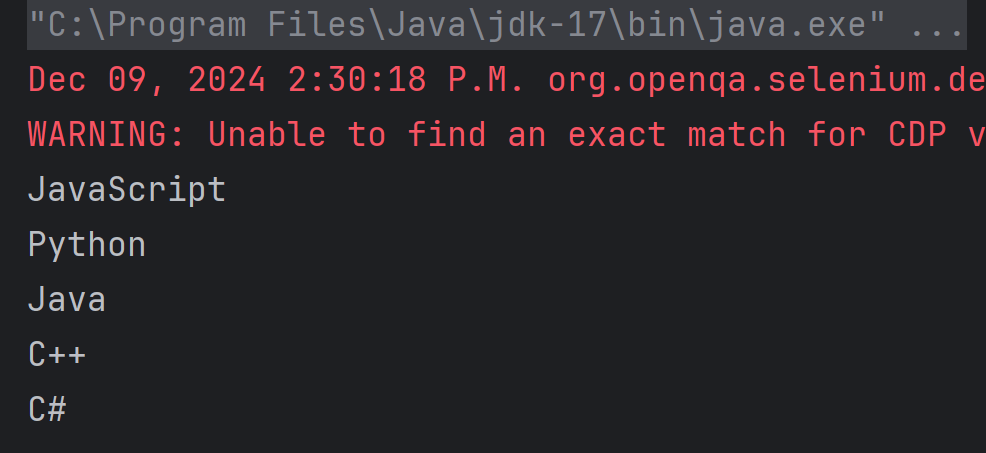
The output of the above program is
1. Initialize WebDriver
Initialize the WebDriver. Here, it is ChromeDriver.
// Setup the webdriver
ChromeOptions options = new ChromeOptions();
WebDriver driver = new ChromeDriver(options);
2. Put an Implicit wait and launch URL
driver.manage().timeouts().implicitlyWait(Duration.ofSeconds(5));
String filePath = "file:///C:/Users/vibha/OneDrive/Desktop/OrderedList.html";
driver.get(filePath);
3. Maximize the browser
driver.manage().window().maximize();
4. Locate the ordered list using the tag name.
Use Selenium tagName method to locate the element.
WebElement orderedList = driver.findElement(By.tagName(("ol")));
5. Fetch all the items
Iterate through the list and print the contents.
 List<WebElement> listItems = orderedList.findElements(By.tagName("li"));
for (int i = 0; i < listItems.size(); i++) {
            System.out.println(listItems.get(i).getText());
 }
6. Close the driver
Make sure to quit the browser to free up all the resources.
driver.quit();
Note:-
- Ensure that the correct locators are used to minimize the risk of element identification issues.
- Handle the exceptions, if any occur in the program.
That’s it! Congratulations on making it through this tutorial and hope you found it useful! Happy Learning!!
 QA Automation Expert