Large test suites can be structured to optimize ease of authoring and maintenance. Page object models are one such approach to structure the test suite. In this tutorial blog, we will learn to create and set up the project using Page Object Model in Playwright Java and JUnit5.
Table of Contents
- What is Page Object Model?
- Why is Page Object Model Important?
- What is Playwright?
- What is JUnit5?
- System requirements
- Implementation Steps
- Recap of Key Points
What is Page Object Model?
Page Object Model (POM) is a design pattern used in test automation. It enhances test maintenance and reduces code duplication. In this pattern, web pages are represented as classes. The various elements on the page are defined as variables in the class. All possible user interactions can then be implemented as methods in the class.
Why is Page Object Model Important?
1. Improved Test Maintenance: POM allows for easy updates to test scripts when the UI changes. The test logic is separated from the page definitions. This way, only the page objects need to be updated rather than all test scripts.
2. Maintainability: In this model, separate classes are created for different pages of a web application like login page, the home page, employee detail page, change password page, etc. So, if there is any change in any element of a website then we only need to make changes in one class, and not in all classes.
3. Reusability of Code: Shared page objects can be reused across multiple test cases, reducing redundancy. This ensures consistent interactions with web elements and actions, making the test code more efficient and easier to manage.
4. Facilitates Collaboration: A well-structured POM increases collaboration among teams. Each contributor can work on different parts of the application without interfering with one another. This approach helps in managing multiple test scenarios simultaneously.
5. Ease of Debugging: With POM, finding and fixing bugs becomes more straightforward since each page action is located in a specific place. Developers can easily pinpoint the location of a problem without sifting through complex test logic.
What is Playwright?
Page Object Model (POM) is a design pattern used in test automation. It enhances test maintenance and reduces code duplication. In this pattern, web pages are represented as classes. The various elements on the page are defined as variables in the class. All possible user interactions can then be implemented as methods in the class.
What is JUnit5?
JUnit5 is a test execution engine. It is used as testing framework for Java applications. It provides an easy-to-use platform for writing and executing tests. JUnit 5 is composed of three main modules: JUnit Platform, JUnit Jupiter and JUnit Vintage
System requirements
The following prerequisites are required to be installed on the machine to begin with a smooth setup and installation.
- Java 11 or higher
- IntelliJ IDE or any other IDE to create a project
- Maven
- Browsers on which tests need to be run, like Chrome, Firefox, etc.
Implementation Steps
1. Create a new Maven Project
The first step in setup is to create a new Maven project. I will be using IntelliJ in this tutorial. The following steps need to be followed to create a new Maven project :
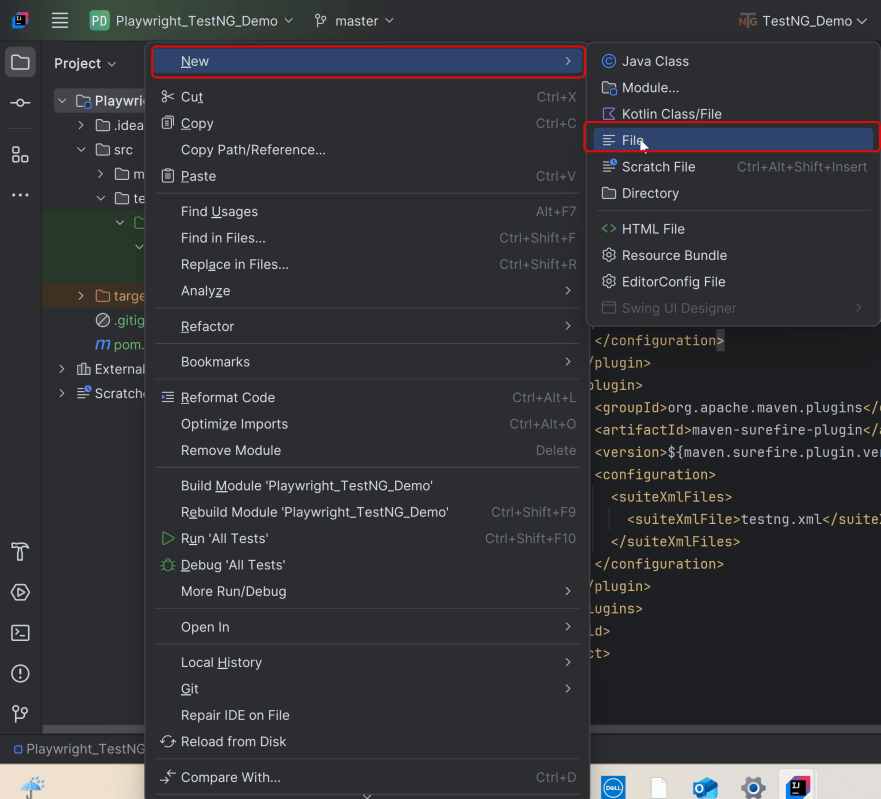
Open IntelliJ, Navigate to File >> New >> Project

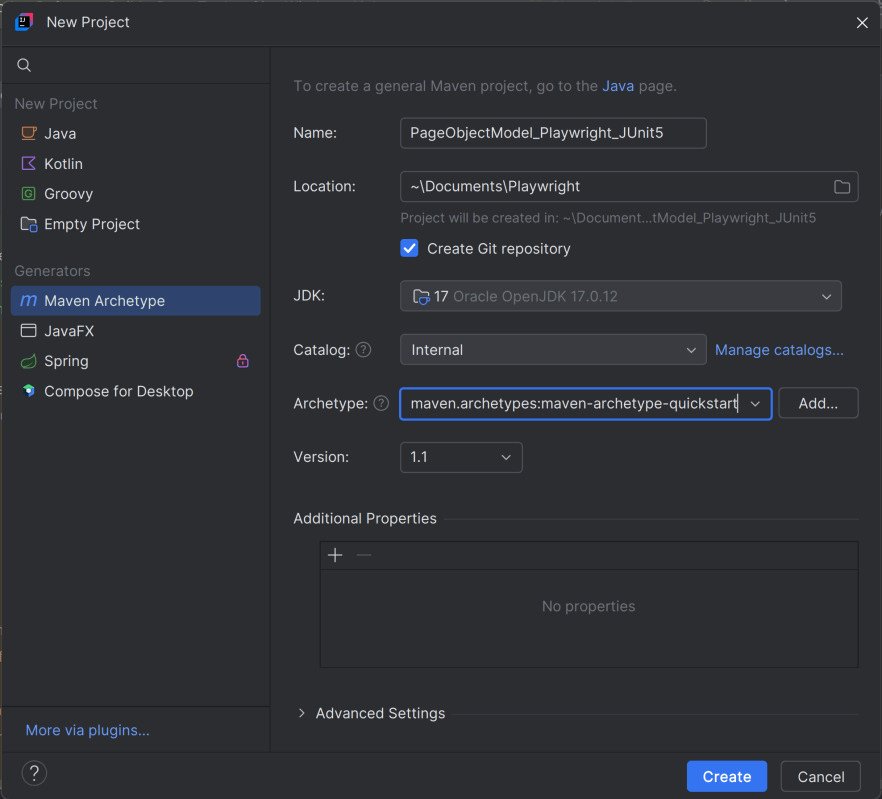
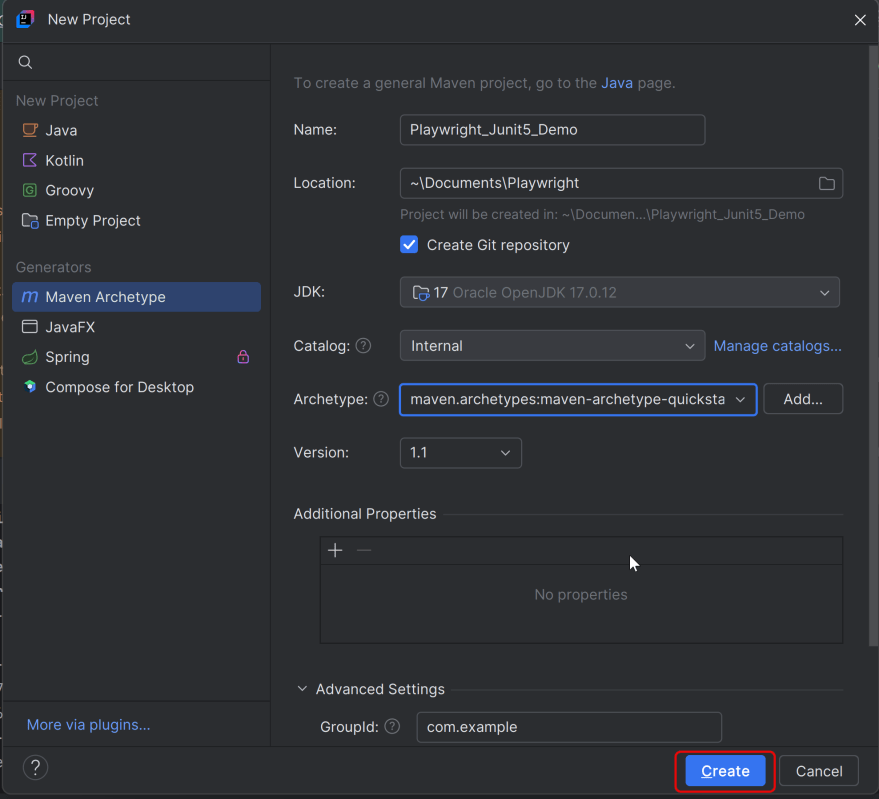
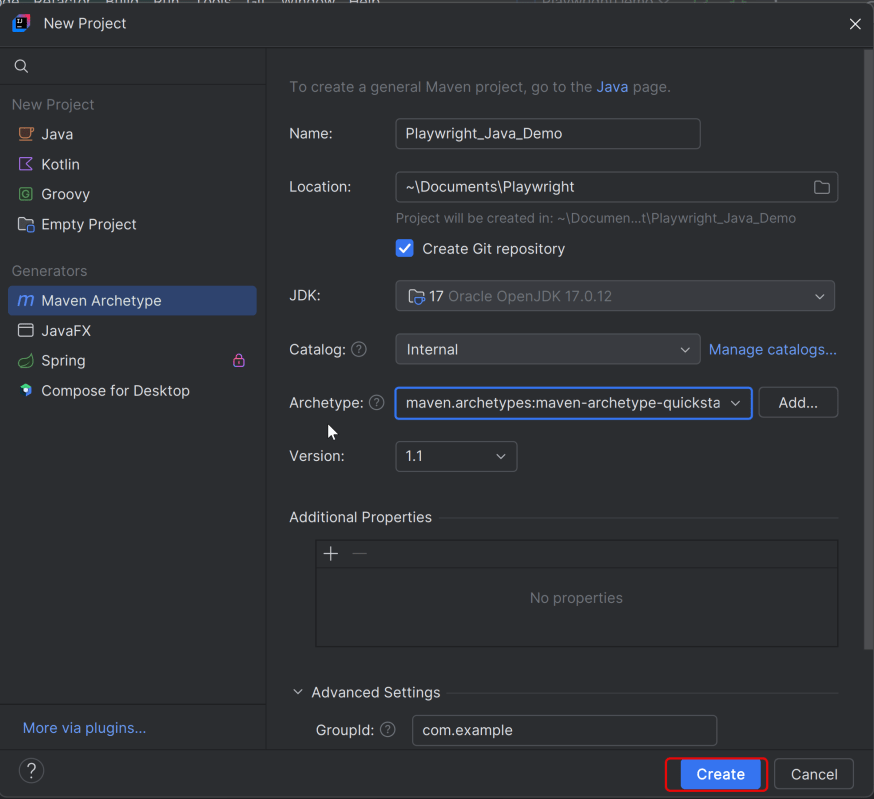
2. In the New Project window, enter the following details:
- Name of the Project – PageObjectModel_Playwright_JUnit5
- Location/path where the project needs to be saved – Documents/Playwright (my location)
- Select JDK version — I am using JDK 17
- Archetype — Search for “quickstart” and select maven-archetype-quickstart from the results
Click on the Create button to create the project.
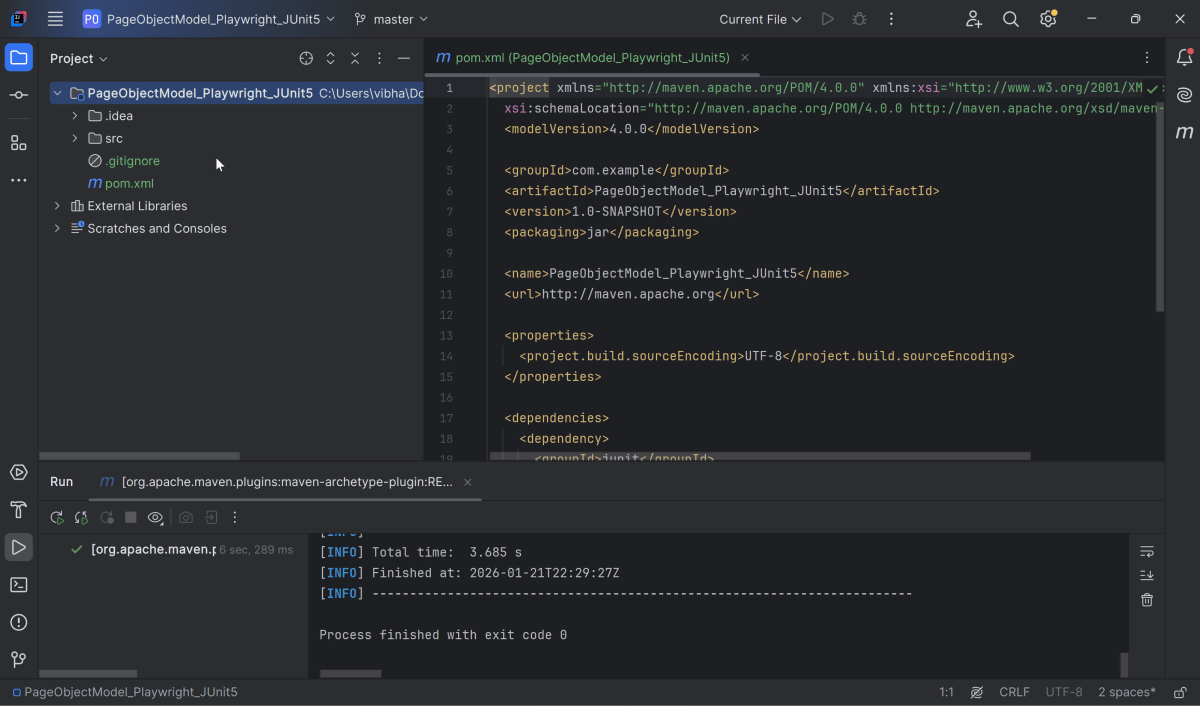
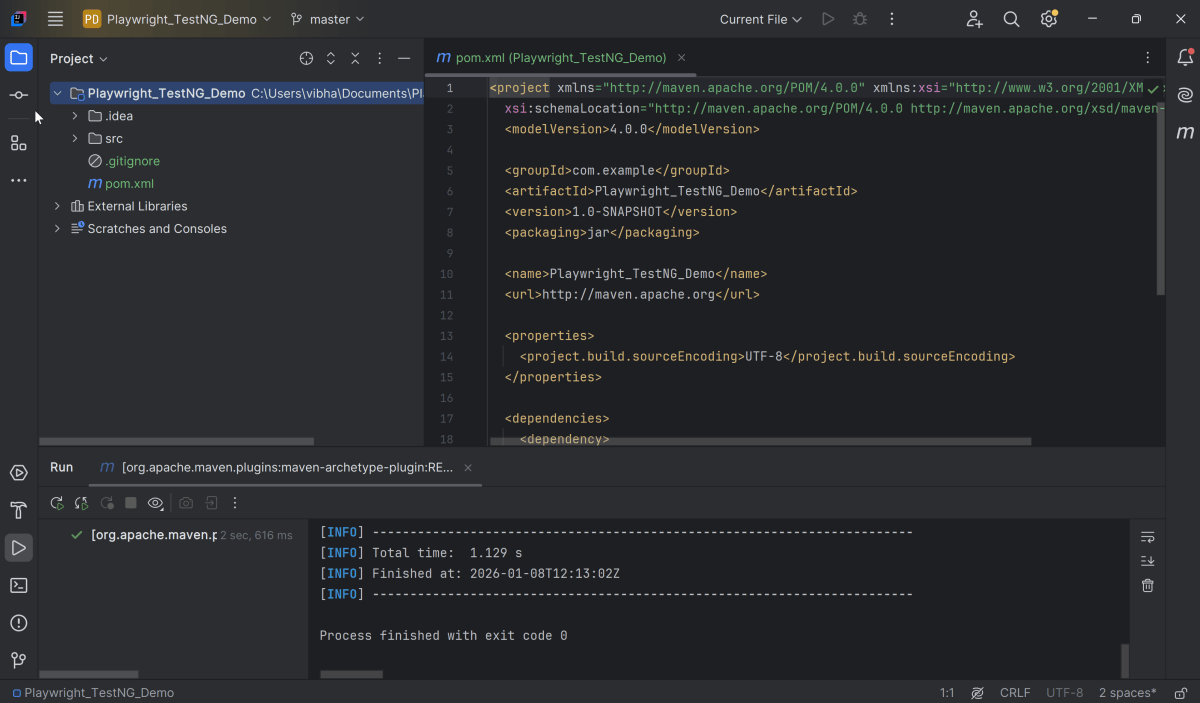
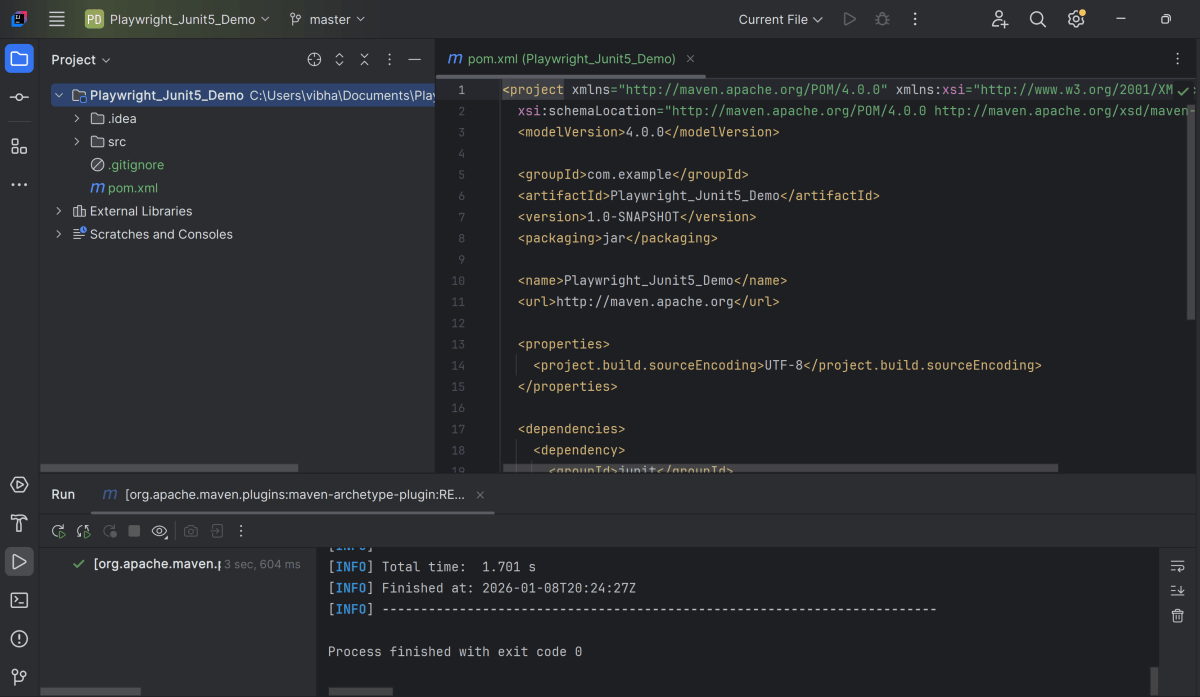
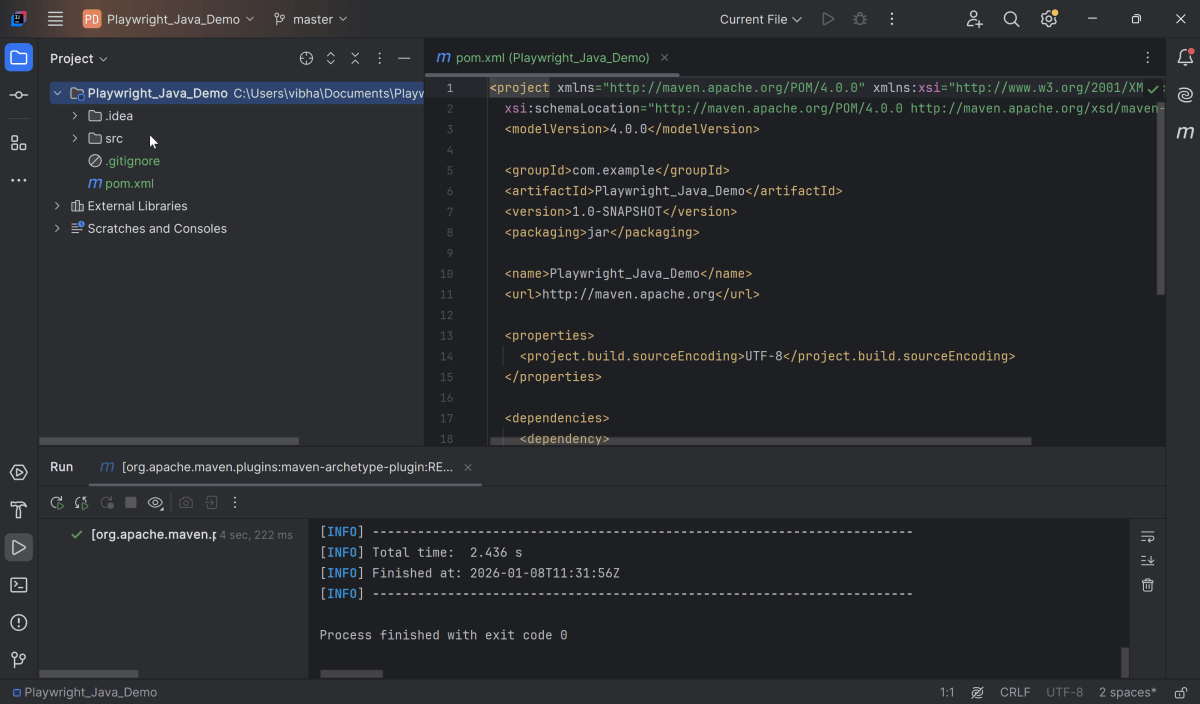
This will create a project as shown below in the IntelliJ.
2. Setup Playwright with Java and JUnit5
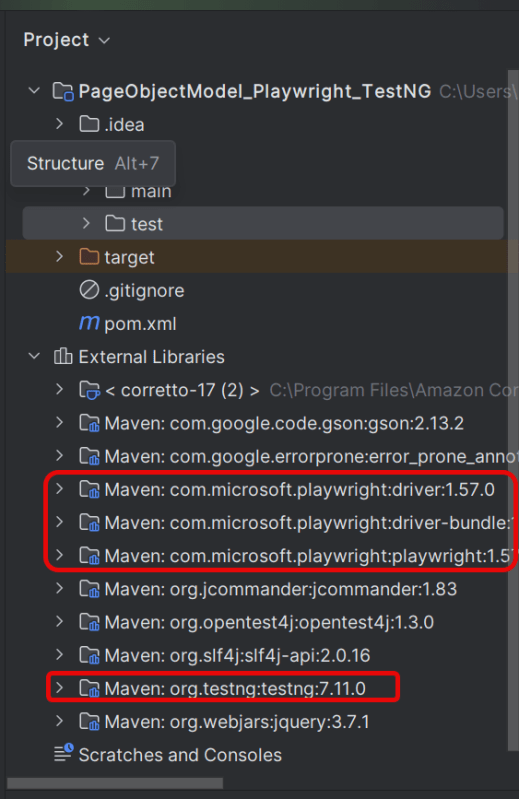
Add the Playwright and JUnit5 dependencies to the pom.xml. The latest dependency can be found from here.
<project xmlns="http://maven.apache.org/POM/4.0.0" xmlns:xsi="http://www.w3.org/2001/XMLSchema-instance"
  xsi:schemaLocation="http://maven.apache.org/POM/4.0.0 http://maven.apache.org/xsd/maven-4.0.0.xsd">
  <modelVersion>4.0.0</modelVersion>

  <groupId>com.example</groupId>
  <artifactId>PageObjectModel_Playwright_JUnit5</artifactId>
  <version>1.0-SNAPSHOT</version>
  <packaging>jar</packaging>

  <name>PageObjectModel_Playwright_JUnit5</name>
  <url>http://maven.apache.org</url>

  <properties>
    <project.build.sourceEncoding>UTF-8</project.build.sourceEncoding>
    <playwright.version>1.57.0</playwright.version>
    <junit.jupiter.engine.version>6.1.0-M1</junit.jupiter.engine.version>
    <junit.jupiter.api.version>6.1.0-M1</junit.jupiter.api.version>
    <junit.jupiter.params.version>6.1.0-M1</junit.jupiter.params.version>
    <maven.compiler.plugin.version>3.14.1</maven.compiler.plugin.version>
    <maven.compiler.source.version>17</maven.compiler.source.version>
    <maven.compiler.target.version>17</maven.compiler.target.version>
    <maven.surefire.plugin.version>3.5.4</maven.surefire.plugin.version>
    <maven.compiler.source>17</maven.compiler.source>
    <maven.compiler.target>17</maven.compiler.target>
    <maven.site.plugin.version>4.0.0-M16</maven.site.plugin.version>
    <maven.surefire.report.plugin.version>3.5.4</maven.surefire.report.plugin.version>
  </properties>

  <dependencies>

    <dependency>
      <groupId>com.microsoft.playwright</groupId>
      <artifactId>playwright</artifactId>
      <version>${playwright.version}</version>
    </dependency>

    <dependency>
      <groupId>org.junit.jupiter</groupId>
      <artifactId>junit-jupiter-engine</artifactId>
      <version>${junit.jupiter.engine.version}</version>
      <scope>test</scope>
    </dependency>

    <dependency>
      <groupId>org.junit.jupiter</groupId>
      <artifactId>junit-jupiter-api</artifactId>
      <version>${junit.jupiter.api.version}</version>
      <scope>test</scope>
    </dependency>

    <dependency>
      <groupId>org.junit.jupiter</groupId>
      <artifactId>junit-jupiter-params</artifactId>
      <version>${junit.jupiter.params.version}</version>
      <scope>test</scope>
    </dependency>

  </dependencies>

  <build>
    <plugins>
      <plugin>
        <groupId>org.apache.maven.plugins</groupId>
        <artifactId>maven-compiler-plugin</artifactId>
        <version>${maven.compiler.plugin.version}</version>
        <configuration>
          <source>${maven.compiler.source.version}</source>
          <target>${maven.compiler.target.version}</target>
        </configuration>
      </plugin>

      <plugin>
        <groupId>org.apache.maven.plugins</groupId>
        <artifactId>maven-surefire-plugin</artifactId>
        <version>${maven.surefire.plugin.version}</version>
        <configuration>
          <testFailureIgnore>true</testFailureIgnore>
        </configuration>
      </plugin>

      <plugin>
        <groupId>org.apache.maven.plugins</groupId>
        <artifactId>maven-site-plugin</artifactId>
        <version>${maven.site.plugin.version}</version>
      </plugin>
    </plugins>
  </build>

  <reporting>
    <plugins>
      <plugin>
        <groupId>org.apache.maven.plugins</groupId>
        <artifactId>maven-surefire-report-plugin</artifactId>
        <version>${maven.surefire.report.plugin.version}</version>
        <configuration>
          <outputName>JUnit5 Report</outputName>
        </configuration>
      </plugin>
    </plugins>
  </reporting>

</project>
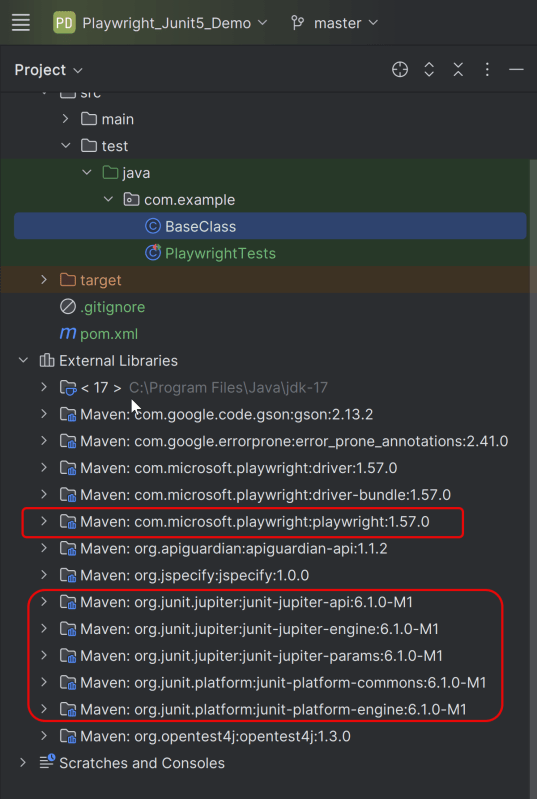
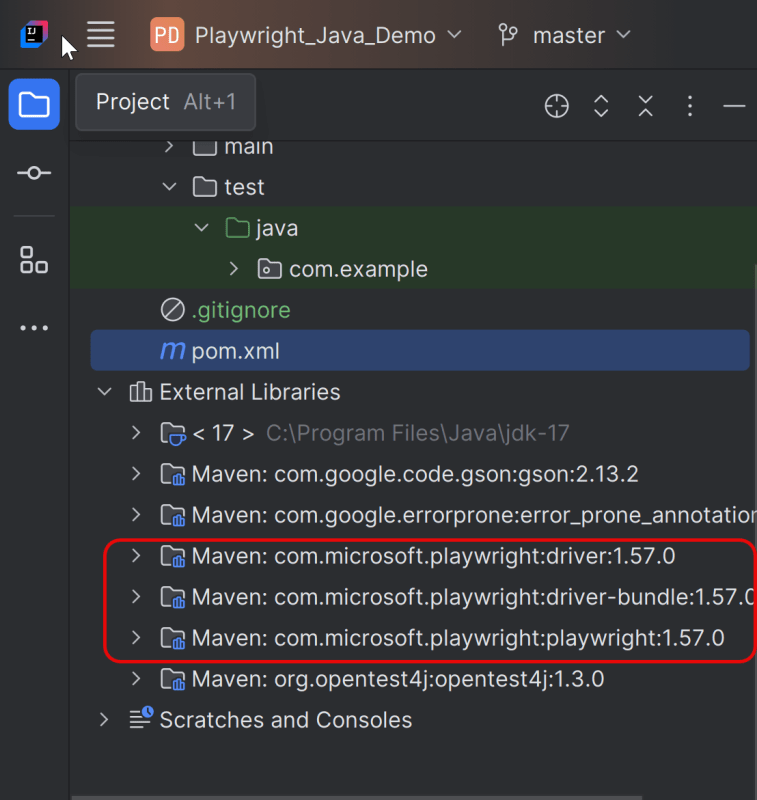
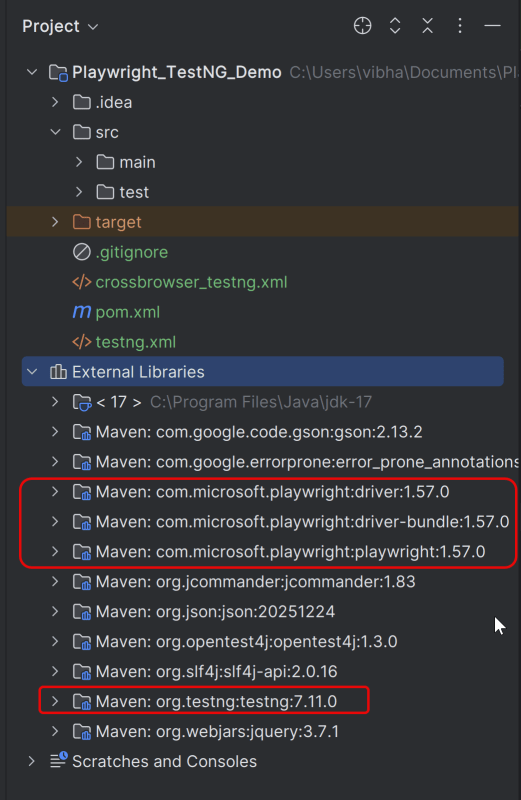
After adding the dependency, refresh the project. We will see that the Playwright jar files are downloaded in External Libraries.
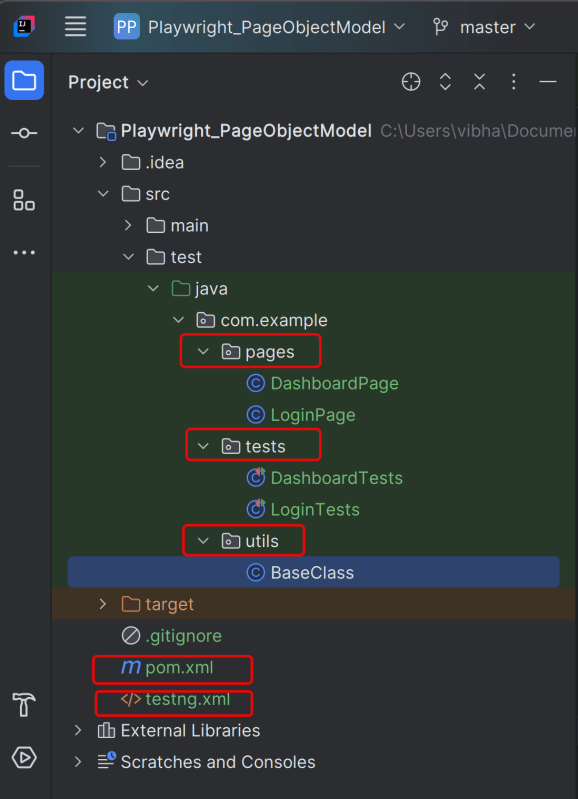
3. Project Structure for Maintainability
Creating a well-organized project structure is crucial for maintaining a scalable and efficient automation framework.
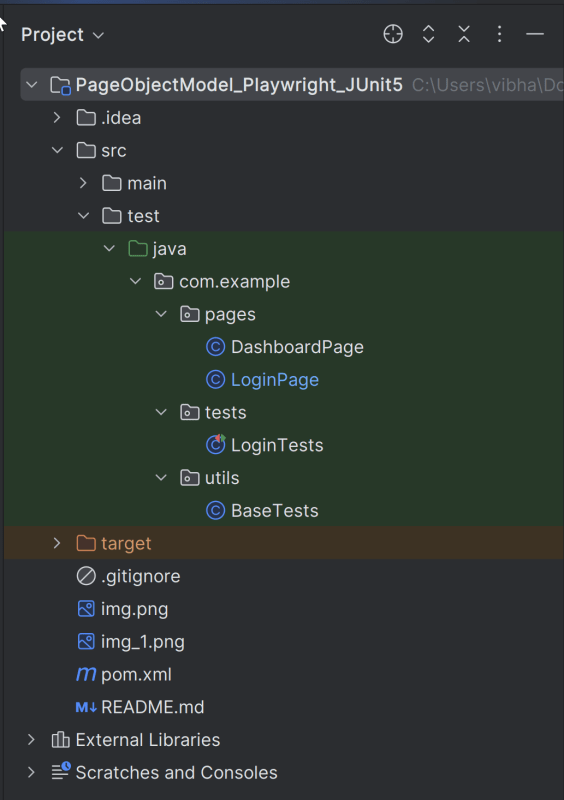
Page Classes (src/main/java/.../pages/): Each web page in your application should have a corresponding page class. This class encapsulates all the functionalities of the web page, following the Page Object Model.
Utility Classes (src/main/java/.../utils/): These classes can include various utilities like configuration readers, helper methods for common tasks, etc.
Test Classes (src/test/java/.../tests/): Here, you write your actual test cases, utilizing the page classes.
Test Data Files (src/test/resources/testdata/): Keep your test data, like usernames and passwords, in external files for easy management and to avoid hardcoding.
Maven Configuration (pom.xml): This file manages project dependencies, plugins, and other configurations.
4. Creating Page Object Classes
Page classes serve as an interface to a web page’s UI elements. Each page class corresponds to a page in your application, encapsulating the actions that can be performed on that page.
- Identify the UI Elements: Determine all the elements on the web page that your test will interact with, such as text boxes, buttons, and links.
- Define Selectors: Store the selectors for these elements in your page class. It’s a best practice to externalize these selectors, but for simplicity, we’ll define them directly in the class.
- Implement Actions: Create methods for each action that can be performed on the page, like entering text, clicking buttons, etc.
Creating LoginPage Class
import com.microsoft.playwright.Page;

public class LoginPage {

    private Page page;

    //Locators
    private final String usernameLocator = "input[name='username']";
    private final String passwordLocator = "input[name='password']";
    private final String submitButton = "button[type='submit']";
    private final String errorMessage = "//p[contains(@class, 'oxd-text oxd-text--p oxd-alert-content-text')]";

    //Constructor
    public LoginPage(Page page){
        this.page = page;
    }

    public void login(String username, String password) {
        page.fill(usernameLocator,username);
        page.fill(passwordLocator,password);
        page.click(submitButton);
    }

    public String getErrorMessage(){
        return page.textContent(errorMessage);
    }
}
Creating DashboardPage Class
package org.example.pages;

import com.microsoft.playwright.Page;

public class DashboardPage {

    private Page page;

    //Locators
    private final String dashboardHeading = "//h6[contains(@class, 'oxd-topbar-header-breadcrumb-module')]";

    //Constructor
    public DashboardPage(Page page) {
        this.page = page;
    }

    // Methods
    public String getHeading() {
        return page.textContent(dashboardHeading);
    }
}
5. Write the Test Scripts
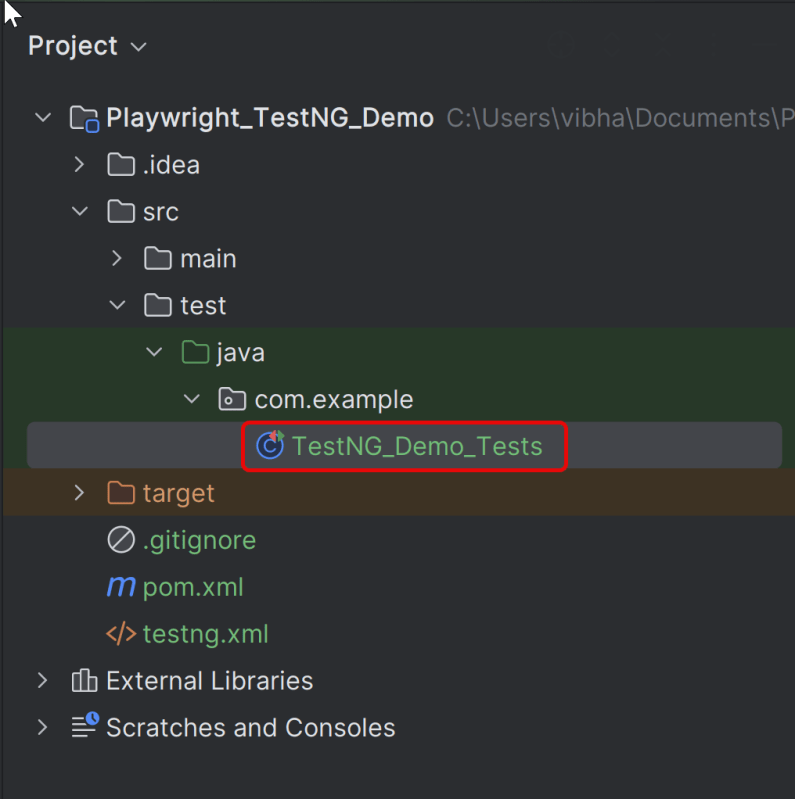
Create a Test files under src/test/java. Use these page classes in your test scripts to perform end-to-end scenarios. This will keep your tests clean and focused on logic rather than details about the UI elements.
A typical test class includes:
- Setup Method: Initializes the Playwright browser and other prerequisites before each test.
- Test Methods: Individual test cases, each representing a different scenario.
- Teardown Method: Closes the browser and performs any cleanup after each test.
Creating BaseTests
This class contains the common variables and methods used throughout the project, like setup and teardown methods.
package org.example.utils;
package com.example.utils;

import com.microsoft.playwright.*;
import org.junit.jupiter.api.*;

// Subclasses will inherit PER_CLASS behavior.
@TestInstance(TestInstance.Lifecycle.PER_CLASS)
public class BaseTests {

    // Shared between all tests in the class.
    static Playwright playwright;
    static Browser browser;

    // New instance for each test method.
    BrowserContext context;
    protected Page page;

    @BeforeAll
    public static void launchBrowser() {
        playwright = Playwright.create();
        browser = playwright.chromium().launch(new BrowserType.LaunchOptions().setHeadless(false));

    }

    @AfterAll
    public static void closeBrowser() {
        playwright.close();
    }


    @BeforeEach
    public void createContextAndPage() {
        context = browser.newContext();
        page = context.newPage();
        page.navigate("https://opensource-demo.orangehrmlive.com/web/index.php/auth/login");
    }

    @AfterEach
    public void closeContext() {
        context.close();
    }
}
Explanation
In JUnit you can initialize Playwright and Browser in @BeforeAll method and destroy them in @AfterAll. Use @TestInstance(TestInstance.Lifecycle.PER_CLASS) annotation to make JUnit create one instance of a class for all test methods within that class (by default each JUnit will create a new instance of the class for each test method). Store Playwright and Browser objects in instance fields. They will be shared between tests. Each instance of the class will use its own copy of Playwright.
1. Playwright playwright:
Initialized to manage the browser automation session, allowing interactions with different browsers.
2. Browser browser:
Declared to store the browser instance that will be shared across test methods within the class.
Playwright playwright;
Browser browser = null;
3. BrowserContext context:
Created anew for each test method to simulate independent browser sessions. This ensures that the browser state doesn’t carry over between tests.
4. Page page:
Represents a single tab or window in a browser used for performing actions and assertions.
BrowserContext context;
Page page;
5. @BeforeAll launchBrowser():
This method is annotated with @BeforeAll, indicating it runs once before any test methods in the current class.
The browser is launched in non-headless mode (setHeadless(false)), meaning an actual browser window is opened.
  @BeforeAll
    public void launchBrowser() {
        playwright = Playwright.create();
        browser = playwright.chromium().launch(new BrowserType.LaunchOptions().setHeadless(false));
    }
6. @BeforeEach createContextAndPage()
This method runs before each test method in the class, as indicated by the @BeforeEach annotation.
It creates a new BrowserContext and a Page, ensuring each test runs in a clean, isolated state.
The method also navigates to a login page (“https://opensource-demo.orangehrmlive.com/web/index.php/auth/login”), setting up the initial state for each test.
@BeforeMethod
void createContextAndPage() {
      context = browser.newContext();
      page = context.newPage();
      page.navigate("https://opensource-demo.orangehrmlive.com/web/index.php/auth/login");
}
7. @AfterAll closeContext()
Runs after each test method, annotated with @AfterMethod.
Closes the BrowserContext, effectively closing the browser tab and cleaning up resources.
@AfterAll
 public static void closeBrowser() {
        playwright.close();
 }
8. @AfterEach closeContext()
Runs once after all test methods in the current class have executed, as indicated by the @AfterEach annotation.
Closes the Playwright instance, freeing up all resources used for automation.
@AfterEach
   public void closeContext() {
        context.close();
}
Creating a Login Page Test Class:
We will be automating the following test scenario using Playwright Java and run them in Chromium
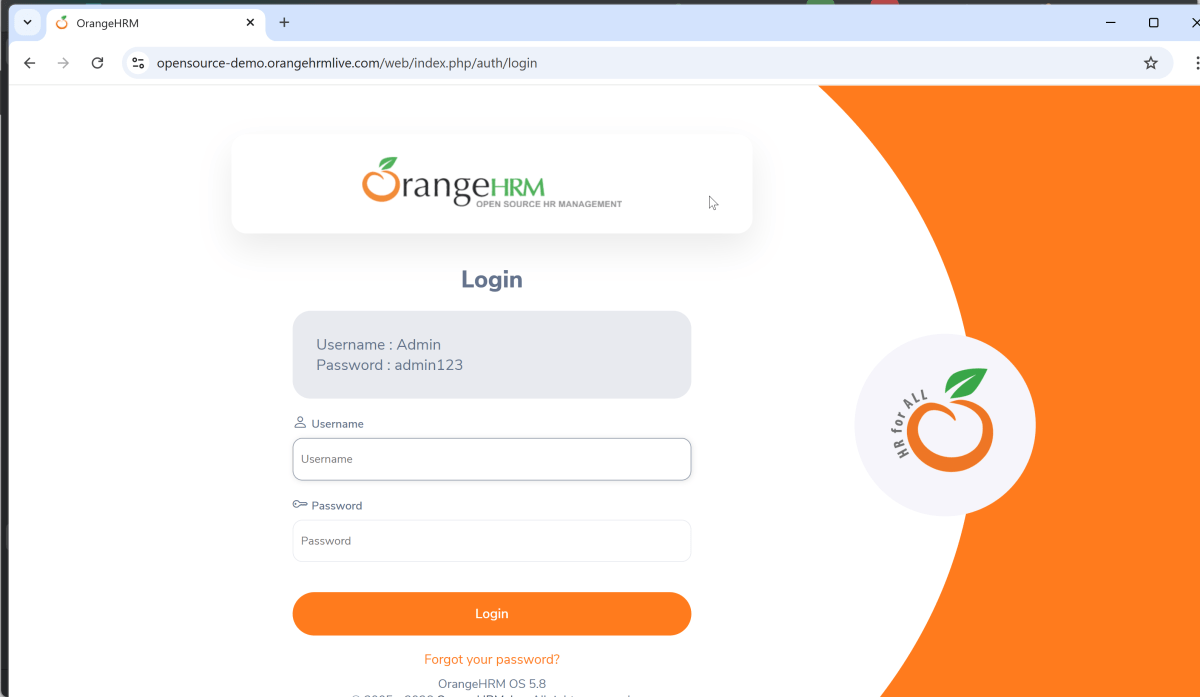
- Verify that the Home page title of “https://opensource-demo.orangehrmlive.com/web/index.php/auth/login” is equal to “OrangeHRM”
- Verify the invalid username generates error message “Invalid credentials”
package com.example.tests;

import com.example.pages.DashboardPage;
import com.example.pages.LoginPage;
import com.example.utils.BaseTests;
import org.junit.jupiter.api.Assertions;
import org.junit.jupiter.api.Test;

public class LoginTests extends BaseTests {

    @Test
    public void unsuccessfulLogin() {

        LoginPage loginPage = new LoginPage(page);
        loginPage.login("abc","abc");
        String actualErrorMessage = loginPage.getErrorMessage();
        Assertions.assertEquals("Invalid credentials", actualErrorMessage, "");

   }

    @Test
    public void successfulLogin() {

        LoginPage loginPage = new LoginPage(page);
        loginPage.login("Admin","admin123");
        DashboardPage dashboardPage = new DashboardPage(page);
        String actualHeading = dashboardPage.getDashboardPageHeading();
        Assertions.assertEquals("Dashboard",actualHeading, "Unable to login to the application");

    }

}
Explanation
1. successfulLogin
This method enters correct credentials and login to the application.
2. unsuccessfulLogin
This method enter the invalid username and password and click on the Submit button. Then, it assert that the error message generated by the application is equal to “Invalid credentials”.
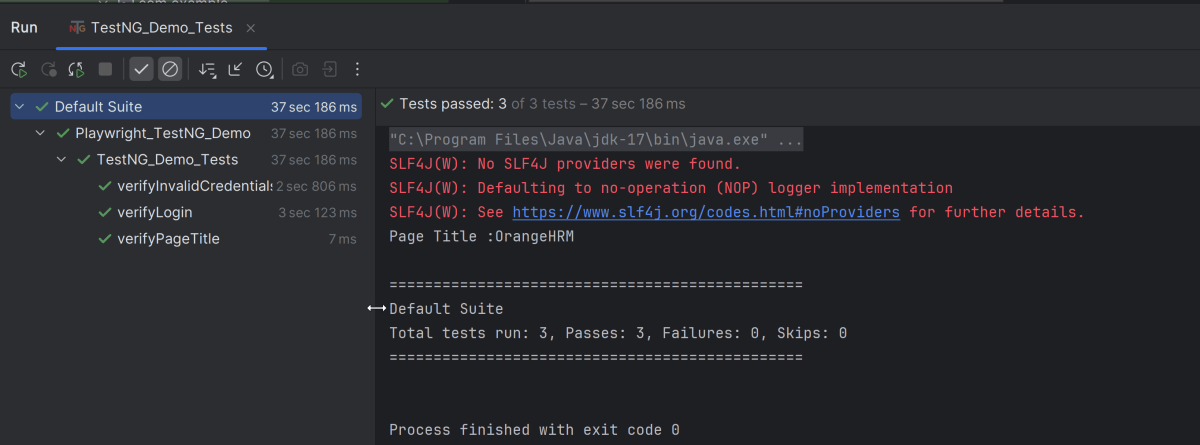
7. Test Execution through IntelliJ
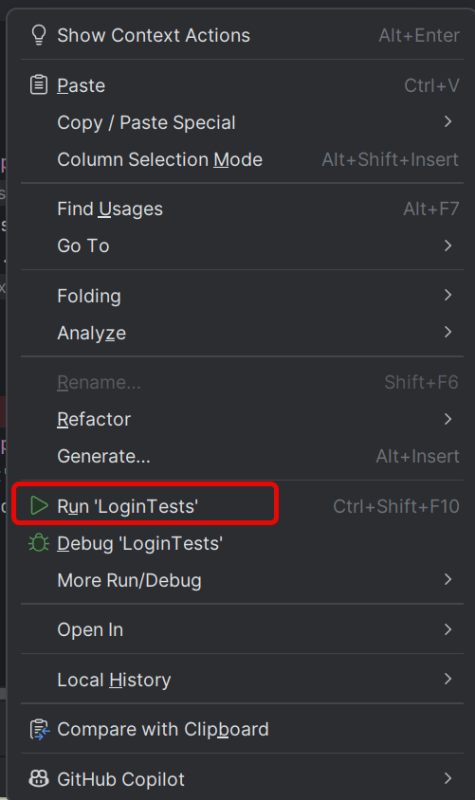
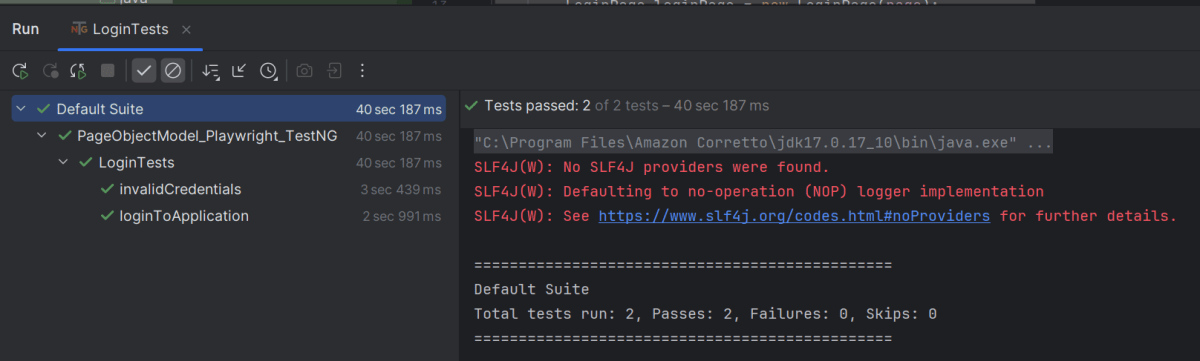
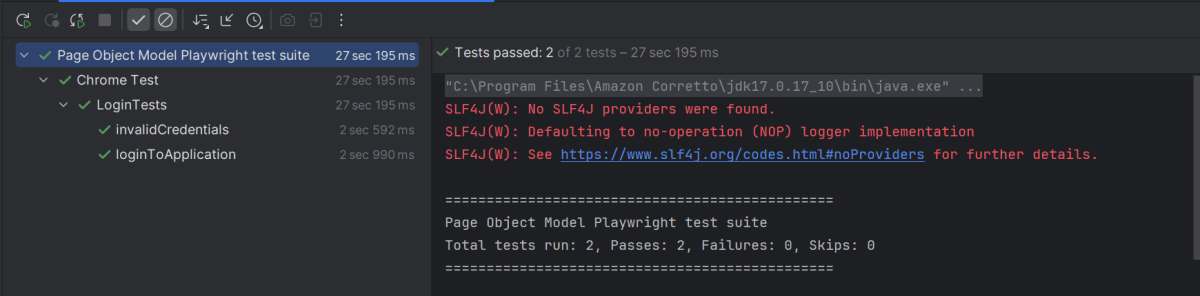
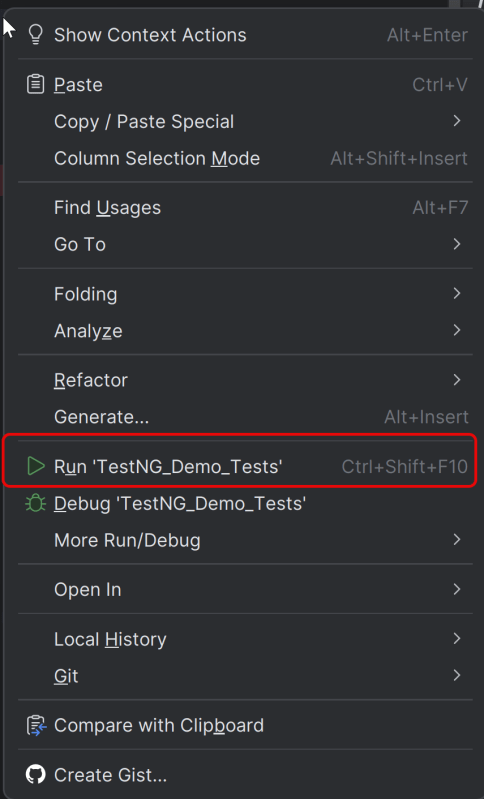
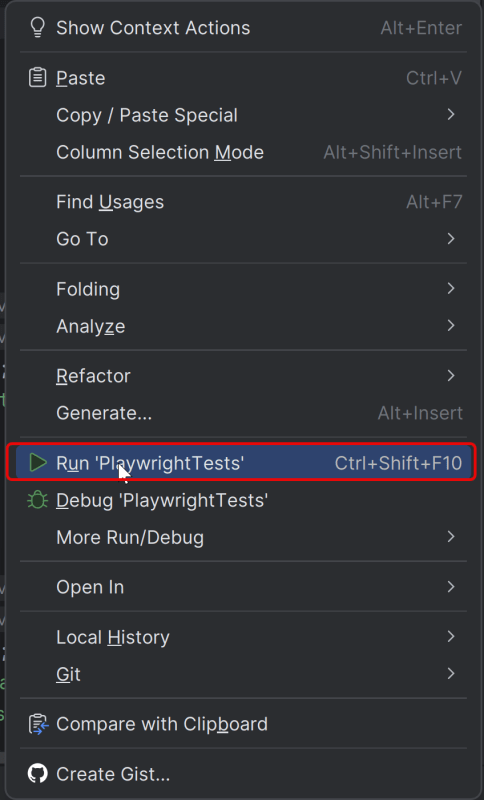
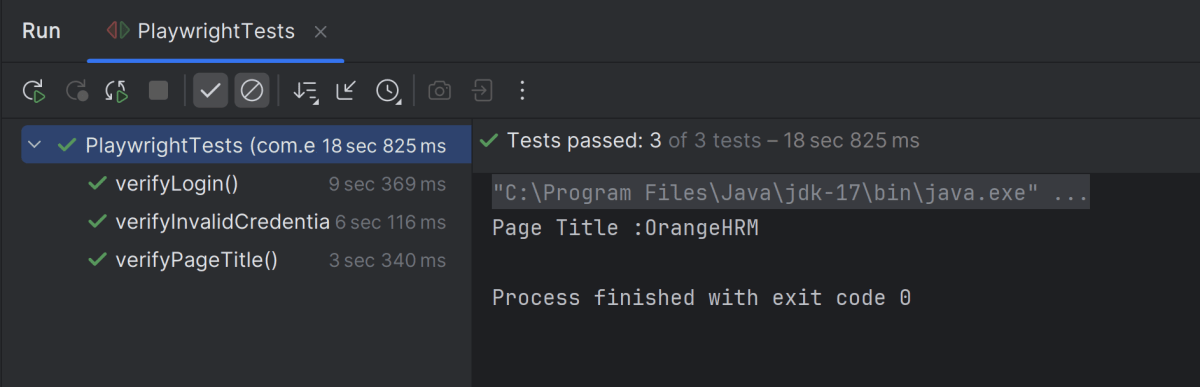
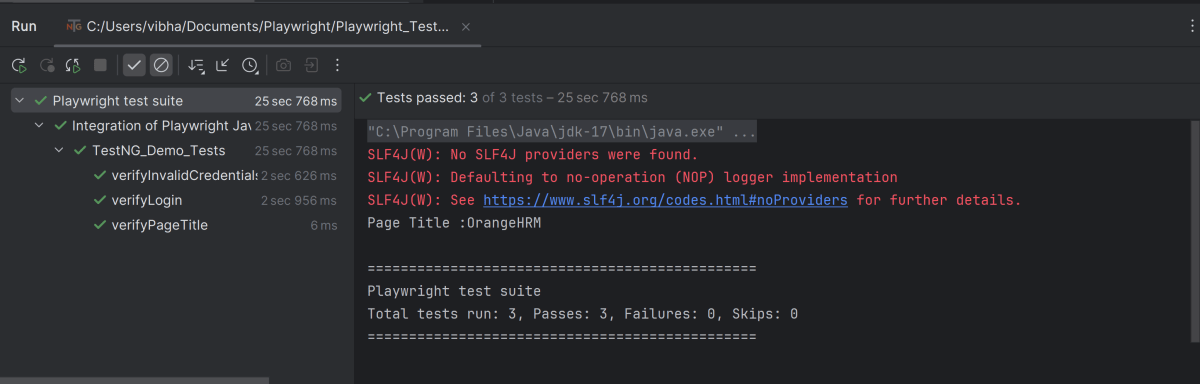
Go to the Test class and right-click and select Run ‘LoginTests’. The tests will run as JUnit5 tests (in IntelliJ).
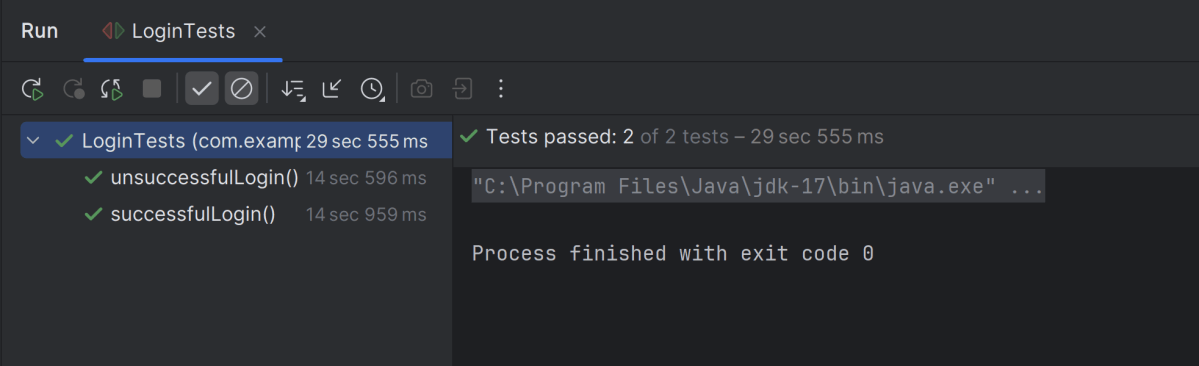
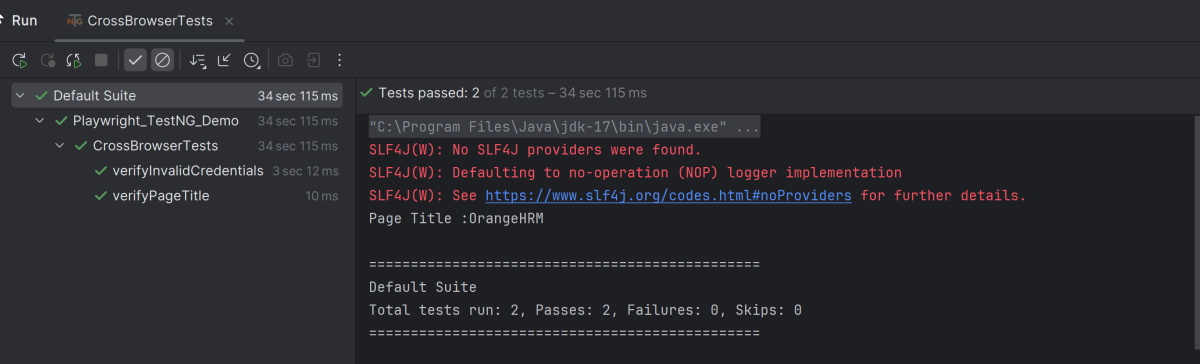
Below is the test execution result.
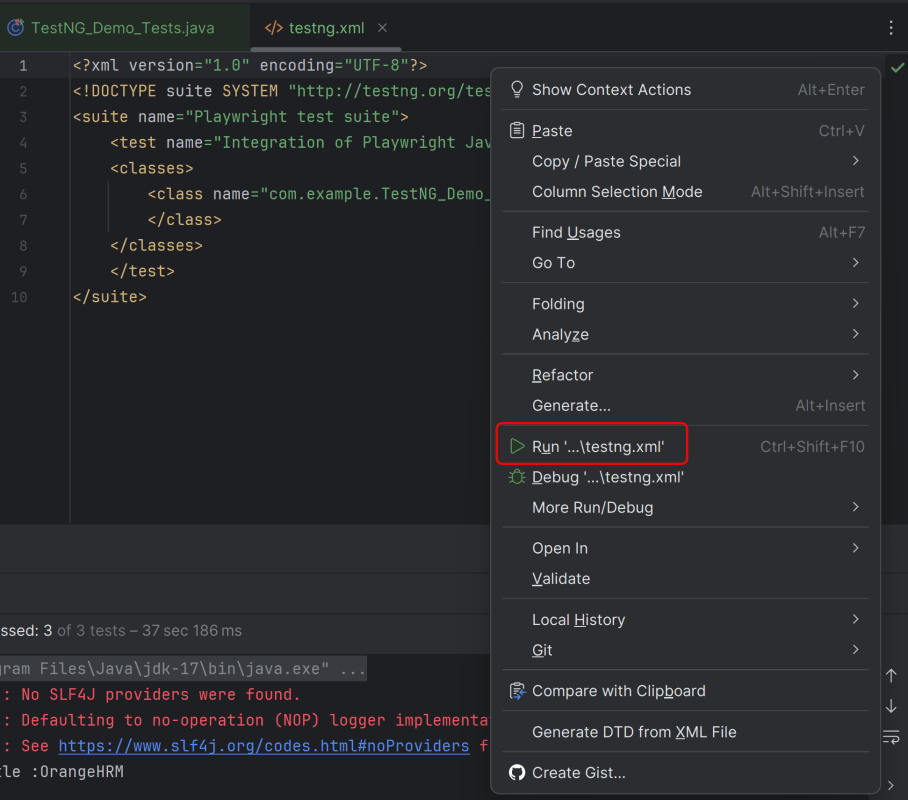
8. Run the tests using the command line
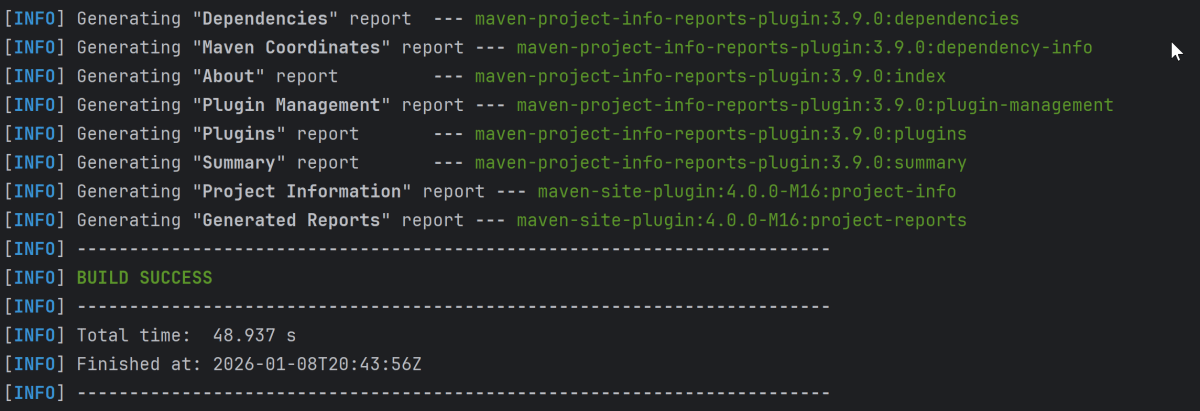
Use the below command to run the tests using the command line.
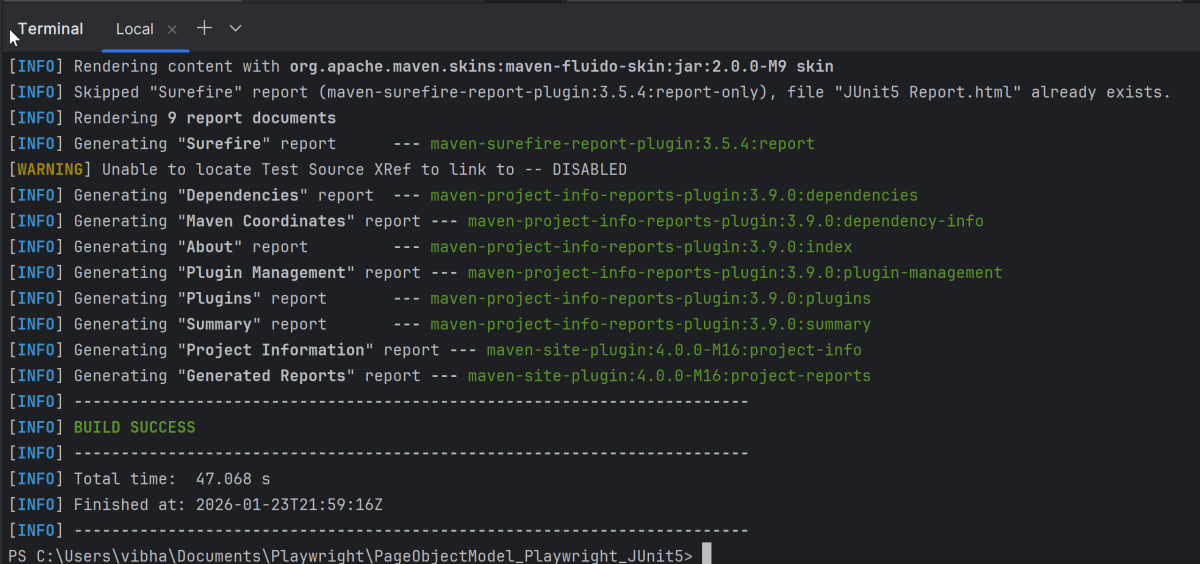
mvn clean test site
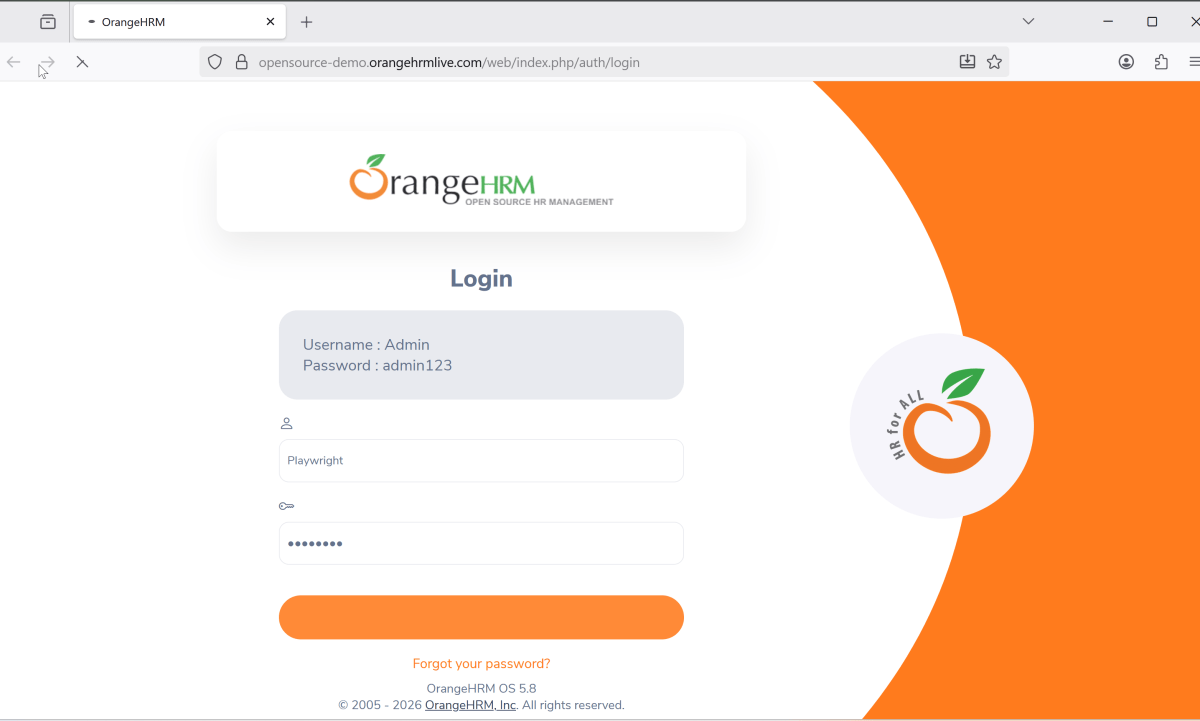
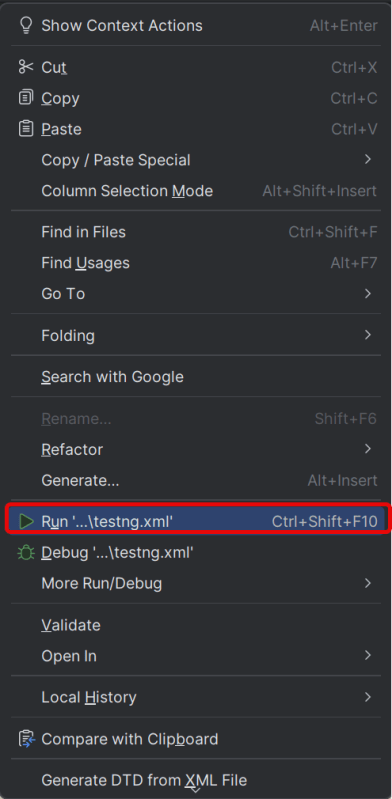
This will run the tests in chromium as mentioned in the .xml file.
Chromium
The output of the above program is
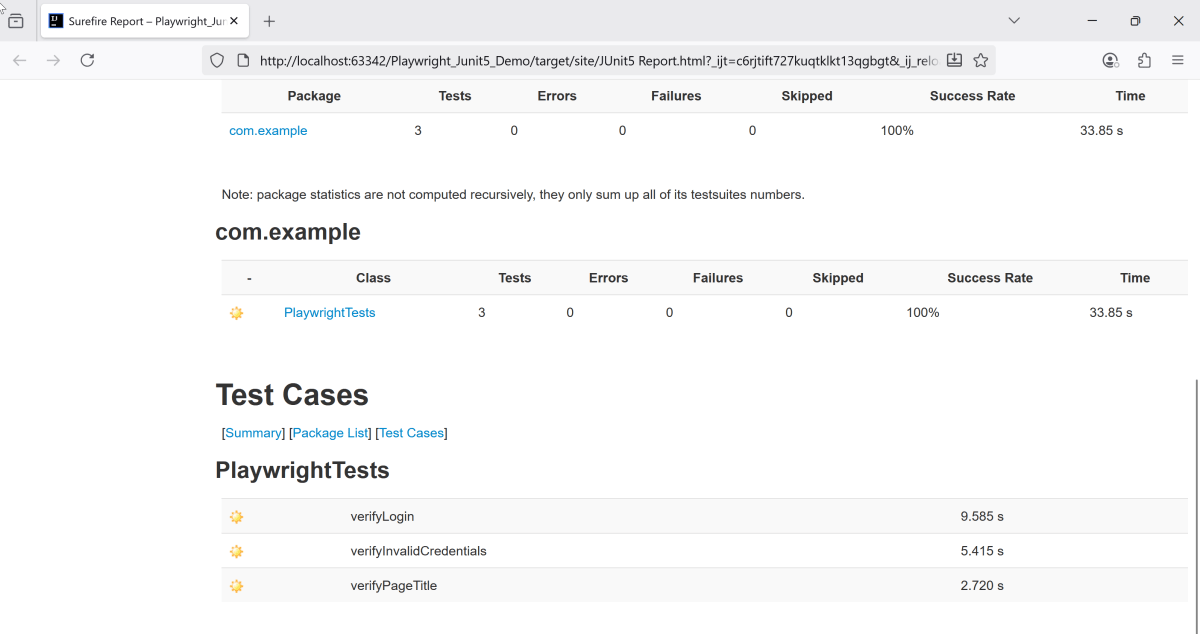
9. JUnit5 Report Generation
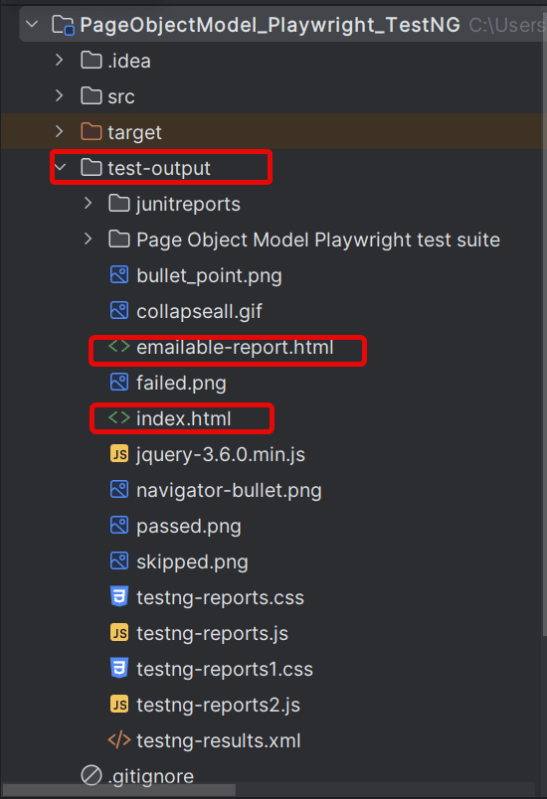
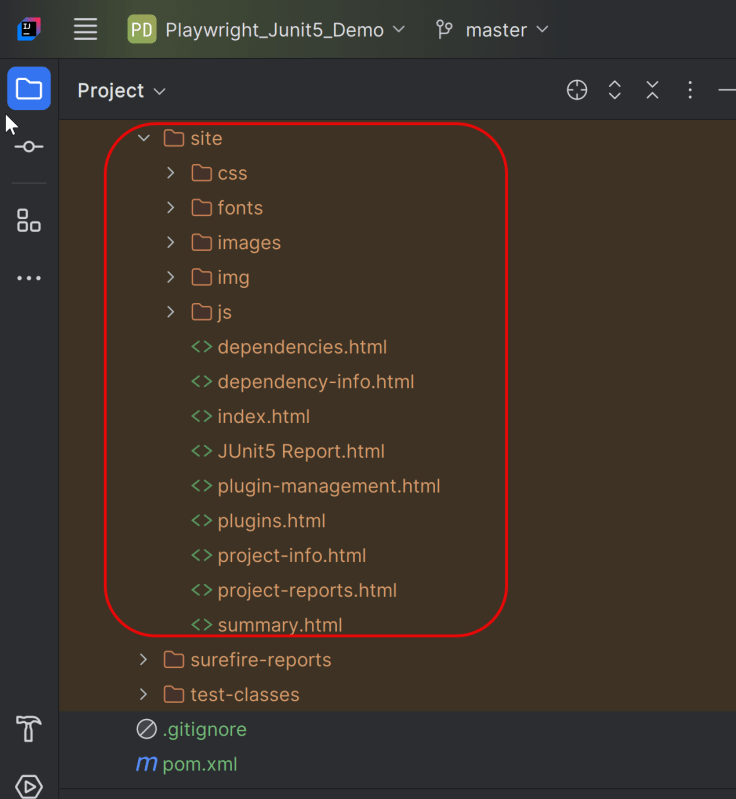
Maven Site Plugin creates a folder – site under the target directory.
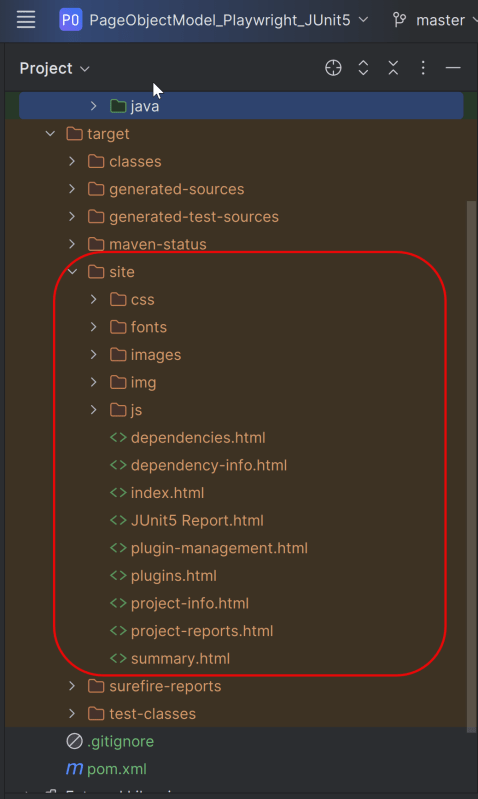
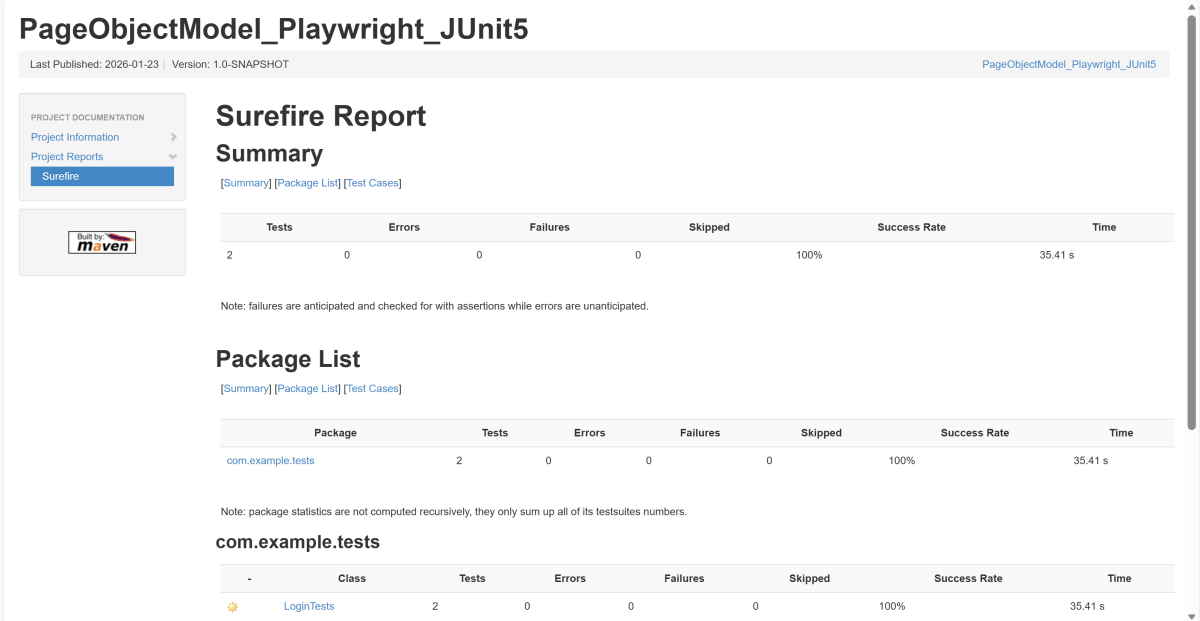
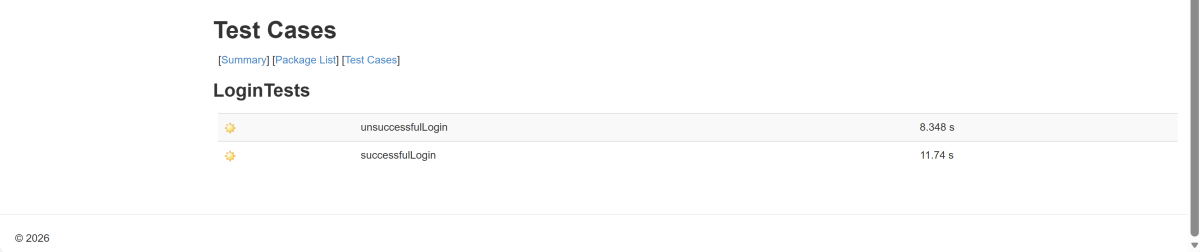
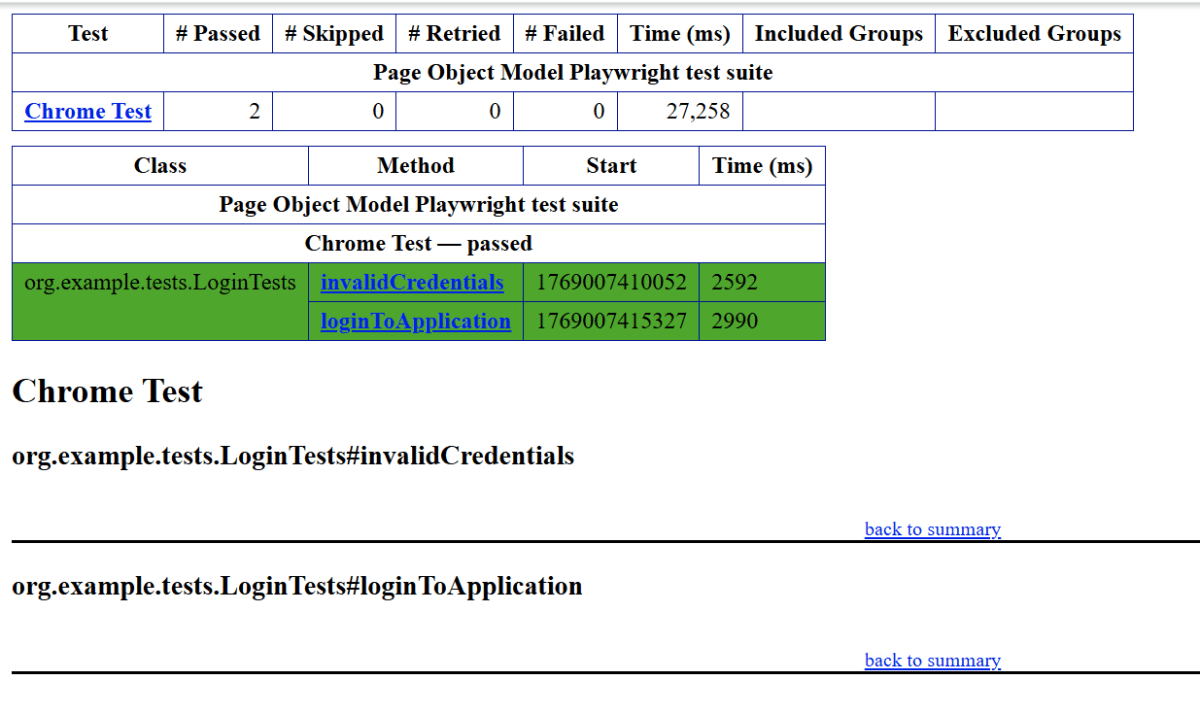
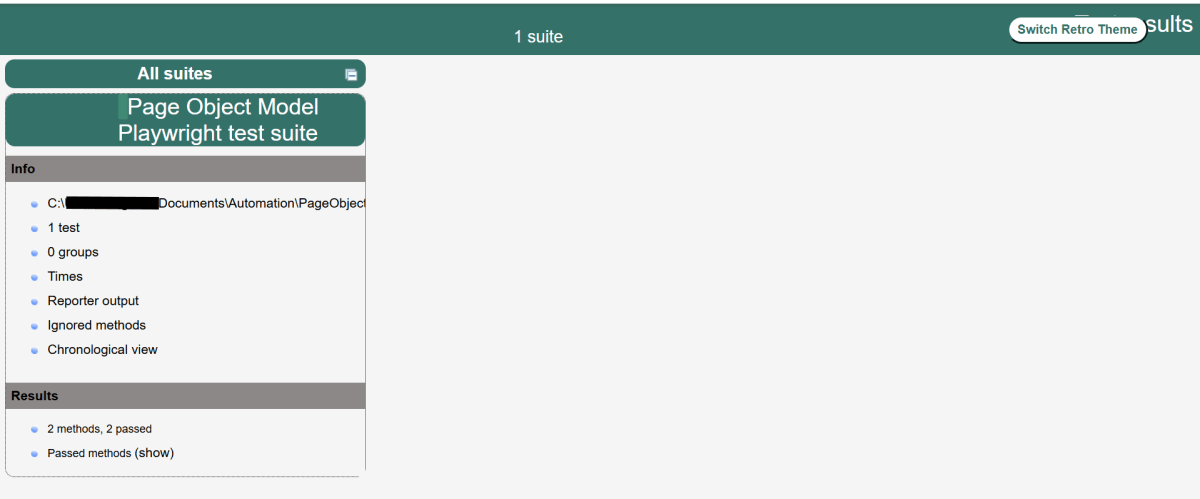
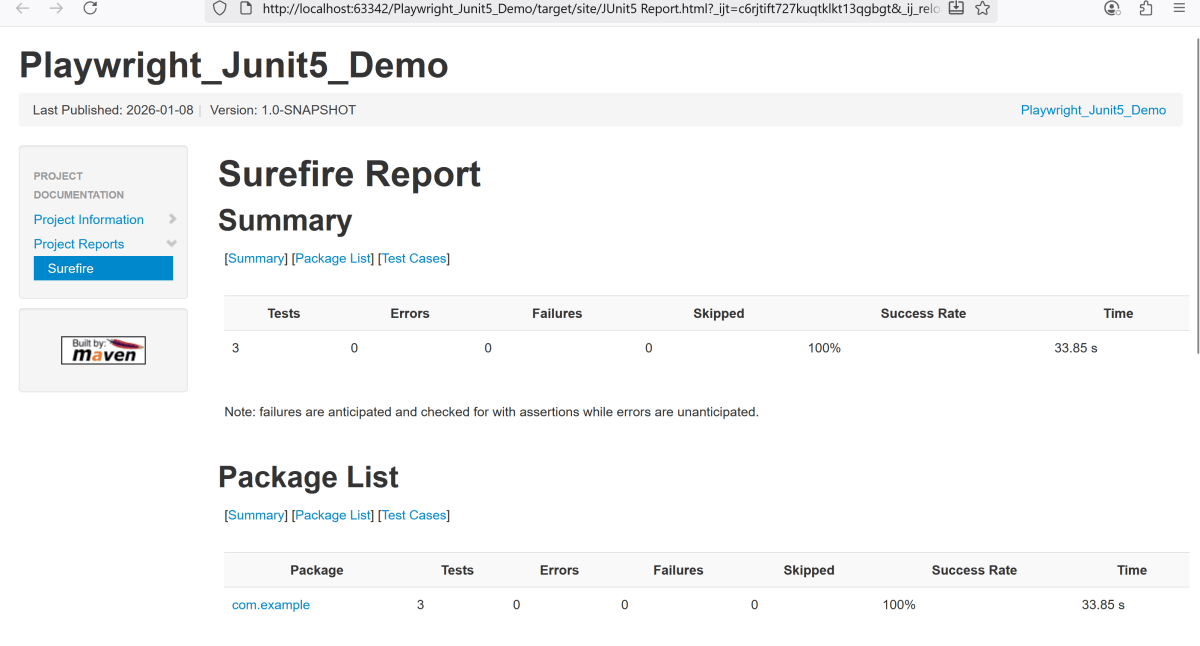
Right-click on the Junit5 Report.html and open it in the browser.
Recap of Key Points:
- Playwright and Java: We explored the powerful combination of Playwright with Java, highlighting the benefits of this duo in automated testing.
- Project Structure: An optimal project layout was discussed, emphasizing maintainability and organization.
- Page Object Model (POM): The implementation of POM was outlined, showcasing its importance in creating scalable and maintainable test scripts.
- Page Classes: We explored the creation of page classes. They are a core component of POM. We provided examples to illustrate their structure. The examples also showed their functionality.
- Test Classes: The structure and best practices for writing test classes were covered. This ensures clarity. It also enhances efficiency in your tests.









 QA Automation Expert