How to Execute PATCH Requests in Playwright

HOME

npm install playwright

import { defineConfig } from '@playwright/test';

export default defineConfig({
  reporter: 'html',
});

import { test, expect } from '@playwright/test';

test('API Testing - PATCH with Playwright', async ({ request }) => {

const response = await request.get('https://jsonplaceholder.typicode.com/posts/1');
      
    // Check the response status code 
    expect(response.status()).toBe(200);

    // Parse the response data 
    const responseBody = await response.json();
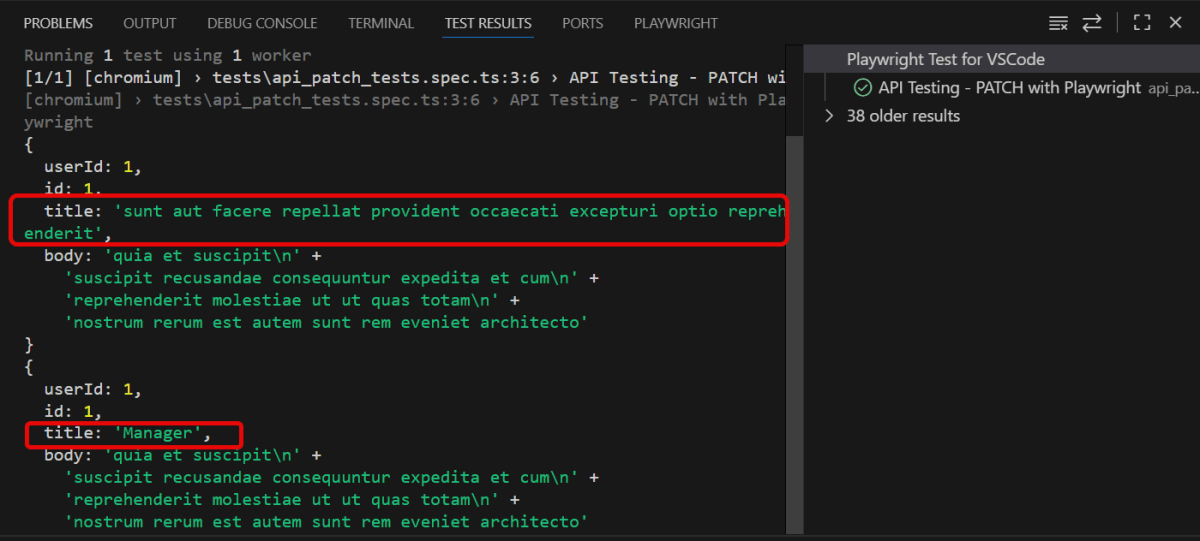
    console.log(responseBody);

  
     // Perform a PATCH request
     const patchResponse = await request.patch('https://jsonplaceholder.typicode.com/posts/1', {
       data: {
         title: 'Manager'
       }
     });

    // Check the response status code 
    expect(patchResponse.status()).toBe(200);

    // Parse the response data
    const patchResponseBody = await patchResponse.json();
    console.log(patchResponseBody);

    // Validate the response 
    expect(patchResponseBody).toHaveProperty('title', 'Manager');

   });

This line imports the `test` and `expect` functions from the Playwright testing module. They provide a structure for creating tests and validating outcomes.

import { test, expect } from '@playwright/test';
test('API Testing - PATCH with Playwright', async ({ request }) => {
const patchResponse = await request.patch('https://jsonplaceholder.typicode.com/posts/1', {
      data: {
        title: 'Manager'
      }
    });
expect(patchResponse.status()).toBe(200);
const patchResponseBody = await patchResponse.json();
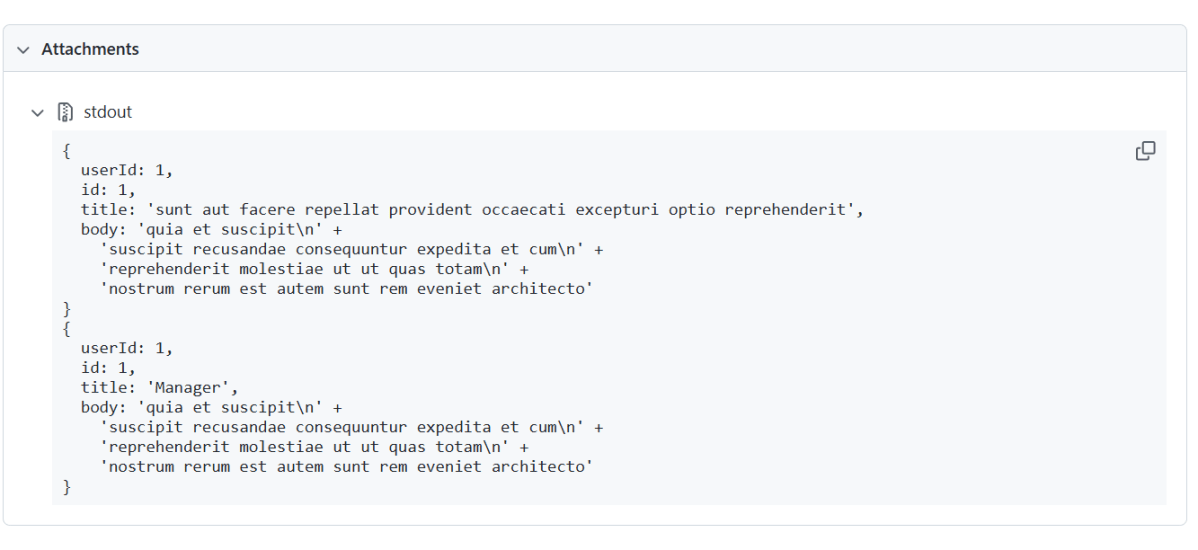
console.log(patchResponseBody);
expect(patchResponseBody).toHaveProperty('title', 'Manager');

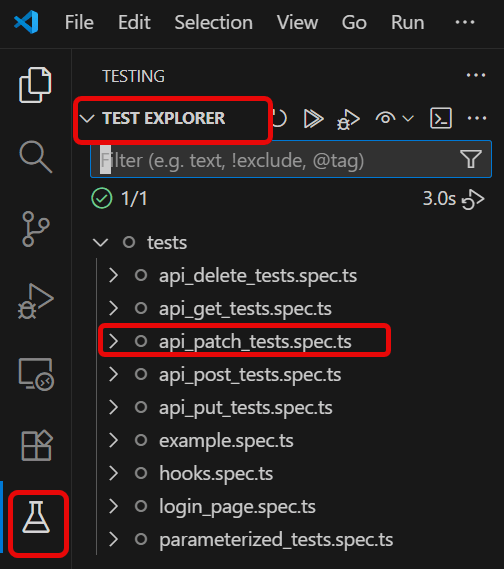
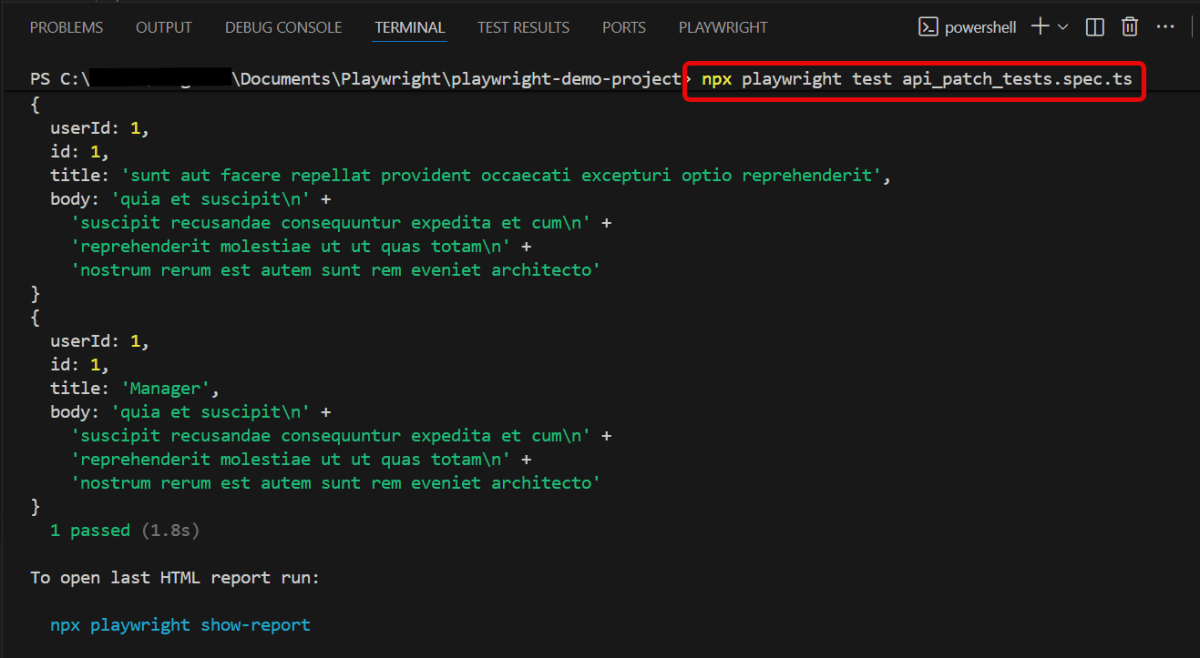
npx playwright test api_patch_tests.spec.ts

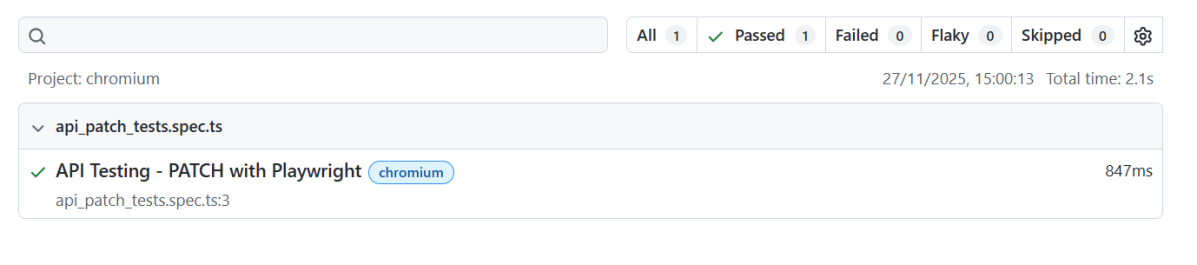
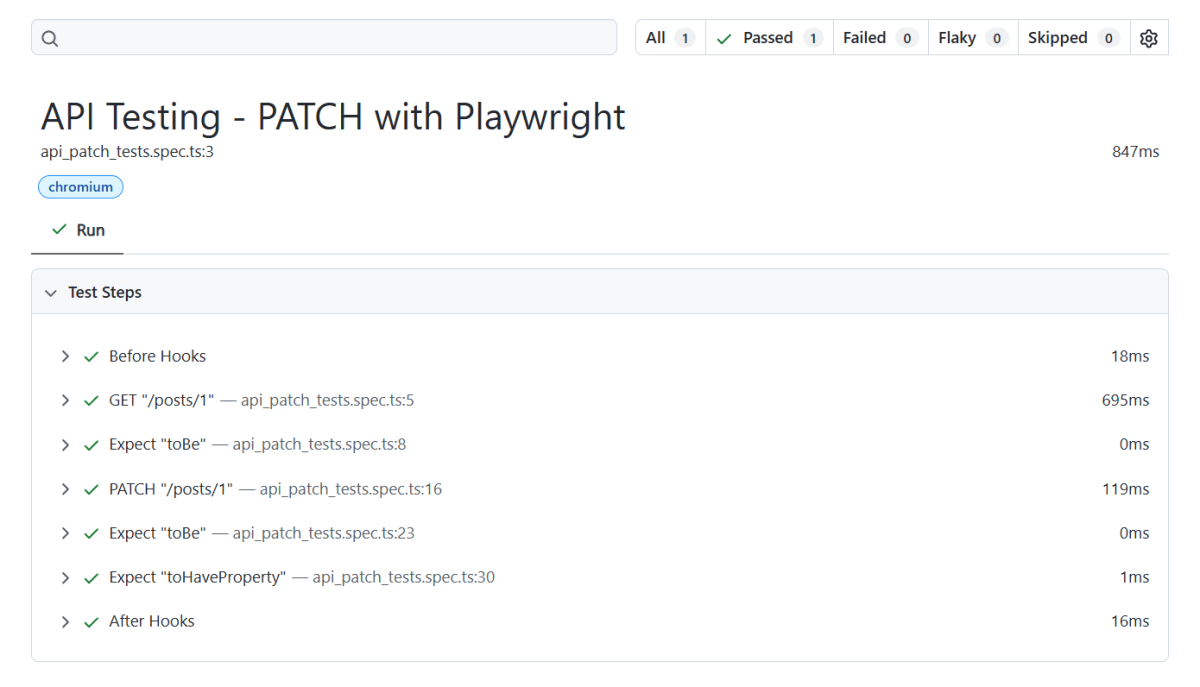
npx playwright show-report

How to Execute PUT Requests in Playwright

HOME

npm install playwright

import { defineConfig } from '@playwright/test';

export default defineConfig({
  reporter: 'html',
});

import { test, expect } from '@playwright/test';

 test('API Testing - PUT with Playwright', async ({ request }) => {

    // Perform a GET request
    const response = await request.get('https://jsonplaceholder.typicode.com/posts/1');
      
     // Check the response status code
     expect(response.status()).toBe(200);

     // Parse the response data
     const responseBody = await response.json();
     console.log(responseBody);
  
     // Perform a PUT request
     const putResponse = await request.put('https://jsonplaceholder.typicode.com/posts/1', {
       data: {
         title: 'Manager',
         body: 'Test',
         userId: 1
       }
     });

     // Check the response status code
     expect(putResponse.status()).toBe(200);

     // Parse the response data
     const putResponseBody = await putResponse.json();
     console.log(putResponseBody);

     // Validate the response
     expect(putResponseBody).toHaveProperty('title', 'Manager');
     expect(putResponseBody).toHaveProperty('body', 'Test');
     expect(putResponseBody).toHaveProperty('userId', 1);
   });
import { test, expect } from '@playwright/test';
test('API Testing - PUT with Playwright', async ({ request }) 
 // Perform a GET request
    const response = await request.get('https://jsonplaceholder.typicode.com/posts/1');
      
     // Check the response status code
     expect(response.status()).toBe(200);

     // Parse the response data
     const responseBody = await response.json();
     console.log(responseBody);

const putResponse = await request.put('https://jsonplaceholder.typicode.com/posts/1', {
       data: {
         title: 'Manager',
         body: 'Test',
         userId: 1
       }
 });
expect(putResponse.status()).toBe(200);
const putResponseBody = await putResponse.json();
console.log(putResponseBody);
expect(putResponseBody).toHaveProperty('title', 'Manager');
expect(putResponseBody).toHaveProperty('body', 'Test');
expect(putResponseBody).toHaveProperty('userId', 1);

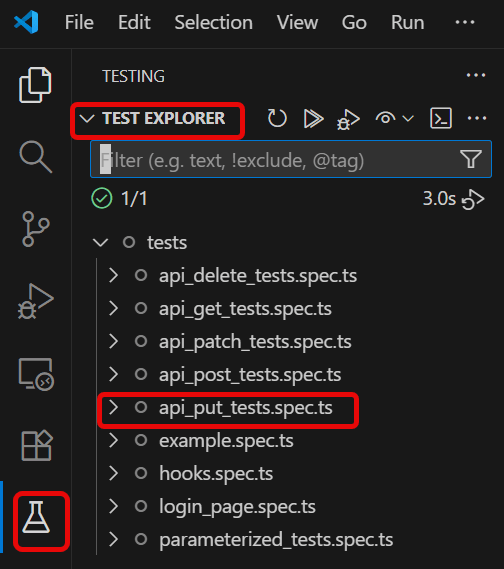
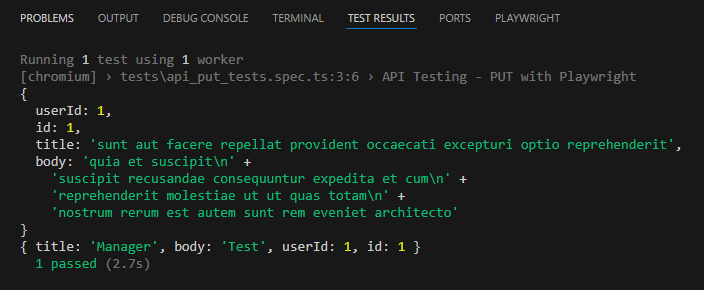
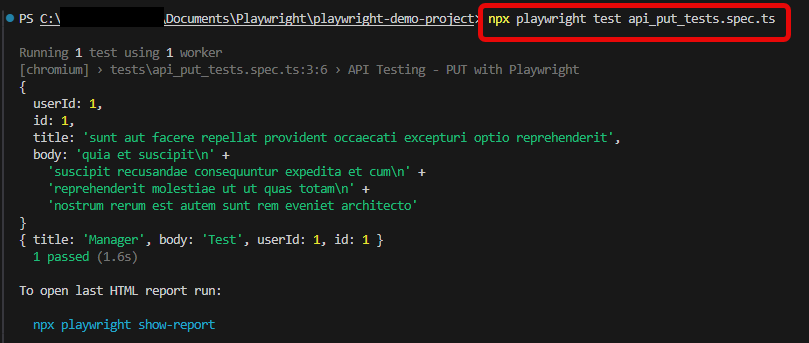
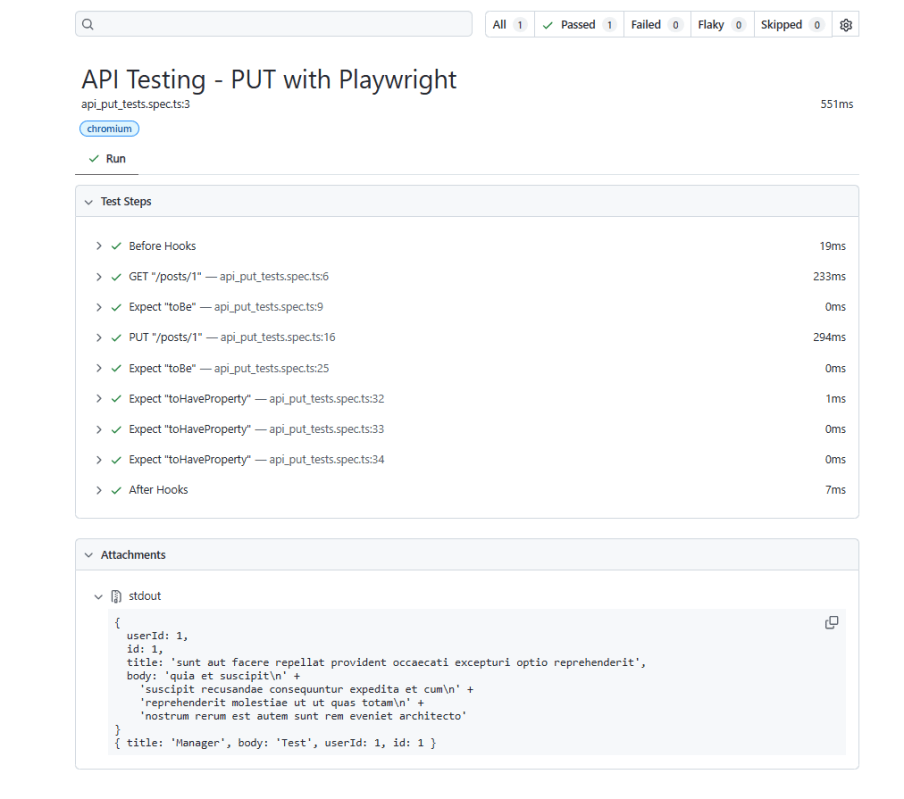
npx playwright test api_put_tests.spec.ts

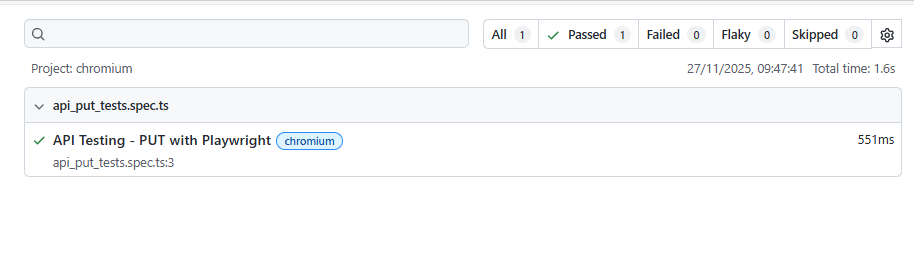
npx playwright show-report

How to Execute POST Requests in Playwright

HOME

What is POST Request?

npm install playwright

import { defineConfig } from '@playwright/test';

export default defineConfig({
  reporter: 'html',
});

import { test, expect } from '@playwright/test';

 test('API Testing - POST with Playwright', async ({ request }) => {

     // Perform a POST request
     const postResponse = await request.post('https://jsonplaceholder.typicode.com/users', {
       data: {
         title: 'Manager',
         body: 'Test',
         userId: 10,
       }
     }); 

     // Check the response status code
     expect(postResponse.status()).toBe(201);

      // Parse the response data
     const postResponseBody = await postResponse.json();
     console.log(postResponseBody);

     // Validate the response
     expect(postResponseBody).toHaveProperty('title', 'Manager');
     expect(postResponseBody).toHaveProperty('body', 'Test');
     expect(postResponseBody).toHaveProperty('userId', 10);
   });
import { test, expect } from '@playwright/test';
test('API Testing - POST with Playwright', async ({ request }) 
 const postResponse = await request.post('https://jsonplaceholder.typicode.com/users', {
       data: {
         title: 'Manager',
         body: 'Test',
         userId: 10,
       }
     }); 
expect(postResponse.status()).toBe(201);
const postResponseBody = await postResponse.json();
console.log(postResponseBody);

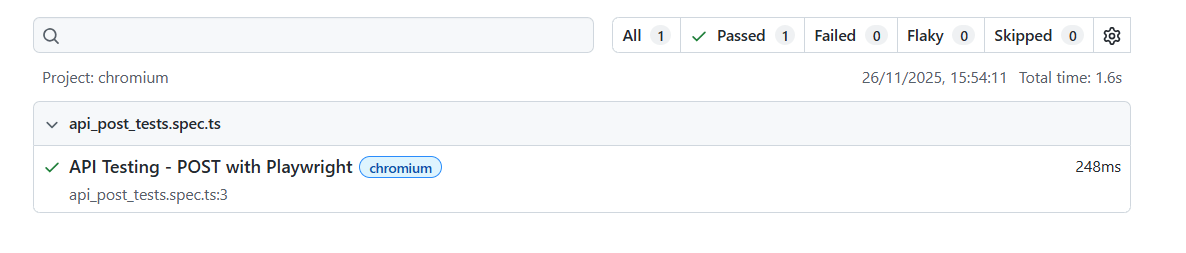
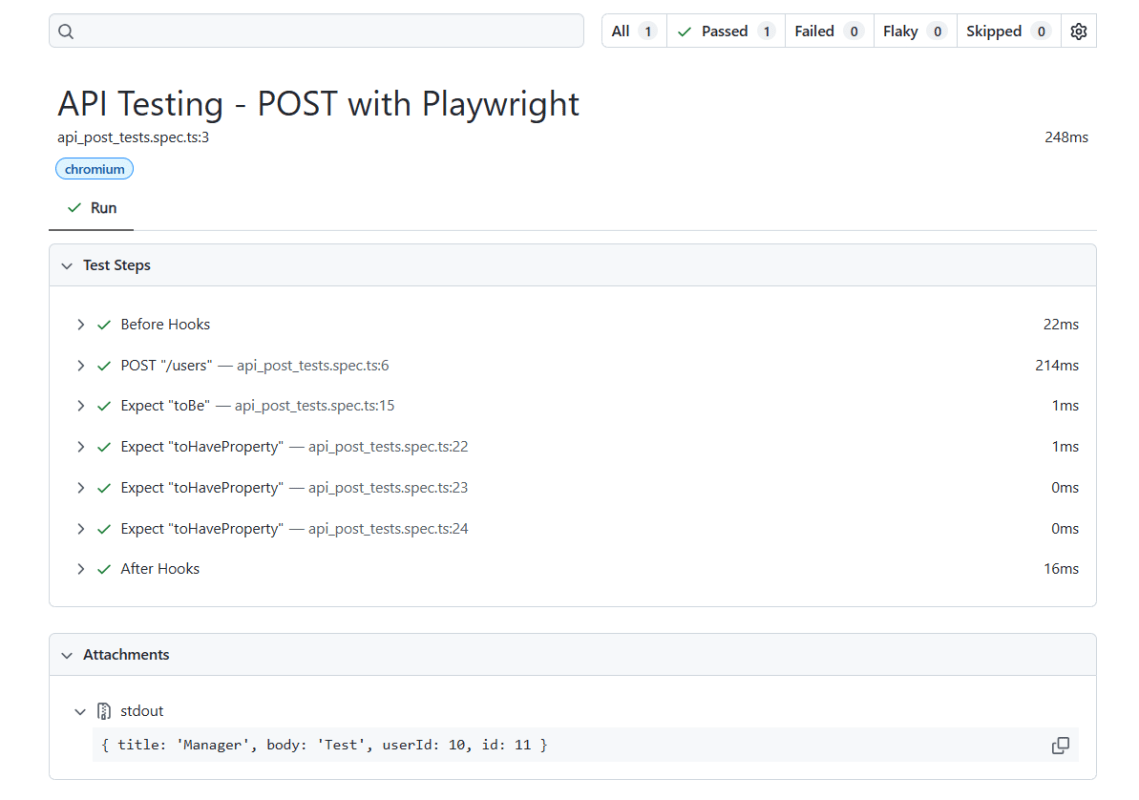
The assertions verify that the response contains expected data.

expect(postResponseBody).toHaveProperty('title', 'Manager');
expect(postResponseBody).toHaveProperty('body', 'Test');
expect(postResponseBody).toHaveProperty('userId', 10);

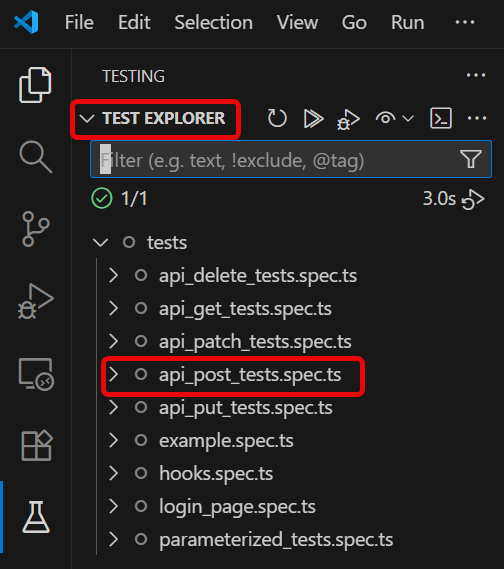
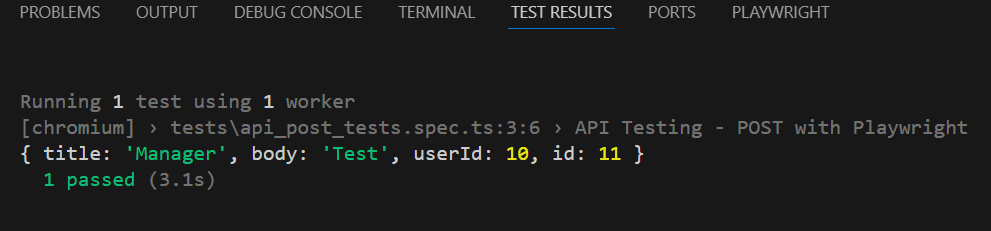
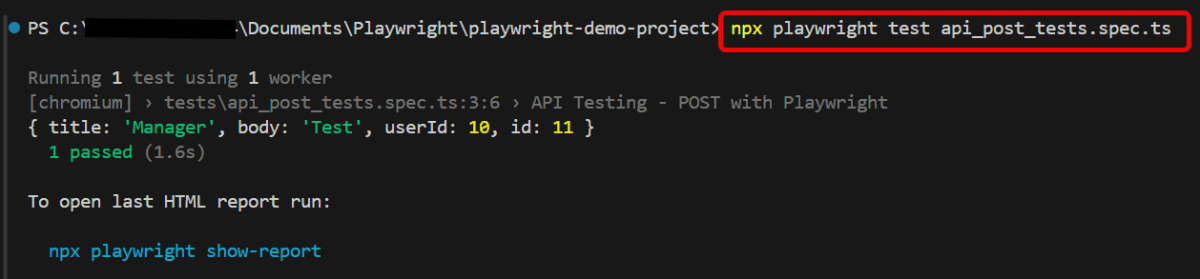
npx playwright test api_post_tests.spec.ts

npx playwright show-report

How to Execute GET Requests in Playwright

HOME

npm install playwright

import { defineConfig } from '@playwright/test';

export default defineConfig({
  reporter: 'html',
});

import { test, expect } from '@playwright/test';

test('API Testing - GET with Playwright', async ({ request }) => {

     // Perform a GET request
     const response = await request.get('https://jsonplaceholder.typicode.com/users/1');
      
     // Check the response status code
     expect(response.status()).toBe(200);

    // Parse the response data
     const responseBody = await response.json();
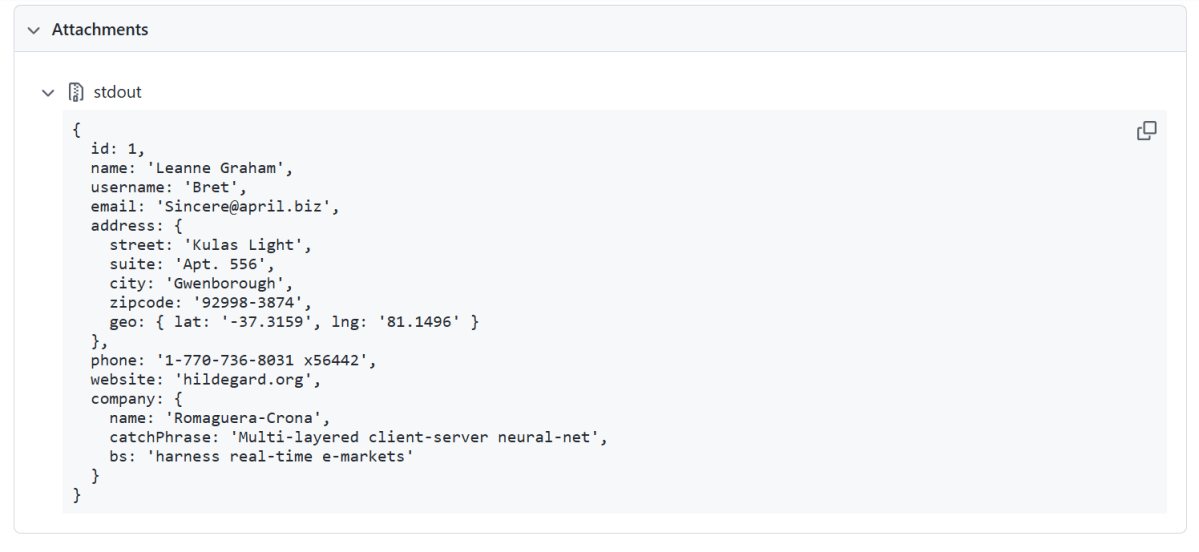
     console.log(responseBody);

     // Assertions based on expected response
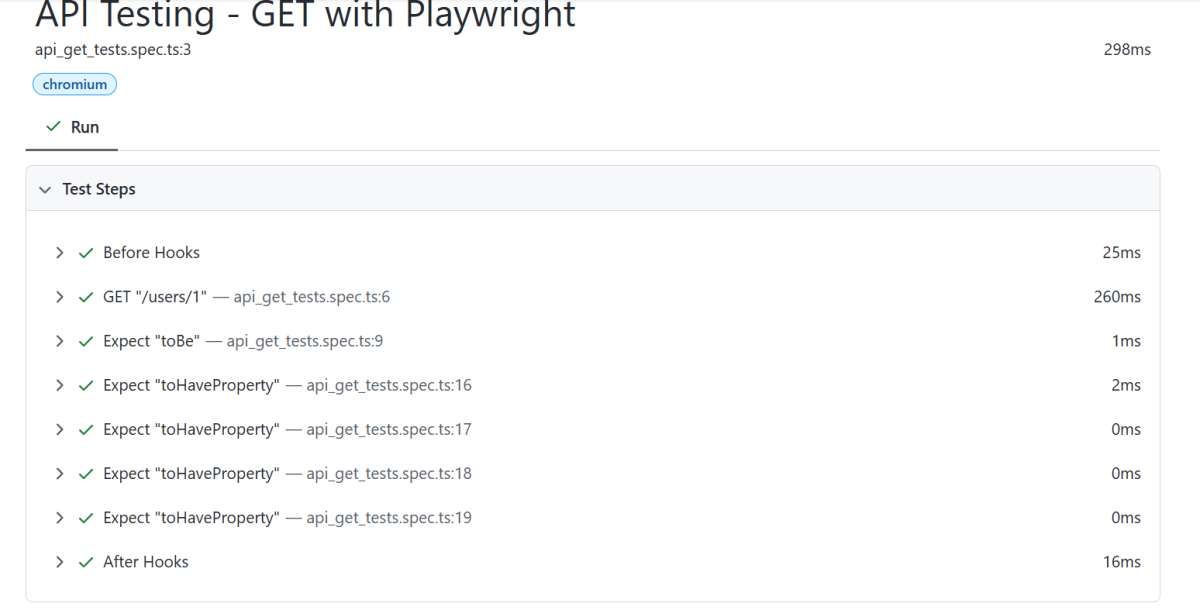
     expect(responseBody).toHaveProperty('id', 1);
     expect(responseBody).toHaveProperty('name','Leanne Graham');
     expect(responseBody).toHaveProperty('address.zipcode','92998-3874');
     expect(responseBody).toHaveProperty('address.geo.lat','-37.3159');

   });
import { test, expect } from '@playwright/test';
test('API Testing - GET with Playwright', async ({ request }) => {
 const response = await request.get('https://jsonplaceholder.typicode.com/users/1');
 expect(response.status()).toBe(200);
 const responseBody = await response.json();
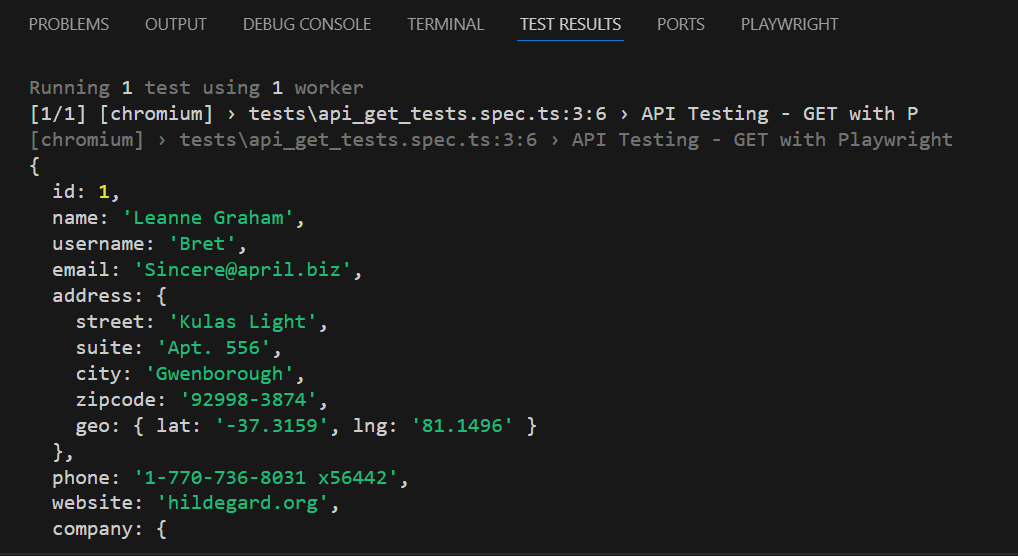
console.log(responseBody);
expect(responseBody).toHaveProperty('id', 1);
expect(responseBody).toHaveProperty('name','Leanne Graham');
expect(responseBody).toHaveProperty('address.zipcode','92998-3874');
expect(responseBody).toHaveProperty('address.geo.lat','-37.3159');

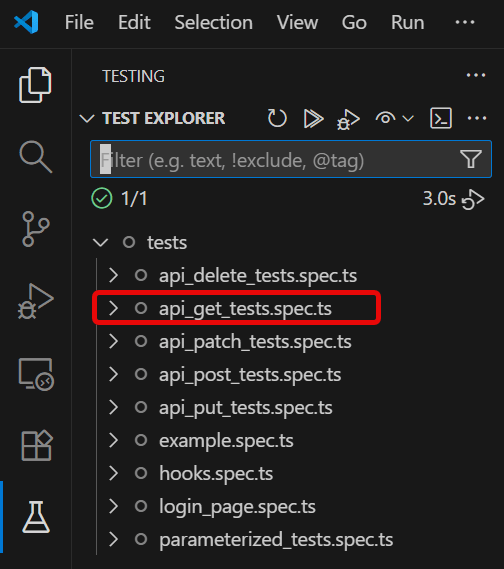
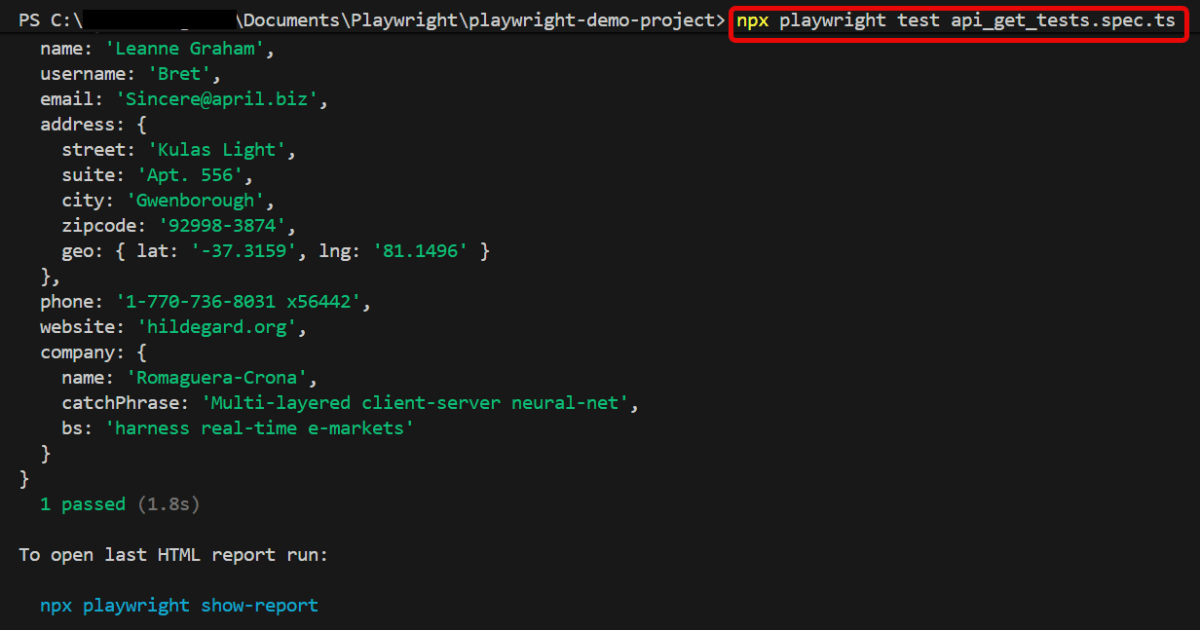
npx playwright test api_get_tests.spec.ts

npx playwright show-report

How to create XML Documents Using Java DOM Parser

HOME

An XML file contains data between the tags. This makes it complex to read compared to other file formats like docx and txt. There are two types of parsers which parse an XML file:

import org.w3c.dom.Document;
import org.w3c.dom.Element;

import javax.xml.parsers.DocumentBuilder;
import javax.xml.parsers.DocumentBuilderFactory;
import javax.xml.parsers.ParserConfigurationException;
import javax.xml.transform.Transformer;
import javax.xml.transform.TransformerException;
import javax.xml.transform.TransformerFactory;
import javax.xml.transform.dom.DOMSource;
import javax.xml.transform.stream.StreamResult;
import java.io.File;
import javax.xml.transform.OutputKeys;

public class CreateXMLDocument {

    public static void main(String[] args) {
        try {

            // Step 1: Create a DocumentBuilderFactory and DocumentBuilder
            DocumentBuilderFactory factory = DocumentBuilderFactory.newInstance();
            DocumentBuilder builder = factory.newDocumentBuilder();

            // Step 2: Create a new Document
            Document document = builder.newDocument();

            // Step 3: Create and append root element
            Element root = document.createElement("employees");
            document.appendChild(root);

            // Step 4: Create and append employee elements
            Element employee1 = document.createElement("employee");
            employee1.setAttribute("id", "1");
            Element name1 = document.createElement("Name");
            name1.appendChild(document.createTextNode("Jimmy Buffet"));
            Element id1 = document.createElement("Employee_Id");
            id1.appendChild(document.createTextNode(String.valueOf(10342256)));
            Element salary1 = document.createElement("Salary");
            salary1.appendChild(document.createTextNode(String.valueOf(5000.00)));
            employee1.appendChild(name1);
            employee1.appendChild(id1);
            employee1.appendChild(salary1);
            root.appendChild(employee1);

            Element employee2 = document.createElement("employee");
            employee2.setAttribute("id", "2");
            Element name2 = document.createElement("name");
            name2.appendChild(document.createTextNode("Jane Smith"));
            Element position2 = document.createElement("position");
            position2.appendChild(document.createTextNode("Project Manager"));
            employee2.appendChild(name2);
            employee2.appendChild(position2);
            root.appendChild(employee2);

            // Step 5: Write the content into an XML file
            TransformerFactory transformerFactory = TransformerFactory.newInstance();
            Transformer transformer = transformerFactory.newTransformer();

            transformer.setOutputProperty(OutputKeys.INDENT, "yes"); // Pretty print the XML
            transformer.setOutputProperty("{http://xml.apache.org/xslt}indent-amount", "4");

            DOMSource domSource = new DOMSource(document);

            // Write XML to file
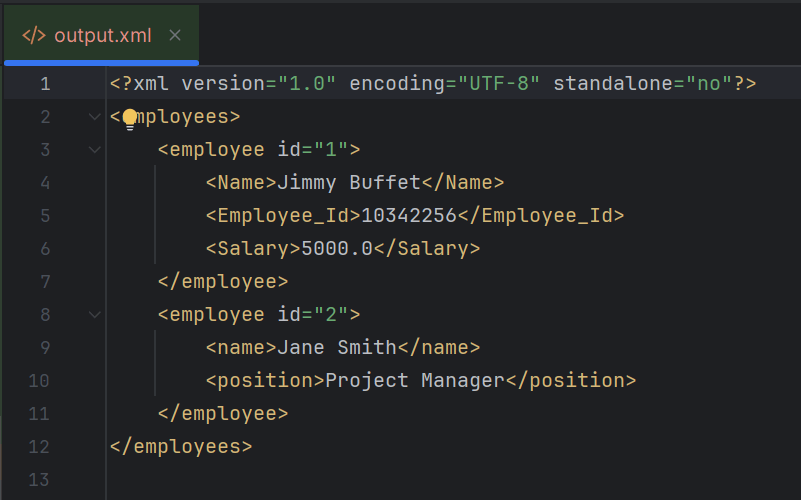
            StreamResult fileResult = new StreamResult(new File("src/test/resources/Payloads/output.xml"));
            transformer.transform(domSource, fileResult);

           // Print XML to console
            StreamResult consoleResult = new StreamResult(System.out);
            transformer.transform(domSource, consoleResult);

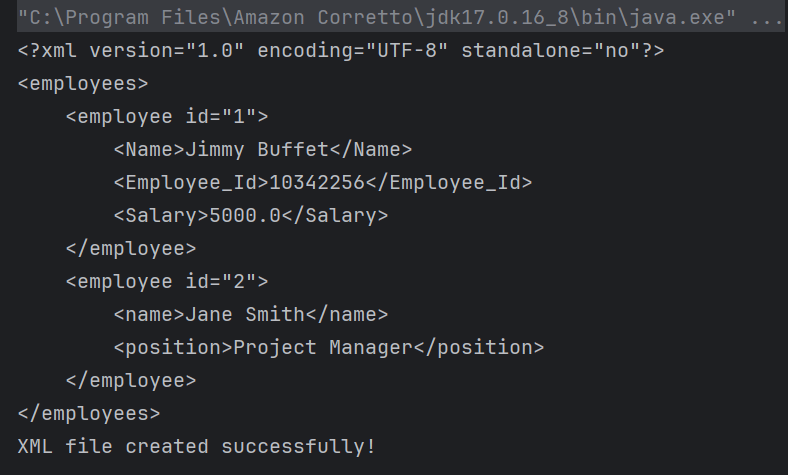
            System.out.println("XML file created successfully!");

        } catch (ParserConfigurationException | TransformerException e) {
            e.printStackTrace();
        }
    }
}

DocumentBuilderFactory factory = DocumentBuilderFactory.newInstance();
DocumentBuilder builder = factory.newDocumentBuilder();
 Document document = builder.newDocument();
Element root = document.createElement("employees");
document.appendChild(root);
Element employee1 = document.createElement("employee");
employee1.setAttribute("id", "1");
Element name1 = document.createElement("Name");
name1.appendChild(document.createTextNode("Jimmy Buffet"));
Element id1 = document.createElement("Employee_Id");
id1.appendChild(document.createTextNode(String.valueOf(10342256)));
Element salary1 = document.createElement("Salary");
salary1.appendChild(document.createTextNode(String.valueOf(5000.00)));
employee1.appendChild(name1);
employee1.appendChild(id1);
employee1.appendChild(salary1);
root.appendChild(employee1);

Element employee2 = document.createElement("employee");
employee2.setAttribute("id", "2");
Element name2 = document.createElement("name");
name2.appendChild(document.createTextNode("Jane Smith"));
Element position2 = document.createElement("position");
position2.appendChild(document.createTextNode("Project Manager"));
employee2.appendChild(name2);
employee2.appendChild(position2);
root.appendChild(employee2);
TransformerFactory transformerFactory = TransformerFactory.newInstance();
Transformer transformer = transformerFactory.newTransformer();

transformer.setOutputProperty(OutputKeys.INDENT, "yes"); // Pretty print the XML
transformer.setOutputProperty("{http://xml.apache.org/xslt}indent-amount", "4");

DOMSource domSource = new DOMSource(document);

 // Write XML to file
 StreamResult fileResult = new StreamResult(new File("src/test/resources/Payloads/output.xml"));
transformer.transform(domSource, fileResult);

StreamResult consoleResult = new StreamResult(System.out);
transformer.transform(domSource, consoleResult);

We are done! Congratulations on making it through this tutorial and hope you found it useful! Happy Learning!!

How to read XML using Java DOM Parser

HOME

An XML file contains data between the tags. This makes it complex to read compared to other file formats like docx and txt. There are two types of parsers which parse an XML file:

How to retrieve tag name from XML?

<?xml version="1.0"?>
<employees>
    <employee id="1">
        <name>John William</name>
        <position>Software Engineer</position>
    </employee>
    <employee id="2">
        <name>Jane Smith</name>
        <position>Project Manager</position>
    </employee>
    <employee id="3">
        <name>Lilly Smith</name>
        <position>Product Owner</position>
    </employee>
</employees>

package XML.DOM;

import org.w3c.dom.Document;
import org.w3c.dom.Element;
import org.w3c.dom.NodeList;
import org.xml.sax.SAXException;

import javax.xml.parsers.DocumentBuilder;
import javax.xml.parsers.DocumentBuilderFactory;
import javax.xml.parsers.ParserConfigurationException;
import java.io.File;
import java.io.IOException;

public class XMLParserTagNameExample {

    public static void main(String[] args) {
        try {
            // Create a DocumentBuilderFactory
            DocumentBuilderFactory factory = DocumentBuilderFactory.newInstance();

            // Obtain a DocumentBuilder from the factory
            DocumentBuilder builder = factory.newDocumentBuilder();

            // Parse the XML file into a Document
            Document document = builder.parse(new File("src/test/resources/Payloads/SimpleXML.xml"));

            // Normalize XML structure
            document.getDocumentElement().normalize();

            // Get the root element
            Element root = document.getDocumentElement();
            System.out.println("Root Element: " + root.getNodeName());
            System.out.println("-----------------------");

            // Retrieve the first employee element for extracting tag names
            NodeList nodeList = document.getElementsByTagName("employee");
            if (nodeList.getLength() > 0) {
                // If there is at least one employee, use it to print the element and attribute names
                Element employee = (Element) nodeList.item(0);

                    // Print the tag names
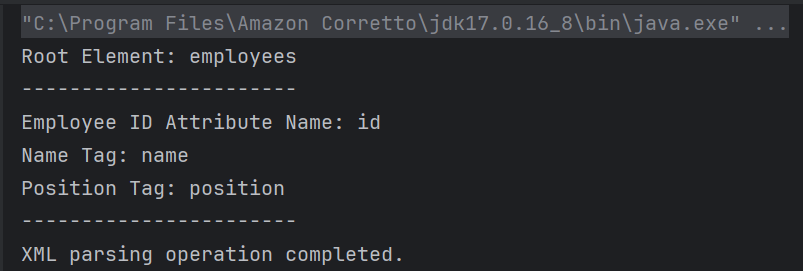
                    System.out.println("Employee ID Attribute Name: id");
                    System.out.println("Name Tag: " + employee.getElementsByTagName("name").item(0).getNodeName());
                    System.out.println("Position Tag: " + employee.getElementsByTagName("position").item(0).getNodeName());
                    System.out.println("-----------------------");
            }
        } catch (ParserConfigurationException e) {
            System.out.println("Parser configuration error occurred: " + e.getMessage());
        } catch (SAXException e) {
            System.out.println("SAX parsing error occurred: " + e.getMessage());
        } catch (IOException e) {
            System.out.println("IO error when loading XML file: " + e.getMessage());
        } finally {
            System.out.println("XML parsing operation completed.");
        }
    }
}

DocumentBuilderFactory factory = DocumentBuilderFactory.newInstance();
DocumentBuilder builder = factory.newDocumentBuilder();
 Document document = builder.parse(new File("src/test/resources/Payloads/SimpleXML.xml"));
document.getDocumentElement().normalize();
Element root = document.getDocumentElement();
System.out.println("Root Element: " + root.getNodeName());
System.out.println("-----------------------");
NodeList nodeList = document.getElementsByTagName("employee");
            if (nodeList.getLength() > 0) {
                // If there is at least one employee, use it to print the element and attribute names
                Element employee = (Element) nodeList.item(0);

                    // Print the tag names
                    System.out.println("Employee ID Attribute Name: id");
                    System.out.println("Name Tag: " + employee.getElementsByTagName("name").item(0).getNodeName());
                    System.out.println("Position Tag: " + employee.getElementsByTagName("position").item(0).getNodeName());
                    System.out.println("-----------------------");
            }
        }

catch (ParserConfigurationException e) {
            System.out.println("Parser configuration error occurred: " + e.getMessage());
        } catch (SAXException e) {
            System.out.println("SAX parsing error occurred: " + e.getMessage());
        } catch (IOException e) {
            System.out.println("IO error when loading XML file: " + e.getMessage());
        } finally {
            System.out.println("XML parsing operation completed.");
        }

package XML.DOM;

import javax.xml.parsers.DocumentBuilder;
import javax.xml.parsers.DocumentBuilderFactory;
import javax.xml.parsers.ParserConfigurationException;

import org.w3c.dom.Document;
import org.w3c.dom.Element;
import org.w3c.dom.Node;
import org.w3c.dom.NodeList;
import org.xml.sax.SAXException;

import java.io.File;
import java.io.IOException;

public class SimpleXMLParserExample {

    public static void main(String[] args) {
        try {
            // Create a DocumentBuilderFactory
            DocumentBuilderFactory factory = DocumentBuilderFactory.newInstance();

            // Obtain a DocumentBuilder from the factory
            DocumentBuilder builder = factory.newDocumentBuilder();

            // Parse the XML file into a Document
            Document document = builder.parse(new File("src/test/resources/Payloads/SimpleXML.xml"));

            // Normalize XML structure
            document.getDocumentElement().normalize();

            // Get the root element
            Element root = document.getDocumentElement();
            System.out.println("Root Element: " + root.getNodeName());
            System.out.println("-----------------------");

            // Retrieve all employee nodes
            NodeList nodeList = document.getElementsByTagName("employee");

            // Iterate over the employee nodes
            for (int i = 0; i < nodeList.getLength(); i++) {
                Node node = nodeList.item(i);

                if (node.getNodeType() == Node.ELEMENT_NODE) {
                    Element employee = (Element) node;

                    // Get the attribute and text content
                    String id = employee.getAttribute("id");
                    String name = employee.getElementsByTagName("name").item(0).getTextContent();
                    String position = employee.getElementsByTagName("position").item(0).getTextContent();

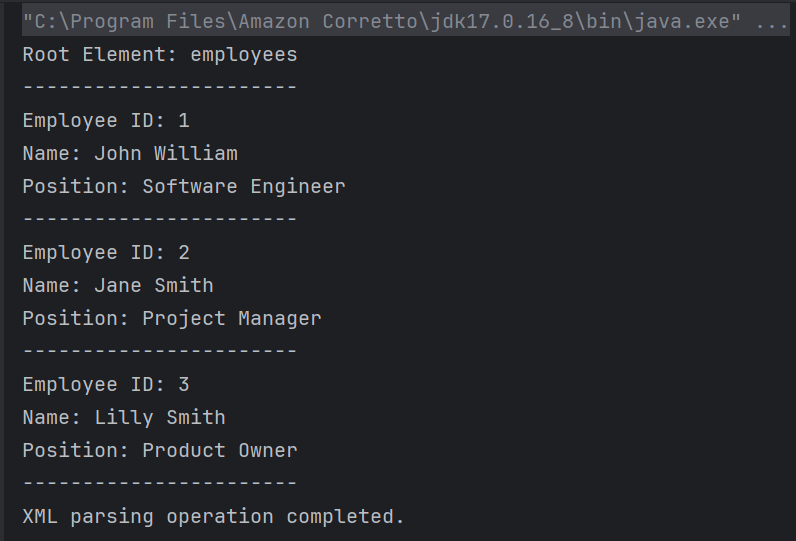
                    System.out.println("Employee ID: " + id);
                    System.out.println("Name: " + name);
                    System.out.println("Position: " + position);
                    System.out.println("-----------------------");
                }
            }
        } catch (ParserConfigurationException e) {
            System.out.println("Parser configuration error occurred: " + e.getMessage());
        } catch (SAXException e) {
            System.out.println("SAX parsing error occurred: " + e.getMessage());
        } catch (IOException e) {
            System.out.println("IO error when loading XML file: " + e.getMessage());
        } finally {
            System.out.println("XML parsing operation completed.");
        }
    }
}
NodeList nodeList = document.getElementsByTagName("employee");
 for (int i = 0; i < nodeList.getLength(); i++) {
                Node node = nodeList.item(i);

                if (node.getNodeType() == Node.ELEMENT_NODE) {
                    Element employee = (Element) node;

                    // Get the attribute and text content
                    String id = employee.getAttribute("id");
                    String name = employee.getElementsByTagName("name").item(0).getTextContent();
                    String position = employee.getElementsByTagName("position").item(0).getTextContent();

                    System.out.println("Employee ID: " + id);
                    System.out.println("Name: " + name);
                    System.out.println("Position: " + position);
                    System.out.println("-----------------------");
                }
            }
        }

We are done! Congratulations on making it through this tutorial and hope you found it useful! Happy Learning!!

How to create and write JSON with JSON.simple in Java

HOME

This article shows how to write a JSON using JSON.simple.

JSON.simple is available at the Central Maven Repository. Maven users add this to the POM.

<!-- https://mvnrepository.com/artifact/com.github.cliftonlabs/json-simple -->
<dependency>
    <groupId>com.github.cliftonlabs</groupId>
    <artifactId>json-simple</artifactId>
    <version>4.0.1</version>
</dependency>

If the project is Gradle, add the below dependency in build.gradle.

// https://mvnrepository.com/artifact/com.github.cliftonlabs/json-simple
implementation("com.github.cliftonlabs:json-simple:4.0.1")

Write Simple JSON to File using JSON.simple

{ 
    "Working Days":[ 
                             "Monday",
                             "Tuesday",
                             "Wednesday"
                             ],
    "Salary":4500.0,
    "Name":"Vibha"
}

import com.github.cliftonlabs.json_simple.JsonArray;
import com.github.cliftonlabs.json_simple.JsonObject;
import com.github.cliftonlabs.json_simple.Jsoner;

import java.io.FileWriter;
import java.io.IOException;

public class WriteSimpleJson {
    public static void main(String[] args) {

        // JSON String
        JsonObject jsonObject = new JsonObject();
        jsonObject.put("Name", "Vibha");
        jsonObject.put("Salary", 4500.00);

        // JSON Array
        JsonArray list = new JsonArray();
        list.add("Monday");
        list.add("Tuesday");
        list.add("Wednesday");

        jsonObject.put("Working Days", list);
        System.out.println(Jsoner.serialize(jsonObject));

        try (FileWriter fileWriter = new FileWriter("src/test/resources/Payloads/Employee.json")) {
            Jsoner.serialize(jsonObject, fileWriter);

        } catch (IOException e) {
            throw new RuntimeException(e);
        }
    }
}

JsonObject jsonObject = new JsonObject();
jsonObject.put("Name", "Vibha");
jsonObject.put("Salary", 4500.00);
JsonArray list = new JsonArray();
list.add("Monday");
list.add("Tuesday");
list.add("Wednesday");
jsonObject.put("Working Days", list);
 try (FileWriter fileWriter = new FileWriter("src/test/resources/Payloads/Employee.json")) {
            Jsoner.serialize(jsonObject, fileWriter);

  } 

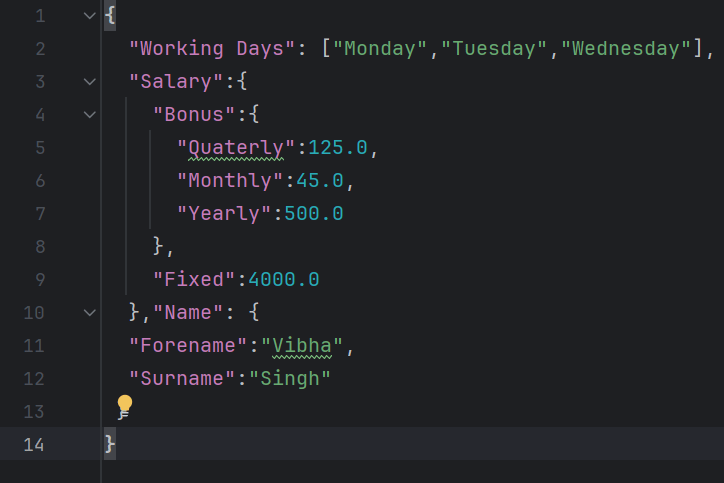
{
  "Working Days": ["Monday","Tuesday","Wednesday"],
  "Salary":{
    "Bonus":{
      "Quaterly":125.0,
      "Monthly":45.0,
      "Yearly":500.0
    },
    "Fixed":4000.0
  },"Name": {
  "Forename":"Vibha",
  "Surname":"Singh"
 }
}

import com.github.cliftonlabs.json_simple.JsonArray;
import com.github.cliftonlabs.json_simple.JsonObject;
import com.github.cliftonlabs.json_simple.Jsoner;

import java.io.FileWriter;
import java.io.IOException;

public class WriteComplexJson {

    public static void main(String[] args) {

        JsonObject jsonObject = new JsonObject();

        //Name
        JsonObject name = new JsonObject();
        name.put("Forename", "Vibha");
        name.put("Surname", "Singh");
        jsonObject.put("Name", name);

        //Salary
        JsonObject salary = new JsonObject();
        salary.put("Fixed", 4000.00);

        //Bonus
        JsonObject bonus = new JsonObject();
        bonus.put("Monthly", 45.00);
        bonus.put("Quaterly", 125.00);
        bonus.put("Yearly", 500.00);

        salary.put("Bonus",  bonus);
        jsonObject.put("Salary", salary);

        // JSON Array
        JsonArray list = new JsonArray();
        list.add("Monday");
        list.add("Tuesday");
        list.add("Wednesday");
        jsonObject.put("Working Days", list);

        System.out.println(Jsoner.serialize(jsonObject));

        try (FileWriter fileWriter = new FileWriter("src/test/resources/Payloads/EmployeeDetails.json")) {
            Jsoner.serialize(jsonObject, fileWriter);
        } catch (IOException e) {
            throw new RuntimeException(e);
        }
    }
}

 JsonObject jsonObject = new JsonObject();
JsonObject name = new JsonObject();
name.put("Forename", "Vibha");
name.put("Surname", "Singh");
jsonObject.put("Name", name);
//Salary
JsonObject salary = new JsonObject();
salary.put("Fixed", 4000.00);
//Bonus
JsonObject bonus = new JsonObject();
bonus.put("Monthly", 45.00);
bonus.put("Quaterly", 125.00);
bonus.put("Yearly", 500.00);

salary.put("Bonus",  bonus);
jsonObject.put("Salary", salary);
// JSON Array
JsonArray list = new JsonArray();
list.add("Monday");
list.add("Tuesday");
list.add("Wednesday");

jsonObject.put("Working Days", list);
System.out.println(Jsoner.serialize(jsonObject));

7. Writing the JSON to a File

The `try-with-resources` statement is used to ensure the `FileWriter` is closed automatically. A `FileWriter` writes the serialized JSON object to a file at `src/test/resources/Payloads/EmployeeDetails.json`.

 try (FileWriter fileWriter = new FileWriter("src/test/resources/Payloads/Employee.json")) {
            Jsoner.serialize(jsonObject, fileWriter); }

We are done! Congratulations on making it through this tutorial and hope you found it useful! Happy Learning!!

How to Read JSON with JSON.simple

HOME

This article shows how to read JSON using JSON.simple.

JSON.simple is available at the Central Maven Repository. Maven users add this to the POM.

<!-- https://mvnrepository.com/artifact/com.github.cliftonlabs/json-simple -->
<dependency>
    <groupId>com.github.cliftonlabs</groupId>
    <artifactId>json-simple</artifactId>
    <version>4.0.1</version>
</dependency>

If the project is Gradle, add the below dependency in build.gradle.

// https://mvnrepository.com/artifact/com.github.cliftonlabs/json-simple
implementation("com.github.cliftonlabs:json-simple:4.0.1")

Read Simple JSON from File using JSON.simple

{
  "store": {
    "book": "Harry Potter",
    "author": "J K Rowling",
    "price": 100
  }
}

import com.github.cliftonlabs.json_simple.JsonException;
import com.github.cliftonlabs.json_simple.JsonObject;
import com.github.cliftonlabs.json_simple.Jsoner;

import java.io.IOException;
import java.math.BigDecimal;
import java.nio.file.Files;
import java.nio.file.Paths;

public class SimpleJsonExample {

    public static void main(String args[]) throws IOException {

        String jsonString = new String(Files.readAllBytes(Paths.get("src/test/resources/Payloads/simple.json")));
        try {
            JsonObject jsonObject = (JsonObject) Jsoner.deserialize(jsonString);

            // Accessing the "store" object
            JsonObject store = (JsonObject) jsonObject.get("store");

            // Accessing the "book" object
            String book = (String) store.get("book");
            System.out.println("Book: " + book);

            // Accessing the "author" object
            String author = (String) store.get("author");
            System.out.println("Author - " + author);

            // Accessing the "price" field
            BigDecimal price = (BigDecimal) store.get("price");
            System.out.println("Price: " + price);

        } catch (JsonException e) {
            throw new RuntimeException(e);
        }
    }
}

String jsonString = new String(Files.readAllBytes(Paths.get("src/test/resources/Payloads/simple.json")));
JsonObject jsonObject = (JsonObject) Jsoner.deserialize(jsonString);
 JsonObject store = (JsonObject) jsonObject.get("store");
String book = (String) store.get("book");
System.out.println("Book: " + book);
String author = (String) store.get("author");
System.out.println("Author - " + author);
BigDecimal price = (BigDecimal) store.get("price");
System.out.println("Price: " + price);

public class ComplexJsonExample {

    public static void main(String args[]) throws IOException {

        String jsonString = new String(Files.readAllBytes(Paths.get("src/test/resources/Payloads/complex.json")));
        try {
            JsonObject jsonObject = (JsonObject) Jsoner.deserialize(jsonString);

            // Accessing the "store" object
            JsonObject store = (JsonObject) jsonObject.get("store");

            // Accessing the "book" array
            JsonArray books = (JsonArray) store.get("book");
            for (Object bookObj : books) {
                JsonObject book = (JsonObject) bookObj;
                String category = (String) book.get("category");
                String author = (String) book.get("author");
                String title = (String) book.get("title");
                BigDecimal price = (BigDecimal) book.get("price");

                System.out.println("Book: " + title + " (Category: " + category + ", Author: " + author + ", Price: " + price + ")");
            }

            // Accessing the "bicycle" object
            JsonObject bicycle = (JsonObject) store.get("bicycle");
            String color = (String) bicycle.get("color");
            BigDecimal bicyclePrice = (BigDecimal) bicycle.get("price");
            System.out.println("Bicycle: Color - " + color + ", Price - " + bicyclePrice);

            // Accessing the "expensive" field
            BigDecimal expensiveValue = (BigDecimal) jsonObject.get("expensive");
            System.out.println("Expensive threshold: " + expensiveValue);

        } catch (JsonException e) {
            throw new RuntimeException(e);
        }
    }
}
String jsonString = new String(Files.readAllBytes(Paths.get("src/test/resources/Payloads/complex.json")));
JsonObject jsonObject = (JsonObject) Jsoner.deserialize(jsonString);
 // Accessing the "store" object
JsonObject store = (JsonObject) jsonObject.get("store");

// Accessing the "book" array
JsonArray books = (JsonArray) store.get("book");
 for (Object bookObj : books) {
       JsonObject book = (JsonObject) bookObj;
       String category = (String) book.get("category");
       String author = (String) book.get("author");
       String title = (String) book.get("title");
       BigDecimal price = (BigDecimal) book.get("price");

        System.out.println("Book: " + title + " (Category: " + category + ", Author: " + author + ", Price: " + price + ")");
      }
 // Accessing the "bicycle" object
 JsonObject bicycle = (JsonObject) store.get("bicycle");
String color = (String) bicycle.get("color");
BigDecimal bicyclePrice = (BigDecimal) bicycle.get("price");
System.out.println("Bicycle: Color - " + color + ", Price - " + bicyclePrice);
BigDecimal expensiveValue = (BigDecimal) jsonObject.get("expensive");
System.out.println("Expensive threshold: " + expensiveValue);

We are done! Congratulations on making it through this tutorial and hope you found it useful! Happy Learning!!

How to generate an access token and pass to another request in Postman?

HOME

pm.environment.set("TOKEN", pm.response.json().access_token)

Key: Authorization
Value: Bearer {{Token}}

How to set Content-Type in Postman: A Simple Guide

HOME

https://api.restful-api.dev/objects

{
   "name": "Apple MacBook Pro 16",
   "data": {
      "year": 2019,
      "price": 1849.99,
      "CPU model": "Intel Core i9",
      "Hard disk size": "1 TB"
   }
}