In this article we will see how we can see how we will merge 2 PDF files in a single PDF file using selenium Java.
Merging PDF documents in Selenium using Java requires some additional libraries because Selenium itself does not provide direct support for reading PDFs. The most commonly used library for reading PDFs in Java is Apache PDFBox.
Table of Contents
- Add the dependencies
- WebDriver SetUp and navigate to the page
- Download the pdfs
- Merging the PDFs
- Delete old PDF files
- Quit the browser
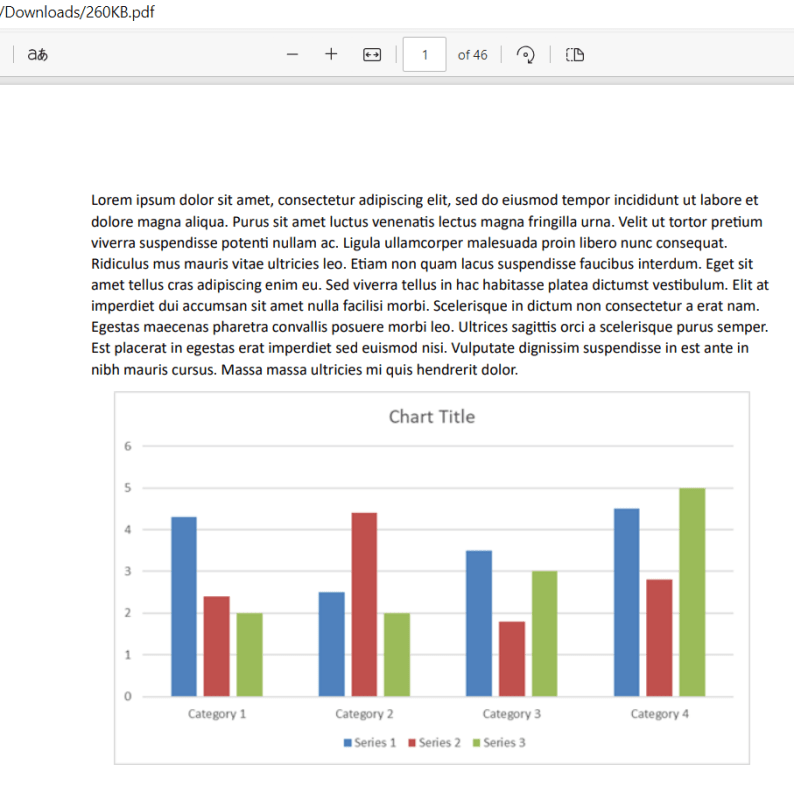
Sample PDF File1

Sample PDF File2
1. Add the dependencies
  <dependency>
      <groupId>org.seleniumhq.selenium</groupId>
      <artifactId>selenium-java</artifactId>
      <version>4.24.0</version>
    </dependency>

    <dependency>
      <groupId>commons-io</groupId>
      <artifactId>commons-io</artifactId>
      <version>2.16.1</version>
    </dependency>

    <dependency>
      <groupId>org.apache.pdfbox</groupId>
      <artifactId>pdfbox</artifactId>
      <version>3.0.3</version>
    </dependency>
2. WebDriver SetUp and navigate to the page
Configuring WebDriver for Chrome and setting ChromeOptions for downloading PDFs automatically without prompts.
 String downloadFilepath = System.getProperty("user.dir") + File.separator + "downloads";

        ChromeOptions options = new ChromeOptions();
        Map<String, Object> prefs = new HashMap<>();
        prefs.put("plugins.always_open_pdf_externally", true);
        prefs.put("download.default_directory", downloadFilepath);
        options.setExperimentalOption("prefs", prefs);

        WebDriver driver = new ChromeDriver(options);
        driver.manage().window().maximize();
        driver.get("https://freetestdata.com/document-files/pdf/");
3. Download the pdfs
We are using the Apache PDFBox to download PDF files.
We are using WebDriverWait to wait until the pdfs are downloaded.
// Download first PDF
    WebElement downloadLink1 = driver.findElement(By.xpath("//*[@class='elementor-button-text']"));
    downloadLink1.click();

//Wait for first PDF download to complete
   File downloadedFile1 = new File(downloadFilepath + "/Free_Test_Data_100KB_PDF.pdf");
   WebDriverWait wait1 = new WebDriverWait(driver, Duration.ofSeconds(30));
   wait1.until((ExpectedCondition<Boolean>) wd -> downloadedFile1.exists());
    System.out.println("PDF file1 is downloaded successfully.");

// Download second PDF
    WebElement downloadLink2 = driver.findElement(By.xpath("//*[@id=\"post-81\"]/div/div/section[3]/div/div[1]/div/section[2]/div/div[2]/div/div/div/div/a/span/span"));
    downloadLink2.click();

//Wait for first PDF download to complete
    File downloadedFile2 = new File(downloadFilepath + "/260KB.pdf");
   WebDriverWait wait2 = new WebDriverWait(driver, Duration.ofSeconds(30));
    wait2.until((ExpectedCondition<Boolean>) wd -> downloadedFile2.exists());
    System.out.println("PDF file2 is downloaded successfully.");
4. Merging the PDFs
We are using PDFMergerUtility from Apache PDFBox to merge the downloaded PDF files into a single PDF.
 public static void mergePDFFiles(String pdf1Path, String pdf2Path, String mergedPdfPath) throws IOException {
        PDFMergerUtility pdfMerger = new PDFMergerUtility();

        pdfMerger.addSource(new File(pdf1Path));
        pdfMerger.addSource(new File(pdf2Path));
        pdfMerger.setDestinationFileName(mergedPdfPath);

        // Merge PDFs
        pdfMerger.mergeDocuments(null);

    }
Step 1 – Creates an instance of PDFMergerUtility which is a utility class in Apache PDFBox for merging multiple PDF files.
PDFMergerUtility pdfMerger = new PDFMergerUtility();
Step 2 – Adds the first PDF file (pdf1Path) and the second PDF file (pdf2Path) as sources to the PDFMergerUtility instance.
pdfMerger.addSource(new File(pdf1Path));
pdfMerger.addSource(new File(pdf2Path));
Step 3 – setDestinationFileName is a method provided by PDFMergerUtility to set the output file’s path.
pdfMerger.setDestinationFileName(mergedPdfPath);
Step 4 – The mergeDocuments(COSLoadOptions) method performs the merging operation. The parameter null signifies that default load options are used.
pdfMerger.mergeDocuments(null);
5. Delete old PDF files
Verify if each file exists before attempting to delete it and printing a success or failure message based on the deletion attempt.
public static void deleteOldPDFFiles(File... files) {
        for (File file : files) {
            if (file.exists()) {
                if (file.delete()) {
                    System.out.println(file.getName() + " was deleted successfully.");
                } else {
                    System.out.println("Failed to delete " + file.getName() + ".");
                }
            }
        }
    }
6. Quit the browser
Quit the browser after all the operations are finished to free up the resources.
driver.quit();
The entire program can be seen below:
package com.example;

import org.apache.pdfbox.Loader;
import org.apache.pdfbox.multipdf.PDFMergerUtility;
import org.apache.pdfbox.pdmodel.PDDocument;
import org.openqa.selenium.By;
import org.openqa.selenium.WebDriver;
import org.openqa.selenium.WebElement;
import org.openqa.selenium.chrome.ChromeDriver;
import org.openqa.selenium.chrome.ChromeOptions;
import org.openqa.selenium.support.ui.ExpectedCondition;
import org.openqa.selenium.support.ui.WebDriverWait;
import java.io.File;
import java.io.IOException;
import java.time.Duration;
import java.util.HashMap;
import java.util.Map;

public class PDFMerge_Demo {

    public static void main(String[] args) throws InterruptedException, IOException {

        String downloadFilepath = System.getProperty("user.dir") + File.separator + "merge_downloads";

        ChromeOptions options = new ChromeOptions();
        Map<String, Object> prefs = new HashMap<>();
        prefs.put("plugins.always_open_pdf_externally", true);
        prefs.put("download.default_directory", downloadFilepath);
        options.setExperimentalOption("prefs", prefs);

        WebDriver driver = new ChromeDriver(options);
        driver.manage().window().maximize();
        driver.get("https://freetestdata.com/document-files/pdf/");

        // Download first PDF
        WebElement downloadLink1 = driver.findElement(By.xpath("//*[@class='elementor-button-text']"));
        downloadLink1.click();

        //Wait for first PDF download to complete
        File downloadedFile1 = new File(downloadFilepath + "/Free_Test_Data_100KB_PDF.pdf");
        WebDriverWait wait1 = new WebDriverWait(driver, Duration.ofSeconds(30));
        wait1.until((ExpectedCondition<Boolean>) wd -> downloadedFile1.exists());
        System.out.println("PDF file1 is downloaded successfully.");

        // Download second PDF
        WebElement downloadLink2 = driver.findElement(By.xpath("//*[@id=\"post-81\"]/div/div/section[3]/div/div[1]/div/section[2]/div/div[2]/div/div/div/div/a/span/span"));
        downloadLink2.click();

        //Wait for first PDF download to complete
        File downloadedFile2 = new File(downloadFilepath + "/260KB.pdf");
        WebDriverWait wait2 = new WebDriverWait(driver, Duration.ofSeconds(30));
        wait2.until((ExpectedCondition<Boolean>) wd -> downloadedFile2.exists());
        System.out.println("PDF file2 is downloaded successfully.");

        String pdf1Path = downloadedFile1.getAbsolutePath();
        String pdf2Path = downloadedFile2.getAbsolutePath();

        //Check if PDF files exists
        if (downloadedFile1.exists() && downloadedFile2.exists()) {

            // Merge the PDF files
            mergePDFFiles(pdf1Path, pdf2Path, downloadFilepath + "/Merged_PDF.pdf");

            // Print success message
            System.out.println("PDF files merged successfully.");

            // Delete old PDFs
            deleteOldPDFFiles(downloadedFile1, downloadedFile2);

            // Print success message
            System.out.println("Old PDF files are deleted successfully.");
        } else {
            System.out.println("One or both of the PDF files are missing.");
        }

        // Close the browser
        driver.quit();

    }

    public static void mergePDFFiles(String pdf1Path, String pdf2Path, String mergedPdfPath) throws IOException {
        PDFMergerUtility pdfMerger = new PDFMergerUtility();

        pdfMerger.addSource(new File(pdf1Path));
        pdfMerger.addSource(new File(pdf2Path));
        pdfMerger.setDestinationFileName(mergedPdfPath);

        // Merge PDFs
        pdfMerger.mergeDocuments(null);

    }

    public static void deleteOldPDFFiles(File... files) {
        for (File file : files) {
            if (file.exists()) {
                if (file.delete()) {
                    System.out.println(file.getName() + " was deleted successfully.");
                } else {
                    System.out.println("Failed to delete " + file.getName() + ".");
                }
            }
        }
    }

}
The output of the above program is
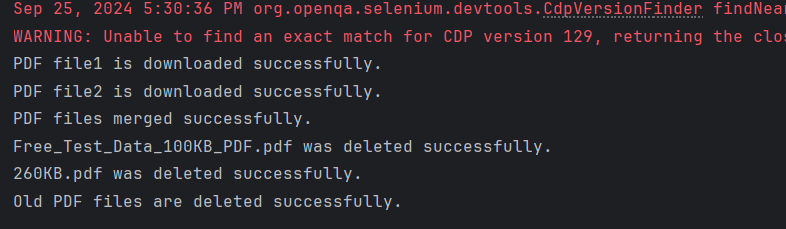
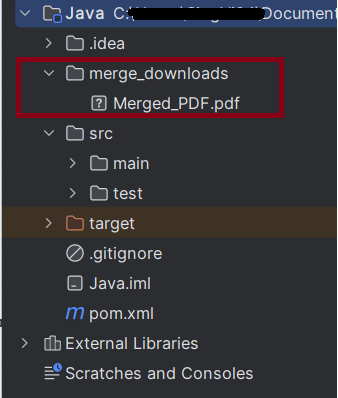
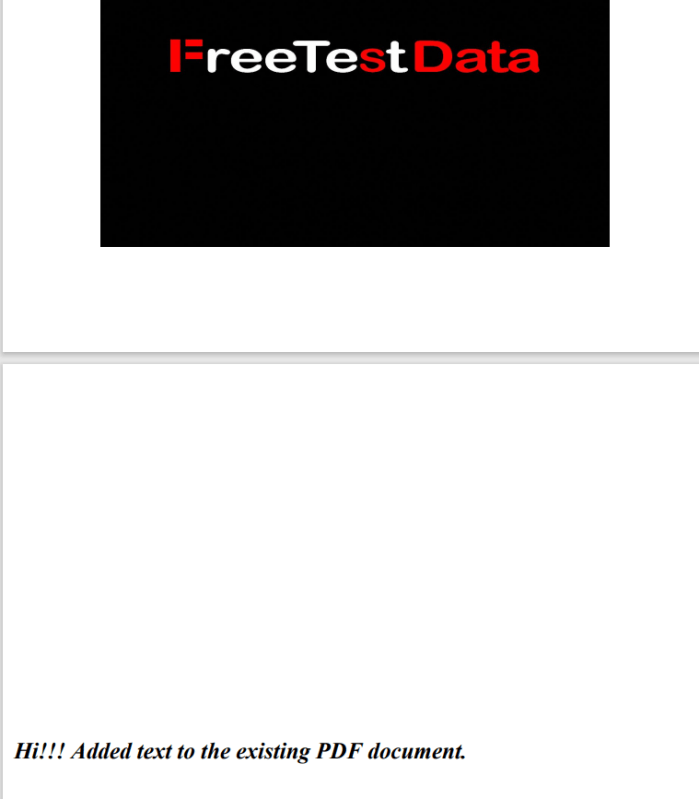
We can see that the merged pdf is placed in the merge_downloads folder.
Congratulations on making it through this tutorial and hope you found it useful! Happy Learning!!


 QA Automation Expert