Last Updated On
Playwright can be used to get access to the REST API of the application.
In this tutorial, I will go through the steps to execute the PATCH requests in Playwright.
Table of Contents:
- System Requirement
- What is PATCH Request?
- Setup Your Playwright Testing Environment
- Update playwright.config.ts
- Writing the API Test
- Execute the tests through Test Explorer View
- Execute the tests through Command Line
- Evaluate Test Results
System Requirement
- Node.js version 18 or higher and npm (comes with Node.js)
- Windows 10+, macOS 12+, or Ubuntu 20.04+
- Visual Studio for Code is already installed.
- Playwright is already installed
What is PATCH Request?
A PATCH request is an HTTP method used in RESTful APIs to apply partial modifications to a resource. Unlike other methods that may require a complete representation of the resource, PATCH allows for updating only specific parts of the data.
1. Setup Your Playwright Testing Environment:
Verify that the Playwright installed in your project. If you haven’t yet installed it, you can use:
npm install playwright
2. Update playwright.config.ts
Playwright Test comes with a few built-in reporters for different needs and ability to provide custom reporters. We will add detail in playwright.config.ts to generate the html report, once the test execution is finished.
import { defineConfig } from '@playwright/test';

export default defineConfig({
  reporter: 'html',
});
3. Writing the API Test
Here’s an example script demonstrating API testing for PATCH operation using Playwright:
import { test, expect } from '@playwright/test';

test('API Testing - PATCH with Playwright', async ({ request }) => {

const response = await request.get('https://jsonplaceholder.typicode.com/posts/1');

    // Check the response status code
    expect(response.status()).toBe(200);

    // Parse the response data
    const responseBody = await response.json();
    console.log(responseBody);


     // Perform a PATCH request
     const patchResponse = await request.patch('https://jsonplaceholder.typicode.com/posts/1', {
       data: {
         title: 'Manager'
       }
     });

    // Check the response status code
    expect(patchResponse.status()).toBe(200);

    // Parse the response data
    const patchResponseBody = await patchResponse.json();
    console.log(patchResponseBody);

    // Validate the response
    expect(patchResponseBody).toHaveProperty('title', 'Manager');

   });
Explanation:
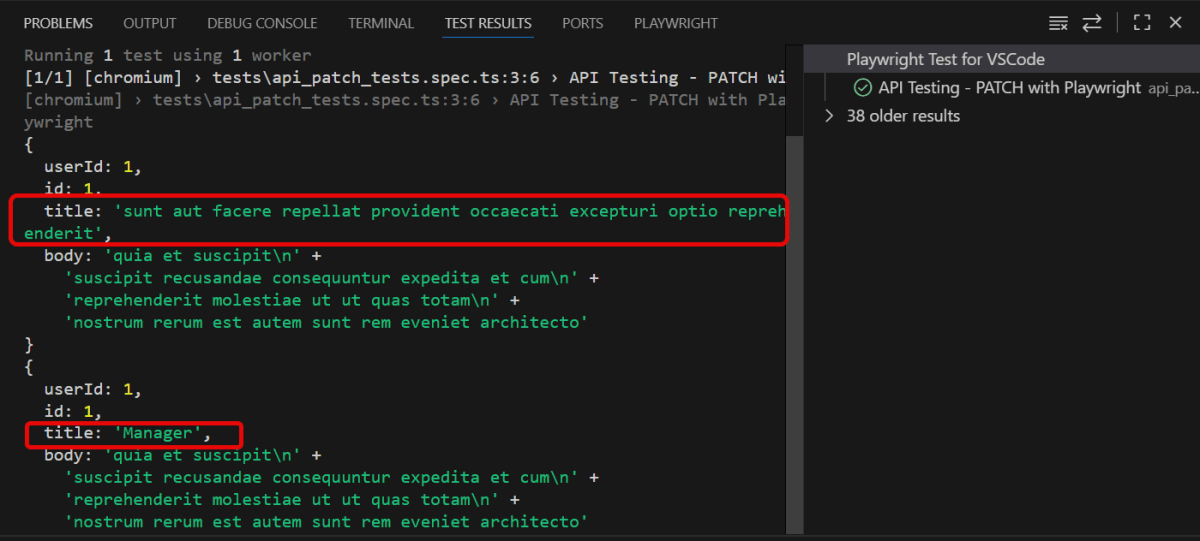
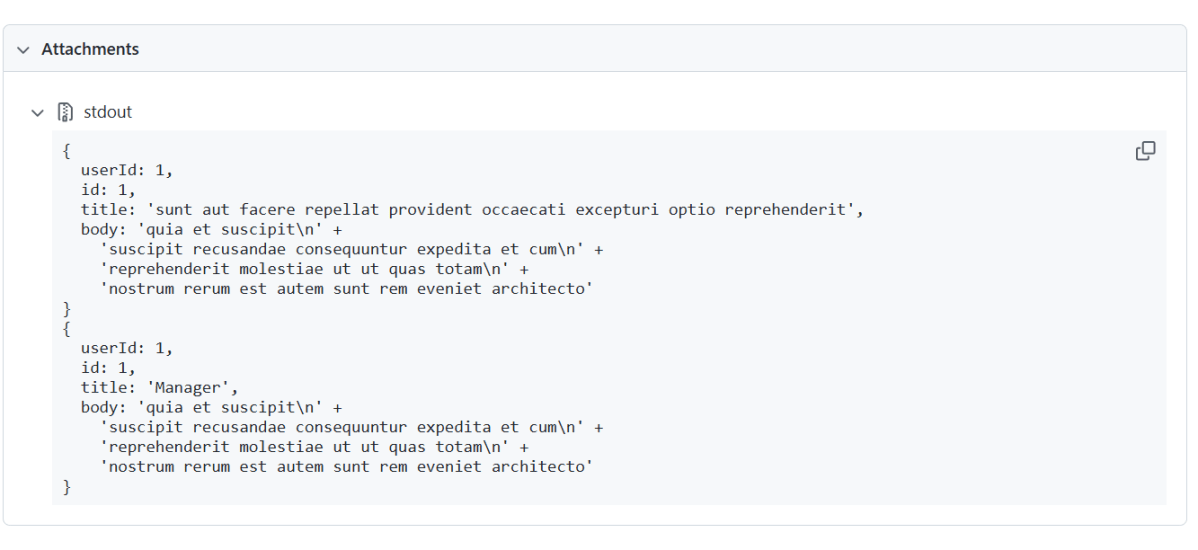
In the above example, first I have sent a GET request to see the body structure of the response. Then I sent a PATCH request to see the changes in the response body.
1. Imports
This line imports the `test` and `expect` functions from the Playwright testing module. They provide a structure for creating tests and validating outcomes.
import { test, expect } from '@playwright/test';
2. Test Definition
This defines a test case named “API Testing – PATCH with Playwright” using an asynchronous function. The request parameter allows you to perform HTTP operations like GET, PATCH, etc.
test('API Testing - PATCH with Playwright', async ({ request }) => {
3. Performing a PATCH Request
Sends a PATCH request to the specified URL. data transmits the body of the request.
const patchResponse = await request.patch('https://jsonplaceholder.typicode.com/posts/1', {
      data: {
        title: 'Manager'
      }
    });
4. Verifying the status code of the response
Retrieve HTTP status code for response validation.
expect(patchResponse.status()).toBe(200);
5. Parse response data
Parse response data into JSON format
const patchResponseBody = await patchResponse.json();
6. Print response body to console
This outputs the response body to the console, allowing you to see the returned JSON data.
console.log(patchResponseBody);
7. Verifying the response body
Perform assertions on the response.
Check that the title property of the resource now matches ‘Manager’. This verifies that the PATCH request successfully updated the intended field.
expect(patchResponseBody).toHaveProperty('title', 'Manager');
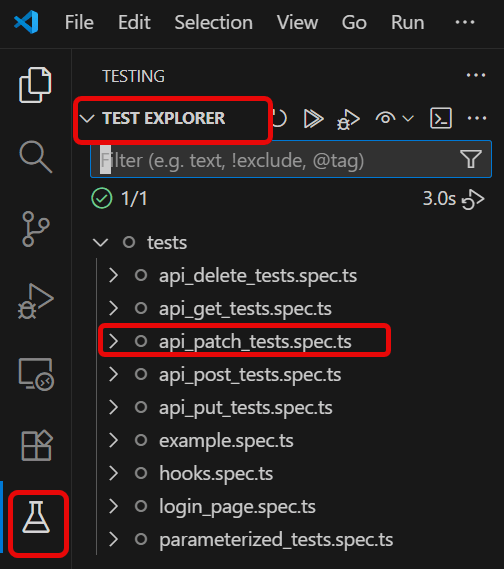
4. Execute the tests through Test Explorer View
Go to the funnel shape icon called “Testing” or “Test Explorer View”. You can run the tests from the test Explorer view too now. You can run all of the tests in all of the test specs in this directory.
You can also come in and run all of the tests in a particular specification file. Alternatively, run individual tests within a specification file. Here, I want to run the tests of api_patch_tests.spec.ts file.
The output of the above program is
5. Execute the tests through Command Line
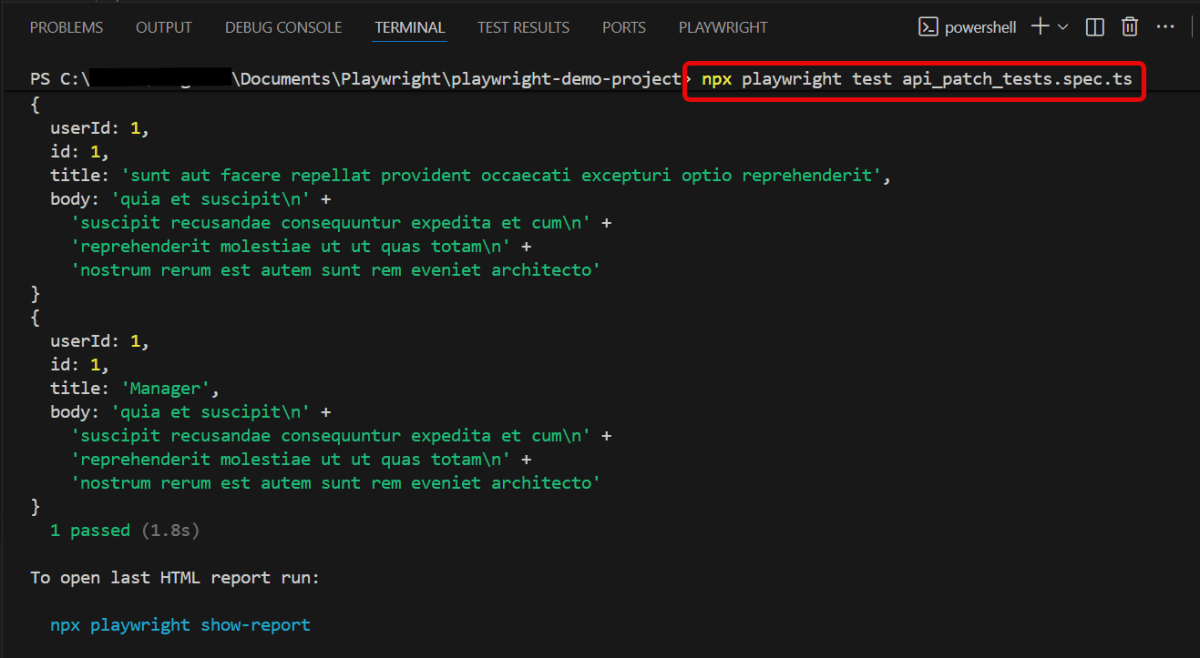
You can also run the tests through the command line. Go to the terminal and use the below command:-
npx playwright test api_patch_tests.spec.ts
This command runs all the tests present in this file.
6. Evaluate Test Results
Analyze console outputs and assertions to validate the response data, ensuring that your API endpoints are functioning as designed.
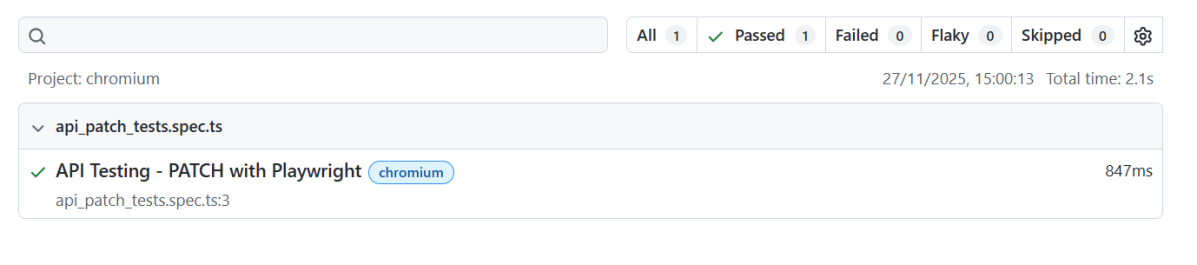
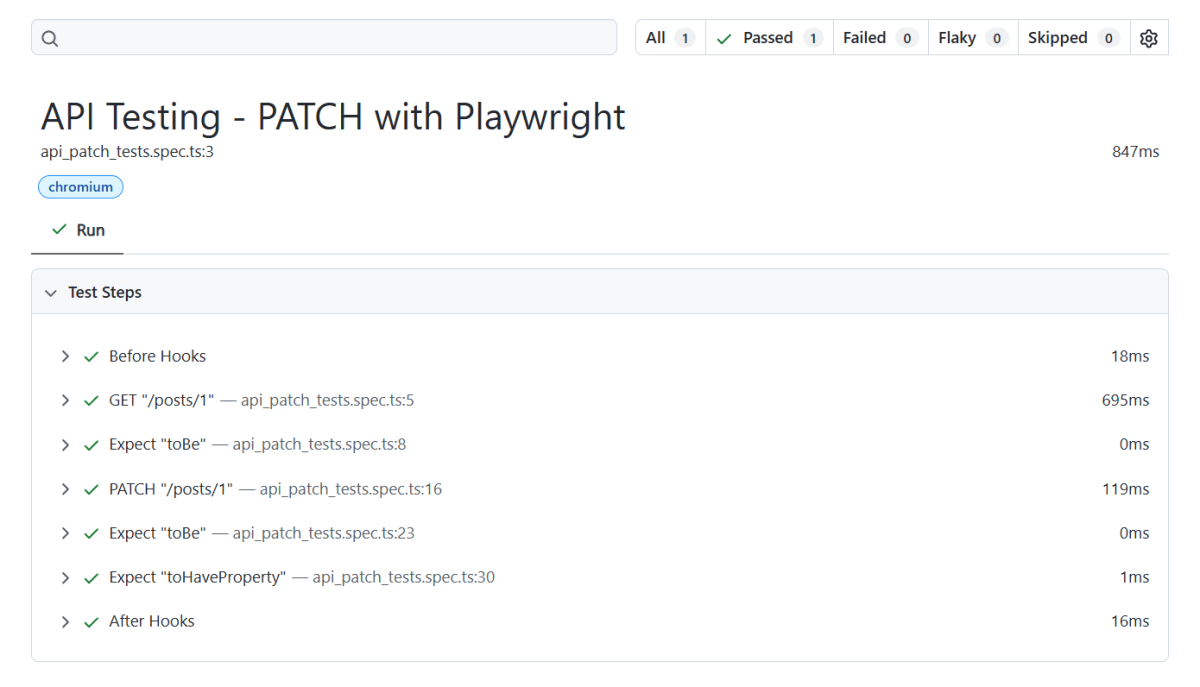
Playwright generates a test report after the execution of the tests. This test report can be viewed by using the below command:
npx playwright show-report
The output of the above command is

Below is the Test Report generated by Playwright.
To know more about Playwright UI mode, please refer to this website – https://playwright.dev/docs.
 QA Automation Expert