Last Updated On
Playwright supports tags and annotations that are displayed in the test report.
You can add your own tags and annotations at any moment, but Playwright comes with a few built-in ones:
Table Of Contents
- test.skip()
- test.fail()
- test.fixme()
- test.slow()
- Focus a test
- Conditionally skip a test
- Group tests
- Tag tests
Below is the playwright.config.ts used in the project.
playwright.config.ts
import { defineConfig, devices } from '@playwright/test';

/**
 * See https://playwright.dev/docs/test-configuration.
 */
export default defineConfig({
  testDir: './tests',

 /* Run tests in files in parallel */
  fullyParallel: true,

 /* Reporter to use. See https://playwright.dev/docs/test-reporters */
  reporter: 'html',

 /* Shared settings for all the projects below. See https://playwright.dev/docs/api/class-testoptions. */
  use: {

    /* Collect trace when retrying the failed test. See https://playwright.dev/docs/trace-viewer */
    trace: 'on-first-retry'

  },

  /* Configure projects for major browsers */
  projects: [
    {
      name: 'chromium',
      use: { ...devices['Desktop Chrome'] },
    },

  ]

});
Below are the tests mentioned in login_page.spec.ts
login_page.spec.ts
import { test, expect } from '@playwright/test';

test('has title', async ({ page, browserName }) => {
  await page.goto('https://opensource-demo.orangehrmlive.com/');

  // Print the browser name
  console.log(`Running test on browser: ${browserName}`);

  // Expect a title "to contain" a substring.
  await expect(page).toHaveTitle(/OrangeHRM/);
});


test('valid login', async ({ page, browserName }) => {

  const username = 'Admin';
  const password = 'admin123'

  await page.goto('https://opensource-demo.orangehrmlive.com/');

  // Print the browser name
  console.log(`Running test on browser: ${browserName}`);

  // Fill in the username
  await page.fill('input[name="username"]', username);

  // Fill in the password
  await page.fill('input[name="password"]', password);

  // Click the login button - Use XPath to locate and click the login button
  const loginButton = await page.locator('//button[@type="submit" and contains(@class, "orangehrm-login-button")]').click();

  // Get the text content from the element
  const dashboardText = await page.locator('//h6[contains(@class, "oxd-topbar-header-breadcrumb-module")]').textContent();

  // Print the text
  console.log(`Dashboard text: ${dashboardText}`);

  expect(dashboardText).toContain('Dashboard');

});


test('invalid username', async ({ page, browserName }) => {

  const username = 'Admin123';
  const password = 'admin123'

  await page.goto('https://opensource-demo.orangehrmlive.com/');

  // Print the browser name
  console.log(`Running test on browser: ${browserName}`);

  // Fill in the username
  await page.fill('input[name="username"]', username);

  // Fill in the password
  await page.fill('input[name="password"]', password);

  // Click the login button - Use XPath to locate and click the login button
  const loginButton = await page.locator('//button[@type="submit" and contains(@class, "orangehrm-login-button")]').click();

  // Get the text content from the element
  const actualErrorMessage = await page.locator('//p[contains(@class, "oxd-alert-content-text") and text()="Invalid credentials"]').textContent();

  // Print the text
  console.log(`Dashboard text: ${actualErrorMessage}`);

  expect(actualErrorMessage).toContain('Invalid credentials');

});
In the above playwright.config file, we have specified 1 browser – chromium.
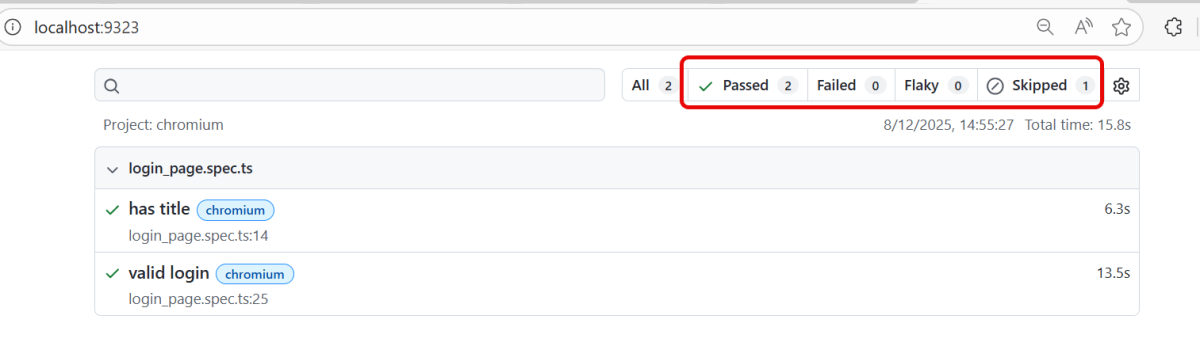
1. test.skip()
Playwright does not run such a test. Use this annotation when the test is not applicable in some configuration.
test.skip('invalid username',  async ({ page, browserName }) => {
//
}
The output of the above program
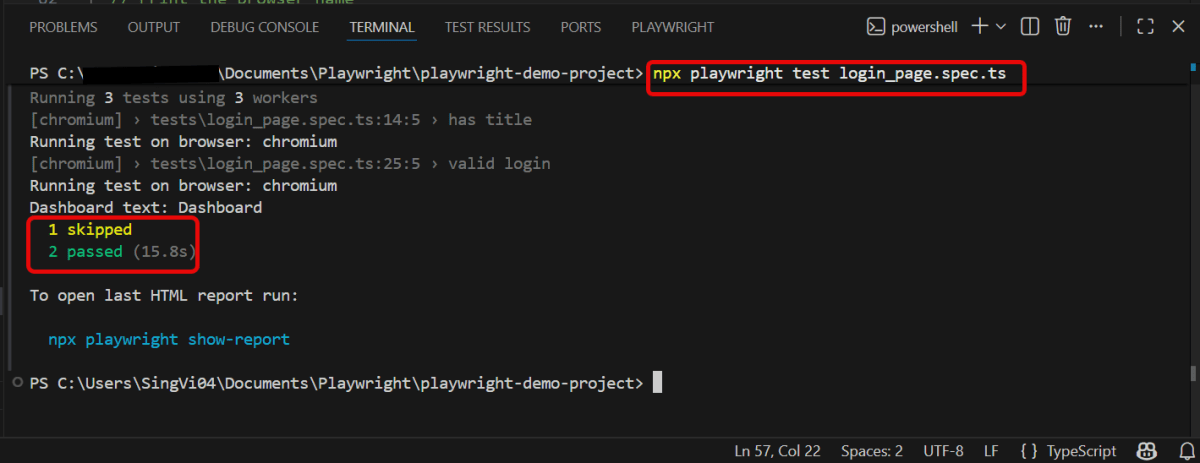
We can see this in the Index.html report generated by Playwright.
2. test.fail()
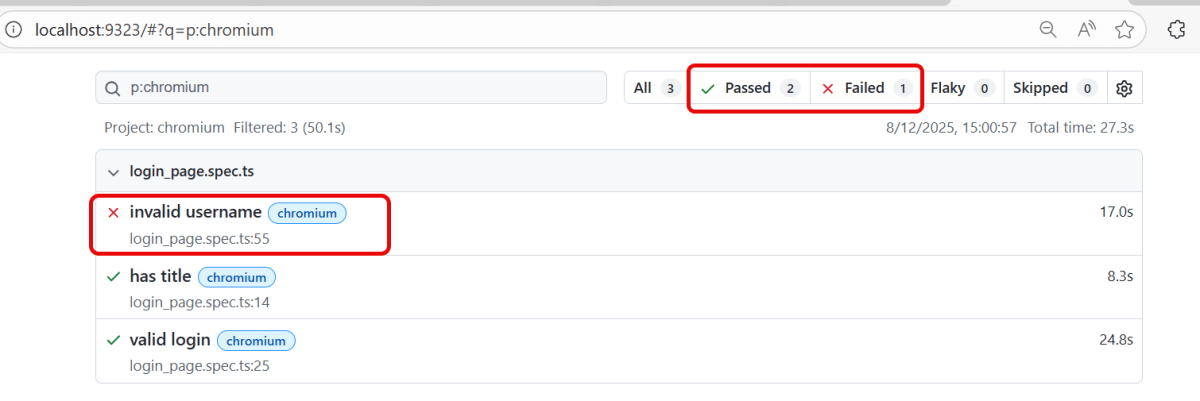
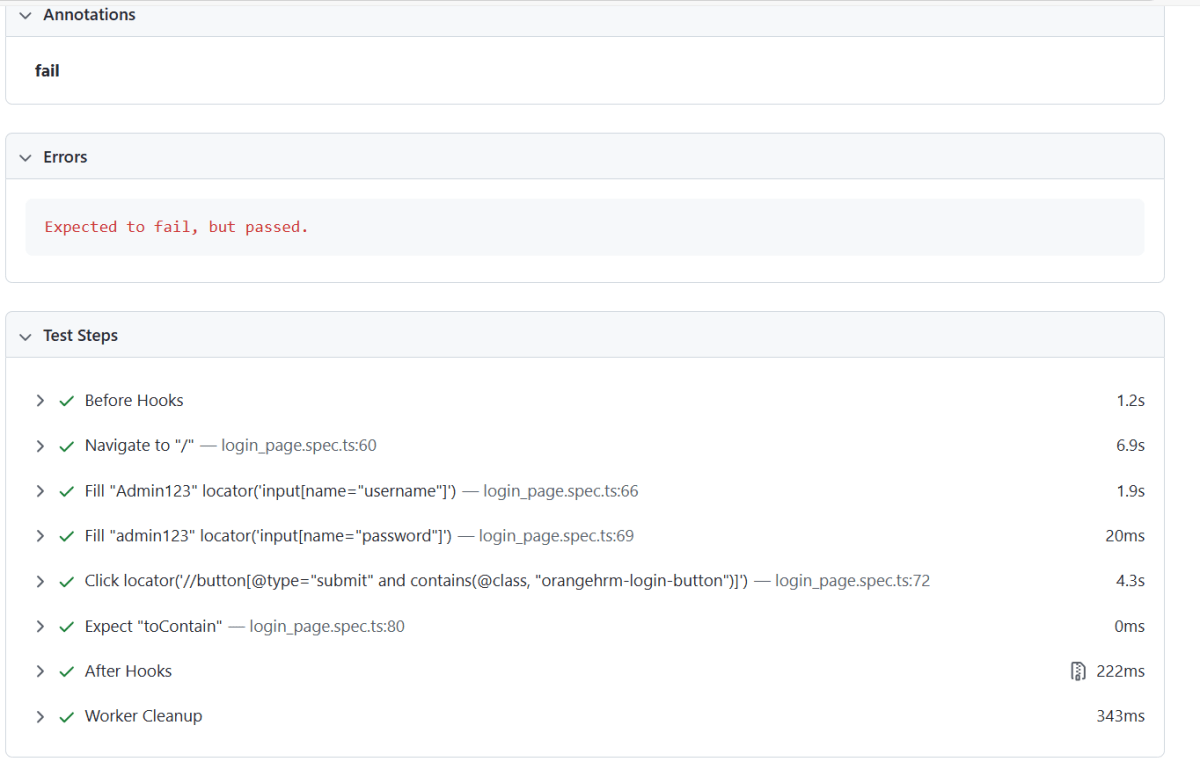
Playwright will run this test and ensure it does indeed fail. If the test does not fail, Playwright will complain. It marks the test as failing.
test.fail('invalid username',  async ({ page, browserName }) {
//
}
The output of the above program
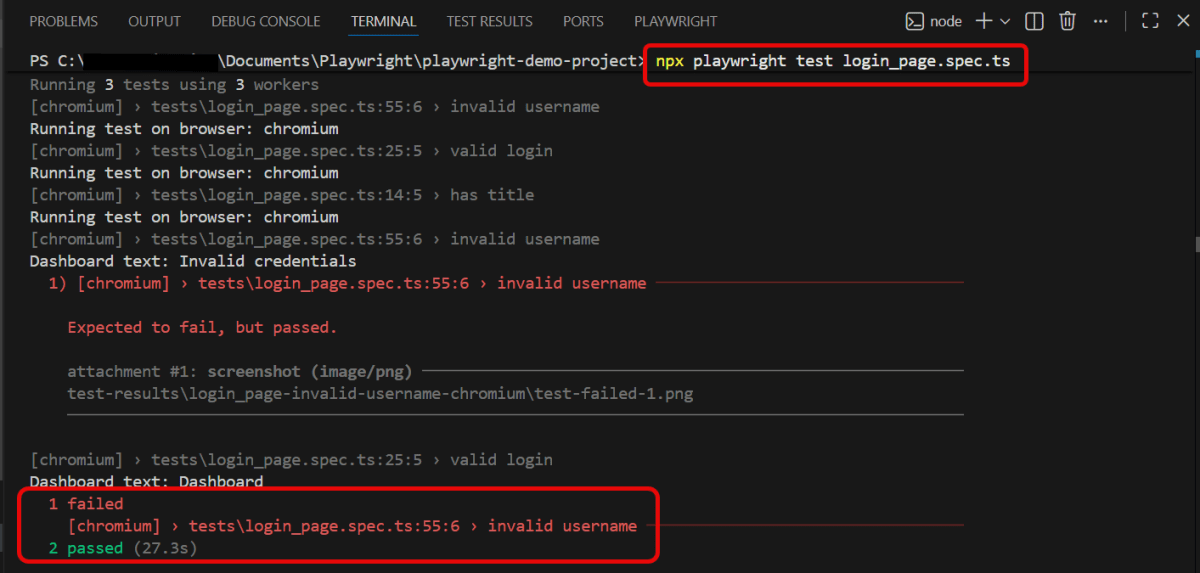
We can see this in the Index.html report generated by Playwright. I have marked invalid username as fail, but the test passes. So, it shows that the test failed.
3. test.fixme()
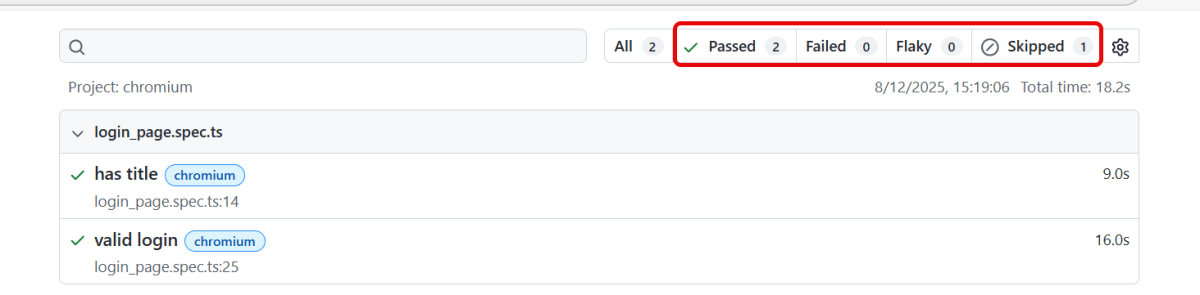
The `fixme` annotation is used for tests that are expected to fail due to known issues or bugs. It indicates that the test should be skipped until the problems are resolved. It also serves as a reminder that attention is needed to fix the test.
test.fixme('invalid username',  async ({ page, browserName }) => {
//
}
The output of the above program
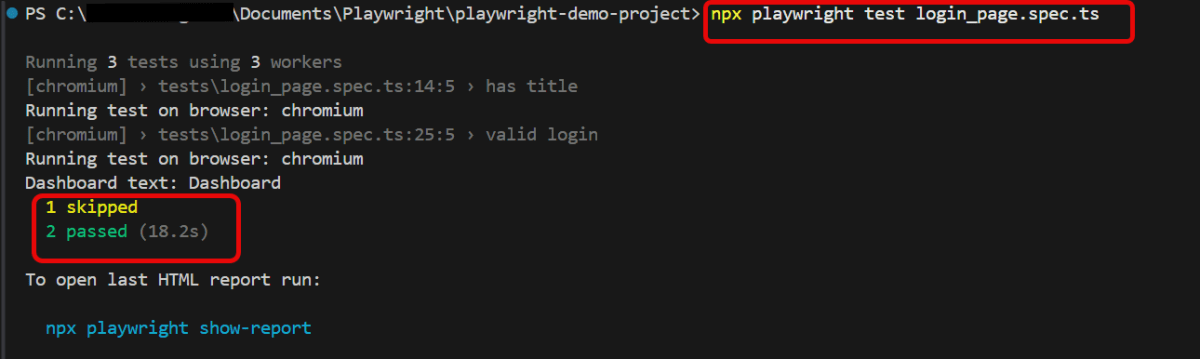
We can see this in the Index.html report generated by Playwright.
4. test.slow()
It marks the test as slow and triples the test timeout.
test.slow('invalid username',  async ({ page, browserName }) => {
//
}
5. Focus a test
You can focus some tests. When there are focused tests, only these tests run.
test.only('invalid username',  async ({ page, browserName }) => {
//
}
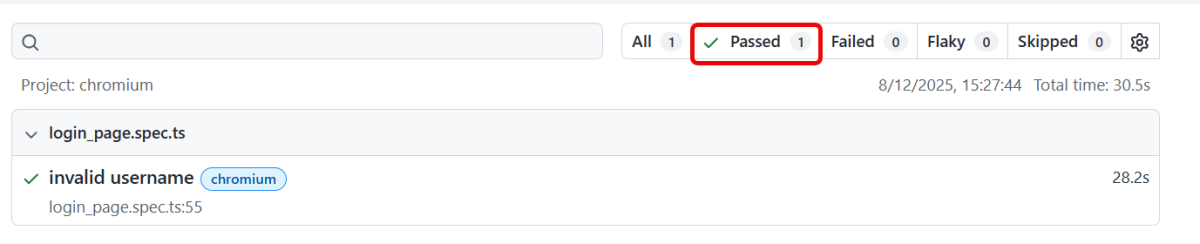
The output of the above program
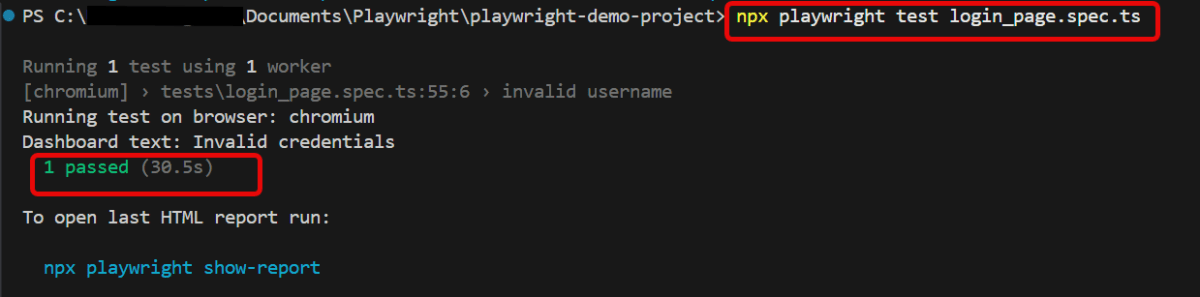
We can see only test – invalid username is executed in the Index.html report generated by Playwright.
6. Conditionally skip a test
You can skip certain test based on the condition.
test('skip this test', async ({ page, browserName }) => {
  test.skip(browserName === 'firefox', 'Still working on it');
});
7. Group tests
We can group tests to give them a logical name or to scope before/after hooks to the group.
test.describe('login check',() => {
test('valid login', async ({ page, browserName }) => {

  const username = 'Admin';
  const password = 'admin123'

  await page.goto('https://opensource-demo.orangehrmlive.com/');
  console.log(`Running test on browser: ${browserName}`);

  await page.fill('input[name="username"]', username);
  await page.fill('input[name="password"]', password);

  const loginButton = await page.locator('//button[@type="submit" and contains(@class, "orangehrm-login-button")]').click();

  const dashboardText = await page.locator('//h6[contains(@class, "oxd-topbar-header-breadcrumb-module")]').textContent();

  console.log(`Dashboard text: ${dashboardText}`);
  expect(dashboardText).toContain('Dashboard');

});


test('invalid username',  async ({ page, browserName }) => {

  const username = 'Admin123';
  const password = 'admin123'

  await page.goto('https://opensource-demo.orangehrmlive.com/');
  console.log(`Running test on browser: ${browserName}`);

  await page.fill('input[name="username"]', username);
  await page.fill('input[name="password"]', password);

  const loginButton = await page.locator('//button[@type="submit" and contains(@class, "orangehrm-login-button")]').click();

  const actualErrorMessage = await page.locator('//p[contains(@class, "oxd-alert-content-text") and text()="Invalid credentials"]').textContent();

  console.log(`Dashboard text: ${actualErrorMessage}`);
  expect(actualErrorMessage).toContain('Invalid credentials');

});

});
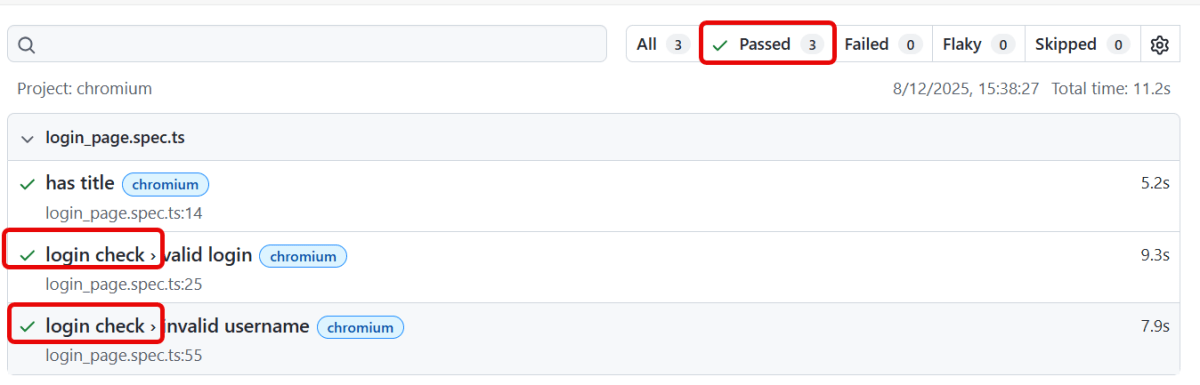
The output of the above program
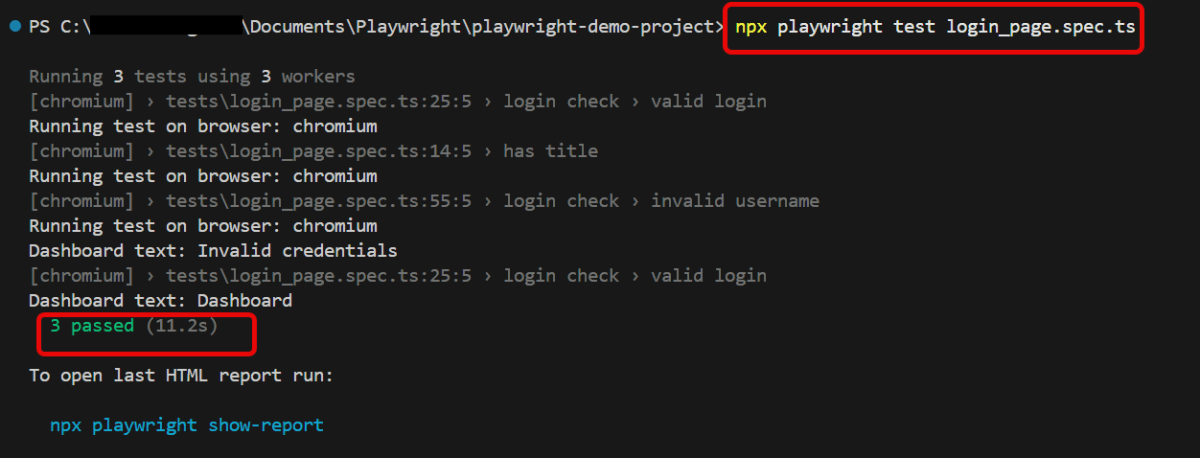
We can see that we have grouped 2 tests into 1 with title – login check in the Index.html report generated by Playwright.
8. Tag tests
8.1 Sometimes you want to tag your tests as @fast or @slow, and then filter by tag in the test report. Or you might want to only run tests that have a certain tag.
To tag a test, either provide an additional details object when declaring a test, or add @-token to the test title. Note that tags must start with @ symbol.
test('invalid username',   {
  tag: '@fast',
}, async ({ page, browserName }) => {
//
}
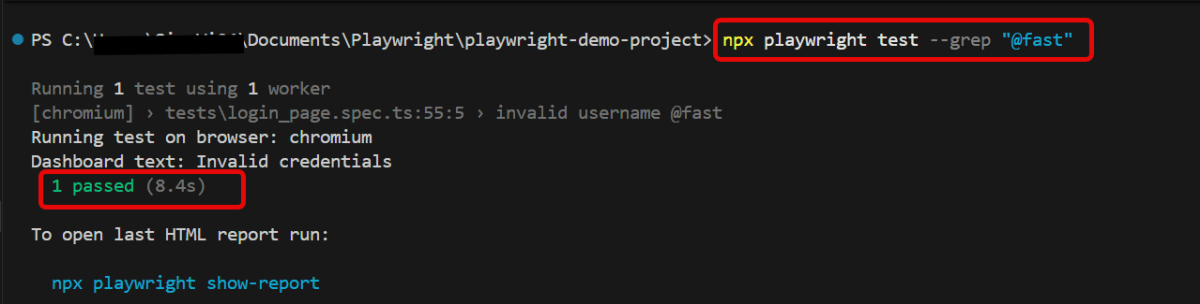
You can now run tests that have a particular tag with --grep command line option in Powershell. To run the test tagged as @fast, use the below command:
npx playwright test --grep "@fast"
The output of the above program
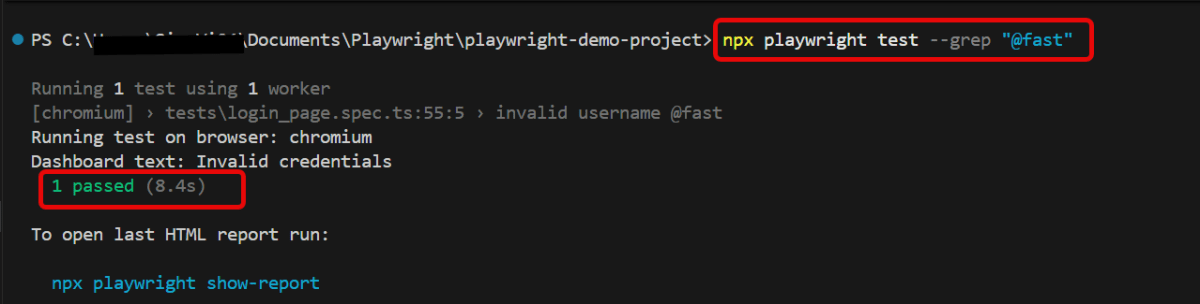
We can see tagged test in the Index.html report generated by Playwright.
8.2 If we want the opposite, we can skip the tests with a certain tag:
npx playwright test login_page.spec.ts --grep-invert "@fast"
8.3 To run tests containing either tag (logical OR operator):
npx playwright test --grep --% "@fast^|@slow"
8.4 Run tests containing both tags (logical AND operator) using regex lookaheads:
npx playwright test --grep "(?=.*@fast)(?=.*@slow)"
To know more about Playwright, please refer to this website – https://playwright.dev/docs/test-annotations.
That’s it! Congratulations on making it through this tutorial and hope you found it useful! Happy Learning!!
 QA Automation Expert