Last Updated On
In this tutorial, we’ll learn how to use Postman to test an endpoint secured with Basic Authentication.
Table of Contents
What is Basic Authentication?
Basic Authentication is a simple authentication scheme built into the HTTP protocol. The client sends the username and password encoded in Base64 in the Authorization header.
We will use the following URL for this Postman tutorial.
https://postman-echo.com/basic-auth
Implementation Steps
Below are the steps to use Basic Auth in Postman:
Create a Collection
Step 1: Create a Collection, click on Collections, and then click on the “+” plus button.
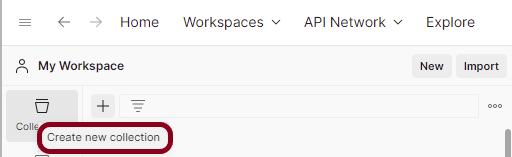
Step 2: Provide a name to the collection – “Authentication”.

Add a request to the Collection
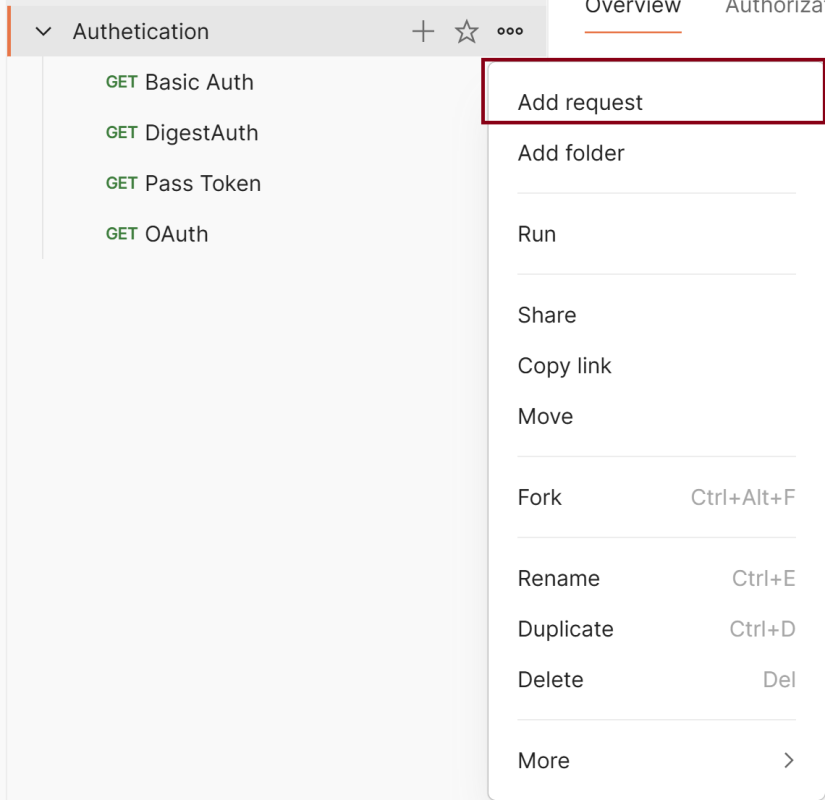
Step 3: To create a new request, click on “Add a request”, if it is a new Collection. Otherwise, click on the 3 dots and select “Add request”.
Enter the details – URL, Method, Authorization
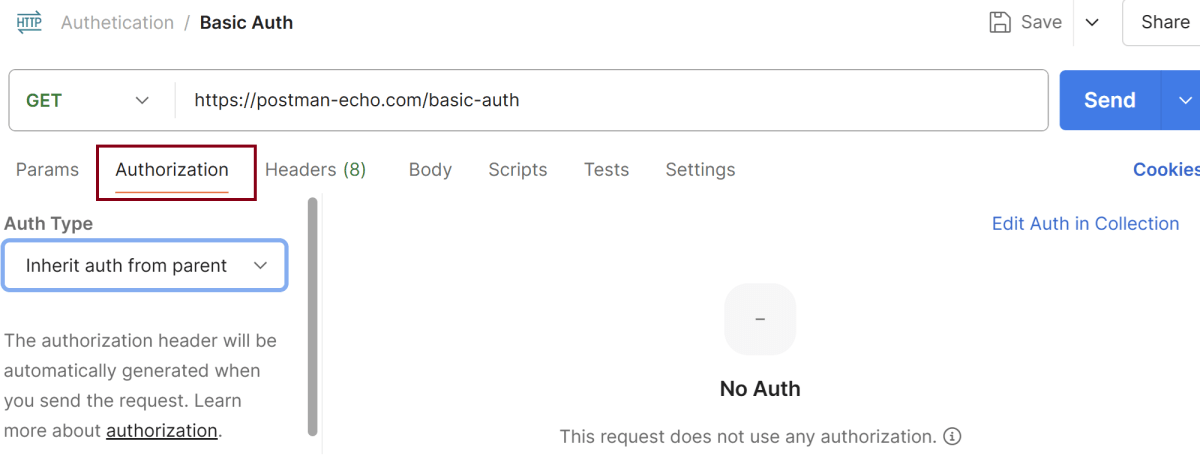
Step 4: Enter the “name” in the request. Here, the name is “Basic Auth”.

Step 5: Enter the “URL” in the address bar.
https://postman-echo.com/basic-auth

Step 6: Now, select the “GET” request from the list of request methods.

Step 7: Now, go to the “Authorization“ Tab.
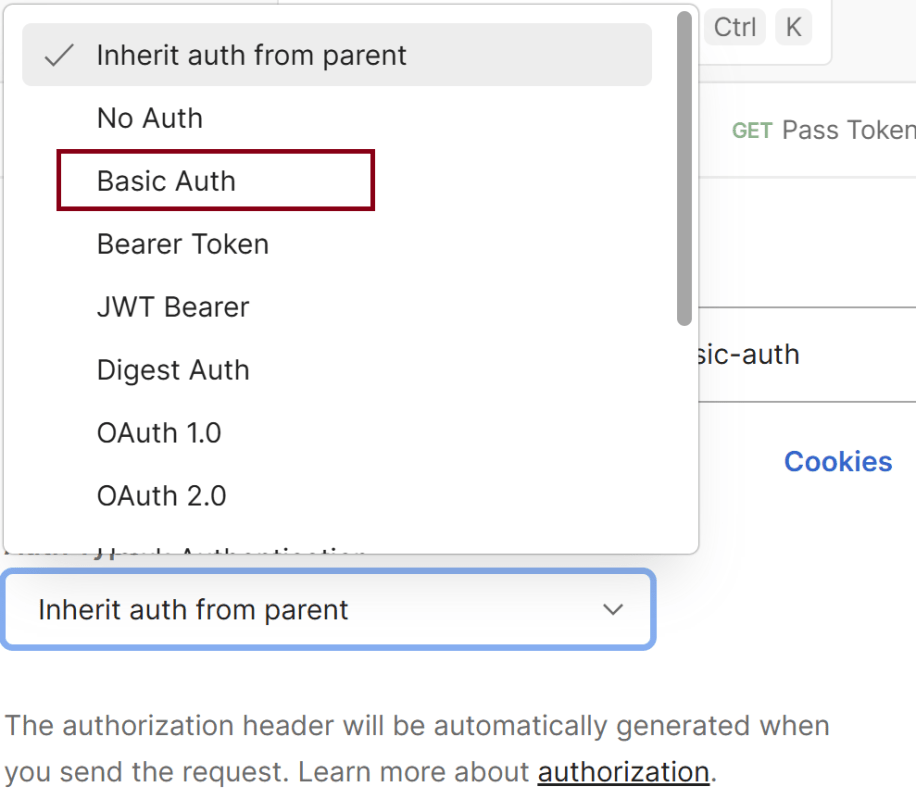
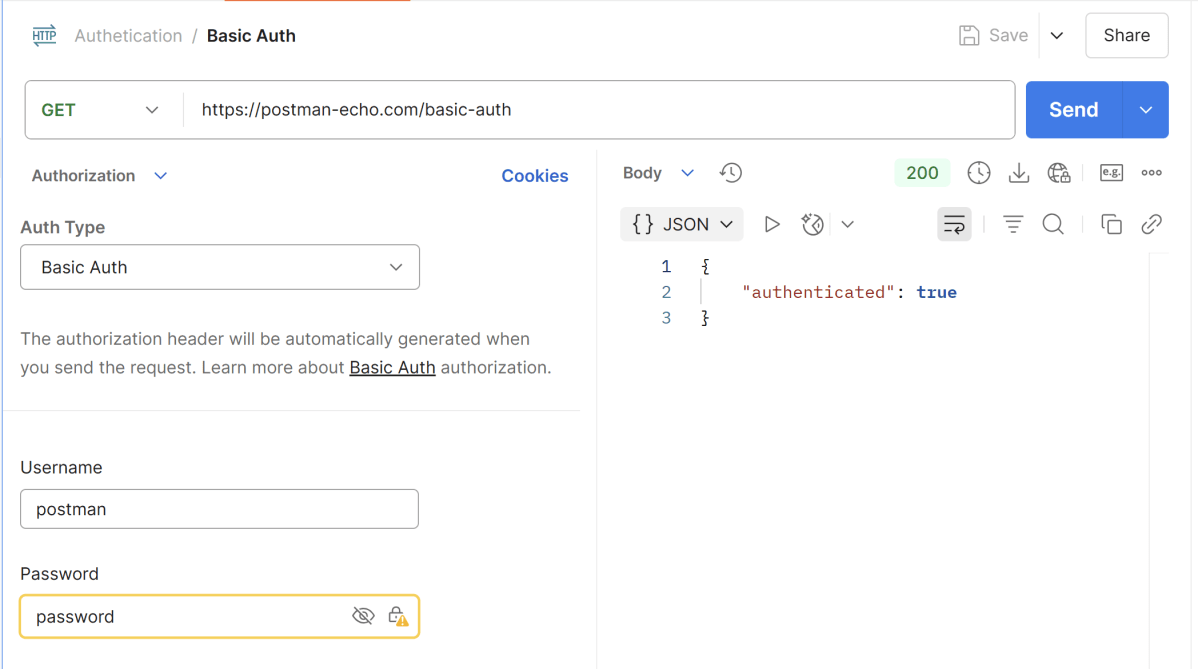
Step 8: We need to select “Basic Auth“ from the Dropdown List.
Step 9: We need to enter the username and password. We have set username – postman, password – password.

Step 10: Now, click on the Send button in Postman. The server will respond with the protected resource response message.

Verify the Response
Step 11: Once you press the send button, you will get the response from the server. Make sure you have a proper internet connection; otherwise, you will not get a response.
Status
You can check the status code. Here, we got the status code 200, which means we got a successful response to the request.

Body
In the Body tab of the response box, we have multiple options to see the response in a different format.

Headers
Headers are the extra information that is transferred to the server or the client. In Postman, headers will show like key-value pairs under the headers tab. Click on the Headers link as shown in the below image:

Important Notes
- Basic Auth is not secure over HTTP – always use HTTPS to encrypt the credentials.
- Avoid using Basic Auth in production unless it’s over SSL and with additional protections.
- Postman automatically handles the encoding — you don’t need to Base64 the credentials yourself.
We are done! Congratulations on making it through this tutorial and hope you found it useful! Happy Learning!!
 QA Automation Expert